Watch Cam for Nest Cam

Watch Cam for Nest Cam

Télécharger sur App Store
Logo de Watch Cam for Nest Cam

Watch Cam pour Nest Cam : Votre maison, directement à votre poignet

Surveillez vos flux en direct, utilisez les raccourcis Siri et gérez le statut Chez moi/Absent directement depuis votre Apple Watch. Restez connecté grâce au support LTE et aux instantanés sur votre cadran — privé, sécurisé et conçu pour votre style de vie actif.

Télécharger sur App Store

Éditeur

Marko Radakovic

Catégorie

Lifestyle

Téléchargements

122K+

Note

3.8/5

Nombre d'avis

100

Langues

1

La sécurité en un coup d'œil

Découvrez l'interface utilisée par 122K+ utilisateurs.
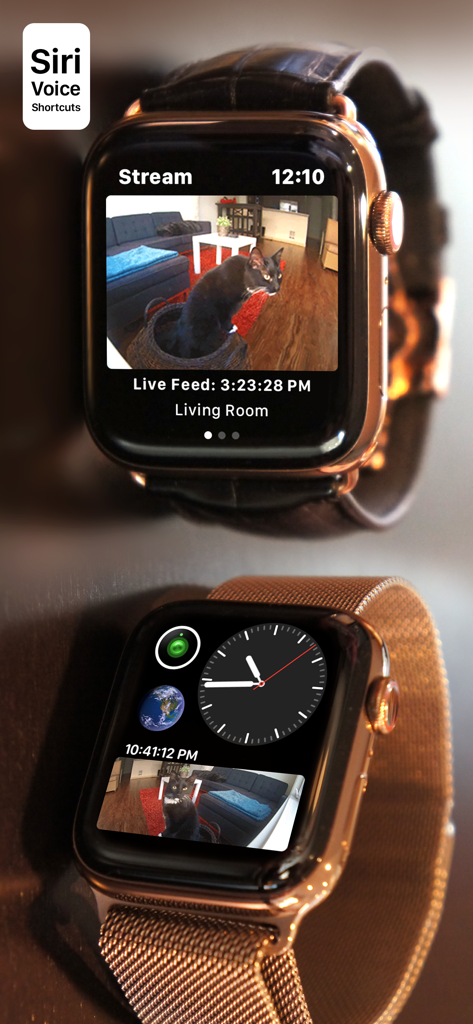
Apple Watch affichant un flux de caméra Nest en direct et une complication de cadran

Apple Watch affichant un flux de caméra Nest en direct et une complication de cadran

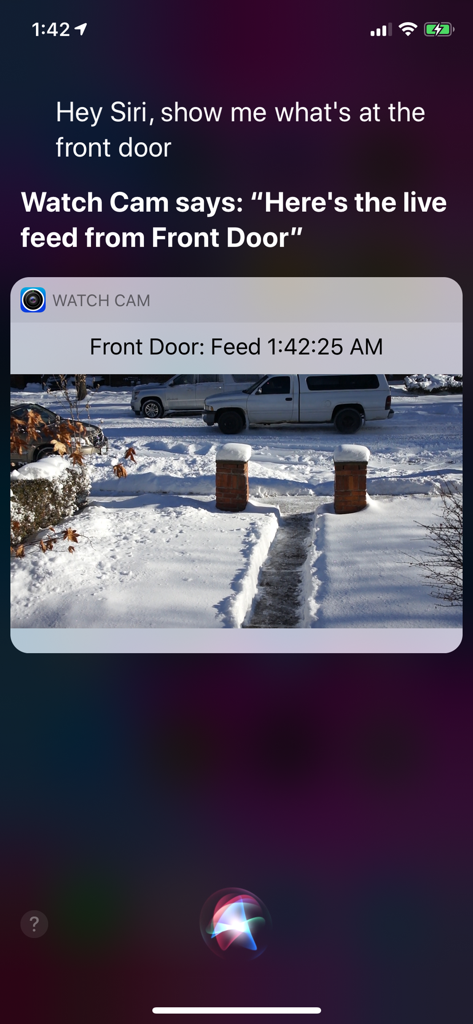
Écran d'iPhone montrant Siri affichant un flux en direct de caméra Nest via l'application Watch Cam.

Écran d'iPhone montrant Siri affichant un flux en direct de caméra Nest via l'application Watch Cam.

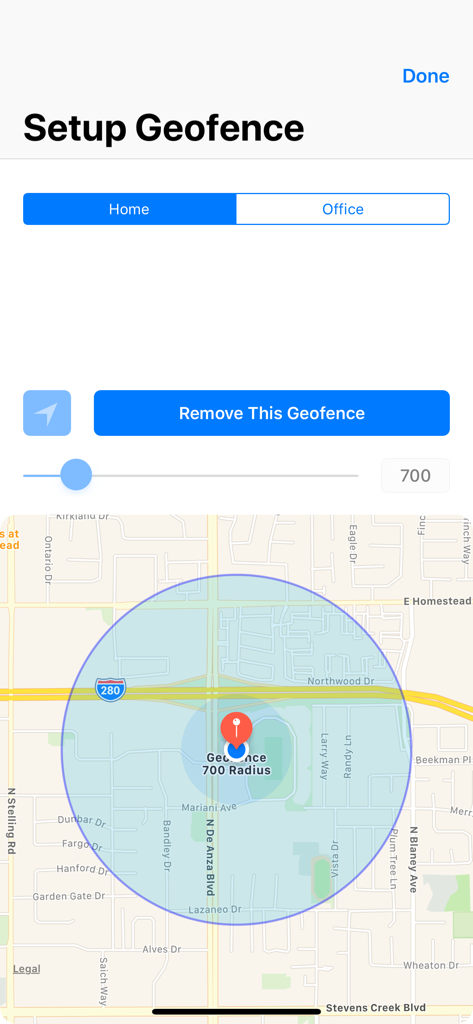
Interface de configuration d'un périmètre virtuel (geofence) avec carte et contrôle du rayon

Interface de configuration d'un périmètre virtuel (geofence) avec carte et contrôle du rayon

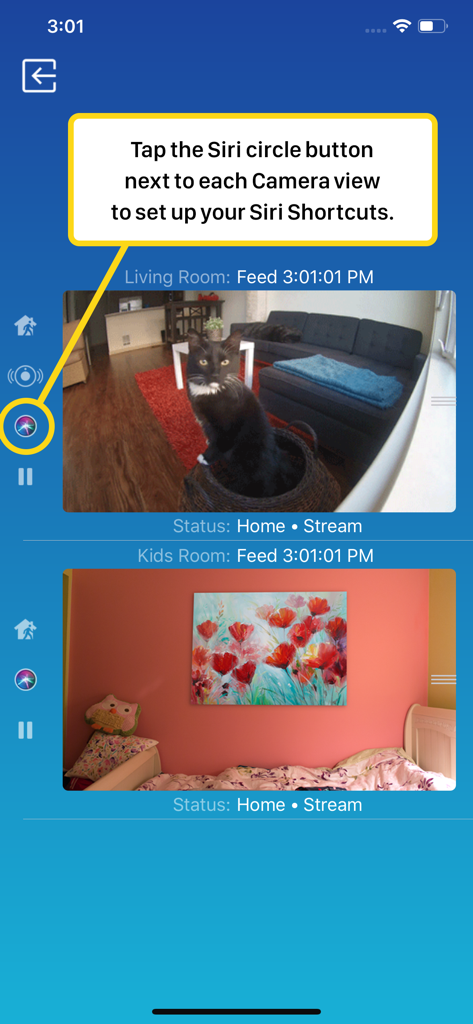
Interface smartphone de Watch Cam pour Nest Cam montrant les flux de caméra en direct et la configuration des raccourcis Siri

Interface smartphone de Watch Cam pour Nest Cam montrant les flux de caméra en direct et la configuration des raccourcis Siri

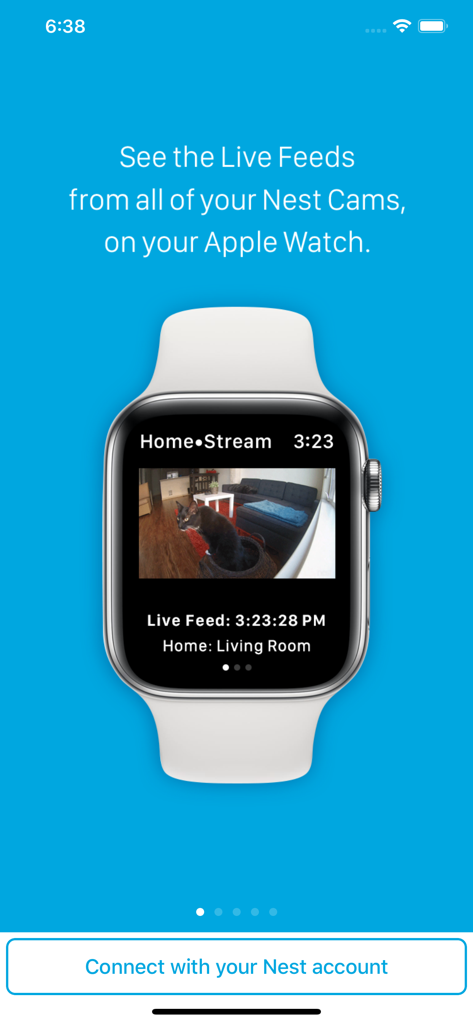
Une Apple Watch affichant un flux vidéo en direct d'une caméra de sécurité Nest montrant un chat dans un salon

Une Apple Watch affichant un flux vidéo en direct d'une caméra de sécurité Nest montrant un chat dans un salon

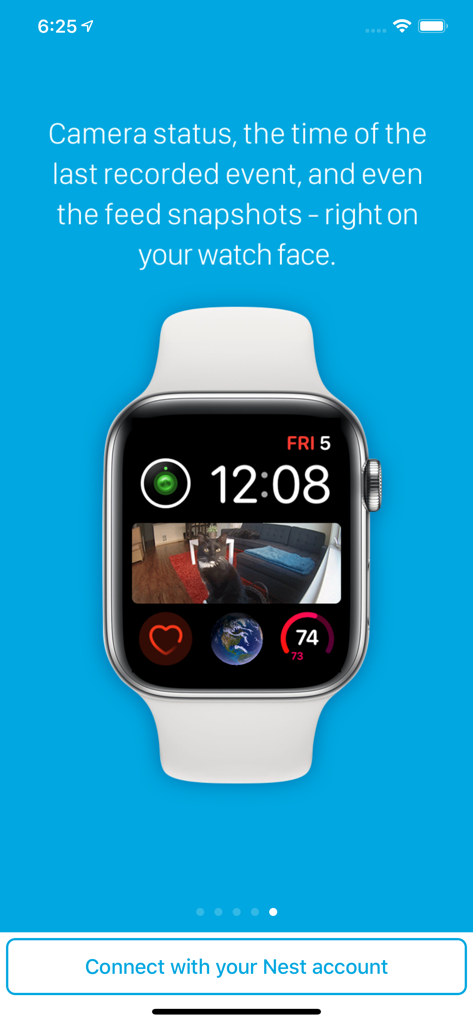
Cadran d'Apple Watch montrant une complication d'instantané de caméra Nest avec un chat sur un canapé

Cadran d'Apple Watch montrant une complication d'instantané de caméra Nest avec un chat sur un canapé

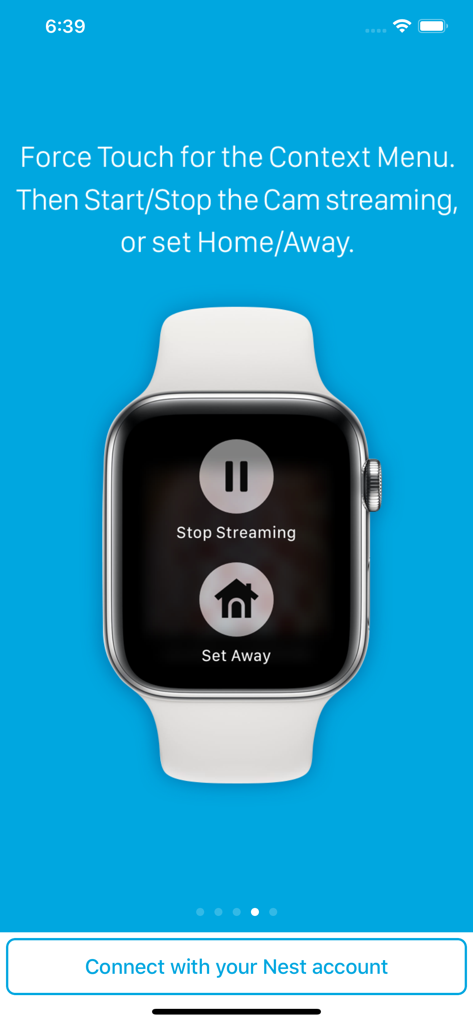
Apple Watch affichant les boutons Arrêter la diffusion et Mode Absent pour les caméras Nest

Apple Watch affichant les boutons Arrêter la diffusion et Mode Absent pour les caméras Nest

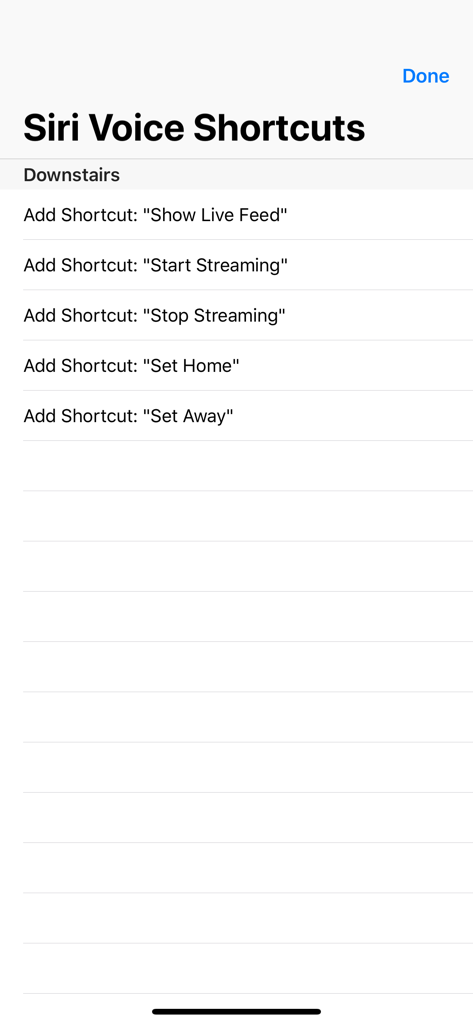
Une liste d'options de raccourcis vocaux Siri pour contrôler les caméras Nest, incluant l'affichage du flux en direct et le réglage du statut Chez moi ou Absent

Une liste d'options de raccourcis vocaux Siri pour contrôler les caméras Nest, incluant l'affichage du flux en direct et le réglage du statut Chez moi ou Absent

Votre maison, à portée de regard

Les outils qui font la différence, choisis par 122K+ utilisateurs.

Une véritable liberté sans téléphone

Restez connecté même sans votre iPhone. Notre support LTE complet vous permet de visionner les flux en direct directement sur votre Apple Watch pendant vos courses ou vos déplacements.

🖼️

La sécurité d'un simple coup d'œil

Arrêtez de chercher votre téléphone. Ajoutez des complications personnalisées à votre cadran pour voir des instantanés de caméra dès que vous levez le poignet.

🗣️

Contrôle Siri mains libres

Le multitâche simplifié. Utilisez les raccourcis vocaux Siri pour afficher les flux en direct ou basculer entre les modes Chez moi/Absent quand vous avez les mains prises.

À propos de l'app

Tout ce que vous devez savoir sur Watch Cam for Nest Cam.

Description

Apple Watch, Nest Cam, and Siri together. What a sight! The app has Siri Voice shortcuts, and they can be used to set your home into Away or Home state using Siri on your Watch or iPhone, as well as to display the live feeds from your cameras. The app supports Apple Watch LTE, and can work when the iPhone is not around - as long as the watch itself has internet access (either LTE or WiFi). The app is fully functional with the initial purchase. In-app purchases are available only for tipping the developer. Watch Cam lets you monitor all your Nest Cams from the Apple Watch. • From the watch face, tap on the Watch Cam complication to open the app. Swipe left and right to view life feeds from all your Nest Cams. • One of the watch complications shows you the snapshot from the camera of your choice, right on the watch face. • View the continuously updated Live Feed from the camera in the watch app, iOS app, or with Siri. Newer cameras show live video in the iOS app and Siri. Older cameras show snapshot images that update every second. The feed updates with a new snapshot image every few seconds on the Watch - may be faster or slower, depending on your network speed. • Use the digital crown on the Watch to zoom in and out, or tap the screen to toggle zoom levels. • Use the pinch gesture on the camera views in the iOS app to zoom in and out. Single tap toggles the zoom level in the iOS app and the iOS widget. • Turn the device to landscape mode to increase the camera views sizes. • Double tap on the Live Feed view in the iOS app or the widget to launch the Nest app. • Set Geofence around your home to reliably set the Home and Away state when you come and go. Watch Face Complications can display the following: • Snapshot from the camera of your choice. • Camera icon that opens the app. You can long-press the Watch screen for additional functions, like setting the home/away status, or turning the camera streaming on and off. While the app's minimalist looks betray the simplicity of its operation, what they don't show is the amount of planning, design, development and refinement that went into it, ensuring it becomes something that is enjoyable to use and experience. Please Note: Watch Cam does not collect any of your data. Your login information, camera feeds, and any activity - all of it flows exclusively between your devices and Nest. Author of Watch Cam does not receive any of it, at any point. This app and its developer are unaffiliated with Google Inc. or Google Nest. Nest is a trademark of Google Inc.

Dernière version

8.7.1

Taille

16.7 MB

Date de sortie

22 nov. 2016

Votre maison, à portée de regard

Rejoignez plus de 122 000 utilisateurs qui ont comblé le fossé entre Nest et l'Apple Watch. Téléchargez maintenant pour une surveillance privée sans téléphone et un contrôle Siri fluide.

Télécharger sur App Store

App information, icons, screenshots, and descriptions displayed on this page are sourced from the Apple App Store and are the property of their respective developers. Download estimates and rankings are based on MWM's proprietary models and may not reflect actual figures. This page is provided for informational and analytical purposes only.

Believe this page infringes your intellectual property? File a dispute