WhoDo

WhoDo

Télécharger sur App Store
Logo de WhoDo

Télécharger sur App Store

Éditeur

Swamp Dog, LLC

Catégorie

Productivity

Téléchargements

0

Note

1.0/5

Nombre d'avis

0

Langues

1

L'efficacité en action

Découvrez l'interface utilisée par 0 utilisateurs.
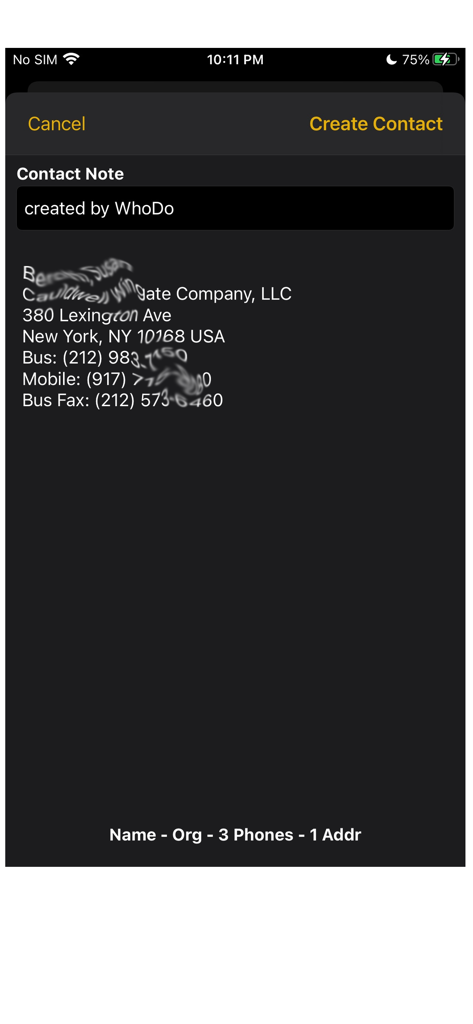
Capture d'écran de l'application WhoDo montrant les détails des contacts extraits, y compris l'adresse et les numéros de téléphone à partir d'une source texte

Capture d'écran de l'application WhoDo montrant les détails des contacts extraits, y compris l'adresse et les numéros de téléphone à partir d'une source texte

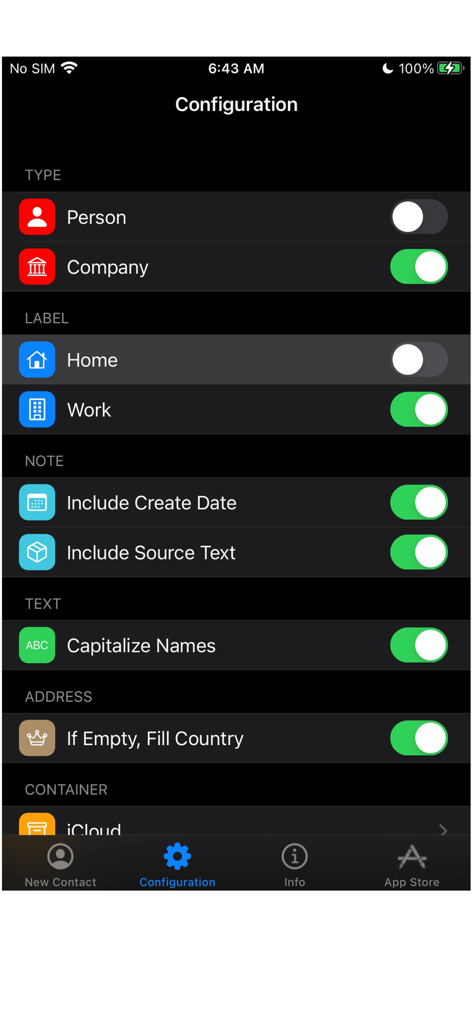
Écran de configuration de l'application WhoDo montrant les paramètres du type de contact, des étiquettes et du formatage du texte

Écran de configuration de l'application WhoDo montrant les paramètres du type de contact, des étiquettes et du formatage du texte

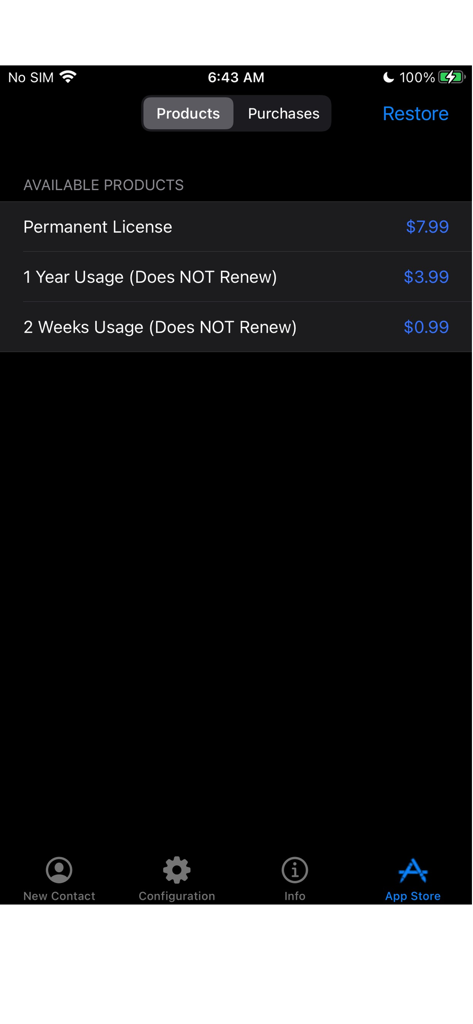
Écran de l'App Store WhoDo affichant les options d'achat de licence sans renouvellement et d'achat permanent

Écran de l'App Store WhoDo affichant les options d'achat de licence sans renouvellement et d'achat permanent

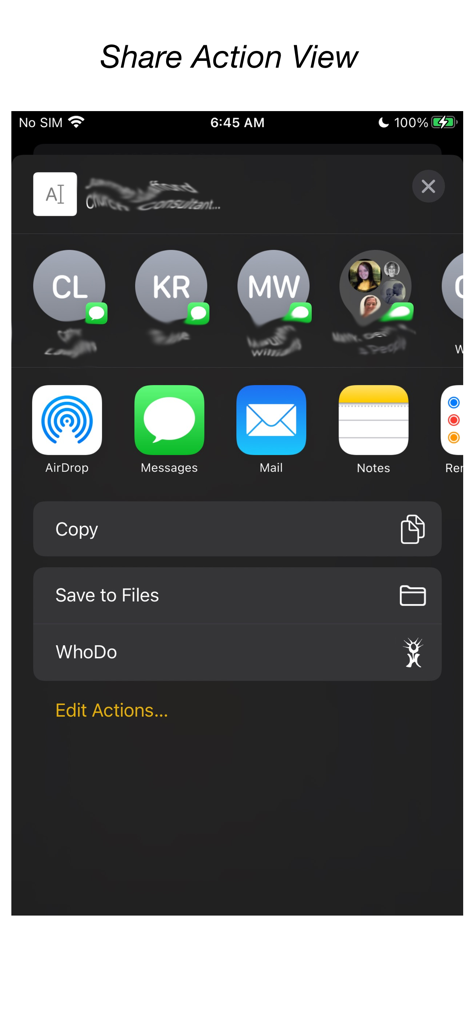
Intégration de l'application WhoDo dans le menu Partager d'iOS

Intégration de l'application WhoDo dans le menu Partager d'iOS

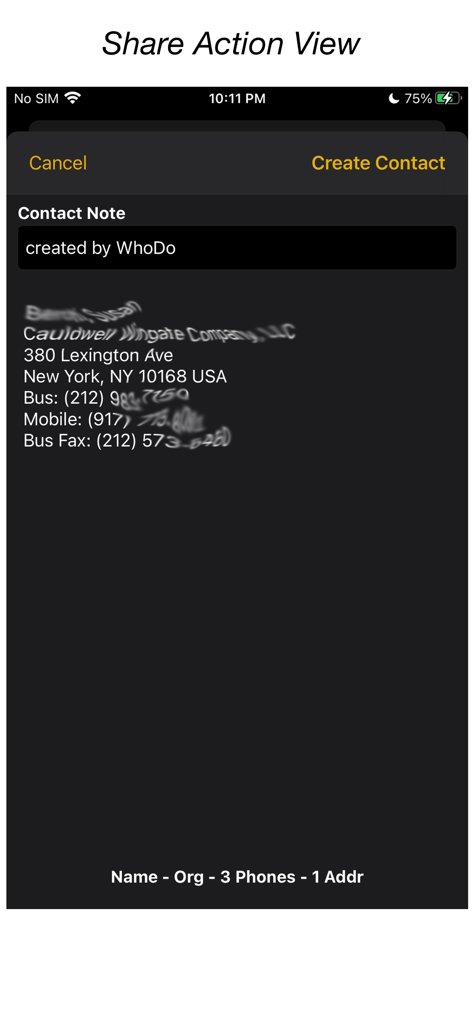
Interface de l'application WhoDo montrant les informations de contact extraites du texte via l'action Partager d'iOS

Interface de l'application WhoDo montrant les informations de contact extraites du texte via l'action Partager d'iOS

Automatisez votre fichier clients

Les outils qui font la différence, choisis par 0 utilisateurs.

Aucune saisie manuelle

Utilisez l'action Partager d'iOS pour extraire instantanément les coordonnées des e-mails, messages ou pages web sans taper une seule lettre.

📈

Importation de feuilles de calcul en masse

Arrêtez de copier un par un. Extrayez sans effort plusieurs prospects à partir de lignes Numbers ou Excel pour remplir votre carnet d'adresses en quelques secondes.

🍏

Intégration native Apple

Synchronisation entre iPhone, iPad et Mac. Organisez vos contacts en groupes iCloud, Outlook ou Gmail sans frais d'abonnement récurrents.

À propos de l'app

Tout ce que vous devez savoir sur WhoDo.

Description

The same WhoDo app runs on iPhone, iPad - put WhoDo on ALL your iOS devices! With Family Sharing - everybody in your family can also use WhoDo! You don't need to launch an application to use WhoDo! Just select the desired text in any application and use the Share action! If Share is unavailable or inconvenient, you can also use 'Copy' and then switch to WhoDo. Whenever you open WhoDo it immediately assesses the current clipboard for contact data. WhoDo can handle multiple rows in a spreadsheet - this works best if you include the header row WhoDo has a very minimal user interface - it has a single purpose and is designed to be the least possible interruption in your workflow. WhoDo uses Apple's data detectors and natural language processing. Download WhoDo for free - you can then create 3 contacts to verify WhoDo's functionality. After you have created the 3 free trial contacts you must make an in-app purchase. 2 weeks usage - 99¢ 1 year usage - $3.99 Permanent license - $7.99 WhoDo does NOT use subscriptions - there are no automated renewals. You can purchase either of the short term usages as many times as you need. WhoDo can: • assign the new contact to a specific Account (e.g. Gmail, Outlook, Yahoo, ...) • assign the new contact to a Group (if Groups are supported in the Account) • create either a Person or an Organization • assign unlabelled values with either Work or Home labels • automatically capitalize names of all types • automatically supply the area code for casual phone numbers • populate the new contact's ‘Note’ with text of your choosing; you can also add the date & time of creation as well as the full text of source data. • provides the contact in an editable Contact view for your final approval before you Save • each time you open WhoDo it can provide the contents of the clipboard for use a new contact so you can 'Copy' and then open WhoDo if that is more convenient than using 'Share' • extract multiple contacts from Numbers - best if you include the header row you can elect to process multiple contacts individually or in one bulk action. WhoDo works with iOS 15.4 and later Terms of Use: https://swampdog.info/whodo/core/termsOfUse/ NOTE: If you have any comments, general or technical issues, please contact us directly at developer@swampdog.info.  We will usually respond with one business day.

Dernière version

3.0.1

Taille

3.4 MB

Date de sortie

18 févr. 2019

Prêt à arrêter de taper et à commencer à réseauter ?

Rejoignez des milliers de professionnels qui économisent des heures sur la saisie manuelle de données. Obtenez WhoDo dès aujourd'hui pour une extraction de contacts transparente sur tous vos appareils, sans abonnement mensuel, jamais.

Télécharger sur App Store

App information, icons, screenshots, and descriptions displayed on this page are sourced from the Apple App Store and are the property of their respective developers. Download estimates and rankings are based on MWM's proprietary models and may not reflect actual figures. This page is provided for informational and analytical purposes only.

Believe this page infringes your intellectual property? File a dispute