ZiBot

ZiBot

Télécharger sur App Store
Logo de ZiBot

ZiBot : Transformez votre smartphone en un appareil IoT fonctionnel pour le prototypage instantané

Éliminez les obstacles matériels et découvrez Zoho IoT dès aujourd'hui. Diffusez les données des capteurs de votre iPhone directement sur votre tableau de bord pour valider vos concepts et surveiller les performances en toute simplicité.

Télécharger sur App Store

Éditeur

Zoho Corporation

Catégorie

Developer Tools

Téléchargements

2K+

Note

1.0/5

Nombre d'avis

0

Langues

1

Prototypage sans le matériel

Découvrez l'interface utilisée par 2K+ utilisateurs.
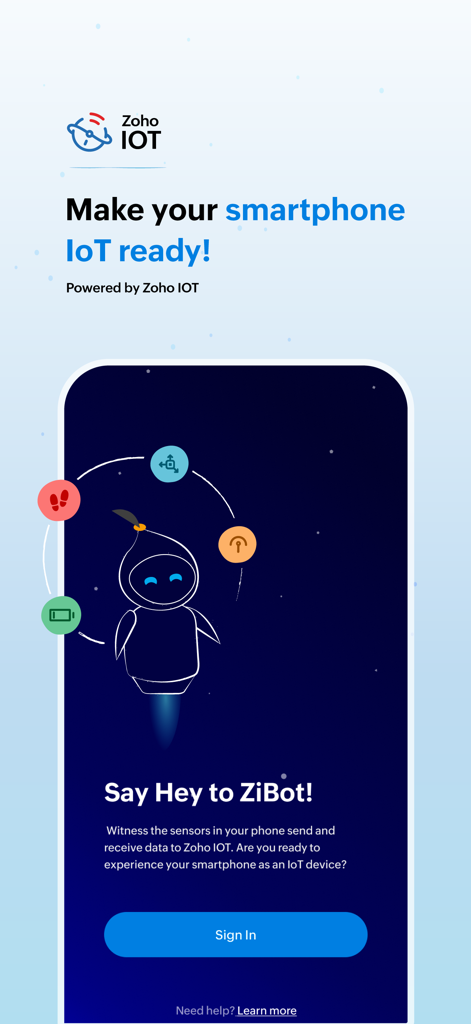
Écran d'accueil de l'application ZiBot pour la conversion IoT sur smartphone

Écran d'accueil de l'application ZiBot pour la conversion IoT sur smartphone

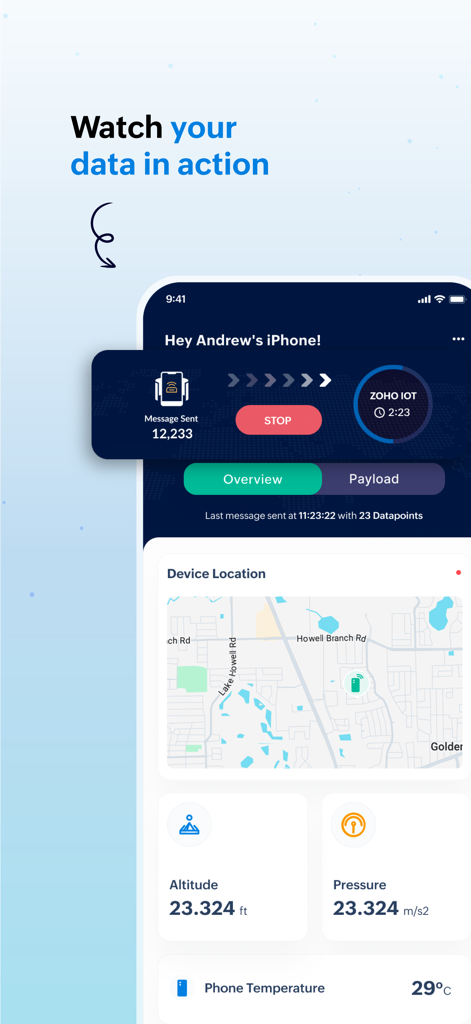
Tableau de bord de l'application mobile ZiBot affichant les données de capteurs en temps réel, y compris la localisation, l'altitude et la température pour Zoho IoT

Tableau de bord de l'application mobile ZiBot affichant les données de capteurs en temps réel, y compris la localisation, l'altitude et la température pour Zoho IoT

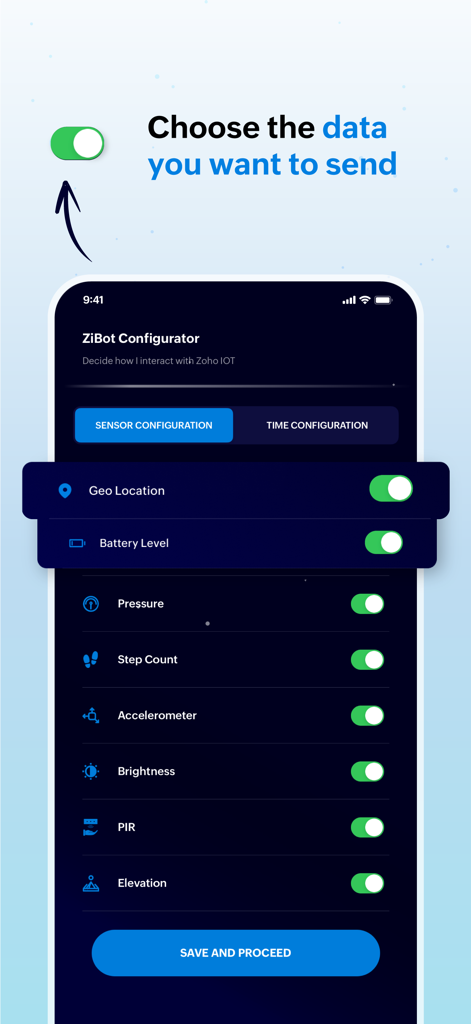
Interface de l'application ZiBot montrant les options de configuration des capteurs pour choisir quelles données du smartphone envoyer à Zoho IoT

Interface de l'application ZiBot montrant les options de configuration des capteurs pour choisir quelles données du smartphone envoyer à Zoho IoT

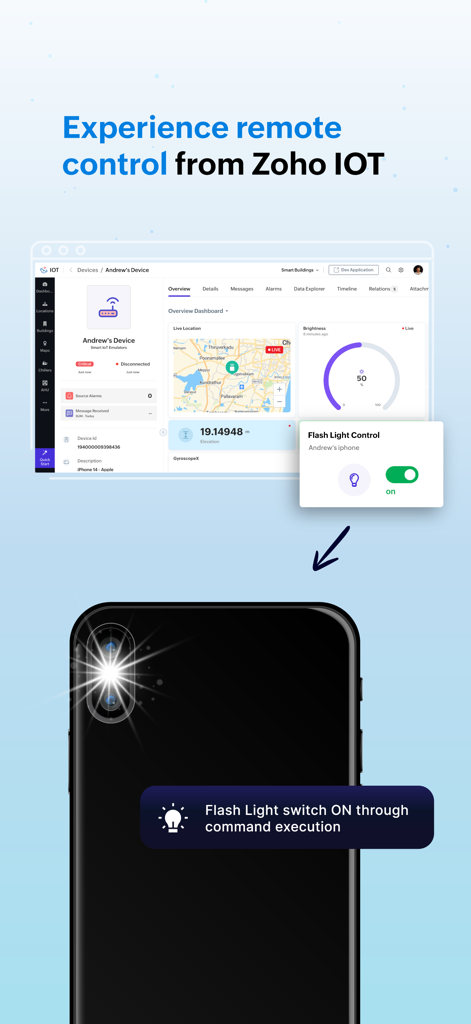
Tableau de bord Zoho IoT contrôlant à distance une lampe de poche de smartphone via l'application ZiBot

Tableau de bord Zoho IoT contrôlant à distance une lampe de poche de smartphone via l'application ZiBot

Accélérez votre prototypage IoT

Les outils qui font la différence, choisis par 2K+ utilisateurs.

🚀

Preuve de concept instantanée

Validez vos idées sans attendre le matériel. Transformez votre smartphone en une passerelle fonctionnelle pour démontrer immédiatement les flux de données et les configurations de tableau de bord aux parties prenantes.

📊

Intégration complète des capteurs

Exploitez le GPS, l'accéléromètre et le baromètre intégrés à votre appareil. Simulez des cas d'utilisation réels pour la logistique, la technologie de la santé et la gestion des bâtiments intelligents avec des données de haute fidélité.

🔒

Confidentialité axée sur le développeur

Conçu pour les professionnels qui valorisent la sécurité. Vous avez un contrôle granulaire sur les capteurs actifs, la visibilité des données en temps réel étant strictement limitée à votre environnement Zoho autorisé.

À propos de l'app

Tout ce que vous devez savoir sur ZiBot.

Description

Experience the Zoho IOT application without owning a device using the ZiBot mobile app! If you're interested in trying out the Zoho IOT application but don't have a physical device, no worries! You can easily convert your smartphone into a functional IoT device to gain hands-on experience with the application and the ZiBot mobile app. This approach will allow you to see firsthand how data from devices is received and processed for monitoring and management within the Zoho IOT application. After successfully installing the ZiBot app on your smartphone and connecting to the Zoho IOT's web application, you can witness the sensors in your smartphone directly from Zoho IOT, experiencing the monitoring of a real IoT device. First things first, you're probably curious about what kind of data the Zoho IOT application will use from your smartphone when it's converted into a "device." The data collected by the application from your smartphone can provide a comprehensive overview of various parameters, helping you understand the power of IoT monitoring and management. Below is a list of data that Zoho IOT can collect from your smartphone and their respective use cases: Privacy Note: * Data privacy and security is our utmost concern. We do not track your data. * All data from sensors in your phone is real-time, and you can control what is being sent to the application from your phone's settings. * All collected data is visible only to you and other users(if any) in the ZiBot application installed in your phone. Location Data: Your smartphone's GPS location data is used to display the device's location on the IoT Map when connected to the application. This feature is particularly helpful for applications that require location-based tracking and monitoring. This data requires user permission. Step Count: This metric measures the number of steps you've taken when in motion. This data requires user permission. Accelerometer Data: The accelerometer tracks the movement of the device. This data is valuable for detecting motion patterns. Gyroscope Data: The gyroscope provides data on the orientation and rotation of the device. Brightness Level: The brightness sensor data shows the current brightness level of the smartphone, and the brightness can be controlled by the app using commands Mobile Battery Percentage: This parameter monitors the battery level of your smartphone. This feature is crucial for ensuring that devices are not running low on power. Elevation Data: Elevation data helps determine the height at which the device is located above sea level. Air Pressure Data: The barometer in your smartphone provides air pressure data, which can be used for determining the pressure in the environment. PIR (Passive Infrared Sensor) Data: The PIR sensor data is used to detect the idle state of the phone, which helps in applications where it is crucial to know whether a device is actively being used or is in standby mode.

Dernière version

1.1

Taille

47.3 MB

Date de sortie

18 sept. 2024

Prêt à créer votre preuve de concept IoT ?

Téléchargez ZiBot pour transformer votre iPhone en un hub de capteurs live. Commencez à simuler des données du monde réel et à tester vos flux de travail Zoho IoT en quelques minutes, sans matériel requis.

Télécharger sur App Store

App information, icons, screenshots, and descriptions displayed on this page are sourced from the Apple App Store and are the property of their respective developers. Download estimates and rankings are based on MWM's proprietary models and may not reflect actual figures. This page is provided for informational and analytical purposes only.

Believe this page infringes your intellectual property? File a dispute