
Questa pagina non è una pagina ufficiale dell'app o del suo sviluppatore, ma una pubblicazione editoriale indipendente creata a scopo informativo e di commento. Salvo espressa indicazione contraria, né l'app né il suo sviluppatore sono affiliati, approvati, sponsorizzati, autorizzati o altrimenti ufficialmente collegati a MWM, Apple, Google Play, all'editore dell'app o allo sviluppatore dell'app, e nulla in questa pagina implica che l'app sia stata sviluppata utilizzando i servizi di MWM. Tutti i marchi, loghi, screenshot e altri contenuti rimangono di proprietà dei rispettivi proprietari.


Add Music to Video :cut editor
Basta con i video muti. Questa app trasforma clip anonime in dichiarazioni sonore. La creazione di MWM non si perde in chiacchiere, promette l'impatto e lo consegna.
Download
1M+Valutazione
Valutazioni totali
23.4KEditore
Categoria
Photo & VideoLingue
10Ultima versione
2.11.4Dimensione
123.5 MBData di lancio
21 gen 2016Analisi delle funzionalità chiave per i creatori di contenuti digitali e i professionisti del marketing.
Valutazione Funzionale: 'Add Music to Video :cut editor'
Condivisione Diretta sui Social Media
L'app facilita la condivisione dei video completati su piattaforme social come Instagram, Facebook e YouTube, rendendola ideale per i creatori di contenuti digitali.
Aggiunta Musica di Sottofondo Personalizzata
Consente agli utenti di integrare musica di sottofondo personalizzata o remixare brani nei video in modo semplice, essenziale per contenuti accattivanti.
Adattamento Formato per Instagram
Lo strumento può ridimensionare automaticamente il video finale per ottimizzarlo per la condivisione su Instagram, un grande vantaggio per gli influencer e i marketer.
Interfaccia Utente Semplificata
L'app presenta un'interfaccia intuitiva e user-friendly, che la rende accessibile anche a chi non ha esperienza di editing video.
Trim e Posizionamento Preciso della Musica
Permette di selezionare, tagliare e posizionare segmenti specifici di tracce audio con precisione, garantendo una sincronizzazione perfetta.
Effetti Audio Avanzati (Fade)
Questo strumento offre la possibilità di applicare effetti di dissolvenza (fade-in e fade-out) alla musica, migliorando la qualità audio professionale dei video.
Importazione Audio da Dispositivo
L'app consente di importare facilmente brani musicali o effetti sonori direttamente dal dispositivo mobile dell'utente per una personalizzazione illimitata.
Aggiunta Multipla di Tracce Audio
L'applicazione supporta l'inserimento di diverse tracce musicali e registrazioni vocali all'interno dello stesso progetto video, offrendo maggiore flessibilità creativa.
Controllo Volume Audio
L'app fornisce opzioni per regolare il volume delle tracce audio aggiunte, permettendo un bilanciamento sonoro ottimale del video.
Esportazione su Rullino Fotografico
Consente il salvataggio dei video modificati direttamente nel rullino fotografico del dispositivo, facilitando l'archiviazione e l'accesso.
Gli screenshot e la descrizione seguenti provengono direttamente dall'elenco ufficiale dello store dell'app e sono di proprietà dello sviluppatore.
App Store
Screenshot

L'app "Add Music to Video+" si presenta con il suo nome prominente e un'impressionante base di oltre 3 milioni di download, evidenziando la sua popolarità e affidabilità tra gli utenti.
Apprezzata e Potente
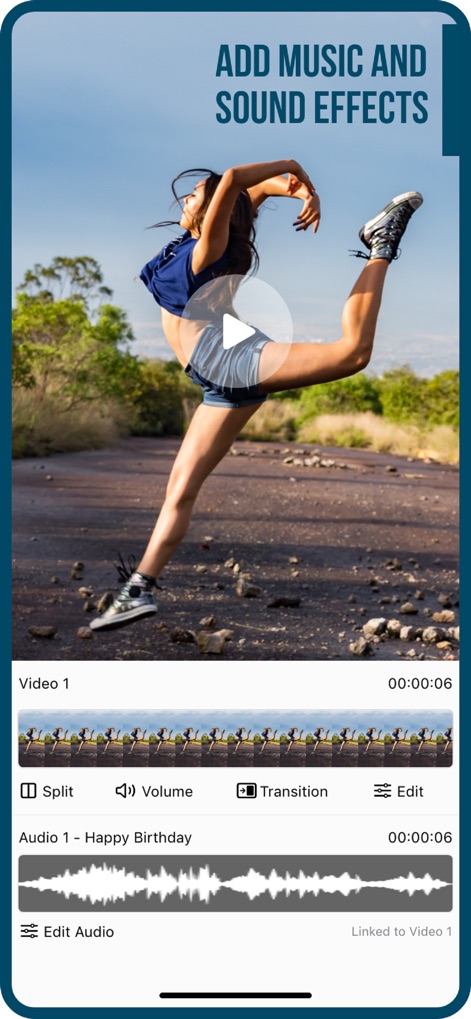
Gli utenti possono arricchire i propri video con tracce audio personalizzate, come mostrato dalla sezione "Audio 1 - Happy Birthday", e affinare il mix attraverso l'opzione "Edit Audio" per un controllo preciso.
Musica e Suoni
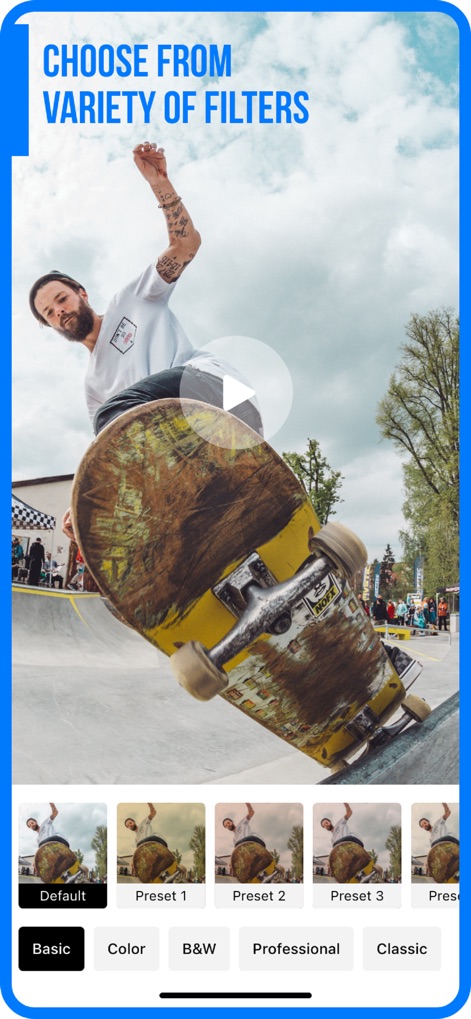
Questo strumento offre una vasta gamma di "Filtri" preimpostati, visibili nella griglia inferiore, e categorie come "Color" e "Professional" per personalizzare l'estetica del video con facilità.
Filtri Creativi
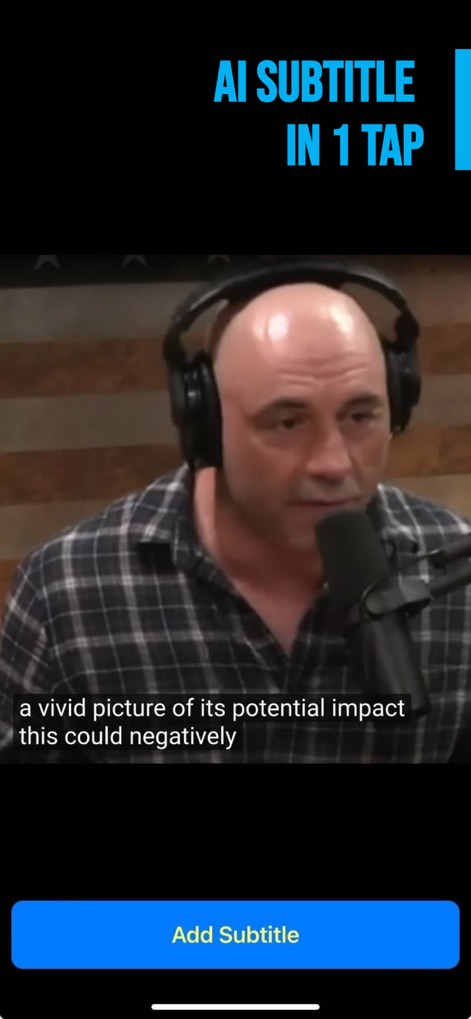
L'app semplifica l'aggiunta di sottotitoli con la funzione "AI Subtitle in 1 Tap", consentendo agli utenti di aggiungere automaticamente testi al video con un singolo tocco e il pulsante "Add Subtitle".
Sottotitoli Automatici
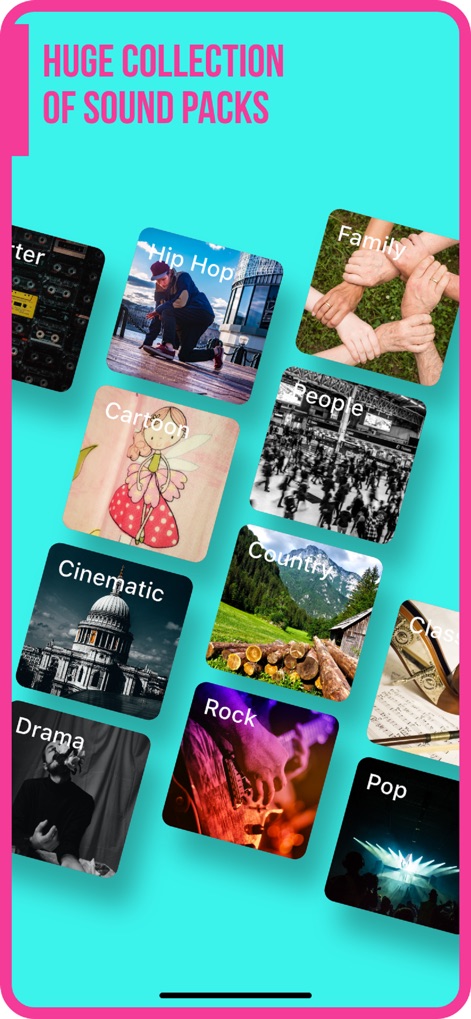
La galleria mostra una "Huge Collection of Sound Packs" con diverse categorie illustrate come "Hip Hop" e "Cinematic", offrendo un'ampia scelta sonora per ogni stile creativo.
Libreria Audio Vastissima
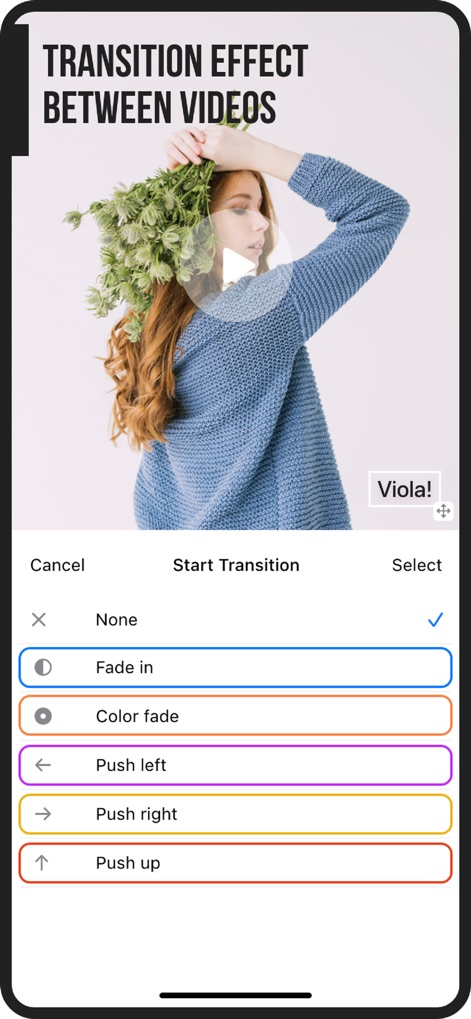
Gli utenti possono migliorare il flusso tra le clip video scegliendo tra opzioni di transizione come "Fade in" e "Push left", visibili nel pannello di selezione in basso per un editing fluido.
Effetti di Transizione
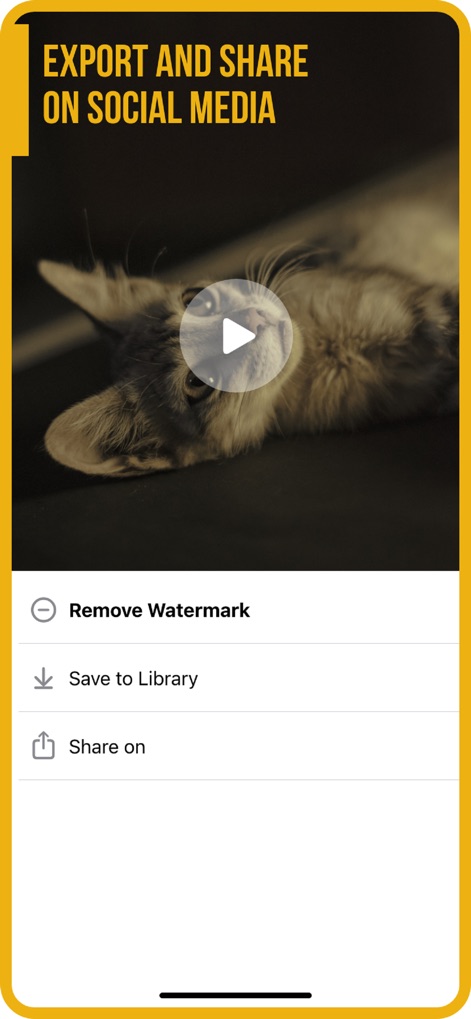
L'app offre opzioni chiare per la gestione del video finale, inclusa la possibilità di "Save to Library" per archiviare il lavoro e "Share on" per una facile condivisione sui social media.
Esporta e Condividi
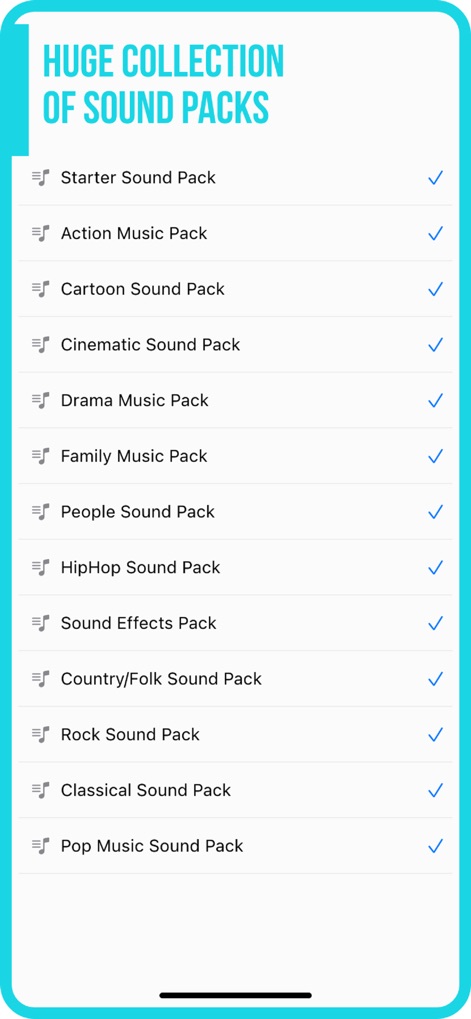
La schermata elenca una "Huge Collection of Sound Packs", permettendo agli utenti di scegliere tra "Starter Sound Pack" e "HipHop Sound Pack" per arricchire il proprio video con varietà musicali.
Pacchetti Sonori
Descrizione
Download
App Simili
App più classificate nella stessa categoria

CapCut: Photo & Video Editor
BYTEDANCE PTE. LTD.

Instagram, Inc.

YouTube
Google LLC

Canva: AI Photo & Video Editor
Canva Pty Ltd

Snapchat
Snap, Inc.

快手
Beijing Kwai Technology Co., Ltd.

Edits: Video Editor
Instagram, Inc.

Meitu- AI Photo & Video Editor
Xiamen Meitu Technology Co., Ltd.

Google Photos: Backup & Edit
Google LLC
Questa pagina non è una pagina ufficiale dell'app o del suo sviluppatore, ma una pubblicazione editoriale indipendente creata a scopo informativo e di commento. Salvo espressa indicazione contraria, né l'app né il suo sviluppatore sono affiliati, approvati, sponsorizzati, autorizzati o altrimenti ufficialmente collegati a MWM, Apple, Google Play, all'editore dell'app o allo sviluppatore dell'app, e nulla in questa pagina implica che l'app sia stata sviluppata utilizzando i servizi di MWM. Tutti i marchi, loghi, screenshot e altri contenuti rimangono di proprietà dei rispettivi proprietari.