ApowerMirror- Screen Mirroring

ApowerMirror- Screen Mirroring


Scarica su App StoreScarica su Google Play
Logo di ApowerMirror- Screen Mirroring

ApowerMirror: Duplica e Controlla lo Schermo del Tuo Cellulare su Qualsiasi Dispositivo

Colma il divario tra iOS e Windows. Trasmetti giochi mobili in alta qualità, gestisci app con mouse e tastiera e condividi schermi su reti diverse con facilità.

Editore

Apowersoft Limited

Categoria

Utilities

Download

16M+

Valutazione

3.0/5

Valutazioni totali

11K+

Lingue

18

Potenza a Colpo d'Occhio

Scopri l'interfaccia usata da 16M+ utenti.
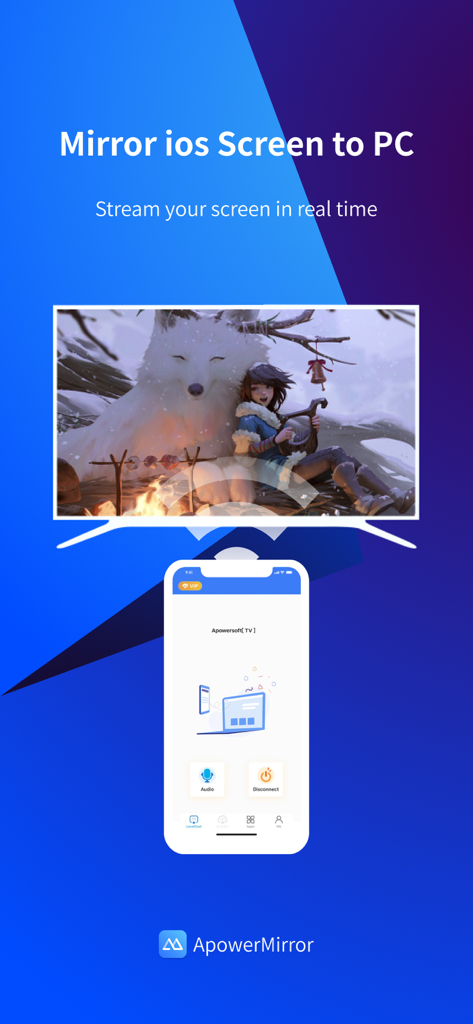
Interfaccia dell'app ApowerMirror che mostra il mirroring dello schermo in tempo reale da iOS a un monitor PC

Interfaccia dell'app ApowerMirror che mostra il mirroring dello schermo in tempo reale da iOS a un monitor PC

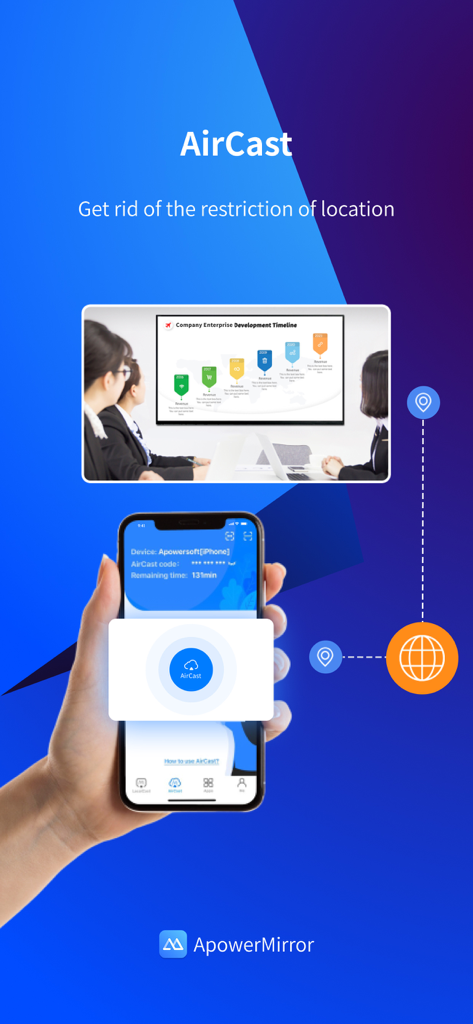
Funzione AirCast di ApowerMirror che mostra la condivisione dello schermo remota tra uno smartphone e uno schermo di presentazione di una sala riunioni su reti diverse.

Funzione AirCast di ApowerMirror che mostra la condivisione dello schermo remota tra uno smartphone e uno schermo di presentazione di una sala riunioni su reti diverse.

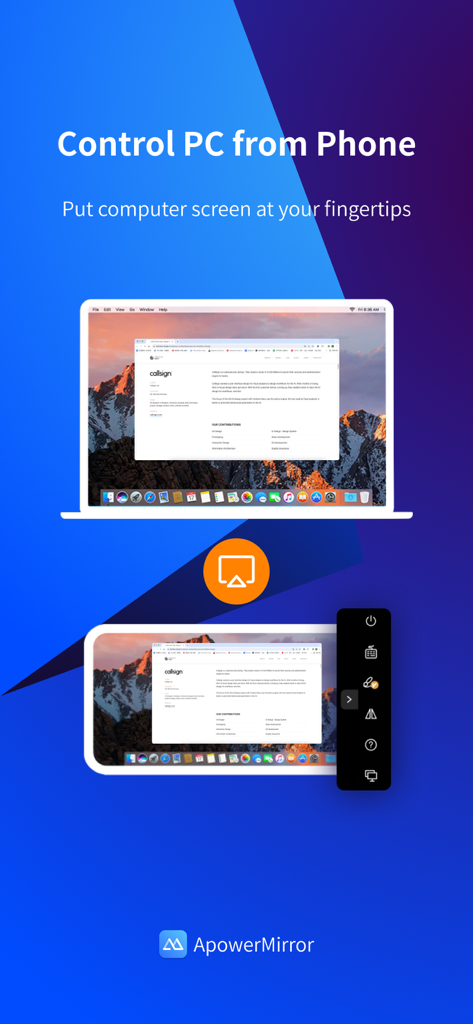
Interfaccia dell'app ApowerMirror che dimostra il controllo remoto dello schermo del PC su un dispositivo mobile.

Interfaccia dell'app ApowerMirror che dimostra il controllo remoto dello schermo del PC su un dispositivo mobile.

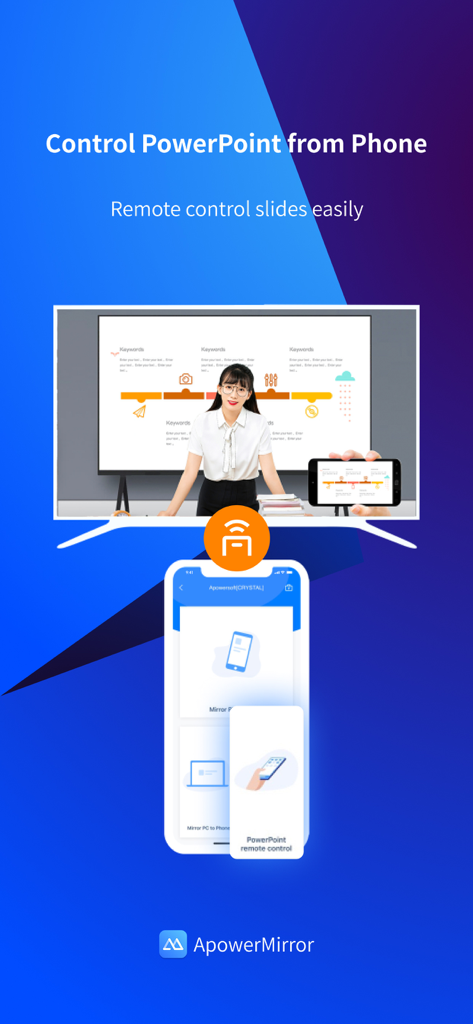
Interfaccia dell'app ApowerMirror che mostra come usare uno smartphone come telecomando per le slide di PowerPoint su un grande schermo

Interfaccia dell'app ApowerMirror che mostra come usare uno smartphone come telecomando per le slide di PowerPoint su un grande schermo

Potente Mirroring dello Schermo per Ogni Scenario

Gli strumenti che rendono questa app unica, scelti da 16M+ utenti.

⌨️

Controllo Completo dal Desktop

Abbandona lo schermo piccolo e controlla il tuo iPhone o iPad direttamente dal tuo PC o Mac usando il mouse e la tastiera per la massima produttività.

🎮

Gaming e Streaming di Livello Professionale

Trasmetti giochi mobili ad alta intensità sul tuo monitor senza ritardi per migliorare la tua configurazione di streaming su Twitch, Discord o YouTube.

🌐

Mirroring Remoto con AirCast

Supera i limiti del Wi-Fi locale e condividi il tuo schermo su reti diverse, rendendo la collaborazione remota e il supporto tecnico più facili che mai.

Info sull'app

Tutto quello che devi sapere su ApowerMirror- Screen Mirroring.

Descrizione

ApowerMirror is a screen mirroring app that can be used to cast phone to computer or Smart TV (TV box) with audio. It allows you to mirror&control phone from another phone freely, and you can remotely control iPhone&iPad from computer with your mouse and keyboard. Moreover, 4 devices can be streamed simultaneously without delay. ApowerMirror also performs well when streaming videos, photos and documents saved on your phone in a business meeting. ==Key Features== • Mirror Phone to computer and Vice Versa Screen sharing on the computer makes it possible to get a better video experience by watching movies from YouTube and Netflix on a bigger screen. Whether you’re playing PUBG Mobile, Call of Duty Mobile, Free Fire, Clash Royale, Pokemon GO, or any other mobile game, the app makes it easy to share gameplay with your fans during live streaming. Besides, controlling PC from phone is no longer a difficult thing. • Cast Phone to TV ApowerMirror supports screen mirroring or casting a variety of file types (including videos, pictures, and music) from phone to TV or other DLNA device. Save your eyes from the small phone screen and enjoy big screen TV series shows in the family area now. • Mirror&Control Phone from Phone ApowerMirror is also a good screen mirroring app to mirror phone to phone. You can also control the phone from another phone using ApowerMirror to watch videos and movies with your friends and share your files with your audience more efficiently. For classroom set-up, the wireless screen mirroring can introduce new ways for instructors, students, teams, and meeting groups to communicate their ideas and collaborate on projects. • Control iPhone/iPad from PC You can take full control of your iPhone/iPad device, without cables, just need to connect to PC via Bluetooth, to do whatever you want to do on your iPhone/iPad freely, ex, play games, open an app, check the phone status and send messages from WhatsApp. • Screen Sharing Between Different Networks This advanced feature is AirCast! It allows screen mirroring between devices that cannot be connected to the same network. If you use AirCast, even if you are located in different places and on different network connections, you can share the screen with each other. This can be used to mirror phone to phone, cast phone to PC, and stream PC to phone. ==Suitable for Various Screen Mirroring Occasions== * Personal use * Business meeting * Online class /Education * Live streaming from Youtube, Twitch, Facebook, Instagram, TikTok etc * Movies/Sports video mirroring * Presentation * Work from home ...... ==Quick Guide== 1. Connect your phone and computer/TV to the same WiFi network. 2. Install and run this screen casting app( ApowerMirror) on your phone and computer/TV. 3. On your iPhone, open the Control Center and then tap "Screen Mirroring". Select the name of "Apowersoft + your device" and then your phone screen will successfully be mirrored. If you want to mirror the devices from different networks, you can try the USB connection or AirCast. ==Supported Devices== 1. Windows & Mac 2. iPhone & iPad 3. Smart TV: Sony, Sharp, Philips, Hisense, Skyworth, Xiaomi, LG etc. 4. Devices with built-in DLNA or AirPlay protocol. Some projectors and car screens. Start using your favorite mouse and keyboard to take full control of phone from the computer right now! Feedback: 1. Contact us at support@apowersoft.com 2. Send feedback from "Settings" > "Feedback" on the ApowerMirror desktop program. 3. Discord: https://discord.gg/dK7y8Sf3Re

Ultima versione

1.6.0

Dimensione

123.1 MB

Data di lancio

28 giu 2017

Pronto a Colmare il Divario tra i Tuoi Dispositivi?

Unisciti a oltre 16 milioni di utenti e prendi il pieno controllo del tuo iPhone dal tuo PC o TV. Scarica ApowerMirror oggi per iniziare a duplicare, giocare e trasmettere senza ritardi.

Scarica su App StoreScarica su Google Play
FAQ

Domande Frequenti

Tutto quello che devi sapere su ApowerMirror- Screen Mirroring

A cosa serve ApowerMirror?

ApowerMirror è un'app di screen mirroring che trasmette il telefono al computer o alla Smart TV con audio. Consente inoltre il mirroring e il controllo tra telefoni e il controllo di iPhone/iPad da un computer.

ApowerMirror può trasmettere più dispositivi contemporaneamente?

Sì, ApowerMirror può trasmettere fino a quattro dispositivi contemporaneamente senza alcun ritardo. Questa funzione migliora la condivisione e la collaborazione tra diversi schermi per vari utilizzi.

ApowerMirror supporta la condivisione dello schermo tra reti diverse?

Sì, ApowerMirror è dotato di AirCast, che consente il mirroring dello schermo tra dispositivi non connessi alla stessa rete. Questo funziona per lo streaming da telefono a telefono, da telefono a PC e da PC a telefono.

Posso controllare il mio iPhone o iPad da un computer usando ApowerMirror?

Sì, ApowerMirror consente agli utenti di controllare da remoto un iPhone o iPad da un computer utilizzando un mouse e una tastiera. Questa funzionalità opera in modalità wireless, connettendosi tramite Bluetooth.

ApowerMirror può controllare un computer da un telefono?

Sì, ApowerMirror consente agli utenti di controllare un PC da un telefono. Questa funzionalità è utile per attività come la gestione di presentazioni o la navigazione remota del computer.

Quali dispositivi e sistemi operativi supporta ApowerMirror per lo screen mirroring?

ApowerMirror supporta Windows, Mac, iPhone, iPad e varie Smart TV tra cui Sony, Sharp, Philips, Hisense, Skyworth, Xiaomi e LG. Funziona anche con dispositivi DLNA/AirPlay, proiettori e schermi per auto.

ApowerMirror è adatto per il mirroring di gameplay mobile su uno schermo più grande?

Sì, ApowerMirror è ideale per condividere il gameplay di giochi mobile come PUBG Mobile, Call of Duty Mobile e Free Fire. Gli utenti possono eseguire il mirroring di questi giochi su uno schermo più grande durante le sessioni di live streaming.

Come collego il mio telefono e il computer usando ApowerMirror per lo screen mirroring?

Innanzitutto, collega entrambi i dispositivi alla stessa rete WiFi e installa ApowerMirror su entrambi. Su iPhone, apri Centro di Controllo, tocca "Mirroring Schermo" e seleziona "Apowersoft + il tuo dispositivo".

App information, icons, screenshots, and descriptions displayed on this page are sourced from the Apple App Store and are the property of their respective developers. Download estimates and rankings are based on MWM's proprietary models and may not reflect actual figures. This page is provided for informational and analytical purposes only.

Believe this page infringes your intellectual property? File a dispute