
Questa pagina non è una pagina ufficiale dell'app o del suo sviluppatore, ma una pubblicazione editoriale indipendente creata a scopo informativo e di commento. Salvo espressa indicazione contraria, né l'app né il suo sviluppatore sono affiliati, approvati, sponsorizzati, autorizzati o altrimenti ufficialmente collegati a MWM, Apple, Google Play, all'editore dell'app o allo sviluppatore dell'app, e nulla in questa pagina implica che l'app sia stata sviluppata utilizzando i servizi di MWM. Tutti i marchi, loghi, screenshot e altri contenuti rimangono di proprietà dei rispettivi proprietari.

aSmart HUD 3D +SpeedCams
Trasforma il tuo parabrezza in un cruscotto 3D futuristico. Ricevi avvisi in tempo reale sulle telecamere di velocità, registrazioni di viaggio avanzate e controlli musicali integrati, tutto in un unico HUD professionale progettato per il guidatore moderno.
Download
155K+Valutazione
Valutazioni totali
600Editore
Categoria
NavigationLingue
1Ultima versione
8.1Dimensione
8.4 MBData di lancio
24 set 2009Trasforma il Tuo Viaggio con un Cruscotto 3D Professionale
Sperimenta un'interfaccia abitacolo premium con proiezioni HUD in tempo reale, avvisi avanzati sulle telecamere di velocità e dati di viaggio completi progettati per il guidatore moderno.
Proiezione HUD Futuristica
Proietta il tuo cruscotto direttamente sul parabrezza per una guida notturna più sicura e un'esperienza abitacolo high-tech senza distogliere lo sguardo dalla strada.
Difesa Intelligente dalle Telecamere di Velocità
Evita multe salate con un database globale modificabile di autovelox e telecamere ai semafori, combinato con avvisi proattivi a più livelli sui limiti di velocità.
Gli screenshot e la descrizione seguenti provengono direttamente dall'elenco ufficiale dello store dell'app e sono di proprietà dello sviluppatore.
App Store
Screenshot
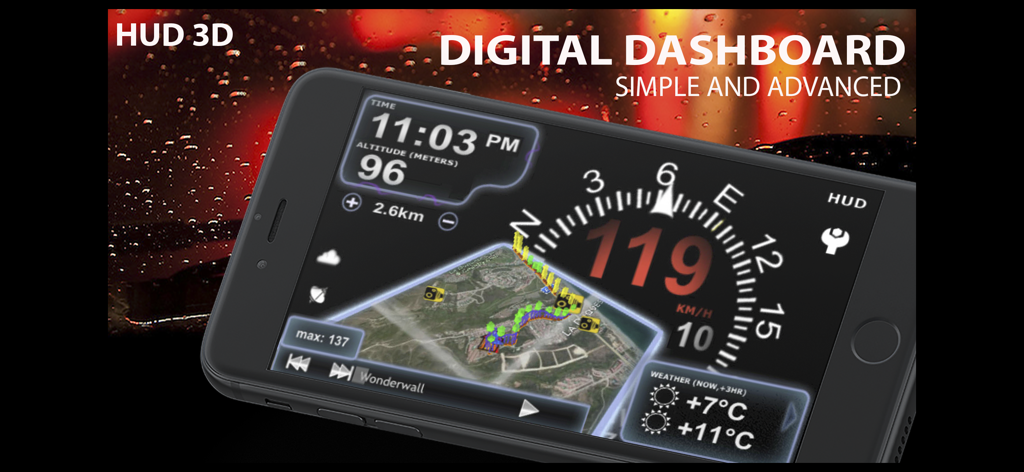
Interfaccia del cruscotto digitale di aSmart HUD 3D che mostra velocità e navigazione su uno smartphone
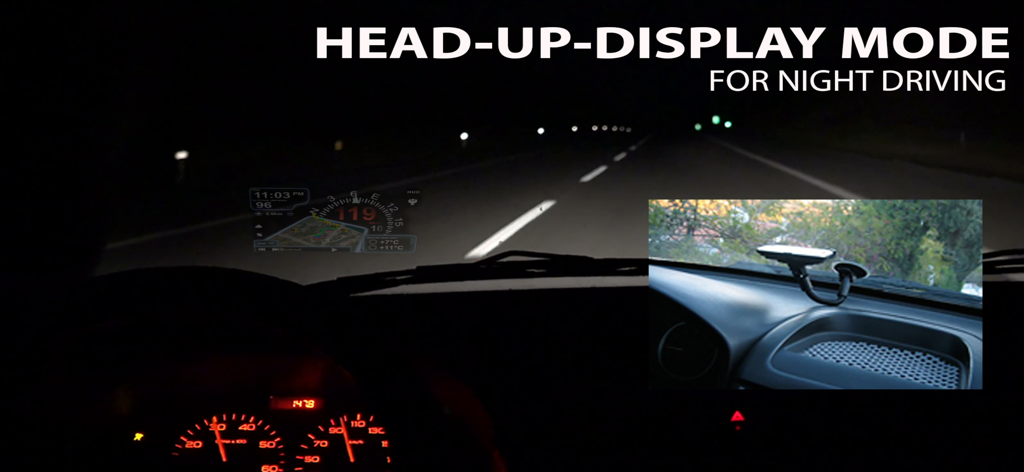
Interfaccia dell'app aSmart HUD 3D riflessa sul parabrezza di un'auto in modalità head-up display durante la guida notturna
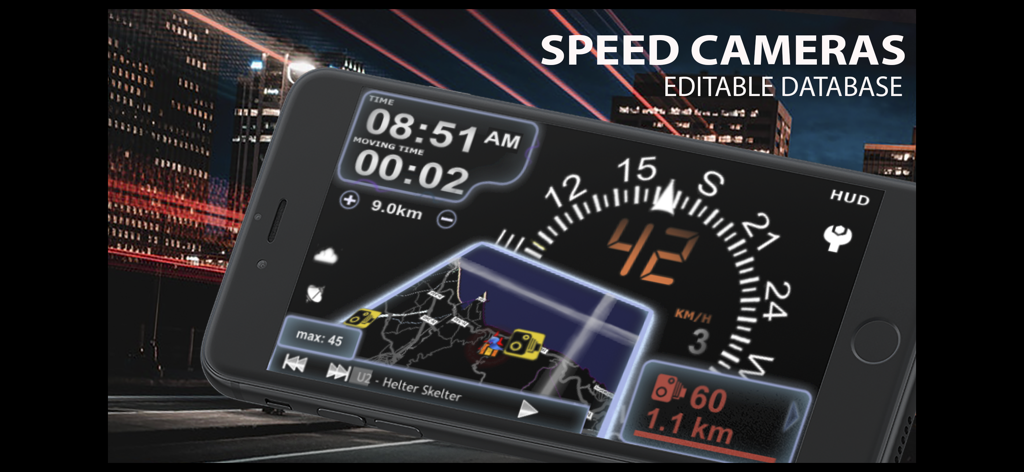
App aSmart HUD 3D che mostra un cruscotto digitale con avvisi sulle telecamere di velocità e interfaccia di navigazione
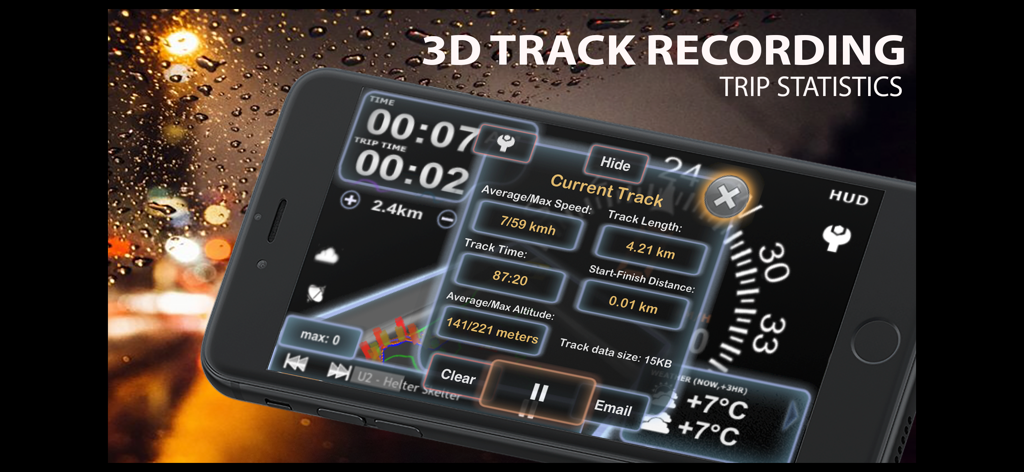
Interfaccia che mostra la registrazione del tracciato 3D e statistiche dettagliate del viaggio sull'app aSmart HUD 3D.
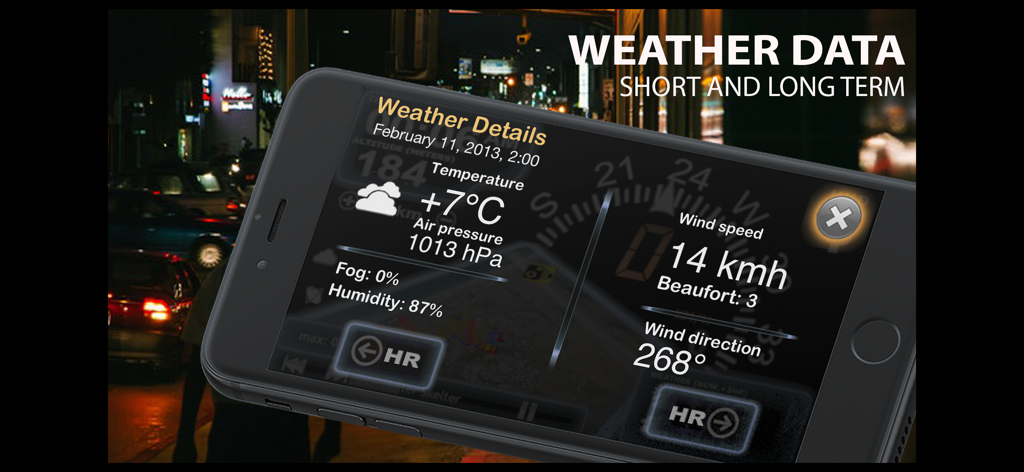
Uno smartphone che visualizza dettagli meteo inclusi temperatura, pressione e velocità del vento nell'app aSmart HUD 3D.
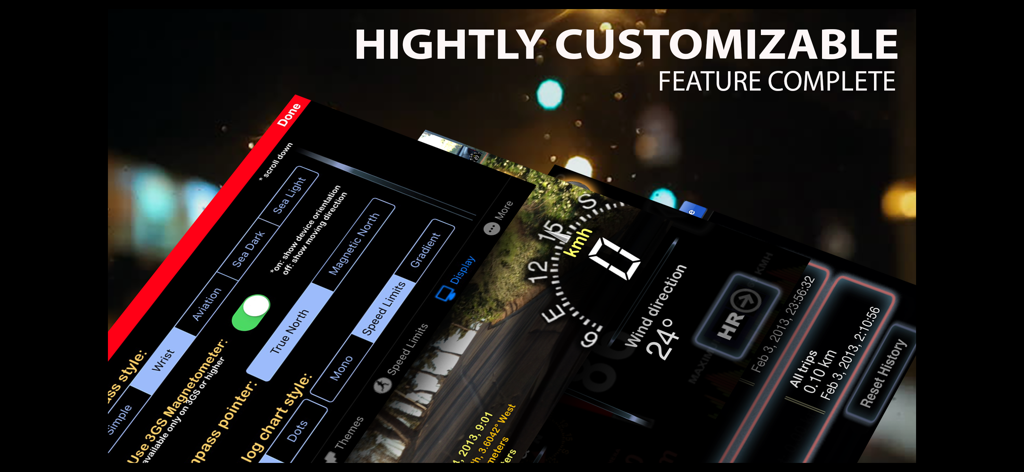
Un montaggio di schermate dell'app aSmart HUD 3D che mostrano impostazioni del cruscotto personalizzabili e dati di guida in tempo reale
Descrizione
Download
App Simili
App più classificate nella stessa categoria

Google Maps
Google LLC

Waze Navigation & Live Traffic
waze

AMap Global
AutoNavi Information Technology Co. Ltd.

百度地图-路线规划,出行必备
Beijing Baidu Netcom Science & Technology Co.,Ltd

Moovit: Bus & Transit Tracker
Moovit App Global LTD

Transit • Subway & Bus Times
9280-0366 Quebec inc.

ParkMobile: Park. Pay. Go.
Parkmobile USA, Inc

腾讯地图-路线规划,导航地铁打车出行
Shenzhen Tencent Computer Systems Company Limited

Île-de-France Mobilités
Ile de France Mobilites
Questa pagina non è una pagina ufficiale dell'app o del suo sviluppatore, ma una pubblicazione editoriale indipendente creata a scopo informativo e di commento. Salvo espressa indicazione contraria, né l'app né il suo sviluppatore sono affiliati, approvati, sponsorizzati, autorizzati o altrimenti ufficialmente collegati a MWM, Apple, Google Play, all'editore dell'app o allo sviluppatore dell'app, e nulla in questa pagina implica che l'app sia stata sviluppata utilizzando i servizi di MWM. Tutti i marchi, loghi, screenshot e altri contenuti rimangono di proprietà dei rispettivi proprietari.