aSmart HUD
aSmart HUD
Scarica su App Store

Questa pagina non è una pagina ufficiale dell'app o del suo sviluppatore, ma una pubblicazione editoriale indipendente creata a scopo informativo e di commento. Salvo espressa indicazione contraria, né l'app né il suo sviluppatore sono affiliati, approvati, sponsorizzati, autorizzati o altrimenti ufficialmente collegati a MWM, Apple, Google Play, all'editore dell'app o allo sviluppatore dell'app, e nulla in questa pagina implica che l'app sia stata sviluppata utilizzando i servizi di MWM. Tutti i marchi, loghi, screenshot e altri contenuti rimangono di proprietà dei rispettivi proprietari.


Logo di aSmart HUD
Scarica su App Store

aSmart HUD

Guida in modo più intelligente con un Head-Up Display di livello professionale. Monitora la velocità in tempo reale, ottieni previsioni meteo a 48 ore e resta al sicuro con avvisi intelligenti sui limiti di velocità, tutto riflesso direttamente nel tuo campo visivo.

Numeri Chiave

Download

167K+

Valutazione

3.0/5

Valutazioni totali

700

Editore

Vitalijs Lennojs

Categoria

Navigation

Lingue

1

Ultima versione

12.1

Dimensione

7.4 MB

Data di lancio

6 feb 2009
Funzioni

L'Upgrade Definitivo del Cruscotto

Trasforma la tua esperienza di guida con telemetria di livello professionale e un Head-Up Display futuristico progettato per sicurezza, precisione e stile.

HUD con Occhi sulla Strada

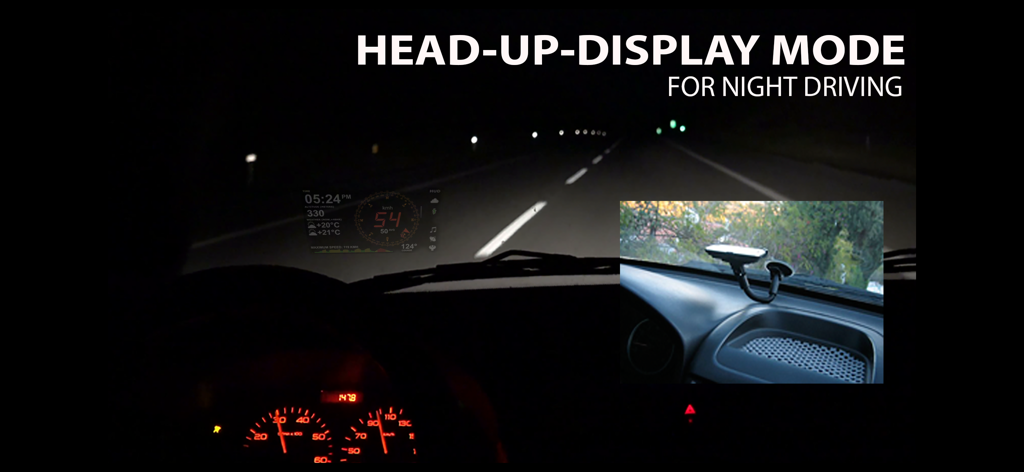
Proietta il tuo cruscotto direttamente sul parabrezza per un'esperienza di guida più sicura e high-tech durante i viaggi notturni e al crepuscolo.

Protezione Intelligente della Velocità

Evita costose multe con avvisi visivi e audio personalizzabili per quattro diversi limiti di velocità, perfettamente adattati alla guida in città e in autostrada.

Gli screenshot e la descrizione seguenti provengono direttamente dall'elenco ufficiale dello store dell'app e sono di proprietà dello sviluppatore.

App Store

Screenshot
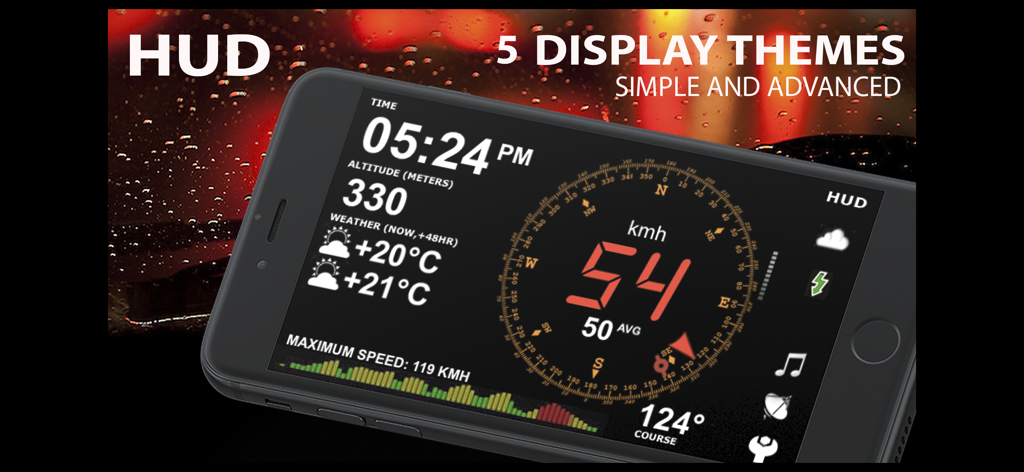
aSmart HUD - Interfaccia dell'app aSmart HUD che mostra tachimetro digitale, altitudine, meteo e bussola su uno schermo di smartphone
Interfaccia dell'app aSmart HUD che mostra tachimetro digitale, altitudine, meteo e bussola su uno schermo di smartphone

aSmart HUD - Interfaccia dell'app aSmart HUD riflessa sul parabrezza di un'auto durante la guida notturna
Interfaccia dell'app aSmart HUD riflessa sul parabrezza di un'auto durante la guida notturna

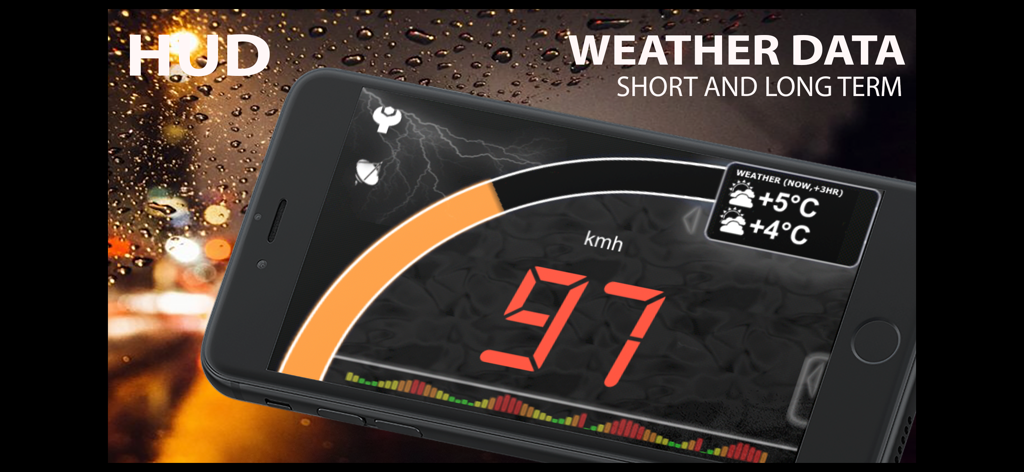
aSmart HUD - App aSmart hud che visualizza tachimetro digitale e previsioni meteo su uno smartphone
App aSmart hud che visualizza tachimetro digitale e previsioni meteo su uno smartphone

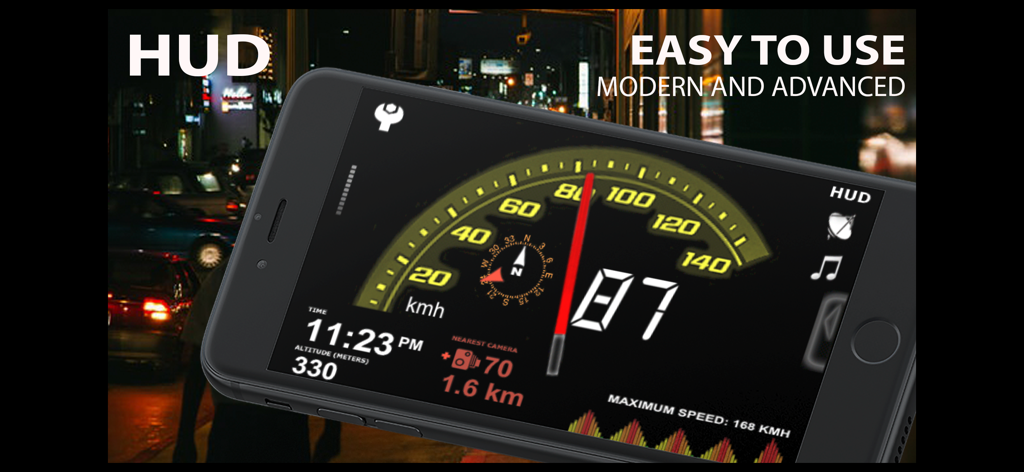
aSmart HUD - App aSmart HUD con tachimetro digitale, altitudine e bussola per la guida notturna
App aSmart HUD con tachimetro digitale, altitudine e bussola per la guida notturna

aSmart HUD - Interfaccia dell'app aSmart HUD con tachimetro digitale e controlli del lettore musicale
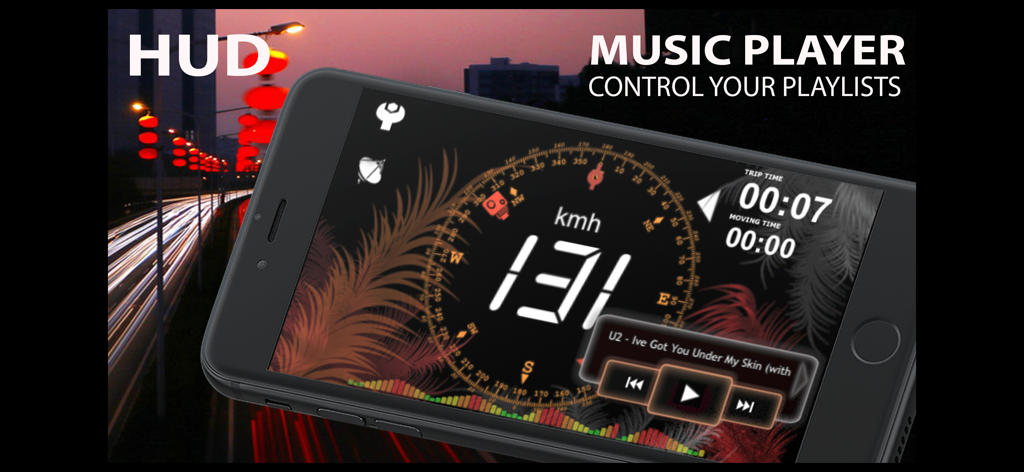
Interfaccia dell'app aSmart HUD con tachimetro digitale e controlli del lettore musicale

aSmart HUD - Screenshot dell'interfaccia dell'app aSmart HUD che mostra impostazioni altamente personalizzabili e tachimetro digitale su sfondo scuro

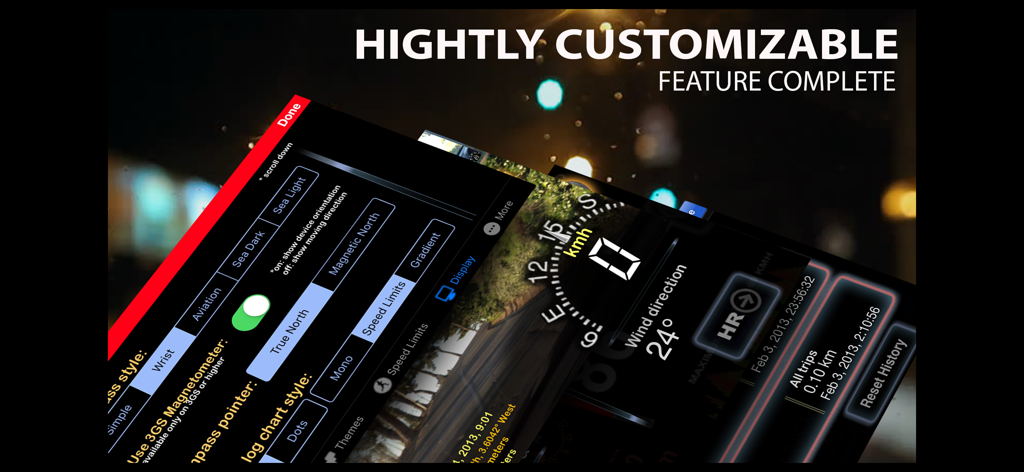
Screenshot dell'interfaccia dell'app aSmart HUD che mostra impostazioni altamente personalizzabili e tachimetro digitale su sfondo scuro

Descrizione

aSmartHUD is simple and clear vehicle digital dashboard featured by - HUD mode - SHORT-TERM WEATHER FORECAST - IPOD MUSIC PLAYLIST CONTROL - PHOTO CAMERA WITH IMAGE MARKING - ADJUSTABLE TRANSPARENCY APPLE MAPS SCREEN It visualizes your - current speed, - average speed, - current time, - elapsed trip time, - heading, - altitude, - trip elapsed time, - distance/time/direction to home location, - weather forecast for nearest 48 hours the with 3-hour time interval, - direct distance (kilometers, miles, nautical miles supported) to the starting point of your trip. - maximum reached speed, altitude and distance to start point, for the current trip and all the trips your ever did. Comparing with others HUD displays on the market - better look and more features for no price. Tapping the "HUD" icon mirrors all the text, so if you position the iPhone horizontally under your car's windscreen you can see perfectly readable half-transparent reflection of the picture displayed. We love this mode! We found it much more convenient compared to traditional car dashboards (especially on the roads of Western Europe, which are full of speed cameras and where you need to watch your speedometer all the time). And last but not the least - it just looks cool. 
Note: this mode works pretty well at night time and twilight, but on direct sunlight the screen brightness can be insufficient. - "aSmart HUD" can keep track on 4 speed limits, giving a warning (sound and visual) each time you crossing it. Normally, it's legal speed limits within cities, local roads and high-speed motorways. "Never exceed speed" is the speed you should not exceed under any conditions. For example, it can be a technical limit of your vehicle or the point where government can arrest your driving license. - You can skip/rewind/play/pause your current iPod music track, select the playlist or set the Shuffle or Repeat iPod mode. - Weather forecast time intervals and temperature units (C, F) are selectable in Preferences. - You can quickly take a photo of what's going on the road. Photo will be automatically saved into the Photos Album. The speedometer image, map and a some of other useful information will be placed over your photo. - Landscape and Portrait screen layouts support. - Three different compass styles, sound themes, colors, etc. - 4 functionally different display themes. - Speed history log chart. - "Location Info" - longitude and latitude, GPS measurement precision and some more data. - "Records" screen (left upper button on the "Location Info" screen), where you can see your maximum reached speed (during the current trip or all of your trips), maximum altitude and maximum distance from start. - Tap the speed indicator to switch into speed fullscreen mode. IMPORTANT: for more screenshots and details visit the http://atoll-ordenadores.com website Limitations - The precision is affected by the satellite signal quality. If unsure, use the program only for reference, don't rely on it for 100%. Application requires real A-GPS chip - so, no iPod and not-3G iPad supported. On iPad 3G application function only in "double pixel" mode. Thanks to everyone for your suggestions about additional functionality! THE BEST AND FASTEST WAY TO CONTACT US IS SENDING YOUR REQUESTS AND BUG REPORTS to support@atoll-ordenadores.com. WE ARE REALLY INTERESTED IN DIALOG, what is not possible when you leaving the bug-report as AppStore review.

Download

Scarica su App Store

Questa pagina non è una pagina ufficiale dell'app o del suo sviluppatore, ma una pubblicazione editoriale indipendente creata a scopo informativo e di commento. Salvo espressa indicazione contraria, né l'app né il suo sviluppatore sono affiliati, approvati, sponsorizzati, autorizzati o altrimenti ufficialmente collegati a MWM, Apple, Google Play, all'editore dell'app o allo sviluppatore dell'app, e nulla in questa pagina implica che l'app sia stata sviluppata utilizzando i servizi di MWM. Tutti i marchi, loghi, screenshot e altri contenuti rimangono di proprietà dei rispettivi proprietari.








