
Questa pagina non è una pagina ufficiale dell'app o del suo sviluppatore, ma una pubblicazione editoriale indipendente creata a scopo informativo e di commento. Salvo espressa indicazione contraria, né l'app né il suo sviluppatore sono affiliati, approvati, sponsorizzati, autorizzati o altrimenti ufficialmente collegati a MWM, Apple, Google Play, all'editore dell'app o allo sviluppatore dell'app, e nulla in questa pagina implica che l'app sia stata sviluppata utilizzando i servizi di MWM. Tutti i marchi, loghi, screenshot e altri contenuti rimangono di proprietà dei rispettivi proprietari.

Auto Screenshots Stitch Tailor
Lo strumento definitivo per screenshot a scorrimento senza interruzioni su iOS. Cattura intere conversazioni, thread social e lunghi articoli in pochi secondi, senza bisogno di unire manualmente.
Download
4M+Valutazione
Valutazioni totali
6K+Editore
Categoria
UtilitiesLingue
2Ultima versione
2.3.4Dimensione
108.6 MBData di lancio
16 feb 2020Cattura Tutto in Un Unico Flusso
Smetti di ingombrare la tua galleria con catture frammentate. La nostra tecnologia intelligente di unione trasforma lunghe conversazioni e articoli in un'unica immagine di alta qualità all'istante.
Funziona in Ogni App
Da thread di Reddit a chat di Slack, cattura contenuti ovunque gli screenshot nativi di iOS non arrivino.
Unione Automatica Intelligente
Basta scorrere e registrare. Il nostro algoritmo avanzato fonde perfettamente ogni fotogramma in un'immagine lunga e perfetta nei pixel.
Gli screenshot e la descrizione seguenti provengono direttamente dall'elenco ufficiale dello store dell'app e sono di proprietà dello sviluppatore.
App Store
Screenshot
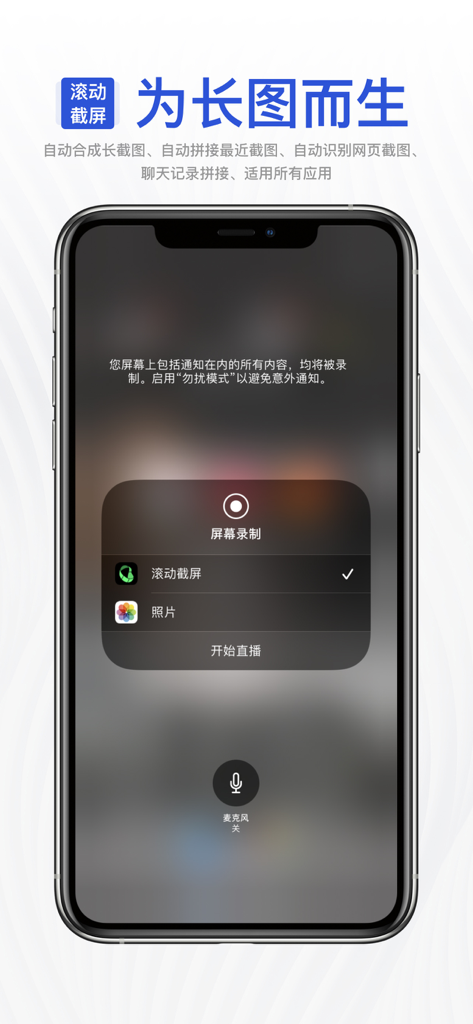
Menu di registrazione dello schermo dell'iPhone con l'app Tailor selezionata per avviare una cattura di screenshot a scorrimento.
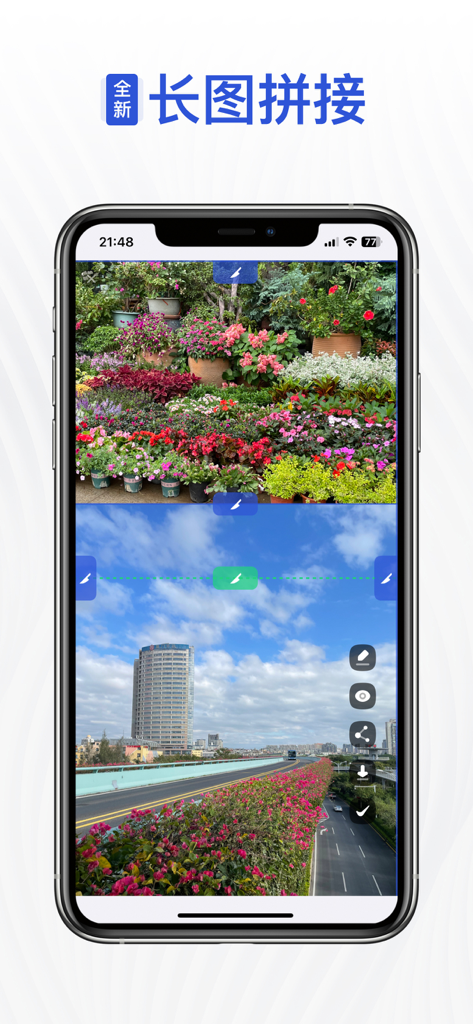
Uno schermo dell'iPhone che mostra l'interfaccia dell'app Auto Screenshots Stitch Tailor dove due foto vengono unite in un'unica lunga immagine verticale.
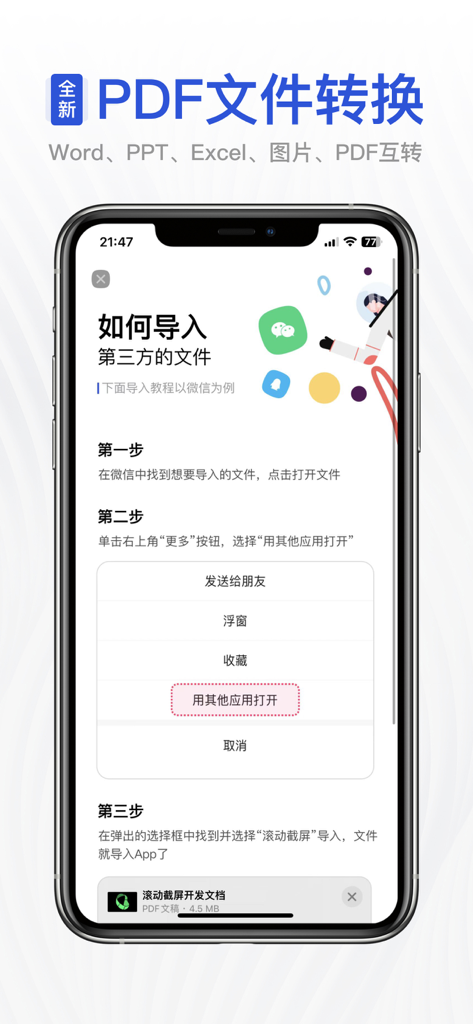
Schermata tutorial all'interno dell'app che mostra i passaggi per importare file di terze parti per la conversione PDF e l'unione di screenshot.
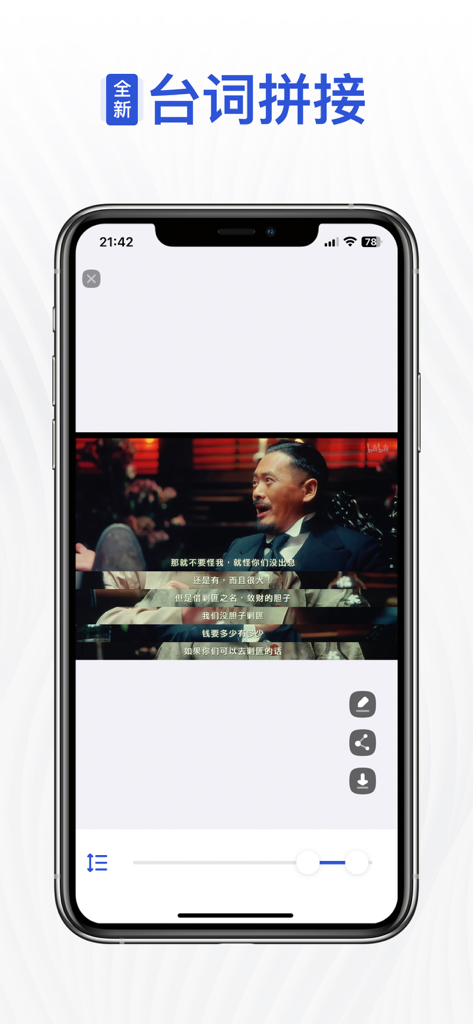
Interfaccia che mostra l'unione di dialoghi di film nell'app Auto Screenshots Stitch Tailor.
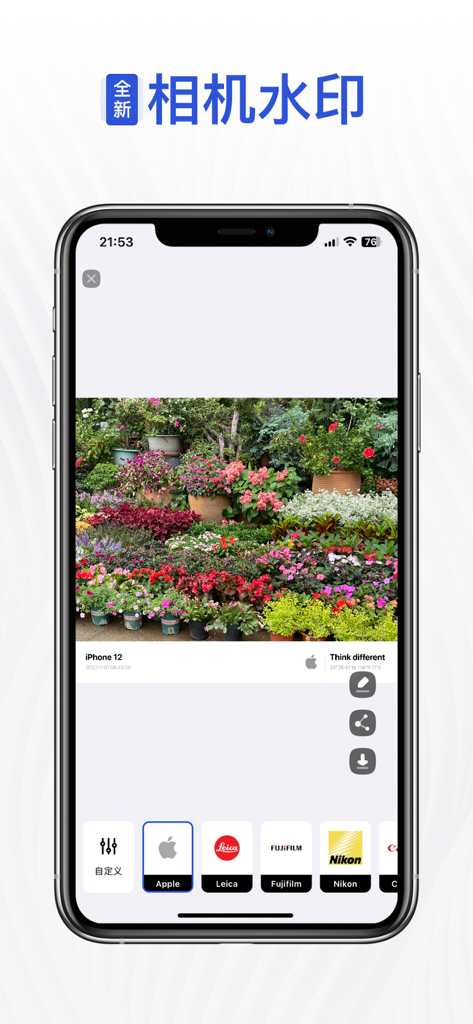
Un'interfaccia mobile che mostra una foto con una filigrana personalizzabile del marchio della fotocamera e un menu di selezione per Apple Leica Fujifilm e Nikon.
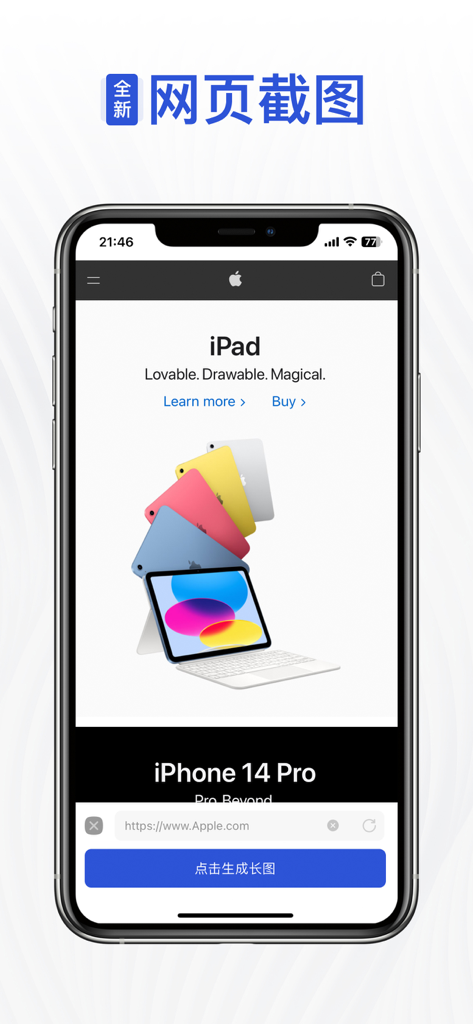
Interfaccia dell'app Auto Screenshots Stitch Tailor che cattura un'intera pagina web su un iPhone.
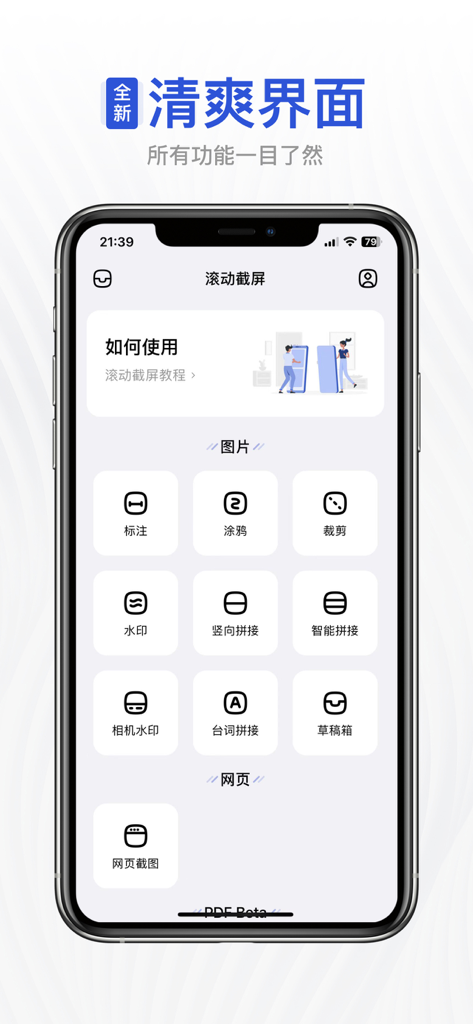
Dashboard principale dell'app Auto Screenshots Stitch Tailor che mostra icone per le funzionalità di unione e modifica delle immagini.
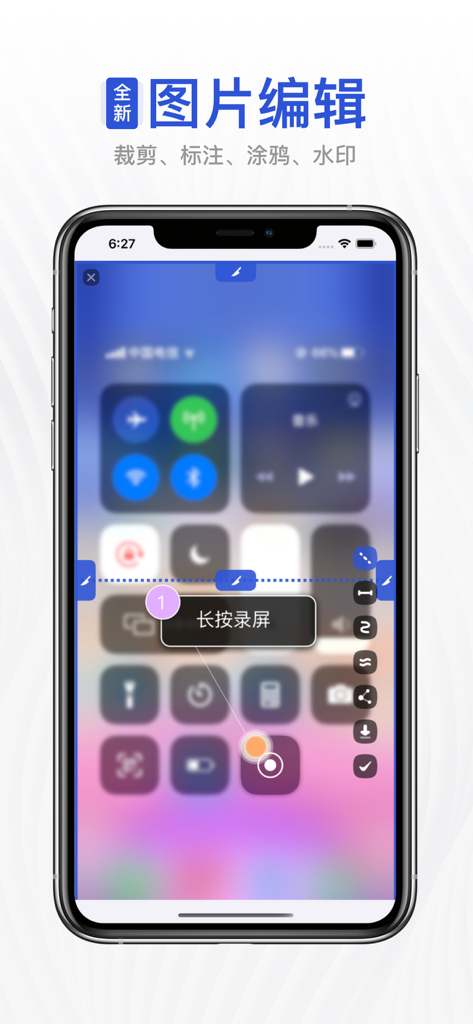
Interfaccia dell'app Tailor che mostra strumenti di modifica delle immagini e istruzioni per avviare uno screenshot a scorrimento tramite il Centro di Controllo di iOS.
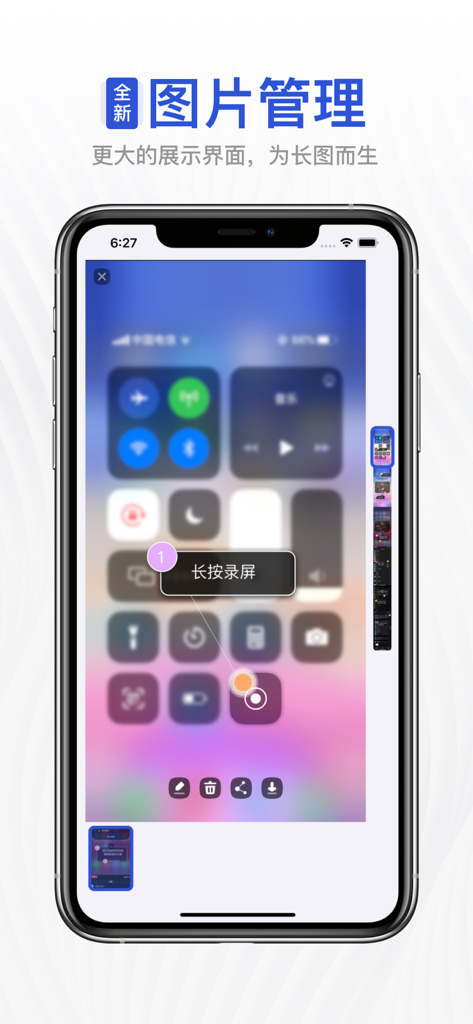
Schermata dell'iPhone che mostra il centro di controllo e un'anteprima di uno screenshot lungo verticale sulla destra.
Descrizione
Download
App Simili
App con funzionalità ed esperienza simili

Picsew - Scrollshot & Collage
Yojio, Ltd.

Photo Stitch!
Thanh Hai Le

StitchPics-Stitch Screenshots
磊 马
Pic Stitch:stitch long image
Hangzhou Keyi Network Technology Co., Ltd

ScreenShot-Webpage Snapshoot
潇 罗

Frame Grabber
Appcano LLC

Castly+
HONGKONG BLUE WHALE AND OCEAN TECHNOLOGY CO., LIMITED

Panorama 360 Camera
松滔 袁

Tailor - Screenshot Stitching
Foundry 63, LLC
Questa pagina non è una pagina ufficiale dell'app o del suo sviluppatore, ma una pubblicazione editoriale indipendente creata a scopo informativo e di commento. Salvo espressa indicazione contraria, né l'app né il suo sviluppatore sono affiliati, approvati, sponsorizzati, autorizzati o altrimenti ufficialmente collegati a MWM, Apple, Google Play, all'editore dell'app o allo sviluppatore dell'app, e nulla in questa pagina implica che l'app sia stata sviluppata utilizzando i servizi di MWM. Tutti i marchi, loghi, screenshot e altri contenuti rimangono di proprietà dei rispettivi proprietari.