
Questa pagina non è una pagina ufficiale dell'app o del suo sviluppatore, ma una pubblicazione editoriale indipendente creata a scopo informativo e di commento. Salvo espressa indicazione contraria, né l'app né il suo sviluppatore sono affiliati, approvati, sponsorizzati, autorizzati o altrimenti ufficialmente collegati a MWM, Apple, Google Play, all'editore dell'app o allo sviluppatore dell'app, e nulla in questa pagina implica che l'app sia stata sviluppata utilizzando i servizi di MWM. Tutti i marchi, loghi, screenshot e altri contenuti rimangono di proprietà dei rispettivi proprietari.

Book Creator One
Il modo più semplice per creare splendidi ebook multimodali sul tuo iPad. Unisciti a milioni di educatori e genitori che trasformano le lezioni in storie interattive, diari e fumetti.
Download
1M+Valutazione
Valutazioni totali
1K+Editore
Categoria
EducationLingue
11Ultima versione
5.5.6Dimensione
179.3 MBData di lancio
15 ago 2013Dalla pagina bianca all'autore pubblicato
Trasforma l'apprendimento degli studenti in capolavori creativi. Combina testo, audio e video per creare storie interattive, diari e portfolio in pochi minuti.
Coinvolgi ogni studente
Supporta l'alfabetizzazione multimodale mescolando testo, oltre 50 font e annotazioni disegnate a mano con registrazioni vocali e video.
Design ingannevolmente semplice
Trascina, rilascia e aggancia gli elementi con un'interfaccia intuitiva progettata per consentire agli studenti di concentrarsi sui contenuti, non sugli strumenti.
Domande Frequenti
Tutto quello che devi sapere su Book Creator One
A cosa serve Book Creator One?
Book Creator One è un'app per iPad per la creazione di ebook. Permette agli utenti di creare libri illustrati per bambini, libri fotografici, fumetti, diari e libri di testo.
Quanti libri posso creare gratuitamente con Book Creator One?
Book Creator One consente agli utenti di creare un libro gratuitamente. Libri illimitati e modelli di fumetti sono disponibili tramite un acquisto in-app.
Book Creator One offre modelli per fumetti?
Sì, Book Creator One offre modelli per fumetti. Questi modelli, insieme alla creazione illimitata di libri, vengono sbloccati tramite un acquisto in-app.
Posso aggiungere audio e video ai libri in Book Creator One?
Sì, Book Creator One consente agli utenti di aggiungere video e musica. Puoi anche registrare la tua voce per includere narrazioni nei tuoi libri.
Come posso condividere i libri creati con Book Creator One?
Book Creator One offre molteplici opzioni di condivisione. Gli utenti possono inviare libri via email, AirDrop o servizi cloud. È supportata anche l'esportazione come ePub, PDF o video.
Book Creator One è adatto per l'uso educativo nelle scuole?
Sì, Book Creator One è altamente adatto per l'istruzione, essendo aperto, creativo e trasversale ai curricoli. L'app completa "Book Creator for iPad" è raccomandata per le scuole che richiedono libri illimitati senza acquisti in-app.
Book Creator One può pubblicare libri sull'iBooks Store?
Sì, Book Creator One crea ebook utilizzando lo standard internazionale ePub. I libri sono ottimizzati per una facile pubblicazione direttamente sull'iBooks Store.
Book Creator One supporta gli ebook a layout fisso?
Sì, Book Creator One supporta il formato a layout fisso di iBooks, che include immagini a doppia pagina e colonne sonore. Non è adatto per la creazione di romanzi con molto testo.
Siri può leggere ad alta voce i libri in Book Creator One?
Sì, Book Creator One dispone di una modalità Lettura in cui Siri legge i libri agli utenti. Questa funzionalità supporta più lingue.
Che tipi di immagini posso aggiungere ai libri in Book Creator One?
Book Creator One consente agli utenti di aggiungere foto e immagini. Queste possono provenire dalla libreria fotografica dell'iPad, dal web o direttamente dalla fotocamera dell'iPad.
Gli screenshot e la descrizione seguenti provengono direttamente dall'elenco ufficiale dello store dell'app e sono di proprietà dello sviluppatore.
App Store
Screenshot
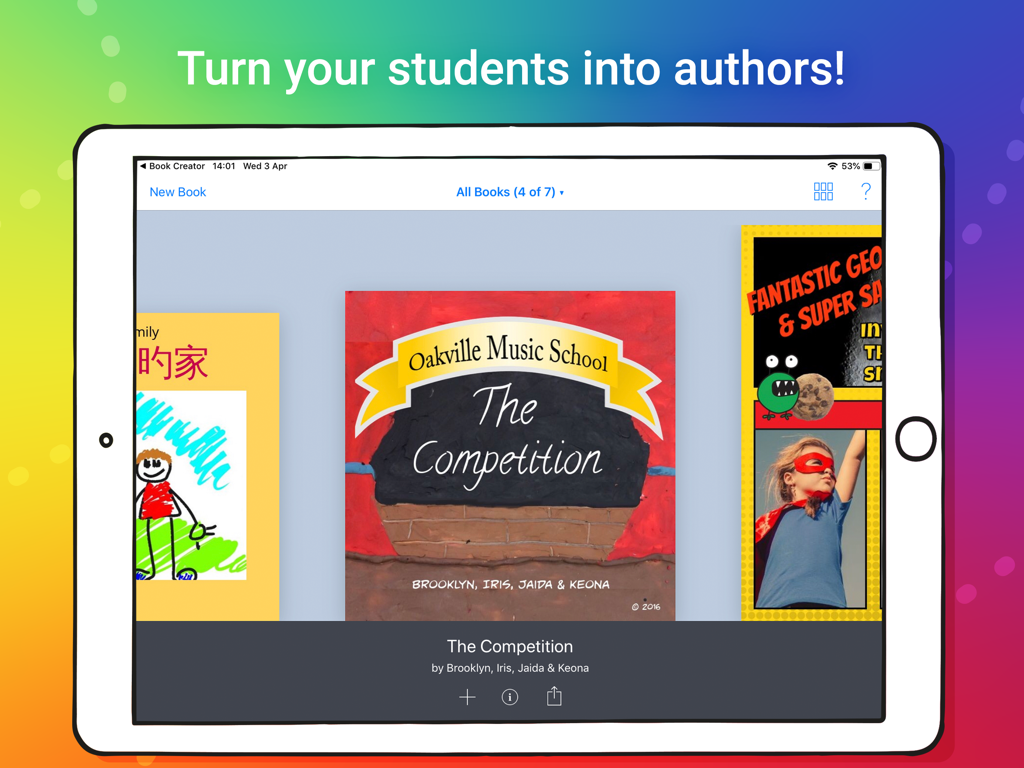
Un iPad che mostra una libreria di libri digitali creativi realizzati da studenti nell'app Book Creator One
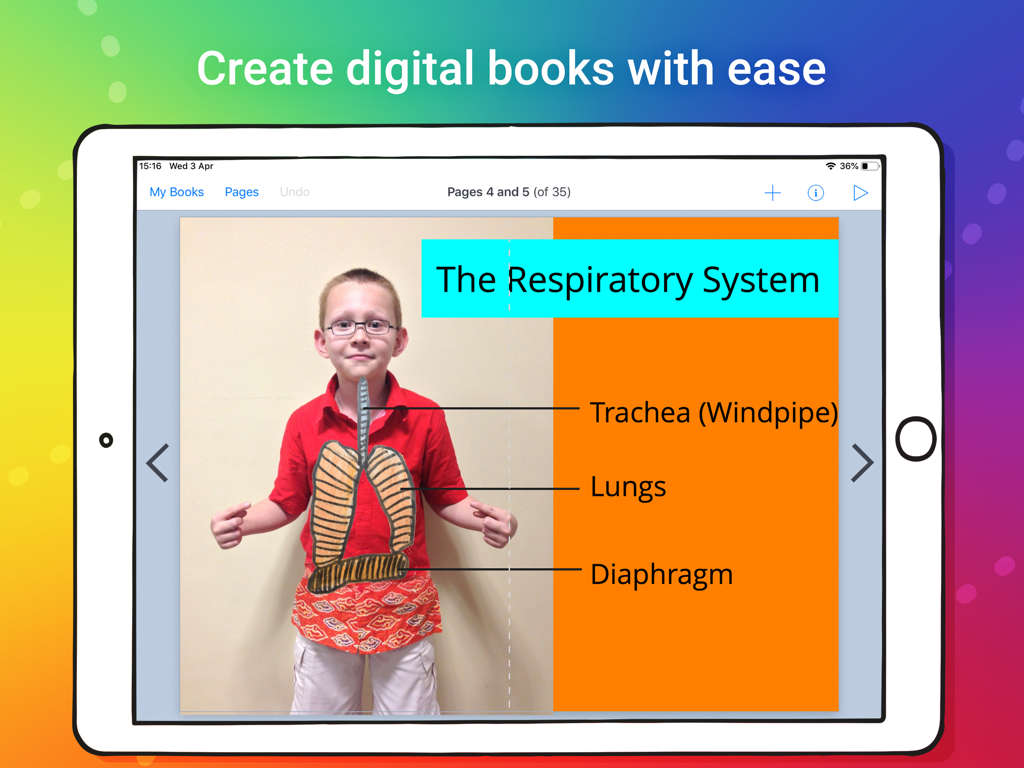
Un libro digitale di uno studente sul sistema respiratorio creato con Book Creator One su iPad
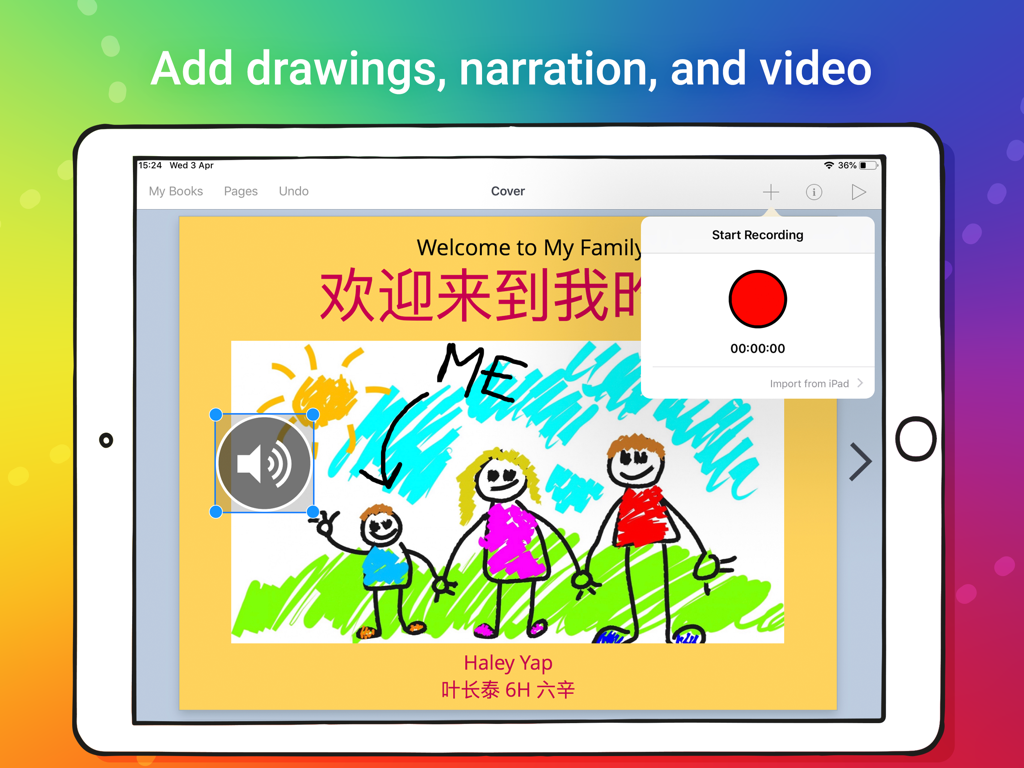
Un iPad che mostra una pagina di libro digitale con il disegno di un bambino e un'interfaccia di registrazione vocale
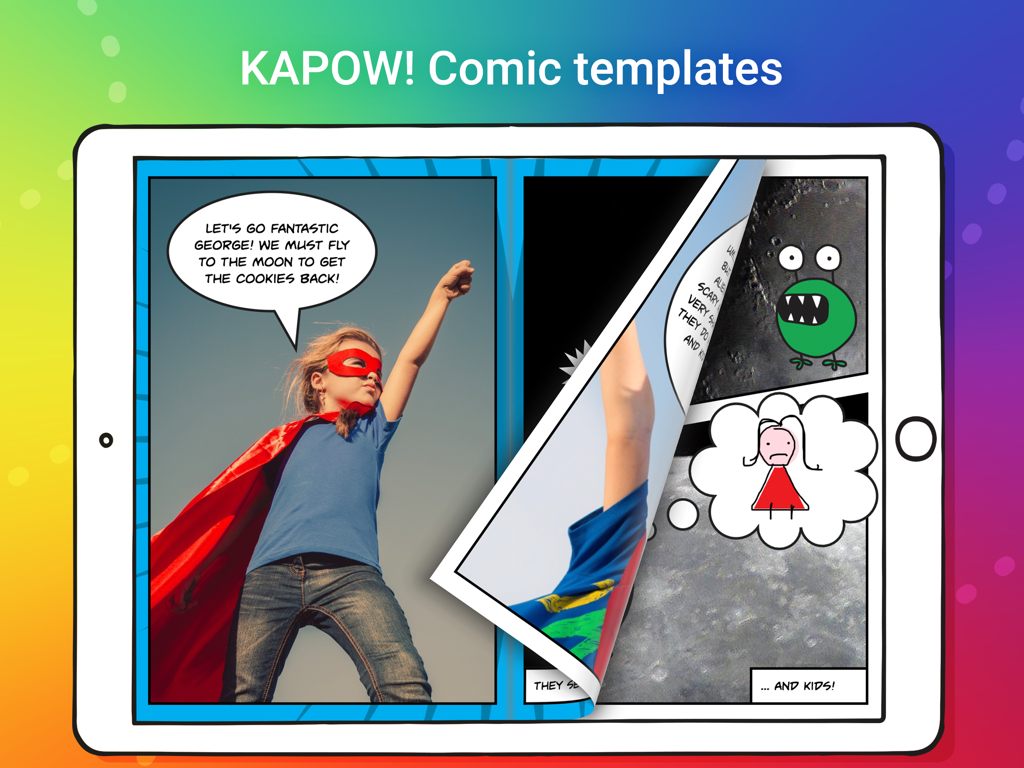
Schermata iPad che mostra l'app Book Creator One con un modello di fumetto con un bambino supereroe e fumetti
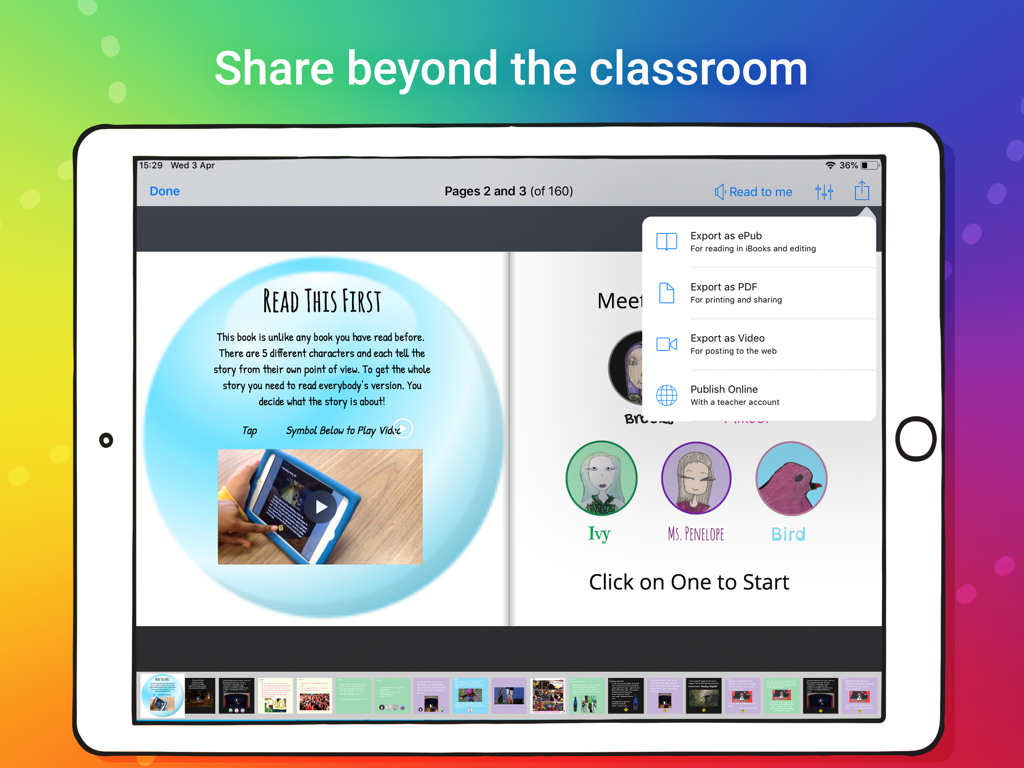
Schermata iPad che mostra l'app Book Creator One con opzioni per esportare un libro digitale come ePub, PDF o video.
Descrizione
Download
App Simili
App con funzionalità ed esperienza simili

Affinity Publisher 2 for iPad
Serif (Europe) Ltd.

Brochure Maker, Pamphlet Maker
Bhavesh Gabani

Zine - Enjoy Writing
Aura Marker Studio Co., Ltd.

Pages: Create Documents
Apple Inc.

Price List & Menu Maker
Desygner Pty Ltd
Story Creator - Easy Story Book Maker for Kids
Innovative Mobile Apps Ltd

Book Creator for iPad
Tools for Schools Limited
Questa pagina non è una pagina ufficiale dell'app o del suo sviluppatore, ma una pubblicazione editoriale indipendente creata a scopo informativo e di commento. Salvo espressa indicazione contraria, né l'app né il suo sviluppatore sono affiliati, approvati, sponsorizzati, autorizzati o altrimenti ufficialmente collegati a MWM, Apple, Google Play, all'editore dell'app o allo sviluppatore dell'app, e nulla in questa pagina implica che l'app sia stata sviluppata utilizzando i servizi di MWM. Tutti i marchi, loghi, screenshot e altri contenuti rimangono di proprietà dei rispettivi proprietari.