
Questa pagina non è una pagina ufficiale dell'app o del suo sviluppatore, ma una pubblicazione editoriale indipendente creata a scopo informativo e di commento. Salvo espressa indicazione contraria, né l'app né il suo sviluppatore sono affiliati, approvati, sponsorizzati, autorizzati o altrimenti ufficialmente collegati a MWM, Apple, Google Play, all'editore dell'app o allo sviluppatore dell'app, e nulla in questa pagina implica che l'app sia stata sviluppata utilizzando i servizi di MWM. Tutti i marchi, loghi, screenshot e altri contenuti rimangono di proprietà dei rispettivi proprietari.


BOSS Small Business Accounting
Abbandona l'hardware costoso e i software complessi. Monitora l'inventario, scansiona i codici a barre e gestisci le tue vendite globali direttamente dal tuo smartphone con lo strumento tutto in uno più conveniente per gli imprenditori.
Download
646K+Valutazione
Valutazioni totali
2K+Editore
Categoria
BusinessLingue
22Ultima versione
3.0.33Dimensione
157.3 MBData di lancio
3 dic 2015Tutto ciò di cui hai bisogno per far crescere la tua attività
Smetti di sprecare denaro in hardware costosi e software complessi. BOSS mette a tua disposizione strumenti professionali per l'inventario, la contabilità e il reporting direttamente in tasca.
Scansione codici a barre mobile
Trasforma il tuo smartphone in uno scanner professionale. Gestisci l'inventario e aggiorna i listini prezzi istantaneamente senza acquistare hardware aggiuntivo.
Approfondimenti sui profitti in tempo reale
Visualizza vendite, debiti e flussi di cassa a colpo d'occhio. Genera rapporti finanziari dettagliati in pochi secondi per prendere decisioni aziendali più intelligenti.
Gli screenshot e la descrizione seguenti provengono direttamente dall'elenco ufficiale dello store dell'app e sono di proprietà dello sviluppatore.
App Store
Screenshot
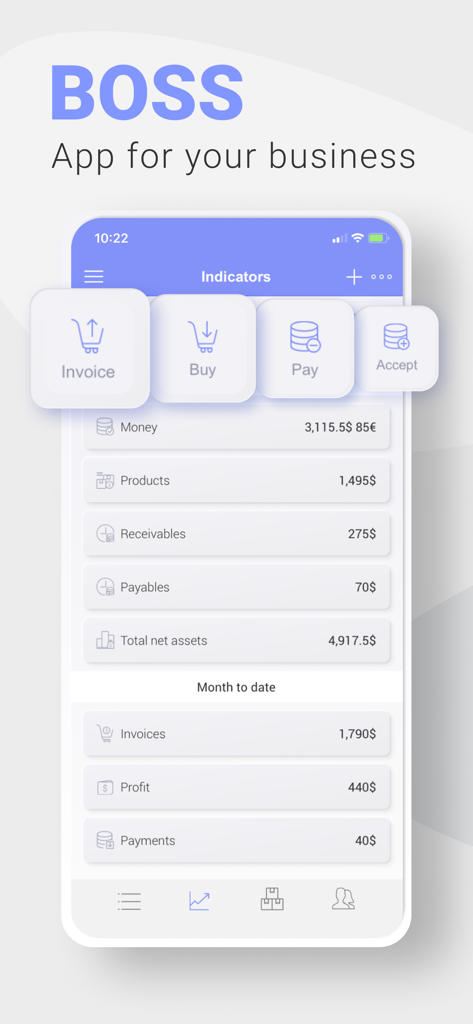
Dashboard mobile di BOSS Contabilità per Piccole Imprese che mostra i principali indicatori finanziari e pulsanti di azione rapida
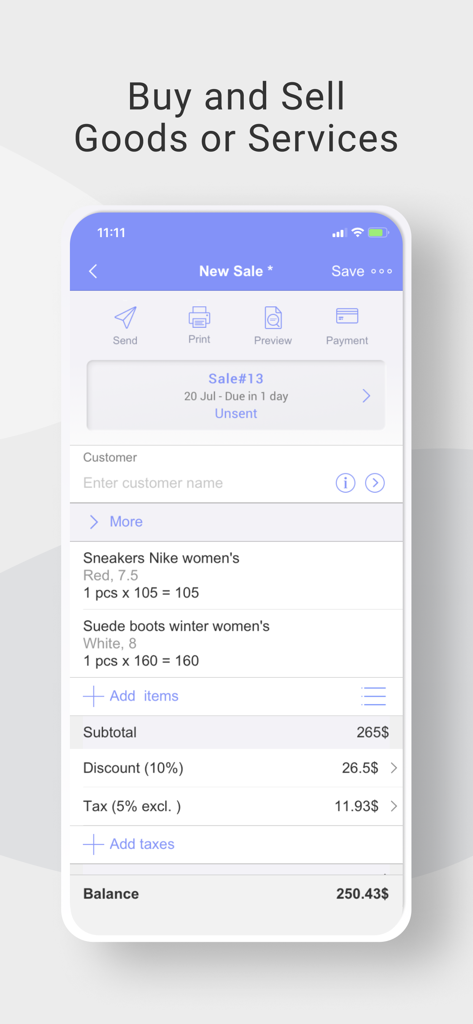
Interfaccia dell'app BOSS Contabilità per Piccole Imprese che mostra una nuova schermata di vendita con articoli, sconti e saldo totale
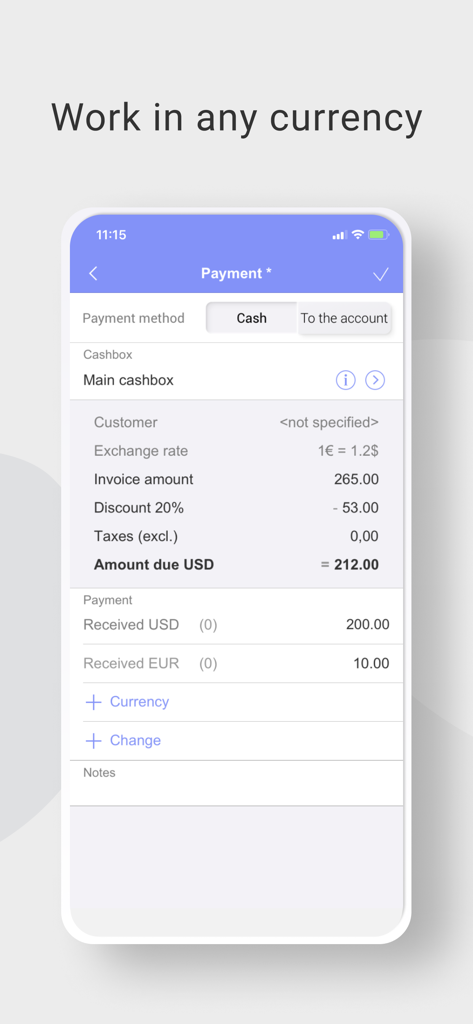
Schermata dello smartphone dell'app di contabilità BOSS che mostra una ricevuta di pagamento con conversione multivaluta tra Euro e USD.
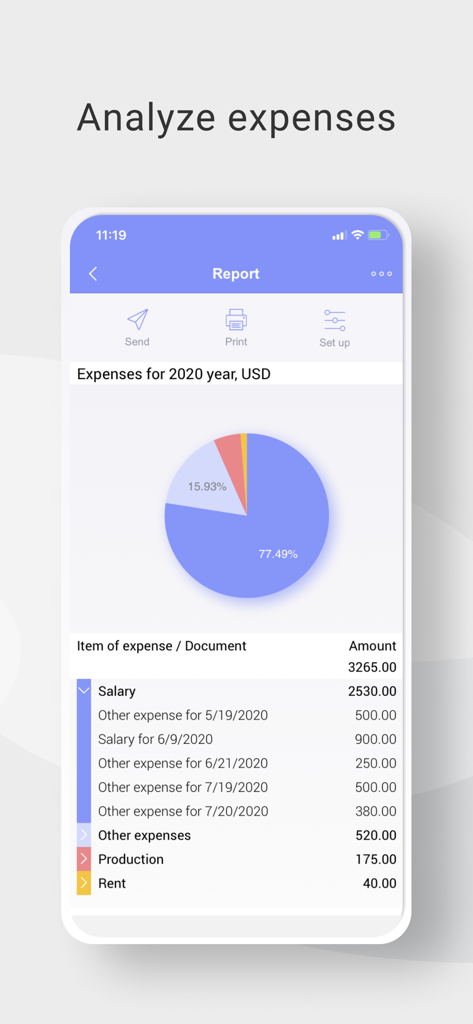
Rapporto annuale delle spese nell'app di contabilità BOSS con grafico a torta ed elenco dei costi
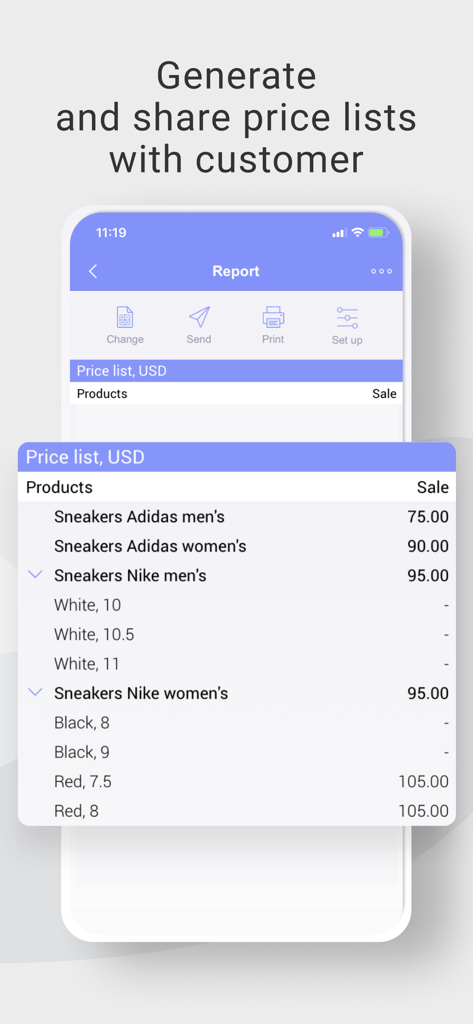
Schermata dello smartphone dall'app BOSS Contabilità per Piccole Imprese che mostra un listino prezzi dettagliato per prodotti al dettaglio
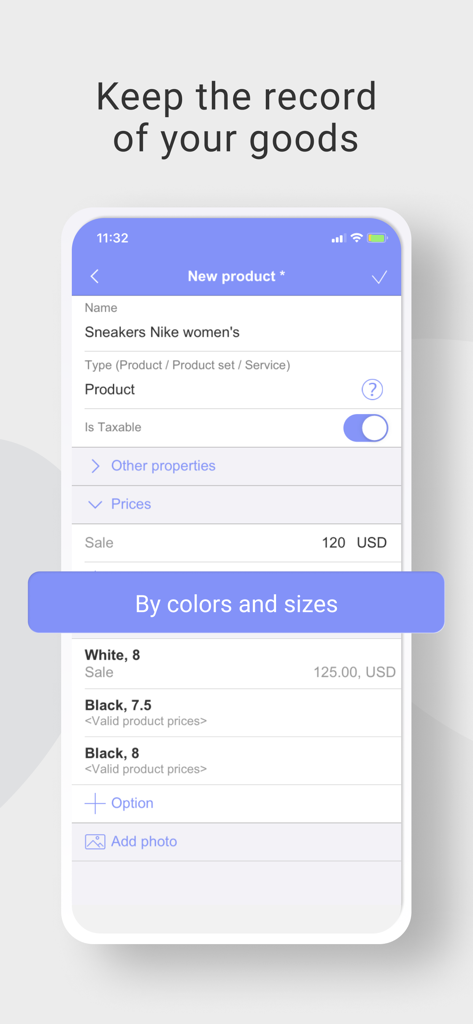
Schermata dell'app BOSS Contabilità per Piccole Imprese per la gestione dell'inventario dei prodotti con varianti di taglia e colore
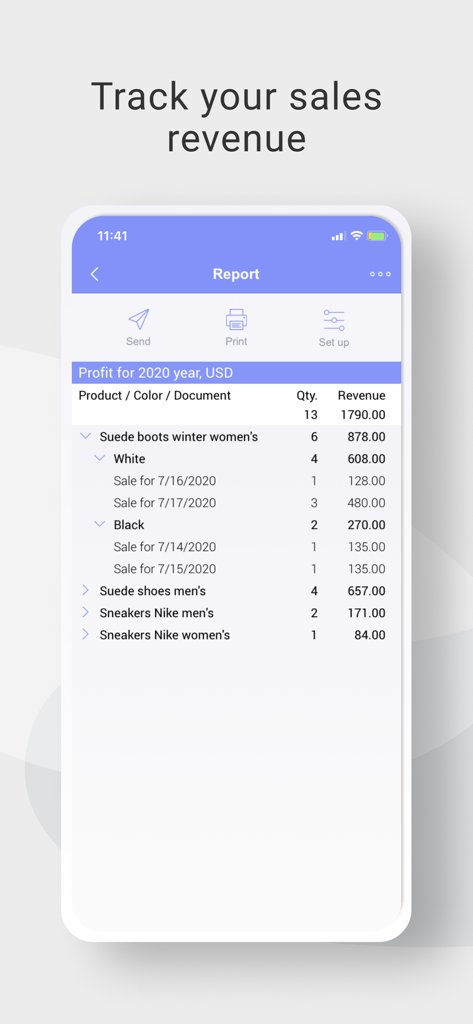
Schermata mobile dell'app di contabilità BOSS che mostra un rapporto dettagliato sul profitto e sui ricavi delle vendite per vari prodotti
Descrizione
Download
App Simili
App con funzionalità ed esperienza simili

收钱吧-商家收款神器
Shanghai Shouqianba Internet Technology Co., Ltd.

Cielo Gestão: maquininha
Cielo S.A.

Clover Go - Dashboard & POS
Clover Network, Inc.

PagVendas NF-e, Vendas, Gestão
PagSeguro Internet S.A

Sổ Bán Hàng: Quản lý toàn diện
Finan Pte. Ltd.

智慧商贸进销存-库存、仓库管理进销存
Anhui QiSeMi Information Technology Co., Ltd.

МойСклад. Торговля, склад, CRM
Logneks OOO

TinyPOS:Make & Print Bills
志国 成

Jarbas: POS, Sales & Stock
Jarbas Software e Servicos LTDA
Questa pagina non è una pagina ufficiale dell'app o del suo sviluppatore, ma una pubblicazione editoriale indipendente creata a scopo informativo e di commento. Salvo espressa indicazione contraria, né l'app né il suo sviluppatore sono affiliati, approvati, sponsorizzati, autorizzati o altrimenti ufficialmente collegati a MWM, Apple, Google Play, all'editore dell'app o allo sviluppatore dell'app, e nulla in questa pagina implica che l'app sia stata sviluppata utilizzando i servizi di MWM. Tutti i marchi, loghi, screenshot e altri contenuti rimangono di proprietà dei rispettivi proprietari.