Brother iPrint&Scan

Brother iPrint&Scan

Scarica su App StoreScarica su Google Play
Logo di Brother iPrint&Scan

Brother iPrint&Scan: Stampa e Scansione Wireless Semplificate

Stampa documenti, scansiona sul cloud e invia fax direttamente dal tuo dispositivo mobile. Elimina l'intermediario computer con lo strumento di produttività definitivo per la tua stampante Brother.

Editore

Brother Industries, LTD.

Categoria

Utilities

Download

16M+

Valutazione

2.7/5

Valutazioni totali

16K+

Lingue

21

Efficienza in Movimento

Scopri l'interfaccia usata da 16M+ utenti.
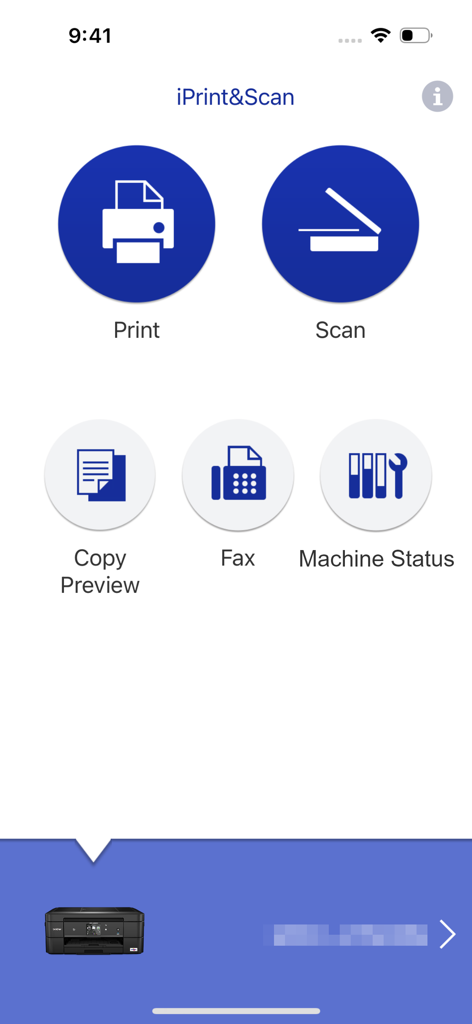
Interfaccia principale dell'app Brother iPrint and Scan con opzioni di stampa e scansione

Interfaccia principale dell'app Brother iPrint and Scan con opzioni di stampa e scansione

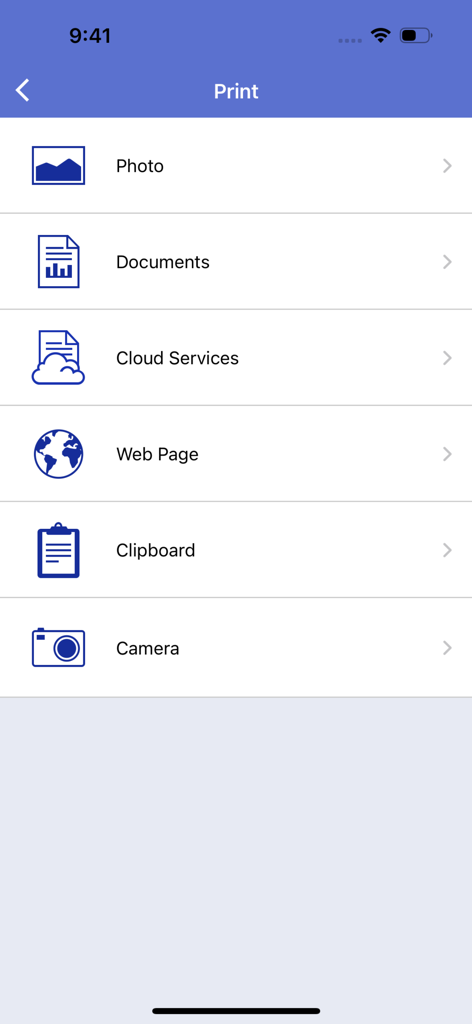
Schermata principale del menu di stampa dell'app Brother iPrint and Scan che mostra opzioni per stampare foto, documenti, file cloud, pagine web e altro.

Schermata principale del menu di stampa dell'app Brother iPrint and Scan che mostra opzioni per stampare foto, documenti, file cloud, pagine web e altro.

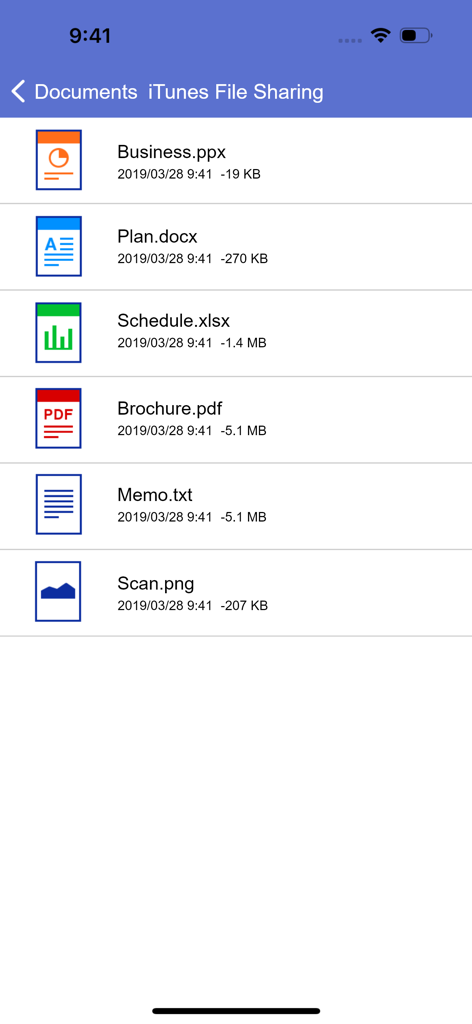
Elenco documenti nell'app Brother iPrint and Scan che mostra file PDF, Word ed Excel per la stampa mobile

Elenco documenti nell'app Brother iPrint and Scan che mostra file PDF, Word ed Excel per la stampa mobile

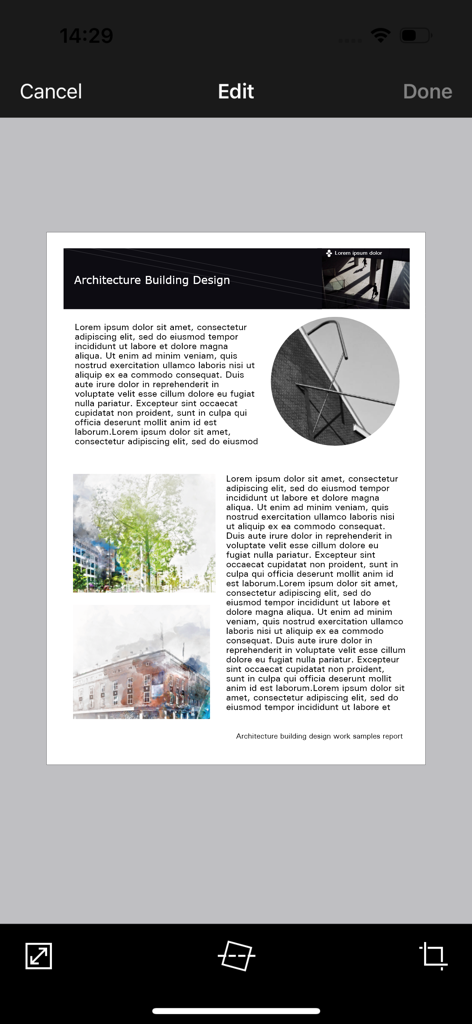
Interfaccia dell'app mobile Brother iPrint and Scan che mostra un documento in fase di modifica con strumenti per ritagliare e raddrizzare

Interfaccia dell'app mobile Brother iPrint and Scan che mostra un documento in fase di modifica con strumenti per ritagliare e raddrizzare

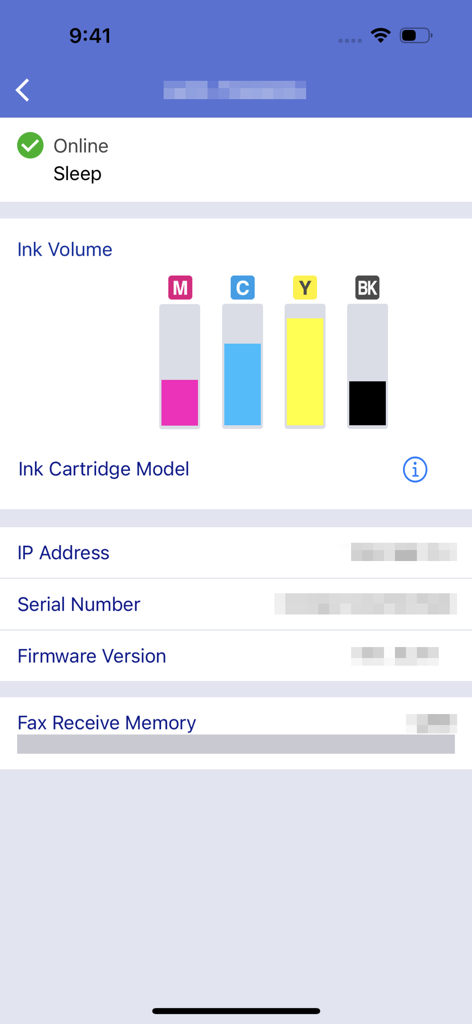
Interfaccia dell'app Brother iPrint and Scan che visualizza i livelli di volume dell'inchiostro e lo stato della macchina

Interfaccia dell'app Brother iPrint and Scan che visualizza i livelli di volume dell'inchiostro e lo stato della macchina

Domina il Tuo Ufficio Dalla Tua Tasca

Gli strumenti che rendono questa app unica, scelti da 16M+ utenti.

📲

Stampa Cloud con Un Tocco

Stampa contratti, etichette di spedizione e documenti direttamente da iCloud, Dropbox o OneDrive in pochi secondi.

📄

Scansione Mobile Intelligente

Digitalizza documenti in movimento. Scansiona direttamente sul tuo telefono, modifica per chiarezza e invia via email come PDF senza un computer.

📠

Fax e Manutenzione da Remoto

Gestisci fax legali e monitora i livelli di inchiostro da remoto in modo da essere sempre pronto per il tuo prossimo grande progetto.

Analisi recensioni

Approfondimenti dalle recensioni degli utenti.

Punteggio sentimento

31%
Negativo

Riepilogo

The app receives mixed feedback, with users often praising its ease of use, simple setup, and effective wireless printing capabilities for various document and image types. Many find it convenient for printing remotely, even with older printers. However, a significant number of users report persistent connectivity issues, particularly following iOS updates (e.g., iOS 26), and general unreliability. Frustrations also stem from perceived missing features like comprehensive paper size options, consistent double-sided printing controls, and limitations in scanning functionality, alongside reports of app crashes and version-specific bugs on devices like iPhone 17.

Temi comuni

Connectivity(4)
Ease of Use & Setup(3)
Wireless Printing(3)
Image Manipulation(2)
Paper Size Options(1)
iOS Compatibility & Bugs(1)

Info sull'app

Tutto quello che devi sapere su Brother iPrint&Scan.

Descrizione

Brother iPrint&Scan is a free app that enables you to print from and scan to your iOS device (iPhone / iPod touch / iPad). Use your local wireless network to connect your iOS device to your Brother printer or all-in-one. Some new advanced functions have been added, including edit, fax send, fax preview, copy preview, and machine status. Visit your local Brother website for a list of supported models. [Key Features] - Easy to use menu. - Simple steps to print your favorite photos, web pages and documents (PDF, Word, Excel®, PowerPoint®, Text). - Print photos directly from your iPhone camera. - Print PDF files or Microsoft® Office documents or Text files by starting the app from "Open in..." - Print your documents and photos directly from the following cloud services: Dropbox™, OneDrive, Evernote®. - Print what you copied to the clipboard. - Use iTunes File Sharing to send compatible files (PDF, Word, Excel®, PowerPoint®, Text, JPEG, PNG, TIFF) to iPrint&Scan for convenient printing at a later time. - Scan directly to your iPhone/iPod touch/iPad. - Save scanned images to your photo album, iCloud or Facebook / X / Flickr accounts or send them in an E-mail (PDF, JPEG). - Print scanned images saved to iCloud from this app. - Automatically search for supported devices on a local wireless network. - No computer and no driver required. *To save scanned images directly to Facebook / X / Flickr, you must first register your accounts on your mobile device. [Advanced Functions] (Only available on new models.) - Edit previewed images using the editing tools (scale, straighten, crop) if necessary. - Send a fax directly from your mobile device. (This app feature requires access to the address book of your mobile device.) - View received faxes stored on your machine on your mobile device. - The copy preview function enables you to preview an image and edit it if necessary before copying to avoid copy errors. - View the machine’s status such as ink/toner volume and error messages on your mobile device. *Compatible functions will depend on the selected device. [Compatible Print Settings] - Paper Size - 4" x 6" (10 x 15cm) Photo L (3.5" x 5" / 9 x 13 cm) Photo 2L (5" x 7" / 13 x 18 cm) A4 Letter Legal A3 Ledger - Media Type - Glossy Paper Plain Paper - Copies - Up to 5 [Compatible Scan Settings] - Document Size - A4 Letter 4" x 6" (10 x 15cm) Photo L (3.5" x 5" / 9 x 13 cm) Card (2.4" x 3.5" / 60 x 90 mm) Legal A3 Ledger - Scan Type - Color Color (Fast) Black & White [Access Permission Information] You must check and allow the essential access permissions below to use Brother iPrint&Scan service. Essential Permission • Contact information: access to your contact numbers is needed when you use functions like fax, but you can limit access to the specific contact necessary for the service. Optional Permission • Location information: It is requested only when you use device search features like Wi-Fi Direct, Bluetooth, or NFC. Optional data is required to use the corresponding function, and even if permission is not granted, services other than the corresponding function can be used. *Compatible settings will depend on the selected device and function. *Evernote is a trademark of Evernote Corporation and used under a license. *Microsoft, Excel, and PowerPoint are either registered trademarks or trademarks of Microsoft Corporation in the United States and/or other countries. *To help us improve the application, send your feedback to Feedback-mobile-apps-ps@brother.com. Please note that we may not be able to respond to individual emails.

Ultima versione

6.15.4

Dimensione

37.4 MB

Data di lancio

29 lug 2010

Prendi il Pieno Controllo della Tua Stampante Brother Ovunque

Unisciti a oltre 16 milioni di professionisti e famiglie che hanno abbandonato il computer. Stampa documenti, scansiona sul cloud e invia fax direttamente dal tuo telefono per un flusso di lavoro fluido e mobile-first.

Scarica su App StoreScarica su Google Play
FAQ

Domande Frequenti

Tutto quello che devi sapere su Brother iPrint&Scan

Cos'è Brother iPrint&Scan?

Brother iPrint&Scan è un'applicazione gratuita che consente agli utenti di stampare e scansionare dai propri dispositivi iOS. Si collega a stampanti e dispositivi multifunzione Brother compatibili tramite una rete wireless locale.

Come stampo documenti utilizzando Brother iPrint&Scan?

Sì, Brother iPrint&Scan consente la stampa di foto, pagine web e documenti come file PDF, Word, Excel, PowerPoint e di testo. Gli utenti possono anche stampare da servizi cloud come Dropbox.

Brother iPrint&Scan può scansionare immagini sul mio dispositivo iOS?

Sì, Brother iPrint&Scan consente la scansione diretta su iPhone, iPod touch o iPad. Le immagini scansionate possono essere salvate nell'album fotografico, su iCloud o condivise tramite e-mail, account Facebook, X o Flickr.

Brother iPrint&Scan supporta la stampa cloud?

Sì, Brother iPrint&Scan supporta la stampa di documenti e foto direttamente dai servizi cloud. I servizi compatibili includono Dropbox, OneDrive ed Evernote.

Quali formati di file sono compatibili con Brother iPrint&Scan per la stampa tramite Condivisione file di iTunes?

Brother iPrint&Scan supporta file compatibili come PDF, Word, Excel, PowerPoint, Testo, JPEG, PNG e TIFF per la stampa tramite Condivisione file di iTunes.

Posso controllare lo stato della mia stampante Brother con iPrint&Scan?

Sì, Brother iPrint&Scan consente agli utenti di visualizzare lo stato della macchina, inclusi i livelli di inchiostro o toner e i messaggi di errore, direttamente sul proprio dispositivo mobile.

L'app Brother iPrint&Scan è gratuita da scaricare e utilizzare?

Sì, Brother iPrint&Scan è un'applicazione gratuita. Consente di stampare e scansionare da dispositivi iOS senza alcun costo.

Brother iPrint&Scan richiede un computer o un driver per il funzionamento?

No, Brother iPrint&Scan non richiede un computer o alcun driver per il suo funzionamento. Si collega direttamente ai dispositivi Brother compatibili tramite una rete wireless locale.

Posso inviare fax utilizzando l'app mobile Brother iPrint&Scan?

Sì, gli utenti possono inviare fax direttamente dal proprio dispositivo mobile utilizzando Brother iPrint&Scan. Questa funzione è disponibile sui modelli più recenti e richiede l'accesso alla rubrica del dispositivo.

Quali funzioni di modifica avanzate sono disponibili in Brother iPrint&Scan?

Brother iPrint&Scan offre strumenti di modifica avanzati per le immagini visualizzate in anteprima. Gli utenti possono ridimensionare, raddrizzare e ritagliare le immagini secondo necessità, garantendo un output ottimale prima della stampa o della copia.

Quali autorizzazioni di accesso richiede Brother iPrint&Scan?

Brother iPrint&Scan richiede l'accesso alle informazioni di contatto essenziali per le funzioni fax e le informazioni di localizzazione opzionali per le funzioni di ricerca del dispositivo come Wi-Fi Direct o Bluetooth.

Come si connette Brother iPrint&Scan a una stampante Brother?

Brother iPrint&Scan si connette a una stampante o a un dispositivo multifunzione Brother utilizzando la rete wireless locale. L'app cerca automaticamente i dispositivi supportati sulla rete.

App information, icons, screenshots, and descriptions displayed on this page are sourced from the Apple App Store and are the property of their respective developers. Download estimates and rankings are based on MWM's proprietary models and may not reflect actual figures. This page is provided for informational and analytical purposes only.

Believe this page infringes your intellectual property? File a dispute