busybusy GPS Time Clock Mobile: Lo Standard d'Oro per la Gestione dei Cantieri Edili
Dai ai tuoi team sul campo strumenti di monitoraggio del tempo GPS facili da usare e gestione automatica dei costi di lavoro. Risparmia ore sulla gestione delle buste paga, elimina la documentazione cartacea e ottieni le informazioni in tempo reale necessarie per rimanere redditizio in ogni progetto.
Editore
busybusy, Inc
Categoria
Business
Download
81K+
Valutazione
4.1/5
Valutazioni totali
900
Lingue
2
Precisione in Azione
Scopri l'interfaccia usata da 81K+ utenti.
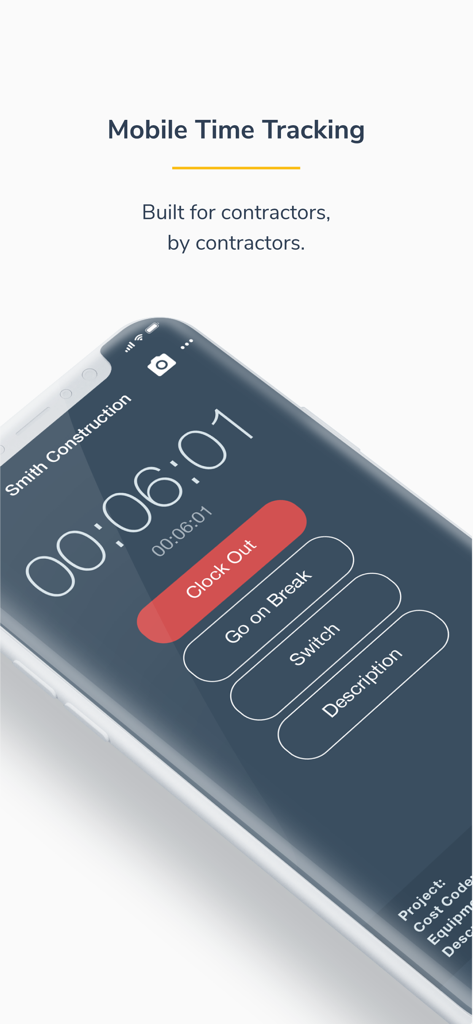
Schermata dello smartphone che mostra l'interfaccia di monitoraggio del tempo mobile di busybusy per appaltatori con pulsanti per l'uscita o la pausa
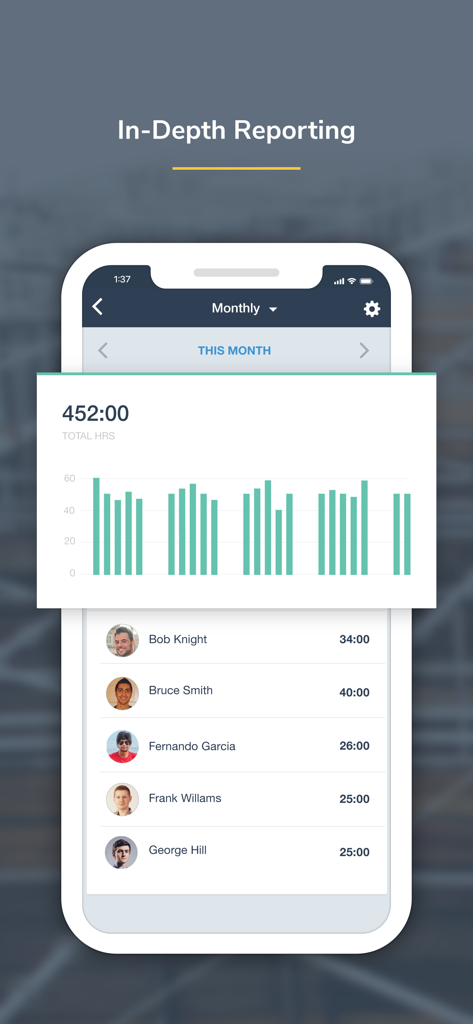
Screenshot dell'app mobile busybusy che mostra un dashboard di report mensile con ore totali e registri di tempo individuali dei dipendenti
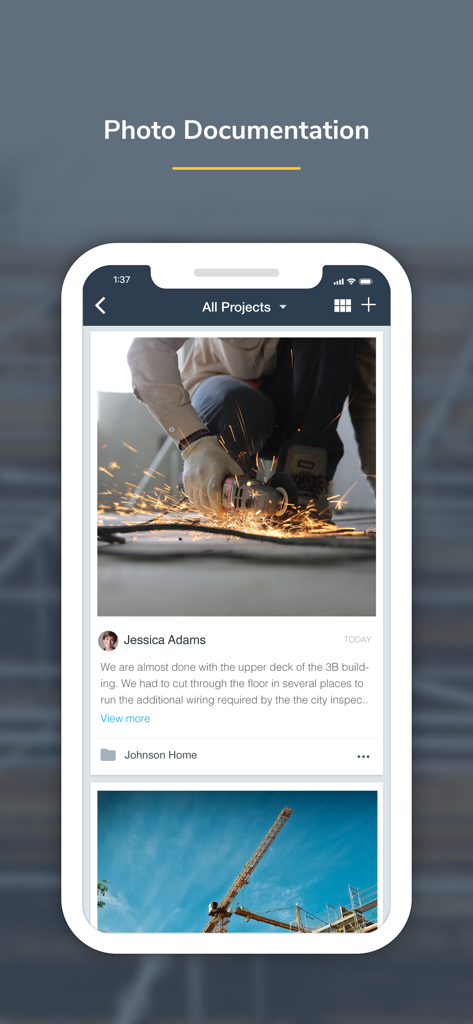
Interfaccia dell'app mobile busybusy che mostra la documentazione fotografica del cantiere edile
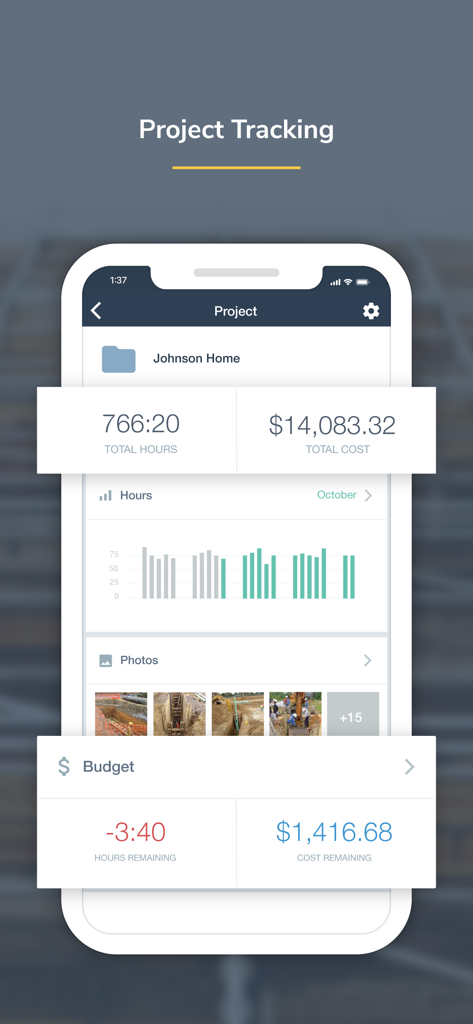
Schermata di monitoraggio del progetto nell'app busybusy che mostra ore totali, costi e foto del cantiere per un progetto edile
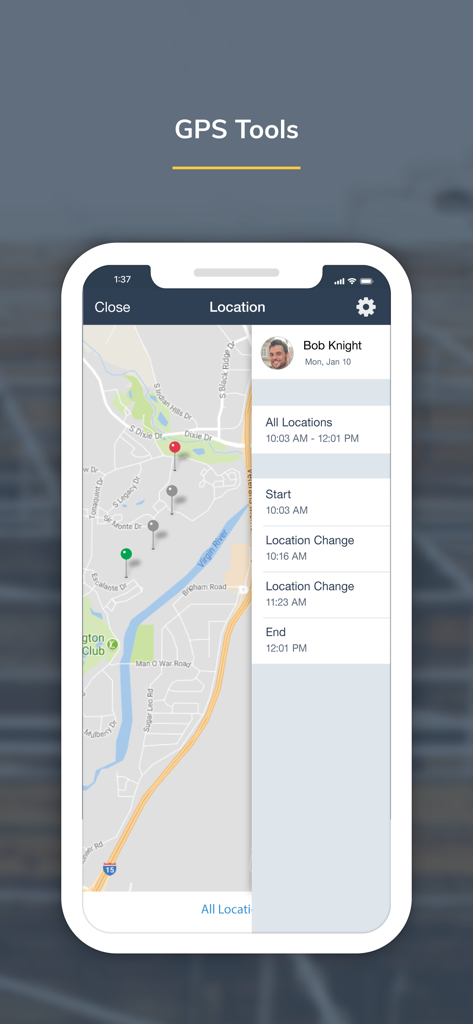
Schermata dell'app busybusy che mostra una mappa con le posizioni di tracciamento GPS dei dipendenti e una cronologia dei movimenti.
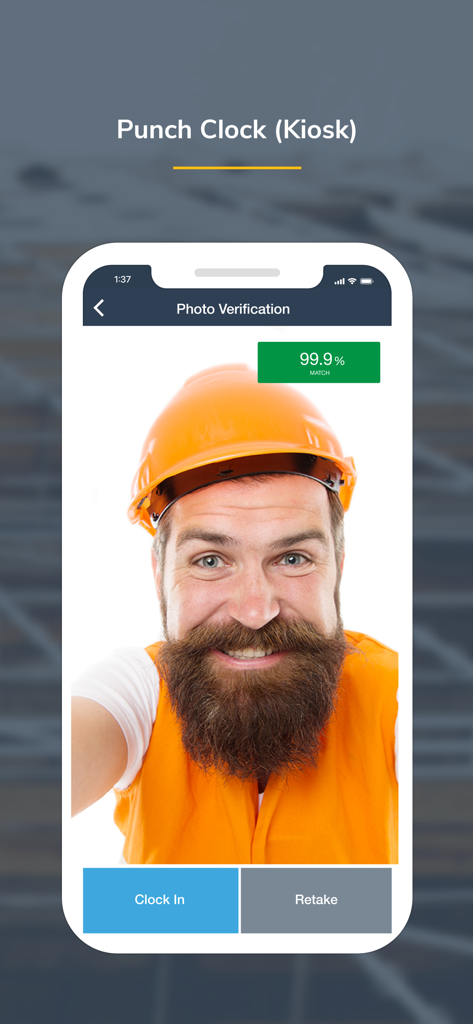
Un operaio edile che utilizza la funzione di verifica fotografica sul marcatempo busybusy per registrare l'entrata
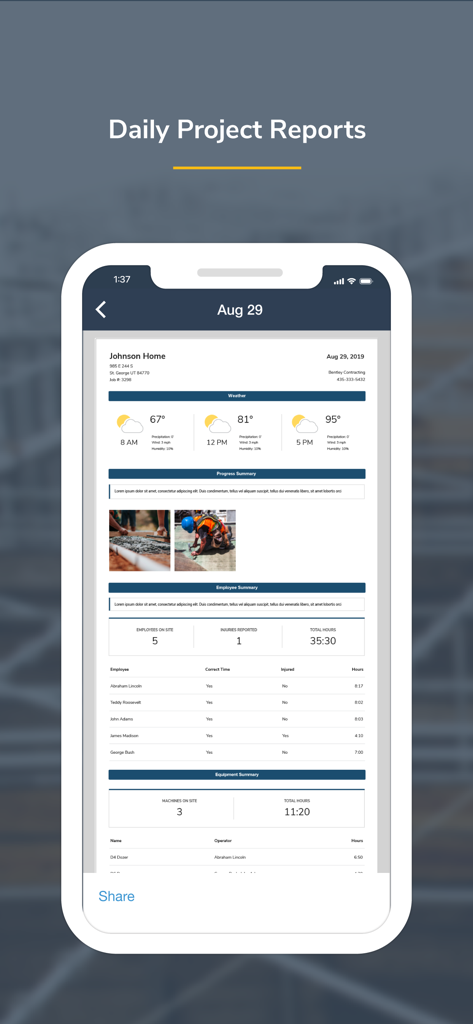
Interfaccia dell'app busybusy che mostra un rapporto giornaliero completo del progetto per la gestione delle costruzioni.
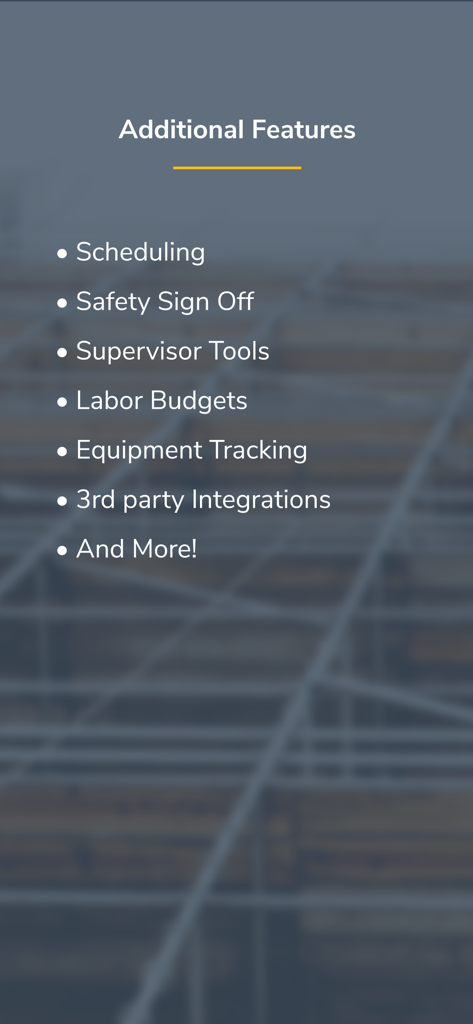
Un elenco di funzionalità aggiuntive per l'app busybusy, tra cui pianificazione, firme di sicurezza e strumenti per supervisori
Ottimizza Ogni Ora sul Cantiere
Gli strumenti che rendono questa app unica, scelti da 81K+ utenti.
⏱️
Monitoraggio Intelligente del Tempo
Ottieni registrazioni accurate con promemoria GPS e un'interfaccia facile da usare che funziona anche in aree remote senza servizio cellulare.
📈
Determinazione Istantanea dei Costi di Lavoro
Smetti di indovinare e inizia a conoscere i tuoi margini con dati sulla manodopera in tempo reale sincronizzati direttamente con i budget di progetto e le buste paga.
⚖️
Tutela Legale e di Sicurezza
Proteggi la tua attività da reclami fraudolenti con firme giornaliere per infortuni, foto con marca temporale e firme digitali sicure.
Info sull'app
Tutto quello che devi sapere su busybusy GPS Time Clock Mobile.
Descrizione
busybusy is a cloud-based time tracking and job costing app designed for construction and field employees. Collect real-time data and generate powerful automated reports–enabling smarter decisions, saving valuable office time, and simplifying labor, project, and schedule management.
Field employees can easily track labor, materials, and heavy equipment all within an easy-to-use mobile app. Jobsite data is organized by project and is instantly available to your team, allowing you to see what’s going on anytime, anywhere.
Features:
Time Tracking
-Clock in/out, offline mode
-Kiosk mode digital punch clock
-Supervisor tools allow supervisors to clock in/out crews, edit time, assign cost codes and projects, and split time entries
-GPS map showing employees on the clock, equipment, & projects
-GPS-based notifications to remind employees to clock in/out on the jobsite
Equipment
-View employees using each piece of equipment
-Easy access to a detailed equipment list
-Performance report (operator vs machine)
-View equipment location on map
Job Costing
-Assign time to projects, sub-projects, cost codes, and equipment- easily switch throughout the day
-Projected labor budgets vs actual labor costs
-Employee labor burden broke down by projects
-Activity reports
-Easily add missing job costs and cost codes with the job costing tool
-Quickly export to CSV
Liability Protection
-Jobsite photos are time, location, and employee stamped, easily searched, and grouped by project.
-Overtime & break reports
-Employee and supervisor digital signatures
-End-of-day injury/non-injury verification
-Kiosk photo verification
Products:
-Progress Tracking
-Accurate material and quantity reporting
-View crew progress in real-time and see work accomplished
-Easily submit photos showing job site progress
-Get detailed progress reports
Daily Reports
-Auto-generate weather reporting, job costing, and injury reports
-Detailed summary of project progress and equipment insights
-Automate job site checklists with start and end times
-Safety sign-offs
Documents
-Easily upload files, including job site plans, permits, building codes, and more
-Attach documents and descriptions to a specific project
-Upload fillable forms and documents in Offline mode, no matter the location
Scheduling
-Schedule one employee or the whole crew
-Assign project, cost code, or equipment from a schedule
-Automatically notify employees of changes
-Submit and manage time off requests
BusyPayroll
-Instantly run payroll and pay employees
-Reduce payroll time by 67%
-Automatically scan for signatures, time-off requests, time-entry conflicts, and more
-Set lock dates to prevent editing
Integrations
busybusy seamlessly integrates with Procore, QuickBooks, CompanyCam, Zapier, Foundation, Sage, and many more…
Hear what our customers have to say:
“We tried three other time tracking apps before switching to busybusy. Switching to busybusy is the single best thing we have done for our employees in years. I can't think of the last time they were all this happy.” Austin - Certified Fire and Security
“It can be used anywhere. We have construction crews in the field and it's great that they can use it wherever they are and we can have real-time data without having to wait for the end of the week for paper timecards. It takes a lot of the burden off of our foremen and frees them up for more important work. Plus, their customer service is outstanding!” Melinda - Klingelhofer Management
Get support from our easy-going, friendly customer support team who offers online and in-app chat, telephone, and email support 24/7. Se habla Espanol.
*We respect your privacy. Your data is never shared, sold, or used for any marketing purposes.
**Please note that GPS is used to obtain accurate clock in/out locations. In order to provide accurate locations, GPS operates for a short duration in the background after pressing clock in/out.
Ultima versione
2026.1.1
Dimensione
252.3 MB
Data di lancio
14 set 2015
Pronto a Costruire un'Attività Più Redditizia?
Abbandona i cartellini cartacei e unisciti a oltre 80.000 professionisti che utilizzano busybusy per automatizzare le buste paga, monitorare i costi di lavoro in tempo reale e proteggere i propri profitti. Scarica l'app oggi stesso e scopri la differenza.
App information, icons, screenshots, and descriptions displayed on this page are sourced from the Apple App Store and are the property of their respective developers. Download estimates and rankings are based on MWM's proprietary models and may not reflect actual figures. This page is provided for informational and analytical purposes only.
Believe this page infringes your intellectual property? File a dispute