Camera Scanner - PDF

Camera Scanner - PDF

Scarica su App Store
Logo di Camera Scanner - PDF

Scanner Fotocamera - PDF: Il tuo ufficio portatile ad alte prestazioni

Scansiona, modifica e firma documenti all'istante con precisione pixel-perfect. Sfrutta il potente OCR per trasformare la carta in testo modificabile e mantenere la tua vita professionale organizzata, sicura e completamente senza carta.

Editore

Position Mobile Ltd SEZC

Categoria

Business

Download

3M+

Valutazione

4.4/5

Valutazioni totali

10K+

Lingue

8

Il tuo ufficio, reinventato

Scopri l'interfaccia usata da 3M+ utenti.
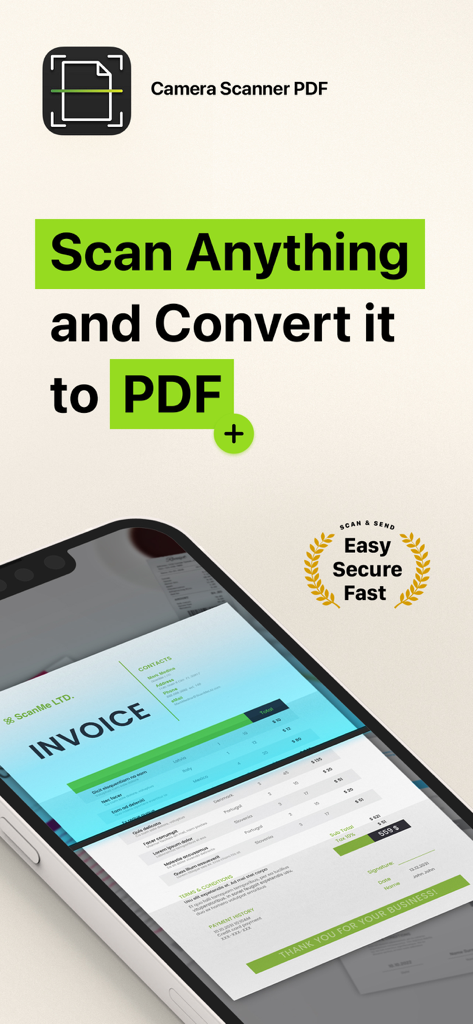
Interfaccia dell'app Scanner Fotocamera PDF che mostra una fattura in fase di scansione sullo schermo di uno smartphone

Interfaccia dell'app Scanner Fotocamera PDF che mostra una fattura in fase di scansione sullo schermo di uno smartphone

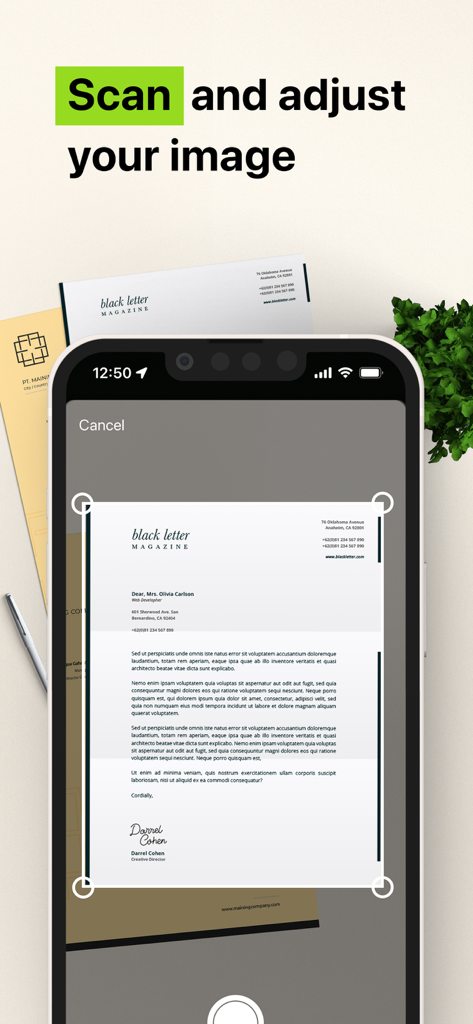
Interfaccia di un'app mobile che mostra uno smartphone che scansiona e regola un documento cartaceo in un PDF

Interfaccia di un'app mobile che mostra uno smartphone che scansiona e regola un documento cartaceo in un PDF

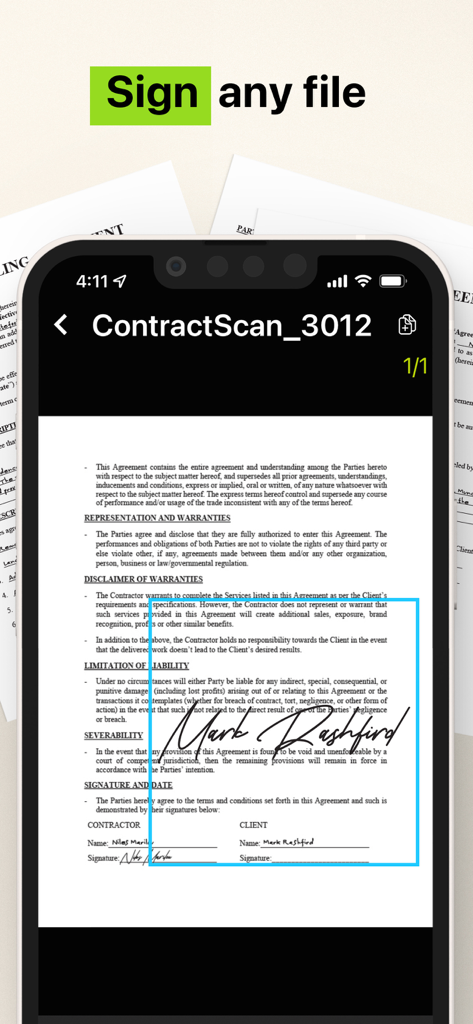
Un'interfaccia di smartphone che mostra un contratto legale firmato utilizzando l'app Scanner Fotocamera PDF

Un'interfaccia di smartphone che mostra un contratto legale firmato utilizzando l'app Scanner Fotocamera PDF

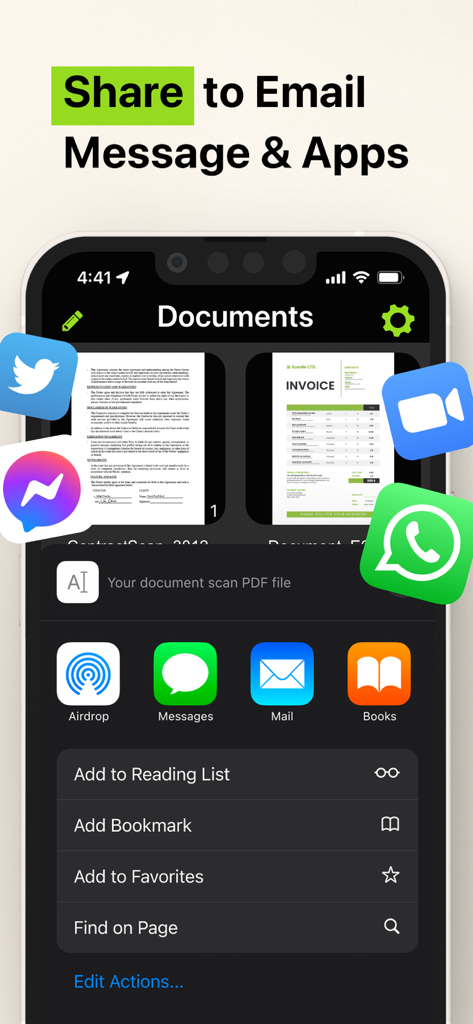
Interfaccia di condivisione dell'app Scanner Fotocamera PDF che mostra le opzioni per app di posta elettronica e messaggistica

Interfaccia di condivisione dell'app Scanner Fotocamera PDF che mostra le opzioni per app di posta elettronica e messaggistica

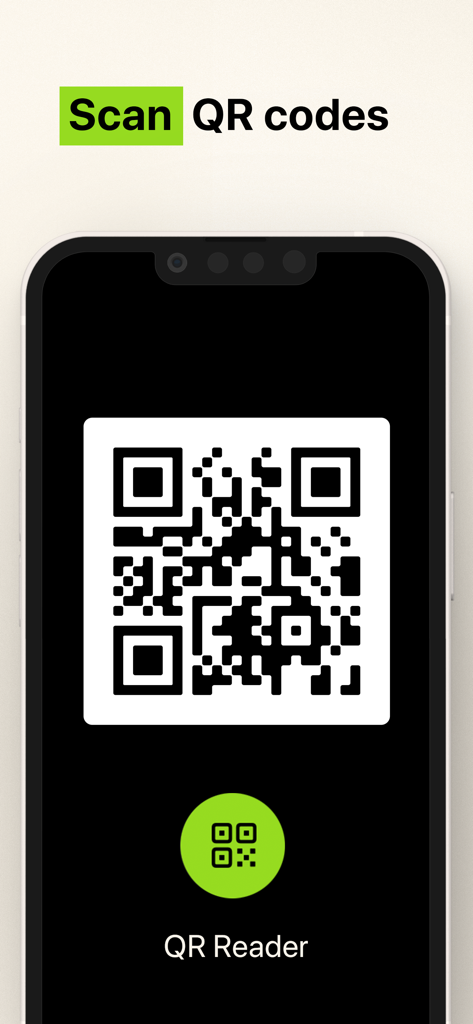
Interfaccia per la scansione di codici QR con l'app Scanner Fotocamera

Interfaccia per la scansione di codici QR con l'app Scanner Fotocamera

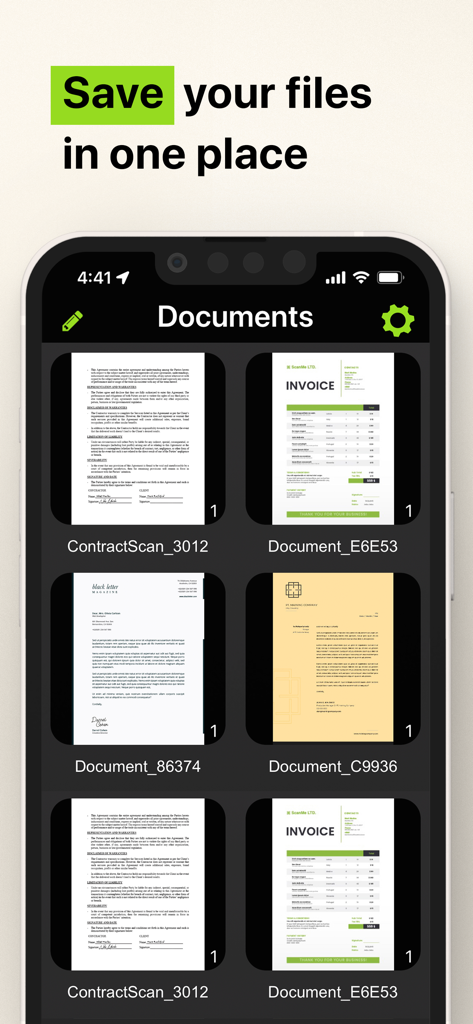
Interfaccia dell'app mobile che mostra fatture e contratti scansionati salvati in un unico posto

Interfaccia dell'app mobile che mostra fatture e contratti scansionati salvati in un unico posto

Il tuo intero ufficio, proprio in tasca

Gli strumenti che rendono questa app unica, scelti da 3M+ utenti.

📝

Estrazione Testo OCR Intelligente

Trasforma istantaneamente testi stampati o manoscritti in file digitali modificabili. Risparmia ore di digitazione manuale con il nostro potente motore di riconoscimento caratteri.

✍️

Firma e Proteggi in Movimento

Finalizza i contratti in pochi secondi con firme digitali sicure. Archivia ID sensibili e moduli fiscali localmente sul tuo dispositivo per la massima privacy.

📂

Organizzazione Pixel-Perfect

Mantieni la tua vita senza disordine. Organizza scansioni illimitate in cartelle personalizzate e condividi istantaneamente PDF di livello professionale tramite Slack, email o messaggi.

Analisi recensioni

Approfondimenti dalle recensioni degli utenti.

Punteggio sentimento

7%
Negativo

Riepilogo

Users express extreme dissatisfaction with this mobile app, primarily due to its aggressive and deceptive subscription model. Many reviews highlight unexpectedly high weekly charges, often incurred automatically after a short or misleading free trial, leading to significant financial frustration. A substantial number of users report considerable difficulty in cancelling subscriptions, with the app lacking clear in-app options, contributing to ongoing unwanted billing and a prevalent feeling of being scammed. Additionally, some users experienced functional shortcomings, such as the app not working as advertised or producing overly large files.

Temi comuni

High Subscription Cost(25)
Automatic Charges(22)
Difficulty Cancelling(18)
App Functionality Issues(12)
Scam Allegations(9)
Misleading Free Trial(9)

Info sull'app

Tutto quello che devi sapere su Camera Scanner - PDF.

Descrizione

The Camera Scanner - PDF app offers you the most accurate PDF scanning capabilities using our powerful text editing (OCR) engine. With enhanced Optical Character Recognition software, you can now edit and sign documents much easier. Your device will become your essential portable document scanner. Manage an endless number of files and folders with just a few taps and keep all your documents securely in one place. You can even share your favorite documents with others easily and immediately or sign them. Use your phone to scan any hand written, printed or graphic material such as: - Contracts - Business Cards - Expenses - School or university documents - Books - Notes - IDs (Driver's License, Passports, Personal Identification, etc) - Tax Forms & Tax Documents PDF Document Scanner with OCR app is easier than ever to use and with a pixel perfect design. Simply follow these easy steps: - SCAN documents from your camera, photos or even from your clipboard - EDIT your documents in order to fit your needs (crop, blur and use many other filters) - PRINT or SHARE your PDF files with anyone via email, message or any other platform that you use - COPY TEXT from your digital scans - STORE securely all your documents on your device with no additional cloud storage cost involved - SIGN your docs in a secure environment This app is your best ally for scanning purposes! -------------------------------------- PDF Document Scanner with OCR Premium Subscription -------------------------------------- Upgrade to the Premium version in order to: - Share your files with no limits - Use our powerful character recognition engine (OCR) to copy and edit text from your scanned files - Enjoy an ad-free experience Document Scanner – PDF, OCR app has different subscription plans. Subscription payments are charged to your iTunes account at confirmation of purchase. Subscription automatically renews unless auto-renew is turned off at least 24 hours before the end of the current subscription period or trial. Subscriptions starting with a trial automatically renew for the indicated price after the trial period ends. Any unused portion of a free trial period, if offered, will be forfeited when you purchase a premium subscription during the trial period. Subscriptions may be managed by you and auto-renewal may be turned off by going to your Account Settings after purchase ("Settings" -> "iTunes & App Store" -> "Apple ID" and select "Subscriptions") * Link to Terms of Use: http://iosdocumentscanner.com/pp.html#terms-of-service * Link to Privacy Policy: http://iosdocumentscanner.com/pp.html#privacy-policy

Ultima versione

15.5

Dimensione

81.6 MB

Data di lancio

12 ago 2020

Il tuo intero ufficio, perfezionato per la tua tasca

Unisciti a oltre 3 milioni di professionisti che stanno trasformando il loro modo di lavorare. Ottieni oggi lo scanner OCR più accurato per firmare, modificare e proteggere i tuoi documenti.

Scarica su App Store

App information, icons, screenshots, and descriptions displayed on this page are sourced from the Apple App Store and are the property of their respective developers. Download estimates and rankings are based on MWM's proprietary models and may not reflect actual figures. This page is provided for informational and analytical purposes only.

Believe this page infringes your intellectual property? File a dispute