Camera1 - Black & White Camera
Scarica su App Store

Questa pagina non è una pagina ufficiale dell'app o del suo sviluppatore, ma una pubblicazione editoriale indipendente creata a scopo informativo e di commento. Salvo espressa indicazione contraria, né l'app né il suo sviluppatore sono affiliati, approvati, sponsorizzati, autorizzati o altrimenti ufficialmente collegati a MWM, Apple, Google Play, all'editore dell'app o allo sviluppatore dell'app, e nulla in questa pagina implica che l'app sia stata sviluppata utilizzando i servizi di MWM. Tutti i marchi, loghi, screenshot e altri contenuti rimangono di proprietà dei rispettivi proprietari.

Logo di Camera1 - Black & White Camera
Scarica su App Store

Camera1 - Black & White Camera

Eleva la tua arte con un kit di strumenti monocromatici di livello professionale. Cattura incredibili immagini ProRAW da 48 MP utilizzando controlli manuali, istogrammi live e una modalità Zen senza distrazioni, pensata per i puristi della creatività.

Numeri Chiave

Download

51K+

Valutazione

4.6/5

Valutazioni totali

400

Editore

Sebastien Ardon

Categoria

Photo & Video

Lingue

3

Ultima versione

2.10.0

Dimensione

7.7 MB

Data di lancio

13 ott 2015
Funzioni

Lo Strumento del Purista per la Fotografia Monocromatica

Eleva la tua arte con controlli di livello professionale progettati specificamente per la disciplina delle immagini in bianco e nero.

Guarda la Luce, Non il Colore

Visualizza contrasto ed esposizione in tempo reale, permettendoti di padroneggiare composizione e illuminazione prima ancora di premere l'otturatore.

Flusso di Lavoro RAW Professionale

Cattura file ProRAW da 48 MP o TIFF con ingrandimento della messa a fuoco manuale e istogrammi live per la massima profondità di post-elaborazione.

Gli screenshot e la descrizione seguenti provengono direttamente dall'elenco ufficiale dello store dell'app e sono di proprietà dello sviluppatore.

App Store

Screenshot
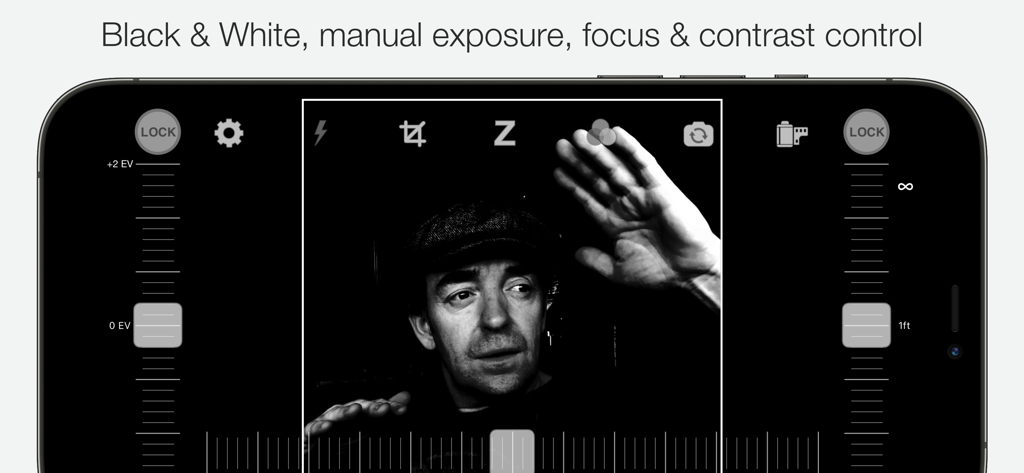
Camera1 - Black & White Camera - Interfaccia dell'app Camera1 che mostra i controlli manuali di esposizione e messa a fuoco per la fotografia in bianco e nero
Interfaccia dell'app Camera1 che mostra i controlli manuali di esposizione e messa a fuoco per la fotografia in bianco e nero

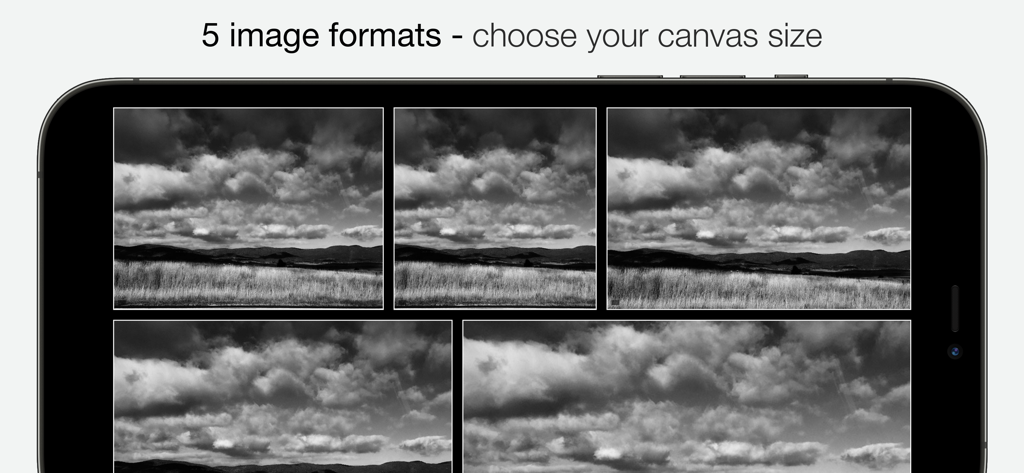
Camera1 - Black & White Camera - Cinque diversi formati di ritaglio dell'immagine in bianco e nero visualizzati sullo schermo di uno smartphone.
Cinque diversi formati di ritaglio dell'immagine in bianco e nero visualizzati sullo schermo di uno smartphone.

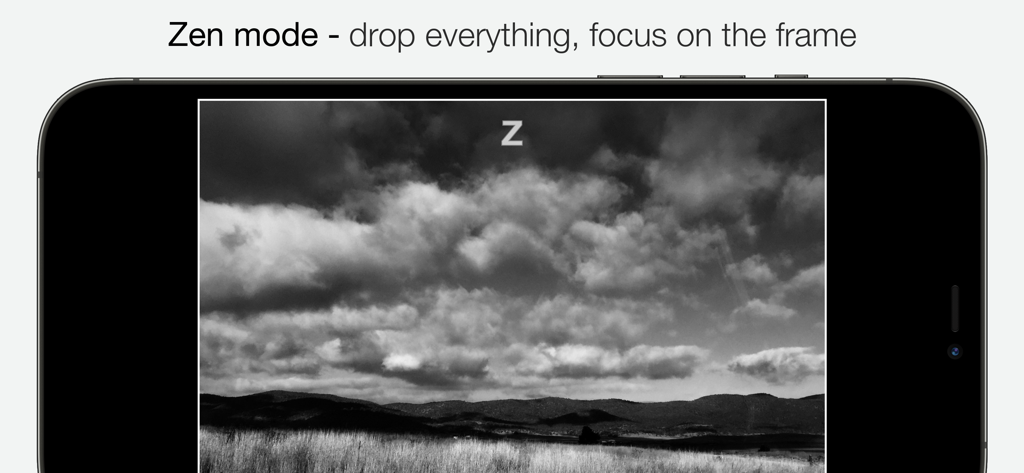
Camera1 - Black & White Camera - Modalità Zen dell'app Camera1 che mostra un paesaggio in bianco e nero sullo schermo di un iPhone

Modalità Zen dell'app Camera1 che mostra un paesaggio in bianco e nero sullo schermo di un iPhone
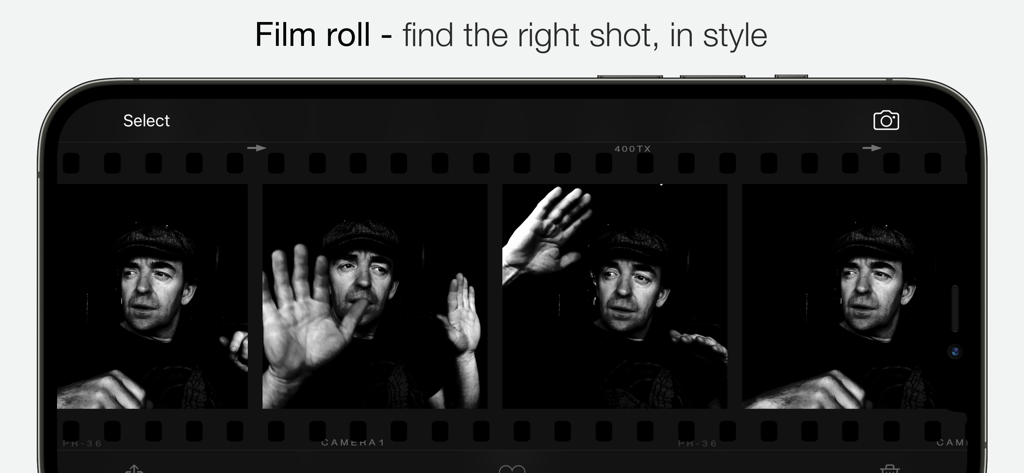
Camera1 - Black & White Camera - Interfaccia rullino dell'app Camera1 che mostra foto di ritratti in bianco e nero in un layout classico a pellicola
Interfaccia rullino dell'app Camera1 che mostra foto di ritratti in bianco e nero in un layout classico a pellicola

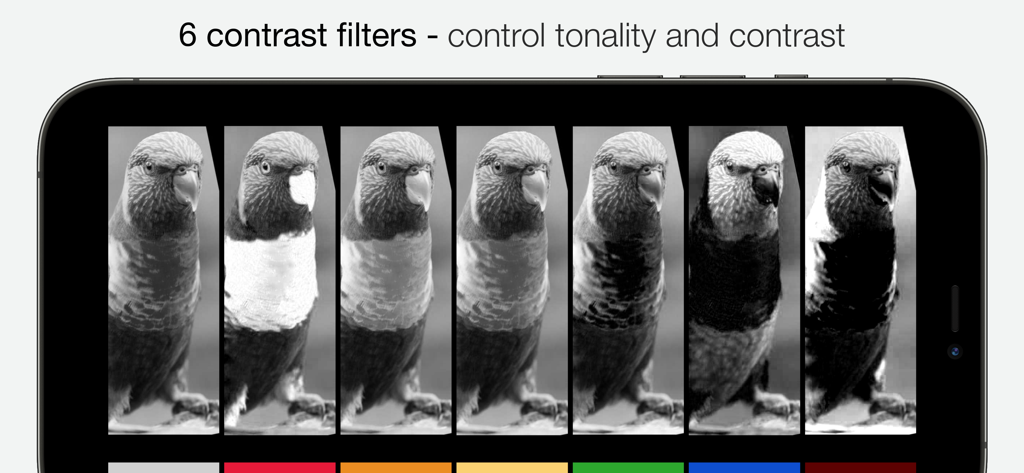
Camera1 - Black & White Camera - Interfaccia che mostra sei filtri di contrasto in bianco e nero per controllare tonalità e contrasto

Interfaccia che mostra sei filtri di contrasto in bianco e nero per controllare tonalità e contrasto

Descrizione

Whether you're an experienced photographer or a beginner, Camera1 will help you shoot in Black and White like no other app. DEVELOP YOUR CREATIVITY Learn to "see" in Black & White through Camera1 unique simultaneous contrast and exposure adjustments. Explore the infinite black and white image possibilities in real-time, such as high-key/low-key right in the viewfinder, before thaking the shot. Use the Zen mode to focus all your creative attention on the picture, and not the camera or technique. TAKE CONTROL Take control of the camera, with manual overrides of exposure and focus. Super easy access to focus lock using the manual focusing slider, for ultra-fast shooting - as the camera won’t need to re-focus between shots. PROFESSIONAL OUTPUT Camera1 takes full advantage of your camera hardware and saves in a variety of different file formats, including JPEG, TIFF, RAW & ProRAW / DNG, allowing for maximum editing flexibility in applications like Photoshop and Lightroom later in your workflow. Advanced iOS image processing such as Deep Fusion and Smart HDR is used on supported devices. Live histograms, flash, grid views and a range of manual controls allow you to get the perfect shot, every time. Features • Black & white photography only: commit to Black and White at shooting time. • High-quality image processing engine. Take full advantage of your device camera hardware. • Manual focus (with magnification of the center focusing area), focus lock, spot focus, auto-focus • Manual exposure compensation, or use Auto exposure • Live histogram, when adjusting exposure, optional over-exposure warning indicator (zebras) • 6 contrast/color filters for Black & White: red, orange, yellow, green, blue, infrared (simulated) • Manual contrast control • High-resolution capture (48MP) (*) • Support for multi-lens devices - standard, telephoto and ultra wide-angle (*) • ProRAW, RAW, JPEG, HEIC, TIFF file formats. DNG files contain color information, allowing later editing. A full-resolution JPEG, processed to Black and White by Camera1 is saved along side the DNG file, to the camera roll • Support for iOS Deep Fusion and Smart HDR (*) • Tap on the picture to take the shot • 5 crop formats: 3:2, 4:3 (native), 1:1, 16:9, 2.35:1 (panorama) • Zen mode: all controls disappear, leaving only the viewfinder on the screen for the ultimate picture-taking experience • 3 flash modes: On, Off, Torch • 2 framing grid types: Rule of third and and Golden Triangles • Live view of all controls above • iOS Widget - quickly launch the app from your lock or home screen • Camera Control: use hardware camera control to launch Vistax, or to take shots (iPhone 16 Pro & Pro Max) • Black and White camera roll, image viewer at full resolution "The most brilliant Camera App in recent years" -- Keisuke Takahashi "I like the results-a bit like film (Tri-X) with a slight grain pattern. Lots of latitude" -- Eric Mencher @emencher Don't forget to tag your pictures with #camera1app ! Privacy-first • Camera1 does not embed any tracking / third-party SDKs (*) Compatibility Notes Camera1 features depends on the support from your ios device. Here are some of those restrictions: High-resolution (48MP) capture requires compatible hardware: 14/15/16 Pro (& Max) ProRAW capture requires compatible hardware: 12 Pro (& Max), 13/14/15/16 Pro (& Max) RAW capture requires compatible hardware: 6S, 7, 8, X, XS, XR, SE, 11, 11 Pro (& Max), 12, 12 Pro (& Max), 13 Pro (& Max), 14, 14 Pro (& Max), 15, 15 Pro (& Max), 16, 16 Pro (&Max) iPad Pro, The Ultra Wide lens on iPhone 11, 11 Pro (& Max), 12, 12 Pro (& Max), 13, 13 Pro (& Max), 14, 14 Pro (& Max), 15, 15 Pro (& Max), 16, 16 Pro (& Max) and iPad pro may not support RAW or manual focus / exposure modes Smart HDR and Deep fusion supported on compatible hardware: iPhone 11, 11 Pro, 11 Pro Max, 12, 12 Pro (& Max), 13, 13 Pro (& Max), 14, 14 Pro (& Max), 15, 15 Pro (& Max), 16, 16 Pro (& Max)

Download

Scarica su App Store

Questa pagina non è una pagina ufficiale dell'app o del suo sviluppatore, ma una pubblicazione editoriale indipendente creata a scopo informativo e di commento. Salvo espressa indicazione contraria, né l'app né il suo sviluppatore sono affiliati, approvati, sponsorizzati, autorizzati o altrimenti ufficialmente collegati a MWM, Apple, Google Play, all'editore dell'app o allo sviluppatore dell'app, e nulla in questa pagina implica che l'app sia stata sviluppata utilizzando i servizi di MWM. Tutti i marchi, loghi, screenshot e altri contenuti rimangono di proprietà dei rispettivi proprietari.








