
Questa pagina non è una pagina ufficiale dell'app o del suo sviluppatore, ma una pubblicazione editoriale indipendente creata a scopo informativo e di commento. Salvo espressa indicazione contraria, né l'app né il suo sviluppatore sono affiliati, approvati, sponsorizzati, autorizzati o altrimenti ufficialmente collegati a MWM, Apple, Google Play, all'editore dell'app o allo sviluppatore dell'app, e nulla in questa pagina implica che l'app sia stata sviluppata utilizzando i servizi di MWM. Tutti i marchi, loghi, screenshot e altri contenuti rimangono di proprietà dei rispettivi proprietari.

Camo Studio – Stream & Record
Trasforma il tuo iPad in un centro di comando di livello da studio. Trasmetti giochi da console su Twitch, registra in 4K con sovrapposizioni professionali e vai in diretta ovunque con la potenza di un setup desktop nel tuo zaino.
Download
258K+Valutazione
Valutazioni totali
2K+Editore
Categoria
Photo & VideoLingue
1Ultima versione
2.4.1Dimensione
112.1 MBData di lancio
18 set 2023Tutto Ciò di Cui Hai Bisogno per Creare Come un Professionista
Camo Studio porta strumenti di streaming e registrazione di livello desktop sul tuo iPad, permettendoti di produrre contenuti di alta gamma ovunque.
Il Setup di Gaming Definitivo
Collega la tua console tramite una scheda di acquisizione per utilizzare il tuo iPad come un monitor portatile nitido mentre trasmetti in live streaming sulle tue piattaforme preferite.
Sovrapposizioni e Scene Pro
Migliora il tuo brand con sovrapposizioni web da StreamElements e personalizza più scene per un'esperienza visiva dinamica e interattiva.
Domande Frequenti
Tutto quello che devi sapere su Camo Studio – Stream & Record
Cos'è Camo Studio per iPad?
Camo Studio per iPad consente agli utenti di trasmettere e registrare video, collegare fotocamere e microfoni e gestire contenuti live direttamente dal proprio iPad. È stato finalista di un Apple Design Award nel 2023.
Può Camo Studio registrare video direttamente su un iPad?
Sì, Camo Studio registra contemporaneamente video sulla memoria interna dell'iPad o su una scheda SD collegata durante lo streaming. Ciò consente un editing di alta qualità dei contenuti in seguito.
Quali piattaforme supporta Camo Studio per lo streaming di giochi da console?
Camo Studio supporta lo streaming di giochi da console su piattaforme come Twitch, YouTube e Trovo. Gli utenti configurano scene con opzioni multi-feed e picture-in-picture per i loro stream.
Posso usare il mio iPad come monitor con Camo Studio?
Sì, Camo Studio trasforma il tuo iPad in un monitor portatile. Collegalo a console come Nintendo Switch per uno schermo più grande o a fotocamere DSLR/mirrorless per un miglior mirino.
Camo Studio supporta overlay web personalizzati per gli stream?
Sì, Camo Studio supporta overlay web da servizi come StreamElements, Stream Labs e Uno Overlays. Gli utenti importano overlay personalizzati o template con contenuti live, avvisi e widget.
Quali miglioramenti video sono disponibili in Camo Studio?
Camo Studio offre potenti miglioramenti video come l'effetto sfondo 'Bokeh', la sostituzione o rimozione dello sfondo e regolazioni dell'inquadratura. Include anche modalità di inquadratura automatica per mantenere i soggetti a fuoco.
I miei dati sono privati quando uso Camo Studio per lo streaming e la registrazione?
Sì, Camo Studio dà priorità alla privacy degli utenti. Trasmette video direttamente ai servizi di streaming selezionati e tutte le registrazioni rimangono locali sull'iPad o su memoria collegata. I tuoi dati non vengono raccolti.
Quali risoluzioni video supporta Camo Studio?
Camo Studio supporta risoluzioni video di qualità professionale tra cui 4K UHD, 1080p HD e 720p. Gestisce anche orientamenti sia orizzontali che verticali per una creazione di contenuti diversificata.
Camo Studio per iPad può essere eseguito in background?
Sì, gli iPad con processori M1 e M2 consentono a Camo Studio di essere eseguito in background durante lo streaming o la registrazione. Questa funzionalità supporta anche la cattura simultanea dello schermo dal dispositivo.
Camo Studio include annunci?
No, Camo Studio per iPad non presenta alcuna pubblicità all'interno dell'applicazione, garantendo un'esperienza utente senza interruzioni.
Gli screenshot e la descrizione seguenti provengono direttamente dall'elenco ufficiale dello store dell'app e sono di proprietà dello sviluppatore.
App Store
Screenshot
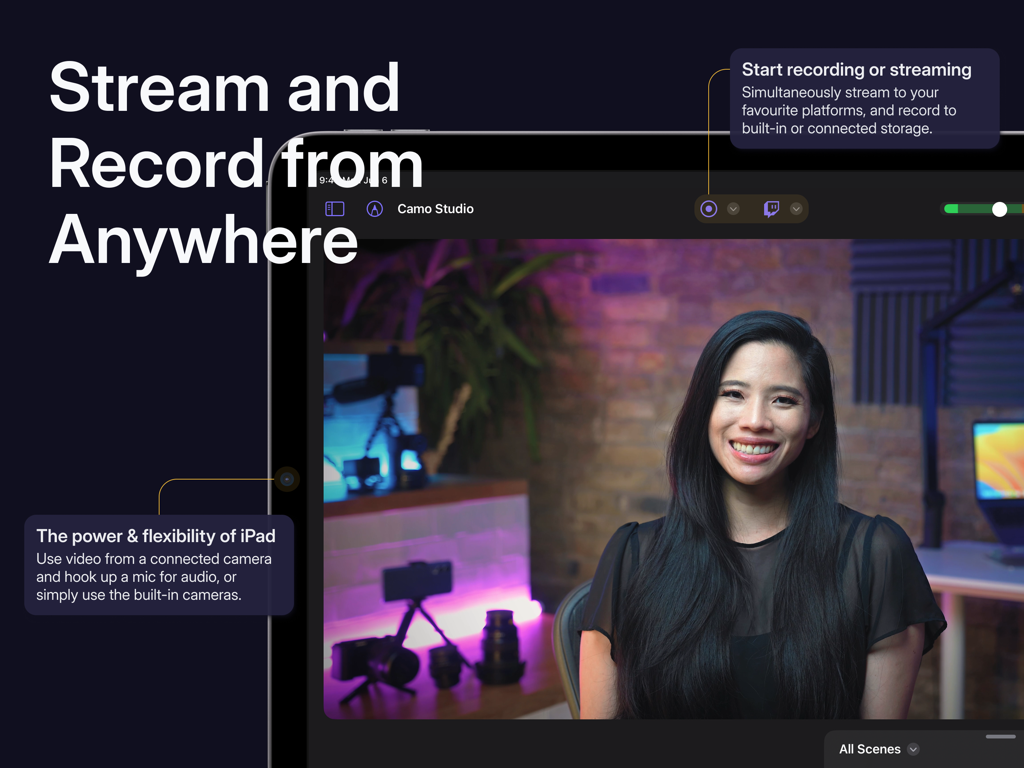
Interfaccia dell'app Camo Studio su iPad che mostra lo streaming video live e i controlli di registrazione
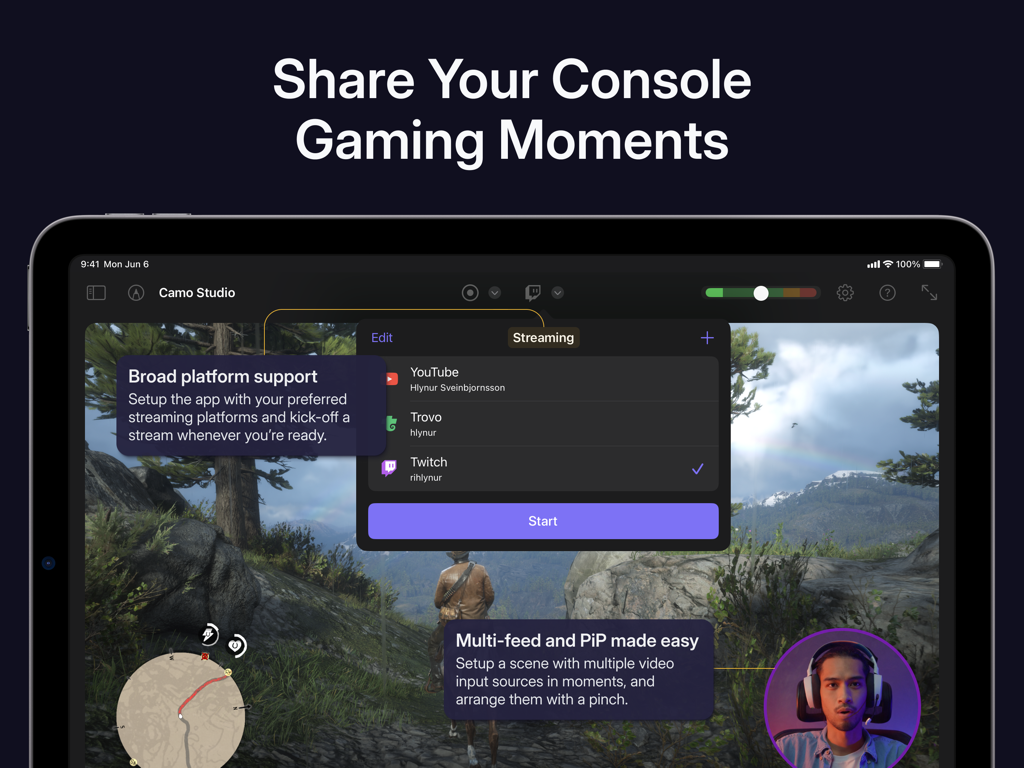
Interfaccia iPad di Camo Studio che mostra la configurazione dello streaming di giochi da console con opzioni di piattaforma e picture-in-picture
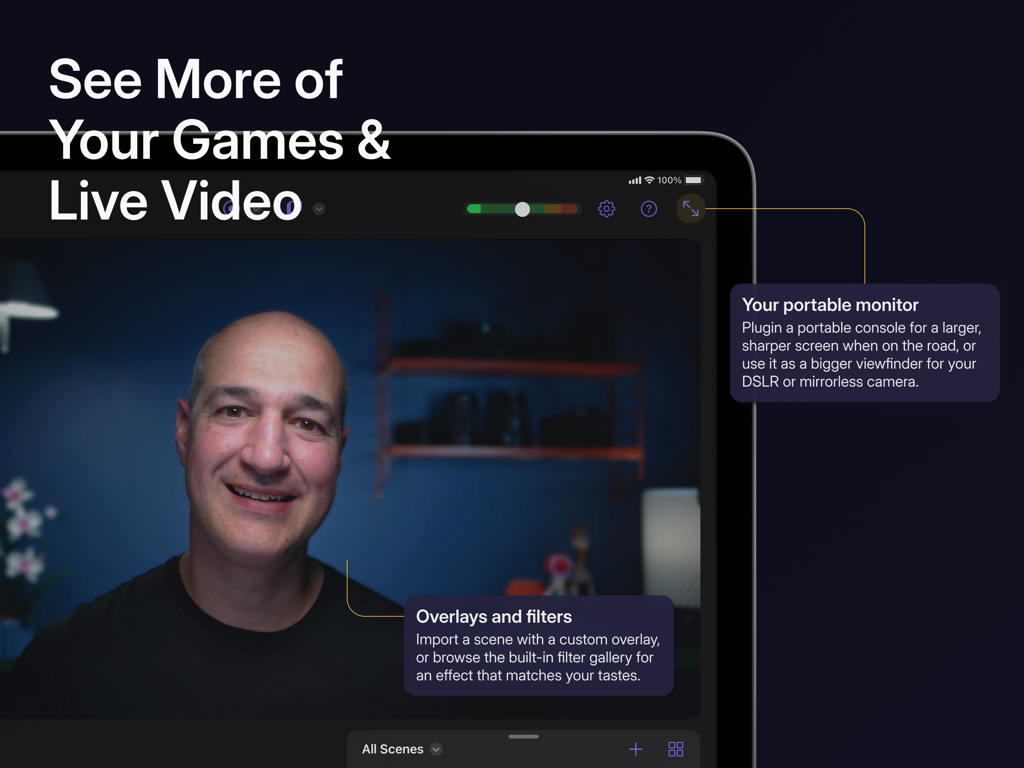
Una persona che utilizza Camo Studio su un iPad come monitor portatile per video live e gaming con sovrapposizioni e filtri personalizzati.
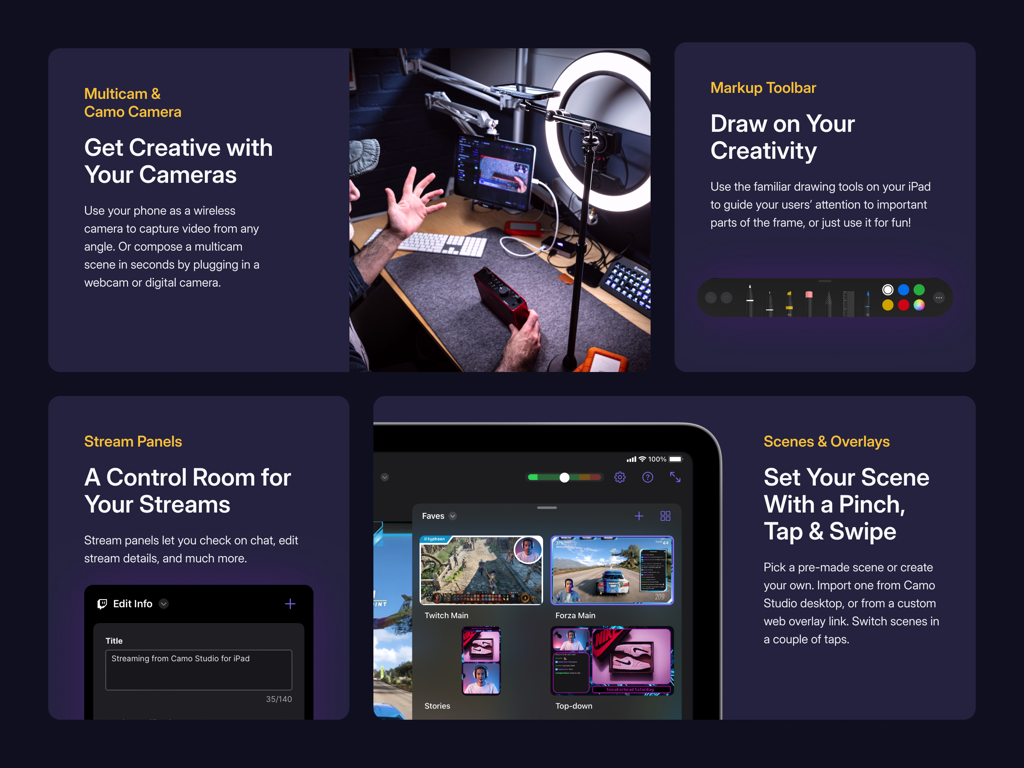
Interfaccia dell'app Camo Studio che mostra pannelli di streaming multi-camera e sovrapposizioni di scene
Descrizione
Download
App Simili
App con funzionalità ed esperienza simili

Switcher: Live Streaming App
Switcher Inc.
Logitech Mevo Multicam
Logitech Inc.
Logitech Mevo
Logitech Inc.

CameraFi Live
Vault Micro Inc.

Lazy Lighting
AUDITY APPS LLC

Larix Broadcaster: Live Stream
Furtree Systems, Inc.

ManyCam - Easy live streaming.
AVM Software, Inc
RTMP Live Streaming Publisher
WarthogLab
Questa pagina non è una pagina ufficiale dell'app o del suo sviluppatore, ma una pubblicazione editoriale indipendente creata a scopo informativo e di commento. Salvo espressa indicazione contraria, né l'app né il suo sviluppatore sono affiliati, approvati, sponsorizzati, autorizzati o altrimenti ufficialmente collegati a MWM, Apple, Google Play, all'editore dell'app o allo sviluppatore dell'app, e nulla in questa pagina implica che l'app sia stata sviluppata utilizzando i servizi di MWM. Tutti i marchi, loghi, screenshot e altri contenuti rimangono di proprietà dei rispettivi proprietari.