Clicker Communicator: AAC
Scarica su App Store

Questa pagina non è una pagina ufficiale dell'app o del suo sviluppatore, ma una pubblicazione editoriale indipendente creata a scopo informativo e di commento. Salvo espressa indicazione contraria, né l'app né il suo sviluppatore sono affiliati, approvati, sponsorizzati, autorizzati o altrimenti ufficialmente collegati a MWM, Apple, Google Play, all'editore dell'app o allo sviluppatore dell'app, e nulla in questa pagina implica che l'app sia stata sviluppata utilizzando i servizi di MWM. Tutti i marchi, loghi, screenshot e altri contenuti rimangono di proprietà dei rispettivi proprietari.

Logo di Clicker Communicator: AAC
Scarica su App Store

Clicker Communicator: AAC

Potenzia gli studenti con sfide nel linguaggio attraverso il nostro strumento di comunicazione, supportato dalla ricerca e di facile utilizzo, progettato specificamente per la partecipazione in classe e lo sviluppo del linguaggio.

Numeri Chiave

Download

300

Valutazione

1.0/5

Valutazioni totali

0

Editore

Crick Software Ltd

Categoria

Education

Lingue

1

Ultima versione

1.2.4

Dimensione

857.6 MB

Data di lancio

21 mag 2015
Funzioni

Potenziare la Voce di Ogni Bambino

Clicker Communicator è uno strumento CAA supportato dalla ricerca, progettato per colmare il divario tra comunicazione e apprendimento, rendendolo facile da personalizzare per gli educatori e intuitivo da usare per i bambini.

Accessibile per Ogni Abilità

Rimuovi le barriere fisiche con la tecnologia SuperKeys e un'interfaccia senza scorrimento, progettata specificamente per bambini con controllo motorio fine limitato o esigenze di accesso complesse.

Costruito per il Successo in Classe

Consenti la partecipazione attiva alle lezioni con set di vocabolario gratuiti basati sul curriculum e strumenti che collegano la comunicazione direttamente all'alfabetizzazione e alla crescita accademica.

Gli screenshot e la descrizione seguenti provengono direttamente dall'elenco ufficiale dello store dell'app e sono di proprietà dello sviluppatore.

App Store

Screenshot
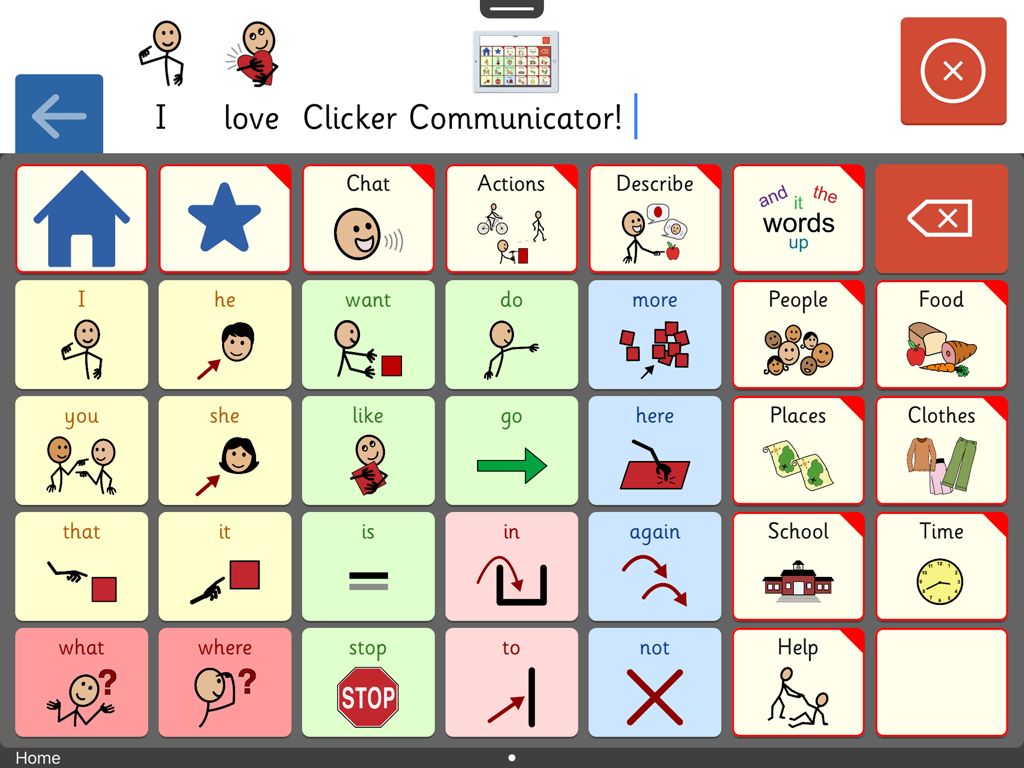
Clicker Communicator: AAC - Schermata dell'app CAA Clicker Communicator che mostra una griglia di comunicazione con simboli e categorie colorati per bambini
Schermata dell'app CAA Clicker Communicator che mostra una griglia di comunicazione con simboli e categorie colorati per bambini

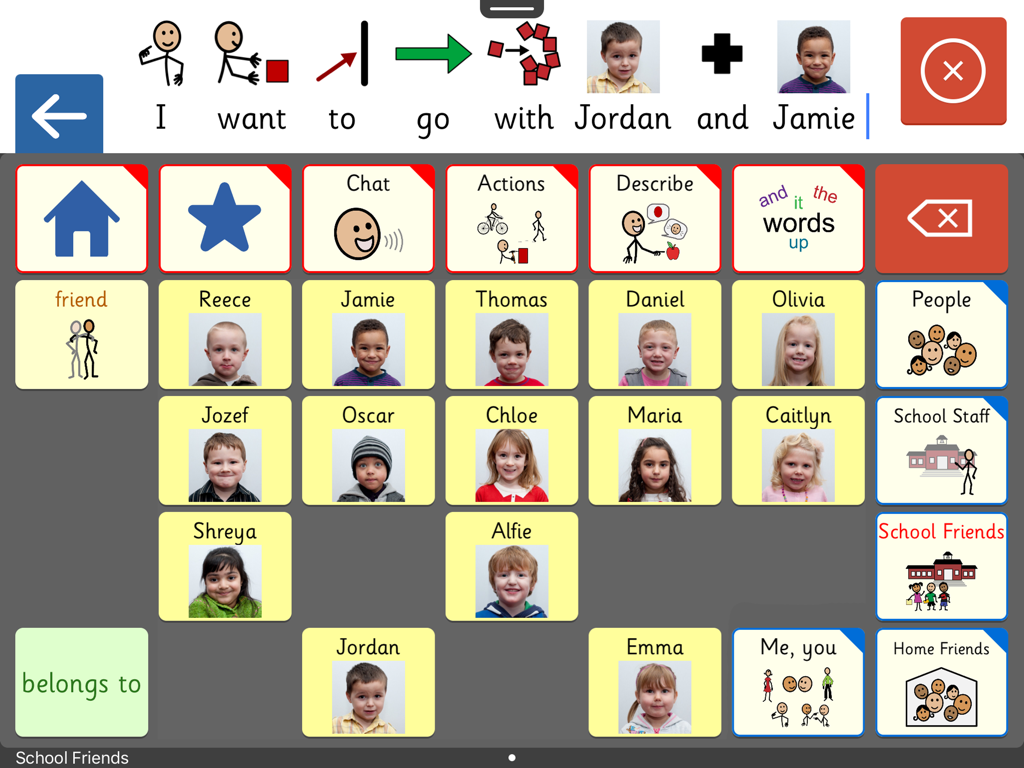
Clicker Communicator: AAC - Interfaccia dell'app CAA Clicker Communicator che mostra una griglia personalizzata di amici scolastici con nomi e foto per una comunicazione facile.
Interfaccia dell'app CAA Clicker Communicator che mostra una griglia personalizzata di amici scolastici con nomi e foto per una comunicazione facile.

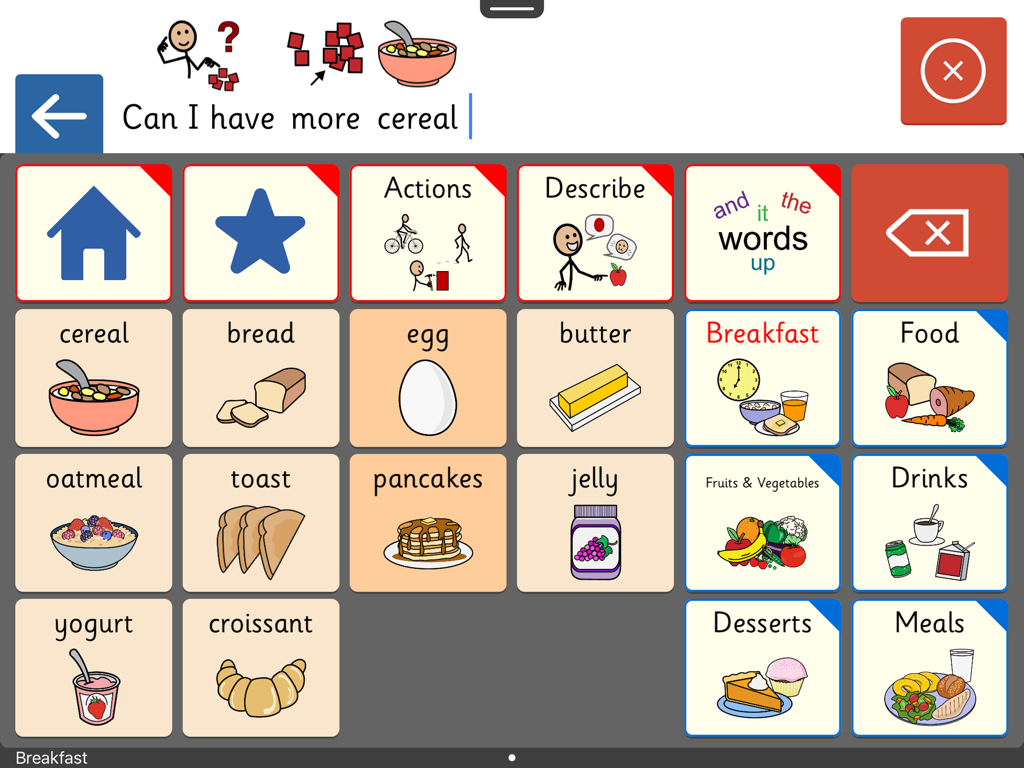
Clicker Communicator: AAC - Interfaccia dell'app CAA Clicker Communicator che mostra una griglia di comunicazione con simboli di cibi per la colazione e una barra delle frasi
Interfaccia dell'app CAA Clicker Communicator che mostra una griglia di comunicazione con simboli di cibi per la colazione e una barra delle frasi

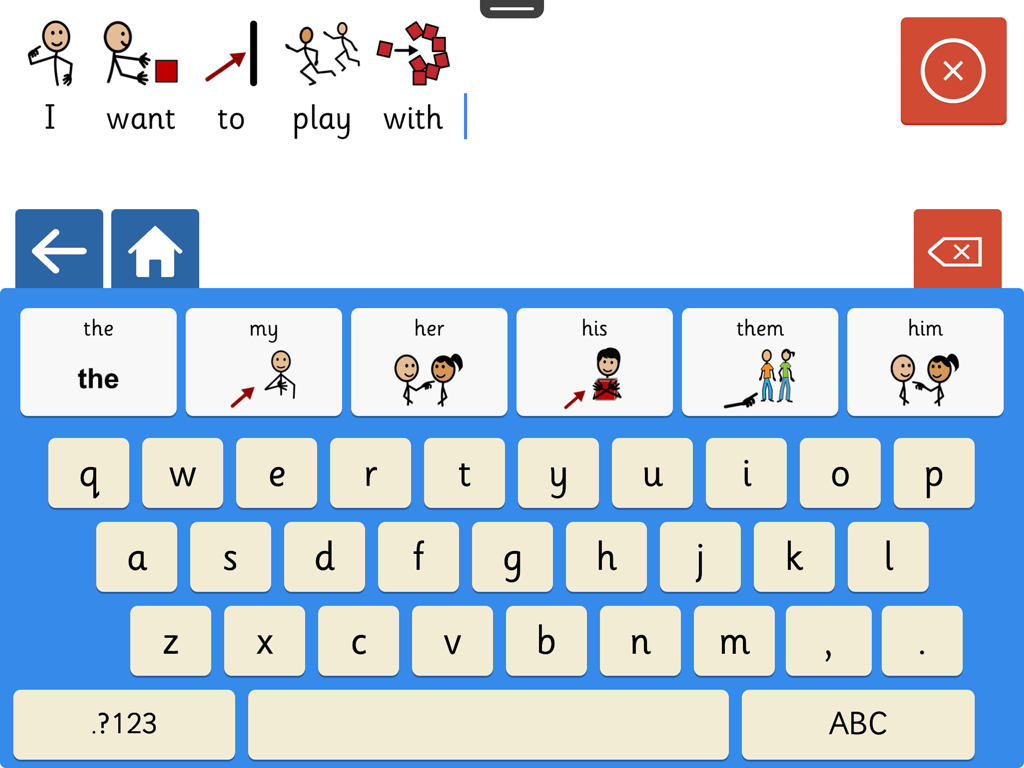
Clicker Communicator: AAC - Screenshot dell'app CAA Clicker Communicator che mostra una tastiera con simboli e un costruttore di frasi.
Screenshot dell'app CAA Clicker Communicator che mostra una tastiera con simboli e un costruttore di frasi.

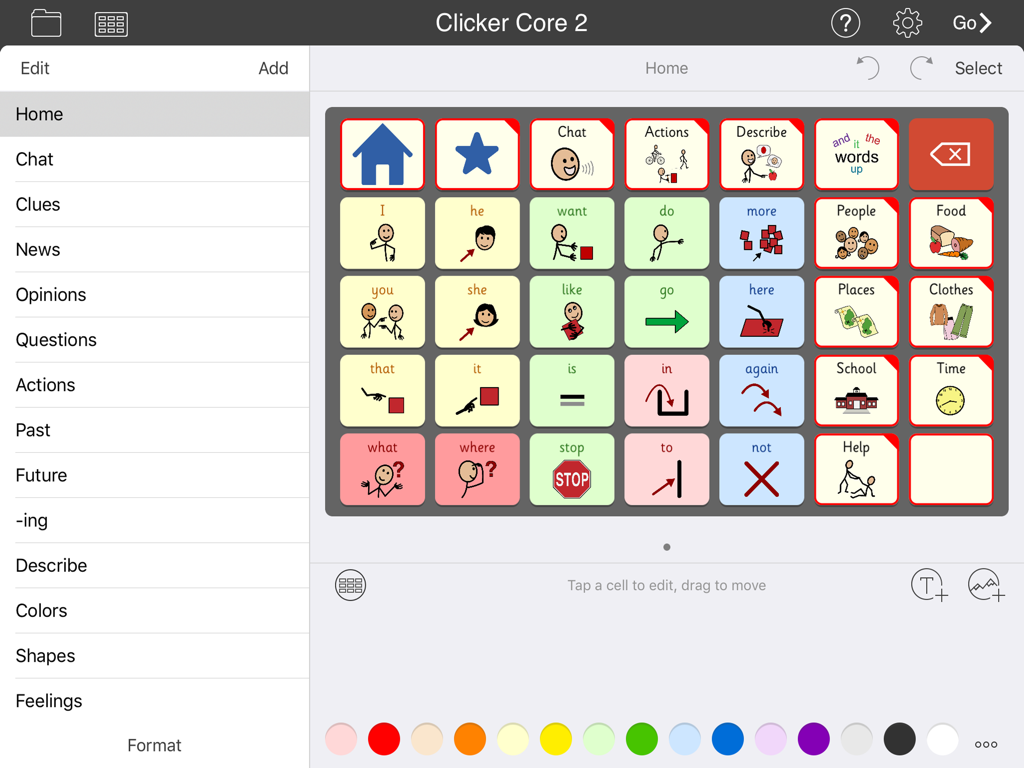
Clicker Communicator: AAC - Interfaccia dell'app CAA Clicker Communicator che mostra una griglia di simboli di comunicazione e categorie

Interfaccia dell'app CAA Clicker Communicator che mostra una griglia di simboli di comunicazione e categorie

Descrizione

A VOICE FOR EVERYONE Clicker Communicator is the definitive AAC app that gives a voice to children and young people with speech and language challenges. This is the latest addition to Crick Software’s Clicker family, developed over 20 years and used worldwide. "The app is so user friendly and easy to customize. Personally, I think it is the BEST AAC app I have seen" - Rose Duszynski, AT Specialist “I love the crisp, easy-to-use interface! The thoughtfulness of features that no other AAC apps have speaks to Crick's continued dedication to students with special needs.” - Laura Giovanetti, CAGS, CCC-SLP, ATP GET STARTED QUICKLY The ready-made Vocabulary Sets are carefully constructed using color-coded, research-based core words - a proven approach for providing a rich communication experience and developing language skills. The three levels, Clicker Core 1, 2, and 3, cover a wide ability range and use consistent layouts to optimize motor-mapping and enable children to progress from one level to the next. CREATE AND EDIT IN MINUTES Clicker Communicator works in the same intuitive way as all the Clicker Apps, enabling you to meet the particular needs of your learners by editing the ready-made Vocabulary Sets or creating your own. Personalize every last detail by adding photos, colors, and topics, and repositioning cells. And you won’t find a faster way of searching and selecting symbols anywhere! DESIGNED FOR CHILDREN We’ve used our 20+ years of experience in developing special needs software to create an app that includes: • Easy to read Sassoon font • Realistic children’s voices • Child-friendly keyboard with symbol-supported predictor • Research-based Vocabulary Sets at three levels • Free curriculum-based Vocabulary Sets on LearningGrids SYMBOLSTIX SYMBOLS INCLUDED This app comes with the complete SymbolStix library. The Widgit and PCS libraries are also available as in-app purchases (please note that this is the only version of the app that enables you to purchase additional libraries). If you wish to ONLY use Widgit or PCS symbols, these versions of Clicker Communicator are available as separate apps in the App Store. Additional pictures are provided by the CrickPix library: 3,500 curriculum pictures to support a wide range of classroom topics. TALK IN CLASS Get your learners with speech challenges taking an active vocal part in the classroom. Our free LearningGrids resources provide the opportunity to respond to teaching points, participate in discussions, and ask and answer topic-based questions. These sets provide access to the vocabulary your learners will meet in their curriculum topics, and provide a natural link to literacy development. UNIQUELY ACCESSIBLE Clicker Communicator has a wide range of accessibility options: • SuperKeys – our unique access method for those who need big target areas. Just tap the cluster containing the symbol you want, and then tap the symbol in the enlarged cluster. • No scrolling or swiping – so every tap is accepted. • Switch access for one and two switches. • Toolbars only visible when editing – all navigation is done from the grid. • Favorite/Recent messages and Vocabulary Sets accessible with just two taps. SHARE AND BACKUP There’s a Backup Safe provided within the app, and Vocabulary Sets can be shared or backed up via email, AirDrop, Dropbox, Google Drive, OneDrive, or WebDAV. PART OF CRICK SOFTWARE’S CLICKER FAMILY Based in the UK and US, Crick Software has a worldwide reputation for quality educational software for learners of all abilities, and we provide free support by email, phone and the Clicker Communicator Users Group on Facebook. Clicker Communicator is part of the Clicker Apps family – find more in the App Store by searching for Crick Software.

Download

Scarica su App Store

Questa pagina non è una pagina ufficiale dell'app o del suo sviluppatore, ma una pubblicazione editoriale indipendente creata a scopo informativo e di commento. Salvo espressa indicazione contraria, né l'app né il suo sviluppatore sono affiliati, approvati, sponsorizzati, autorizzati o altrimenti ufficialmente collegati a MWM, Apple, Google Play, all'editore dell'app o allo sviluppatore dell'app, e nulla in questa pagina implica che l'app sia stata sviluppata utilizzando i servizi di MWM. Tutti i marchi, loghi, screenshot e altri contenuti rimangono di proprietà dei rispettivi proprietari.








