Conference Room Display 2

Conference Room Display 2

Scarica su App Store
Logo di Conference Room Display 2

Conference Room Display 2: Il Modo Sicuro e Brandizzato per Gestire il Tuo Spazio di Lavoro

Trasforma gli iPad in cartelli professionali per sale riunioni senza alcuna dipendenza dal cloud. Goditi la privacy totale, la prenotazione ad hoc e un branding aziendale completo che rimane all'interno della tua rete interna.

Scarica su App Store

Editore

Sebastian Bub

Categoria

Business

Download

400

Valutazione

4.4/5

Valutazioni totali

0

Lingue

33

Professionalità in Mostra

Scopri l'interfaccia usata da 400 utenti.
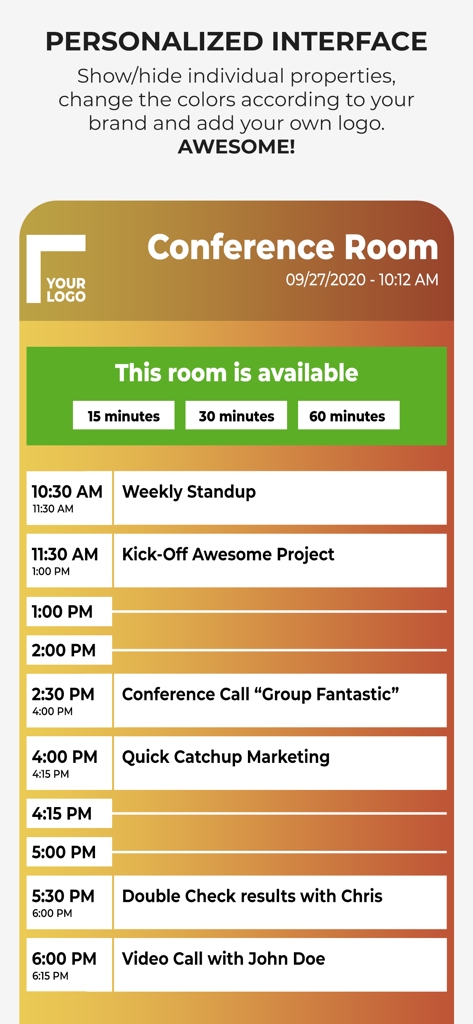
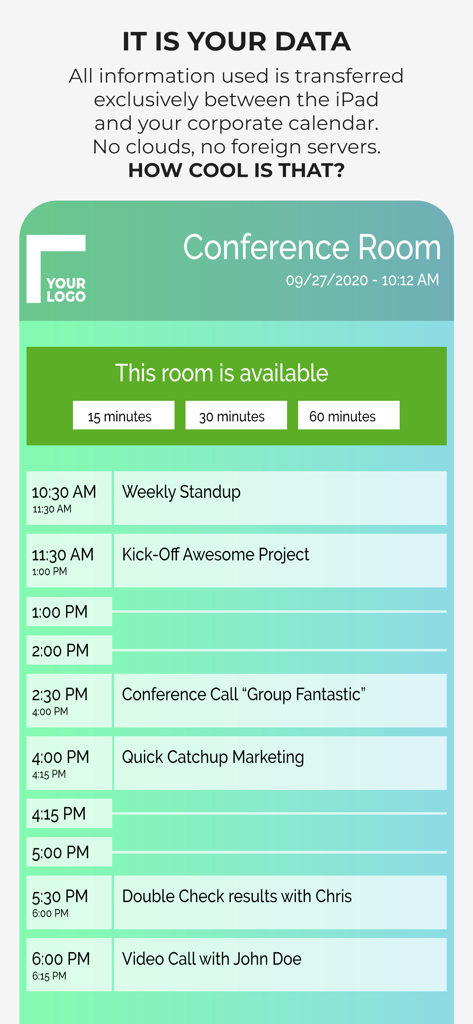
Display personalizzato per sala riunioni che mostra un programma giornaliero di incontri e opzioni di prenotazione ad hoc.

Display personalizzato per sala riunioni che mostra un programma giornaliero di incontri e opzioni di prenotazione ad hoc.

Interfaccia di un'app di pianificazione per sale riunioni che mostra un elenco di incontri giornalieri e la disponibilità della sala su un iPad.

Interfaccia di un'app di pianificazione per sale riunioni che mostra un elenco di incontri giornalieri e la disponibilità della sala su un iPad.

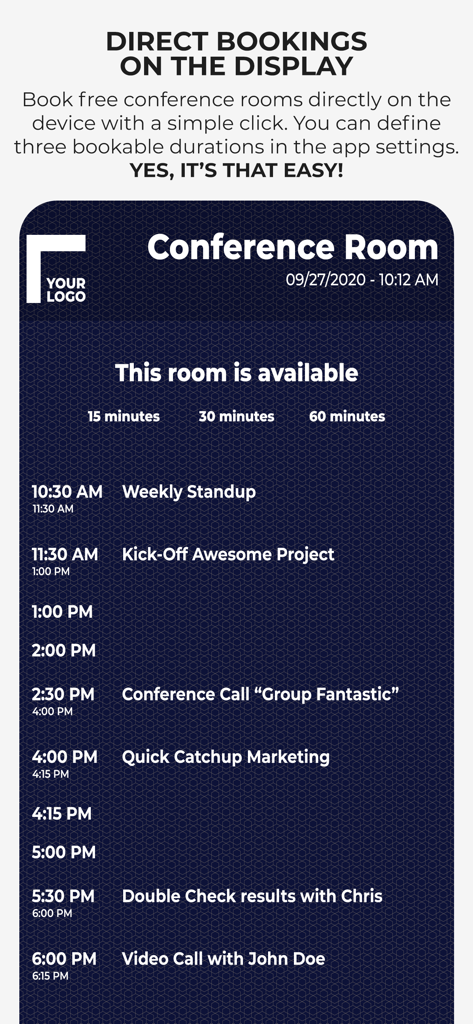
Interfaccia di un display per sala riunioni che mostra opzioni per prenotazioni immediate di incontri e un programma giornaliero.

Interfaccia di un display per sala riunioni che mostra opzioni per prenotazioni immediate di incontri e un programma giornaliero.

Ottimizza l'Efficienza del Tuo Ufficio

Gli strumenti che rendono questa app unica, scelti da 400 utenti.

🛡️

Architettura Privacy-First

Elimina i rischi di sicurezza con una soluzione senza cloud. I dati del tuo calendario rimangono all'interno della tua rete locale, non richiedendo server esterni o accesso di terze parti.

🖌️

Branding Aziendale Completo

Mantieni un look da ufficio di alta qualità personalizzando ogni pixel. Carica i tuoi font aziendali, loghi e colori del marchio per un'identità professionale senza soluzione di continuità.

Prenotazioni Istantanee Ad Hoc

Riduci l'attrito nelle sale riunioni consentendo ai dipendenti di prenotare spazi disponibili direttamente dal dispositivo, perfettamente sincronizzati con i tuoi calendari Exchange o Google.

Info sull'app

Tutto quello che devi sapere su Conference Room Display 2.

Descrizione

Use an iPad or iPhone outside of your conference rooms to show the day's schedule in your corporate design. ***Privacy is ensured.*** The App ensures that meeting participants are in the right place. It is highly customizable to adapt to the corporate design of your company: Colors, Your Corporate Font, Logo, Background Image. ◉ NO CLOUDS! NO SERVERS! The app uses the calendar of the device and integrated into the normal workflow of your employees. You schedule a meeting with your calendar app by inviting the room. The data does not leave your company and stays in your calendar system. You can use any calendar type which is supported by the device (iCloud, Gmail, Outlook/Exchange or any CalDAV Kalender). User have the possibility to book a free meeting room on the device (ad hoc and anonymously). Test the app as long as you want to ensure that it fits in your corporate IT environment. Here is a complete feature list. Visit our website to get additional information: • Privacy: No Cloud! No additional server required! • Set Conference Room Name • Adapt all Colors • Upload a logo • Set your own Background Image • Change the Font • Upload your Corporate Font • Support for Ad Hoc Bookings with different length • Adapt what is shown • Free Hours • Only show data of current day • Show Current Event more prominent • Show/Hide All-Day Events • Additional Text for an Event • Anonymize an Event completely • Enable/Disable Event Properties and change the order • Screensaver • Monitoring of the App (if you have to manage many rooms) • MDM Support Simply get in touch with us if you have any questions. For detailed configuration instructions, visit our website at http://www.ipad-conference-room-booking-display.com/ Local configuration can be shared via iTunes File Sharing or Files App (copy all files to another device). You can also define the configuration in json format. When you want to permanently use the app, it requires a monthly subscription (auto-renewable). The subscription period is one month. Subscriptions will automatically renew unless canceled within 24-hours before the end of the current period. You can always manage your subscriptions and renewals in your iTunes Account. If you have any questions concerning VPP, MDM or Enterprise support, please contact us. Terms of Use: https://www.apple.com/legal/internet-services/itunes/dev/stdeula/ Disclaimer: Continuous use of the device may decrease the display and/or battery life.

Ultima versione

1.7

Dimensione

3.5 MB

Data di lancio

22 set 2018

Display Professionali per Sale Riunioni Senza Rischi per la Privacy

La soluzione sicura e senza server per Manager IT e Addetti alla Gestione degli Spazi di Lavoro. Trasforma oggi stesso l'estetica del tuo ufficio con un display completamente personalizzabile che rimane all'interno della tua rete locale.

Scarica su App Store

App information, icons, screenshots, and descriptions displayed on this page are sourced from the Apple App Store and are the property of their respective developers. Download estimates and rankings are based on MWM's proprietary models and may not reflect actual figures. This page is provided for informational and analytical purposes only.

Believe this page infringes your intellectual property? File a dispute