Crayon – Create a website
Scarica su App Store

Questa pagina non è una pagina ufficiale dell'app o del suo sviluppatore, ma una pubblicazione editoriale indipendente creata a scopo informativo e di commento. Salvo espressa indicazione contraria, né l'app né il suo sviluppatore sono affiliati, approvati, sponsorizzati, autorizzati o altrimenti ufficialmente collegati a MWM, Apple, Google Play, all'editore dell'app o allo sviluppatore dell'app, e nulla in questa pagina implica che l'app sia stata sviluppata utilizzando i servizi di MWM. Tutti i marchi, loghi, screenshot e altri contenuti rimangono di proprietà dei rispettivi proprietari.

Logo di Crayon – Create a website
Scarica su App Store

Crayon – Create a website

Il website builder più veloce per solopreneur impegnati. Trasforma le foto del tuo smartphone in un sito straordinario, raccogli lead e fai crescere la tua attività locale senza mai aver bisogno di un computer.

Numeri Chiave

Download

106K+

Valutazione

4.3/5

Valutazioni totali

1K+

Editore

Hands, Inc.

Categoria

Productivity

Lingue

25

Ultima versione

1.5.0

Dimensione

5.0 MB

Data di lancio

27 mag 2015
Funzioni

Il sito web della tua attività, creato sul tuo iPhone

Smetti di lottare con complessi editor desktop. Crea e gestisci un sito web professionale in pochi minuti, specificamente progettato per lo stile di vita in movimento dei solopreneur moderni.

Semplicità Tap-to-Edit

Dimentica il gergo tecnico o il codice. Tocca semplicemente una parte del tuo sito per aggiornare testo, scambiare foto o cambiare colori istantaneamente mentre sei sul campo.

Converti in Lead

Trasforma i visitatori in clienti con pulsanti 'Chiama Ora' integrati, Google Maps interattive e moduli di contatto personalizzabili su misura per le attività basate sui servizi.

Gli screenshot e la descrizione seguenti provengono direttamente dall'elenco ufficiale dello store dell'app e sono di proprietà dello sviluppatore.

App Store

Screenshot
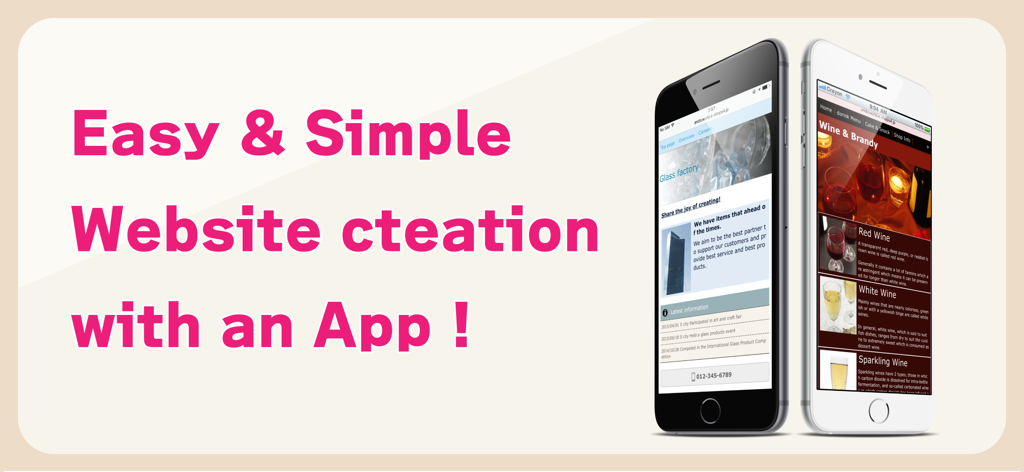
Crayon – Create a website - Banner promozionale per l'app Crayon con siti web mobili per una vetreria e un negozio di vini con il testo Creazione di siti web facile e semplice con un'app
Banner promozionale per l'app Crayon con siti web mobili per una vetreria e un negozio di vini con il testo Creazione di siti web facile e semplice con un'app

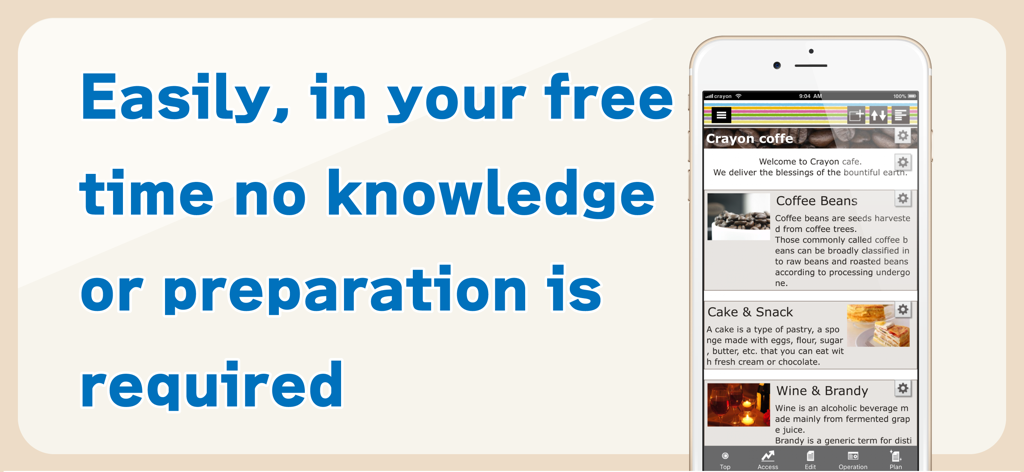
Crayon – Create a website - Smartphone che mostra l'interfaccia dell'app Crayon per creare facilmente un sito web senza conoscenze tecniche
Smartphone che mostra l'interfaccia dell'app Crayon per creare facilmente un sito web senza conoscenze tecniche

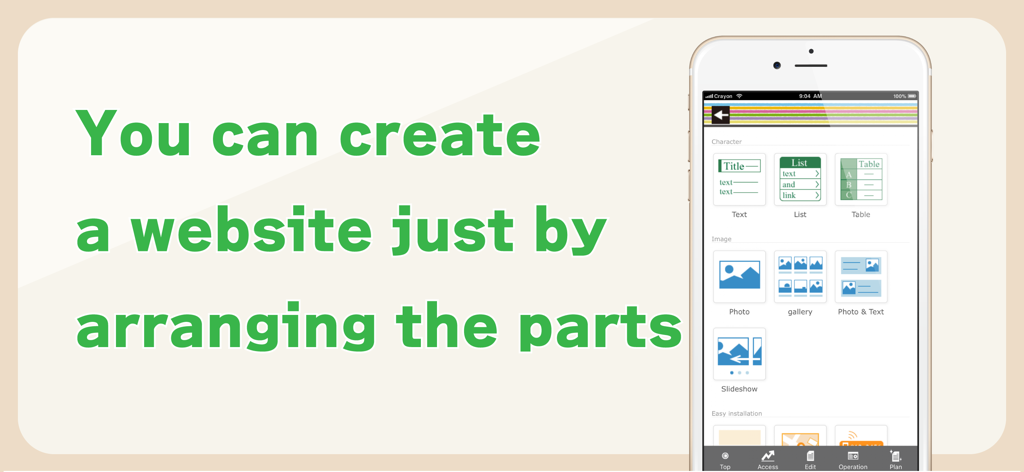
Crayon – Create a website - Schermata dello smartphone che mostra l'interfaccia dell'app Crayon per la creazione di siti web organizzando componenti come testo e foto
Schermata dello smartphone che mostra l'interfaccia dell'app Crayon per la creazione di siti web organizzando componenti come testo e foto

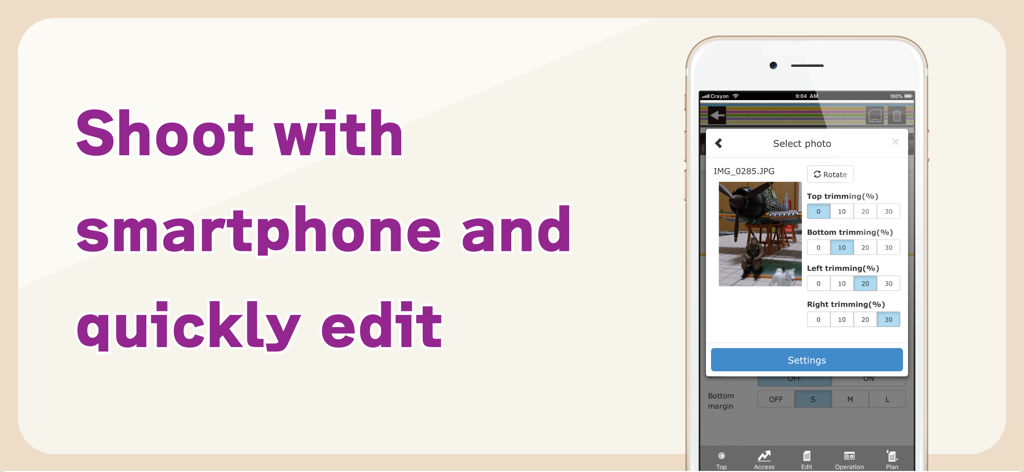
Crayon – Create a website - Schermata dello smartphone che mostra strumenti di rifinitura e modifica foto all'interno dell'app builder di siti web Crayon
Schermata dello smartphone che mostra strumenti di rifinitura e modifica foto all'interno dell'app builder di siti web Crayon

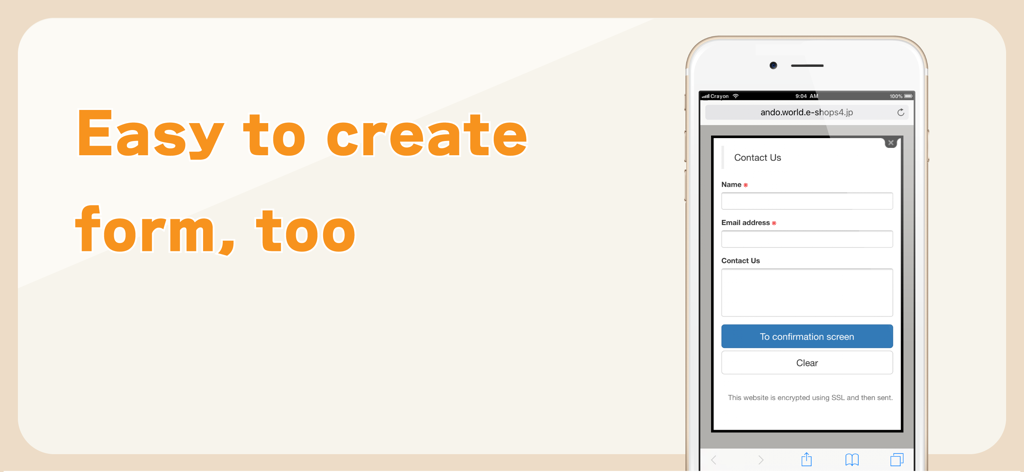
Crayon – Create a website - Un'interfaccia mobile che mostra un semplice modulo di contatto con campi nome ed email creato utilizzando l'app builder di siti web Crayon.

Un'interfaccia mobile che mostra un semplice modulo di contatto con campi nome ed email creato utilizzando l'app builder di siti web Crayon.

Descrizione

You can create a fully-fledged website and update it with simple operations. Complete the website just by arranging the selected photos, text and maps. You can tap the portion you want to modify or revise while viewing the website and change it on the spot. You can make these websites for stores, companies, groups, unions as well as websites for your hobbies. Many websites are created under the "Free plan", however if you upgrade to the "Paid plan", you will be able to utilize many useful functions. You can also use your own domain. -------------- We recently celebrated our second anniversary. Thank you to all of you. We are getting approximately 6000 new users monthly. -------------- [How to create a website] Arrange the parts and create a website. When writing any text, just place the text parts and set the sentences in those parts. Select font color, background color, font size and design. A screen is also simple to make. When you want to post photos, just select the photo parts and photos taken with your smartphone. Trimming (cutting) and rotation can be done after selecting a photo. You can change the order, or replicate and delete parts that you have placed. [Recommendations] ◊ Contact You can receive queries and contacts from users who are viewing your website. You can use it as an application form for products and services as well. You can easily change and add the input form and use it as a questionnaire as well. ◊ Phone number You can set a phone call button. This is useful in case of contact by phone. ◊ Slideshow You can display multiple images in a specific order. Recommended to use this on the HOME page to make it better. ◊ Map You can easily add a map (GoogleMAP). It is a highly functional map where you can zoom-in/ zoom-out and move with your fingers. ◊ HTML (Paid plan) This part is for advanced users who can write HTML code. You can place a blog part such as Twitter's timeline. [Free plan] With this plan, you can use our service for free. Most websites are available on the "Free plan". [Paid plan](Light) This plan offers you the use of multiple images and pages. You can write HTML code on your own and you can also use Google Analytics. The amount will vary by country. Paid plan subscriptions purchased in-app renew Every 3 months depending. Paid plans are priced at $39.99USD 3 months (pricing may vary in countries other than the U.S.). Payment will be charged to iTunes Account at confirmation of purchase. Subscription automatically renews unless auto-renew is turned off at least 24-hours before the end of the current period. Account will be charged for renewal within 24-hours prior to the end of the current period, and identify the cost of the renewal. Subscriptions may be managed by the user and auto-renewal may be turned off by going to the user’s Account Settings after purchase. [Own domain] If you change to "Paid plan", you can set already owned domains. You can choose a domain by yourself. [Future version-up] We are planning to add many more functions and designs, and improve usability of the management screen. Terms of service https://crayonsite.e-shops.jp/kiyaku_en.html privacy policy https://crayonsite.e-shops.jp/privacy_en.html

Download

Scarica su App Store

Questa pagina non è una pagina ufficiale dell'app o del suo sviluppatore, ma una pubblicazione editoriale indipendente creata a scopo informativo e di commento. Salvo espressa indicazione contraria, né l'app né il suo sviluppatore sono affiliati, approvati, sponsorizzati, autorizzati o altrimenti ufficialmente collegati a MWM, Apple, Google Play, all'editore dell'app o allo sviluppatore dell'app, e nulla in questa pagina implica che l'app sia stata sviluppata utilizzando i servizi di MWM. Tutti i marchi, loghi, screenshot e altri contenuti rimangono di proprietà dei rispettivi proprietari.