CropSize: Image Resizer Editor

CropSize: Image Resizer Editor

Scarica su App Store
Logo di CropSize: Image Resizer Editor

CropSize: Editor Ridimensionatore di Immagini. Ridimensionamento di Precisione e Modifica Batch per Professionisti

Ottieni risultati perfetti al pixel con un controllo numerico esatto. Automatizza il tuo flusso di lavoro con l'elaborazione batch ad alto volume, la gestione avanzata dei metadati e strumenti di esportazione professionali progettati per creatori e piccole imprese.

Editore

Aliaksei Khutarshchykau

Categoria

Photo & Video

Download

127K+

Valutazione

4.6/5

Valutazioni totali

800

Lingue

1

Controllo Perfetto al Pixel

Scopri l'interfaccia usata da 127K+ utenti.

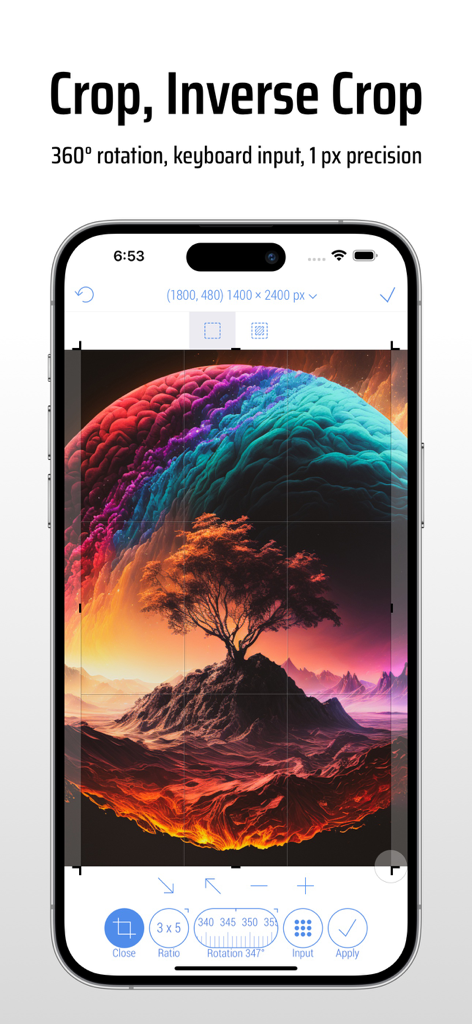
Interfaccia dell'app CropSize su iPhone che mostra strumenti precisi per il ritaglio e la rotazione delle immagini
Interfaccia dell'app CropSize su iPhone che mostra strumenti precisi per il ritaglio e la rotazione delle immagini

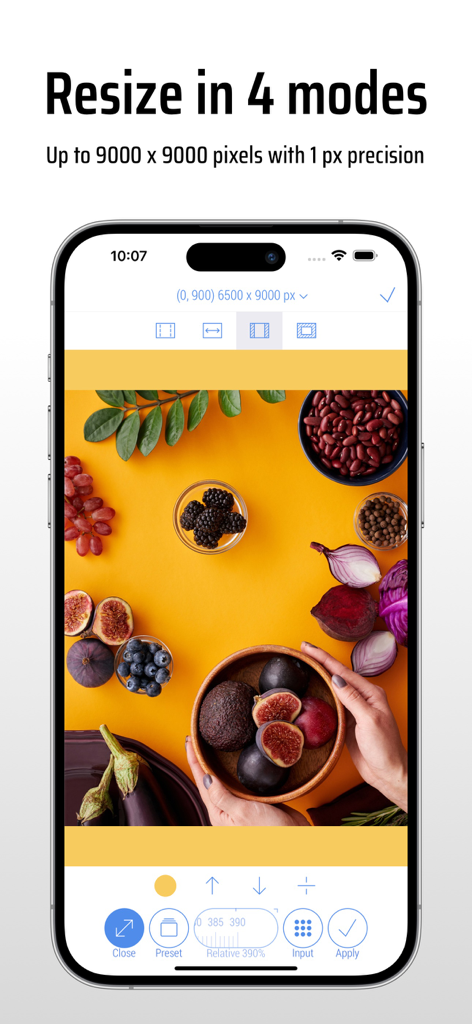
Interfaccia dell'app CropSize che mostra il ridimensionamento delle immagini in quattro modalità con alta precisione al pixel
Interfaccia dell'app CropSize che mostra il ridimensionamento delle immagini in quattro modalità con alta precisione al pixel

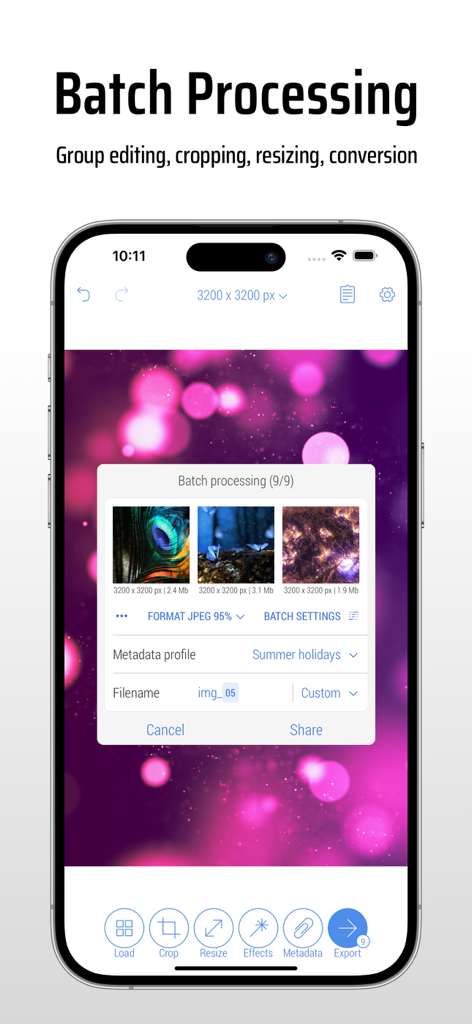
Interfaccia dell'app CropSize che mostra l'elaborazione batch per modificare e ridimensionare più foto contemporaneamente su un iPhone.
Interfaccia dell'app CropSize che mostra l'elaborazione batch per modificare e ridimensionare più foto contemporaneamente su un iPhone.

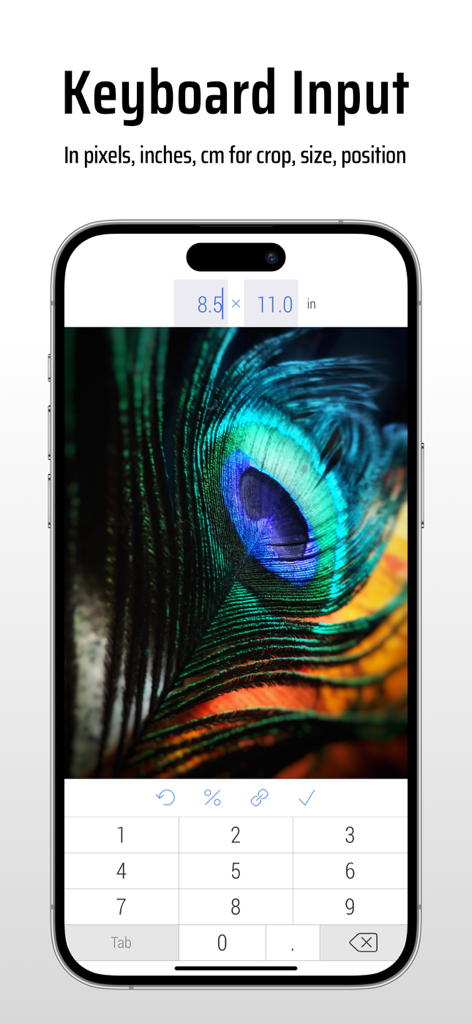
Interfaccia dell'app CropSize che mostra l'input da tastiera per il ridimensionamento preciso delle immagini in base alle dimensioni
Interfaccia dell'app CropSize che mostra l'input da tastiera per il ridimensionamento preciso delle immagini in base alle dimensioni

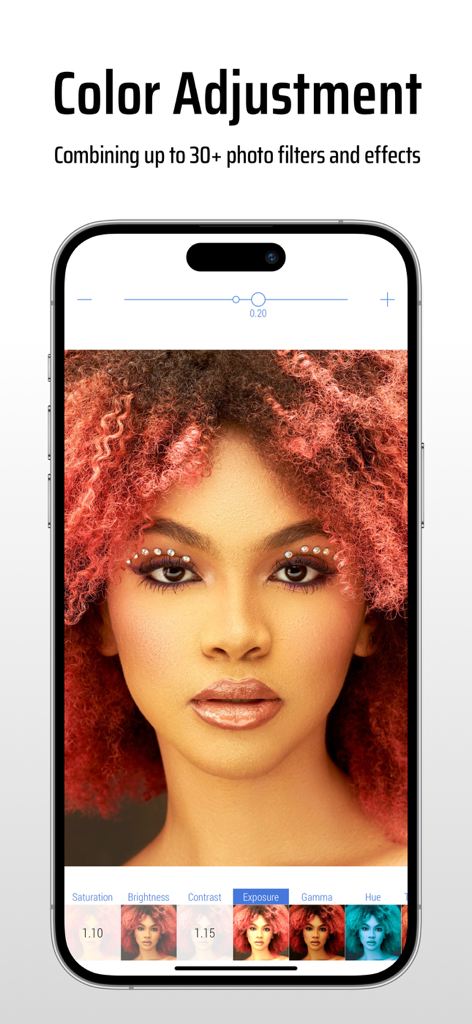
Interfaccia dell'app CropSize che mostra regolazioni del colore e filtri fotografici su un ritratto
Interfaccia dell'app CropSize che mostra regolazioni del colore e filtri fotografici su un ritratto

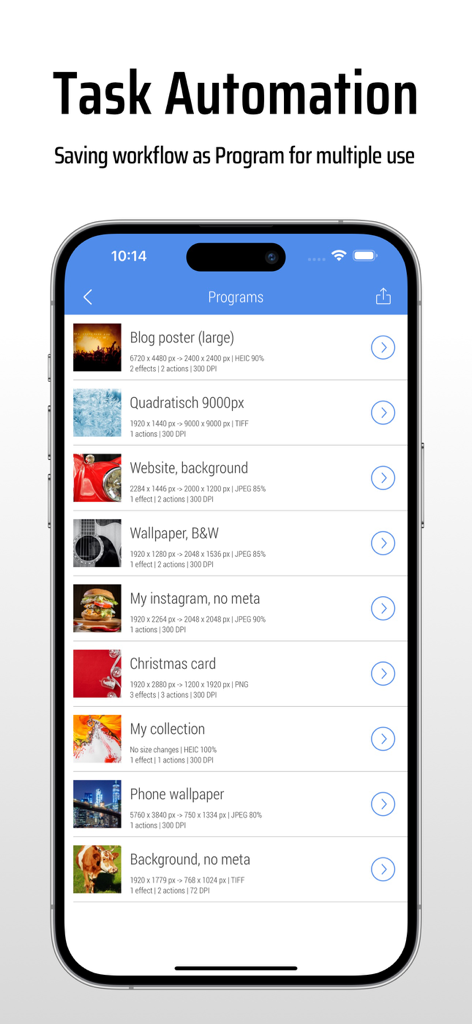
Interfaccia dell'app CropSize che mostra un elenco di programmi di editing immagine salvati per l'automazione dei compiti.
Interfaccia dell'app CropSize che mostra un elenco di programmi di editing immagine salvati per l'automazione dei compiti.

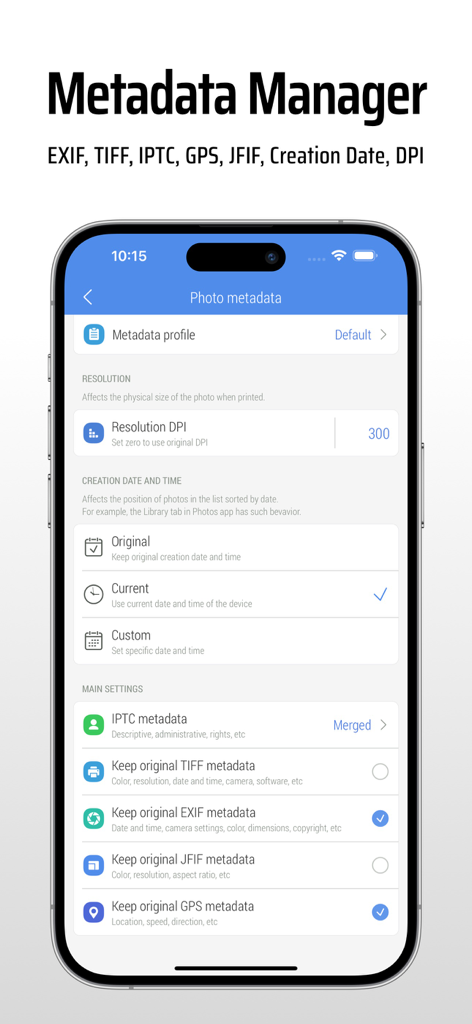
Schermata dell'app CropSize per la modifica dei metadati delle foto, impostazioni EXIF e DPI
Schermata dell'app CropSize per la modifica dei metadati delle foto, impostazioni EXIF e DPI

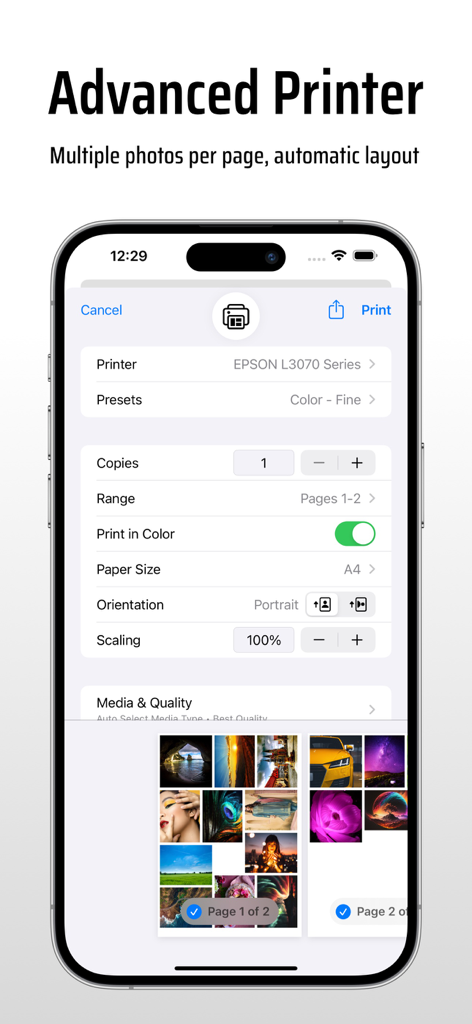
Impostazioni avanzate di stampa nell'app CropSize che mostrano più foto per pagina e opzioni di layout automatico
Impostazioni avanzate di stampa nell'app CropSize che mostrano più foto per pagina e opzioni di layout automatico

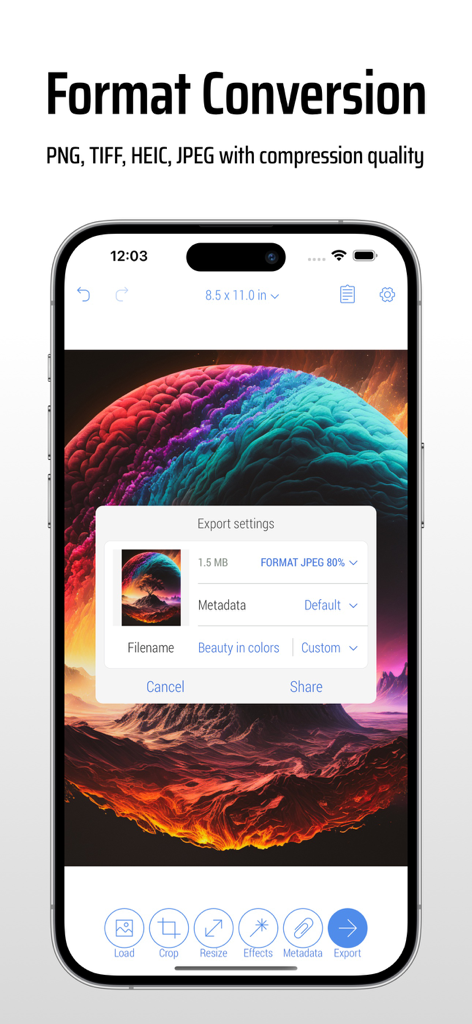
Interfaccia dell'app CropSize che mostra le impostazioni di esportazione e conversione del formato immagine su uno smartphone
Interfaccia dell'app CropSize che mostra le impostazioni di esportazione e conversione del formato immagine su uno smartphone

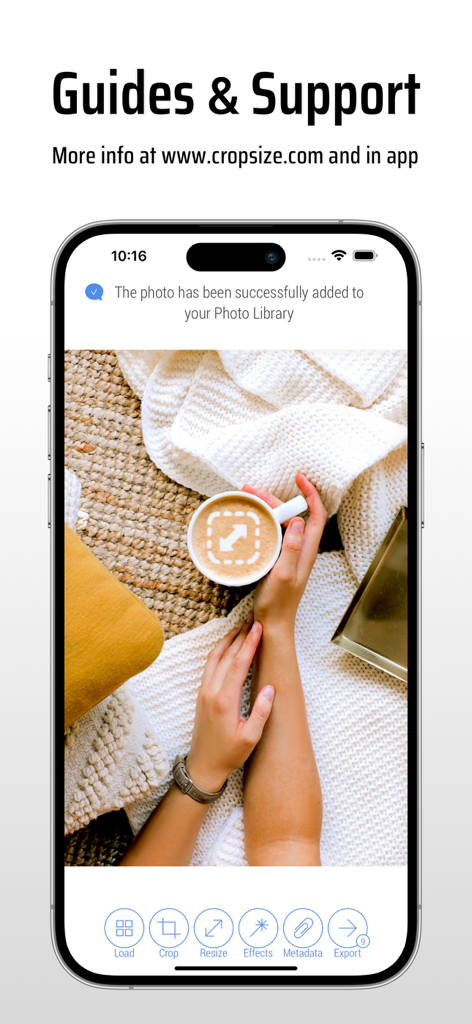
Schermata di iPhone che visualizza la pagina di guide e supporto dell'app CropSize con una notifica di salvataggio foto riuscito

Schermata di iPhone che visualizza la pagina di guide e supporto dell'app CropSize con una notifica di salvataggio foto riuscito

Editing di Precisione per Risultati Professionali

Gli strumenti che rendono questa app unica, scelti da 127K+ utenti.

📐

Precisione al Pixel Perfetto

Inserisci dimensioni esatte in pixel, pollici o cm con input da tastiera per un'accuratezza chirurgica che le app basate solo su gesture non possono eguagliare.

Flussi di Lavoro Batch Automatizzati

Salva i tuoi passaggi di editing preferiti come programmi personalizzati e applicali a oltre 50 foto contemporaneamente per semplificare il tuo flusso di lavoro aziendale.

🏷️

Metadati Pro e Privacy

Modifica i copyright IPTC, regola il DPI per la stampa o rimuovi dati sensibili GPS ed EXIF per proteggere la tua privacy prima della condivisione.

Info sull'app

Tutto quello che devi sapere su CropSize: Image Resizer Editor.

Descrizione

CropSize is your go-to app for precise image resizing and editing. Make your photos the perfect size, composition, and quality for photo library, social media, and various projects. Enhance results with accurate color adjustments and properly crafted metadata. Automate the entire editing process with batch processing and workflows. Share and print your creations in the right format and dimensions. All these tasks are easily achievable with CropSize—an excellent addition to your photo editing toolkit! As an essential element of your editing arsenal, CropSize plays a distinctive role as it allows to specify exact sizes and positions for image crop and resize, where other apps offer only approximate solutions. It also provides detailed information throughout the editing process, making your experience more transparent and intuitive. Additionally, the app's ability to operate in various units of measurement can notably streamline your workflows. With these comprehensive features, CropSize ensures you have the control you need to achieve your editing goals: PHOTO CROP • Crop photos in Standard and Inverse Crop modes, using pixels, inches, centimeters, or percentages • Adjust the size and position of the crop frame using gestures or by entering values on the keyboard • Rotate images smoothly within a 0-360° range with a slider or specify rotation angle via keyboard (Long press slider) • Change the crop aspect ratio using customizable presets (Long press Ratio button) • Adjust the crop position and size by one pixel in correction mode (Tap a marker) • View crop-specific image details, including size, position, rotation, and estimated file size IMAGE RESIZE • Resize images in Stretch, Insert, Clip, and Canvas Size modes, using pixels, inches, centimeters, or percentages • Specify exact image size via the keyboard or customizable presets, up to 9000 x 9000 pixels (81 megapixels) • Resize proportionally with a percentage slider or specify the relative size via the keyboard (Long press slider) • Adjust position using gestures and one-pixel corrections for Insert, Clip, and Canvas Size modes • Preview changes in actual size • View resize-specific image details, including size, offset, and estimated file size PHOTO FILTER • Apply any combination of photo filters and effects, including Chrome, Bloom, Vignette, Sepia, Sharpen, Blur, and more • Adjust filter intensity using a slider or horizontal on-screen gestures • View changes Before / After using two-finger gestures BATCH PROCESSING & WORKFLOWS • Edit multiple photos simultaneously, applying the same combinations of crop, resize, color, orientation, and metadata changes to all of them • Use workflows by saving entire editing sessions as reusable Programs on the History screen, and accessing them from the Load screen • Edit up to 50 photos shared with CropSize from other apps or the Photo Library PHOTO METADATA • View image details on the Load and Metadata screen • Update photo DPI and creation date • Provide information and copyrights using up to 25 fields of IPTC metadata • Remove original GPS, EXIF, TIFF, and JFIF details from your photos • Create and manage multiple metadata profiles for better organization IMAGE ORIENTATION: • Flip and rotate images using one-finger swipe gestures on the Main and Batch Processing screen SHARE AND PRINT: • Choose export formats: Auto, PNG, TIFF, JPEG, and HEIC, with compression quality for JPEG and HEIC • Specify metadata settings using one of your previously created metadata profiles • Configure export filenames using original values, custom entries, or filename patterns • Save images to the Photo Library, automatically organizing Results and Originals into a convenient album structure • Print multiple photos on A4, Letter, and other page sizes using exclusive “Print Plus” option from sharing menu GUIDES • Explore our step-by-step guides: https://www.cropsize.com/guides • Watch the video overview of main features: https://vimeo.com/188002923

Ultima versione

5.5.4

Dimensione

9.8 MB

Data di lancio

21 nov 2013

Migliora il tuo Flusso di Lavoro con Precisione al Pixel

Unisciti a oltre 127.000 professionisti che si affidano a CropSize per il ridimensionamento batch, il controllo dei metadati e l'editing di immagini di livello professionale. Scarica ora per avere il pieno controllo delle tue risorse digitali.

Scarica su App Store

App information, icons, screenshots, and descriptions displayed on this page are sourced from the Apple App Store and are the property of their respective developers. Download estimates and rankings are based on MWM's proprietary models and may not reflect actual figures. This page is provided for informational and analytical purposes only.

Believe this page infringes your intellectual property? File a dispute