
Questa pagina non è una pagina ufficiale dell'app o del suo sviluppatore, ma una pubblicazione editoriale indipendente creata a scopo informativo e di commento. Salvo espressa indicazione contraria, né l'app né il suo sviluppatore sono affiliati, approvati, sponsorizzati, autorizzati o altrimenti ufficialmente collegati a MWM, Apple, Google Play, all'editore dell'app o allo sviluppatore dell'app, e nulla in questa pagina implica che l'app sia stata sviluppata utilizzando i servizi di MWM. Tutti i marchi, loghi, screenshot e altri contenuti rimangono di proprietà dei rispettivi proprietari.


Darkr - Black And White Filter
La post-produzione monocromatica è un rito, non un click. Darkr impone la disciplina del maestro, trasformando un semplice scatto in un'affermazione autoriale.
Download
2.5M+Valutazione
Valutazioni totali
47.5KEditore
Categoria
Photo & VideoLingue
6Ultima versione
14.0Dimensione
115.0 MBData di lancio
6 dic 2016Una valutazione delle capacità chiave che elevano l'esperienza fotografica analogica nell'era digitale, mirata agli appassionati del controllo manuale e dell'estetica monocromatica.
Analisi Funzionale: Darkr - Il Laboratorio Digitale per il Bianco e Nero
Simulazione Camera Oscura Tradizionale
L'app offre una replica fedele e intuitiva del processo di sviluppo in camera oscura, permettendo agli utenti di scegliere il migliore "striscia" per esposizione e contrasto e di eseguire regolazioni selettive come il dodge e burn.
Simulazione Fotocamere Analogiche Specializzate
Questo strumento presenta la possibilità di scattare con modelli di fotocamere che emulano il grande e medio formato, inclusa una modalità 'upside-down' per incentivare un approccio più deliberato e manuale alla composizione.
Regolazioni Selettive "Dodge & Burn"
L'app fornisce strumenti di dodge (schiarire) e burn (scurire) per manipolare selettivamente le aree dell'immagine, una tecnica fondamentale nella fotografia in camera oscura per bilanciare luci e ombre.
Pieno Controllo Manuale dello Scatto
Consente agli utenti di regolare manualmente parametri chiave come otturatore, ISO e messa a fuoco, fornendo un'esperienza di scatto che rispecchia quella delle fotocamere analogiche tradizionali.
Tonalizzazione Artistica dell'Immagine
Questo strumento presenta opzioni per tonalizzare le immagini con effetti come Selenio, Cianotipia e Seppia, aggiungendo un carattere distintivo e una profondità estetica tipica dei processi analogici.
Sistema di Lavorazione a Livelli
L'app consente di applicare e gestire effetti come livelli separati, garantendo un flusso di lavoro non distruttivo e la possibilità di modificare, eliminare o regolare la visibilità di ogni regolazione.
Zoom di Precisione Dettagliato
Consente agli utenti di ingrandire l'immagine fino a dieci volte, facilitando lavori di alta precisione come le regolazioni selettive o la messa a fuoco fine.
Tutorial Integrati per l'Apprendimento
Questo strumento include una serie di tutorial facili da seguire che guidano gli utenti attraverso l'uso delle funzionalità, rendendo l'app accessibile sia ai principianti che agli esperti.
Gli screenshot e la descrizione seguenti provengono direttamente dall'elenco ufficiale dello store dell'app e sono di proprietà dello sviluppatore.
App Store
Screenshot
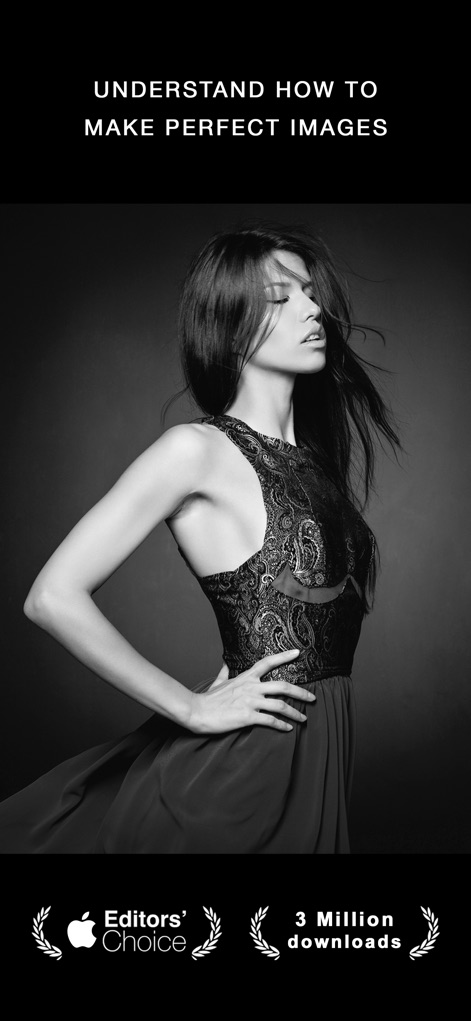
Questa app ha conquistato il prestigioso riconoscimento di 'Scelta degli Editori' e vanta oltre 3 milioni di download, evidenziando la sua affidabilità e popolarità nel mondo della fotografia in bianco e nero.
Immagini perfette, qualità impeccabile
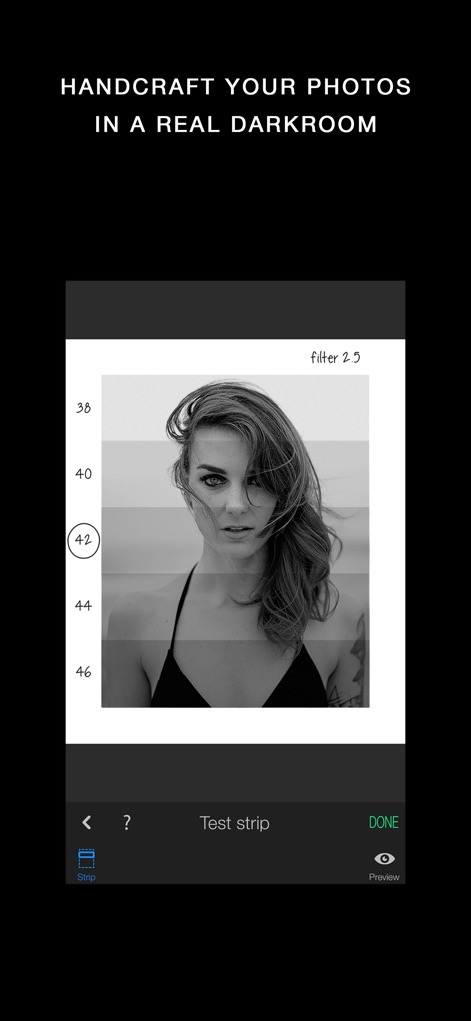
Gli utenti possono sperimentare il processo di sviluppo delle immagini con una "strip" intuitiva, che simula la selezione della carta fotografica in una vera camera oscura per ottenere il contrasto desiderato.
La magia della camera oscura

Con strumenti professionali, l'applicazione permette di creare ritratti che catturano l'attenzione, enfatizzando l'espressività e la profondità dei dettagli grazie a luci e ombre sapientemente bilanciate.
Ritratti di impatto visivo

Lo strumento offre un controllo granulare sugli effetti tramite un sistema a "Livelli", consentendo agli utenti di modificare e gestire singolarmente parametri come il Selenium, il Brucia e lo Schiarisci per un'ottimizzazione precisa.
Controllo completo con livelli
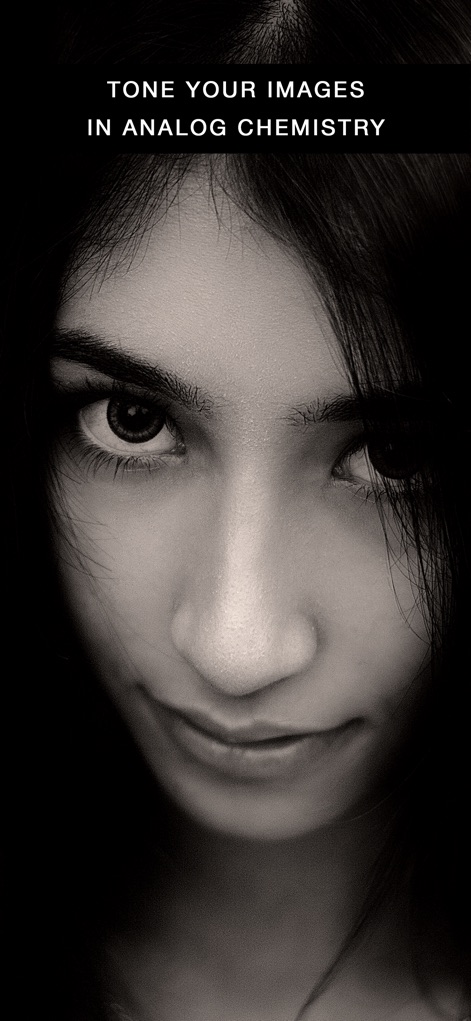
Questa app permette di arricchire le immagini con suggestive "tonalità" analogiche, che ricreano l'estetica della chimica tradizionale per conferire un aspetto vintage e profondo al bianco e nero.
Tonalità chimiche analogiche

La simulazione di una fotocamera a "grande formato" consente agli utenti di scattare immagini con una visuale capovolta, offrendo al contempo controlli manuali dettagliati per impostare tempo di scatto e ISO.
Fotocamera grande formato

Questo strumento permette di aggiungere alle fotografie una texture granulosa che ricorda le tradizionali "emulsioni fotografiche", conferendo un autentico aspetto da pellicola vintage.
Sensazione di grana filmica

È possibile applicare alle immagini "bordi realistici" che imitano le imperfezioni dei negativi analogici, aggiungendo un tocco autentico e artigianale alla composizione finale.
Bordi analogici realistici

Grazie agli strumenti "Dodge" (Schiarisci) e "Burn" (Brucia), gli utenti possono intervenire selettivamente su specifiche aree dell'immagine, come indicato dall'evidenziazione rossa, per regolare luce e ombra.
Schiarisci e Brucia
Descrizione
Download
App Simili
App più classificate nella stessa categoria

CapCut: Photo & Video Editor
BYTEDANCE PTE. LTD.

Instagram, Inc.

YouTube
Google LLC

Canva: AI Photo & Video Editor
Canva Pty Ltd

Snapchat
Snap, Inc.

快手
Beijing Kwai Technology Co., Ltd.

Edits: Video Editor
Instagram, Inc.

Meitu- AI Photo & Video Editor
Xiamen Meitu Technology Co., Ltd.

Google Photos: Backup & Edit
Google LLC
Questa pagina non è una pagina ufficiale dell'app o del suo sviluppatore, ma una pubblicazione editoriale indipendente creata a scopo informativo e di commento. Salvo espressa indicazione contraria, né l'app né il suo sviluppatore sono affiliati, approvati, sponsorizzati, autorizzati o altrimenti ufficialmente collegati a MWM, Apple, Google Play, all'editore dell'app o allo sviluppatore dell'app, e nulla in questa pagina implica che l'app sia stata sviluppata utilizzando i servizi di MWM. Tutti i marchi, loghi, screenshot e altri contenuti rimangono di proprietà dei rispettivi proprietari.