DartSide Pattern Drafting

DartSide Pattern Drafting


Scarica su App Store
Logo di DartSide Pattern Drafting

DartSide Pattern Drafting: Il Tuo Studio di Design Professionale su iPad

Scansiona cartamodelli, disegna con precisione ed esporta file PDF o SVG pronti per la produzione. Colma il divario tra drappeggio fisico ed efficienza digitale.

Editore

DartSide

Categoria

Graphics & Design

Download

23K+

Valutazione

1.5/5

Valutazioni totali

0

Lingue

2

Precisione in Ogni Pixel

Scopri l'interfaccia usata da 23K+ utenti.
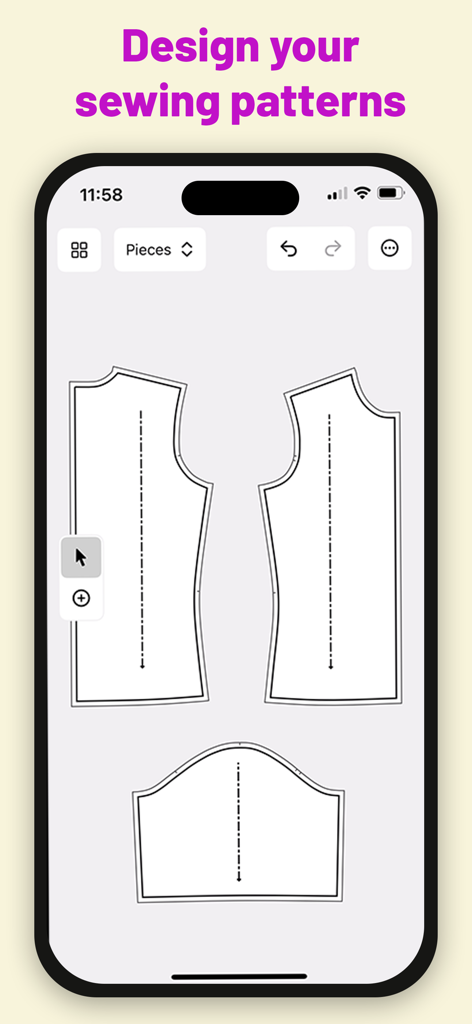
Interfaccia dell'app mobile che mostra pezzi di cartamodello digitale in DartSide Pattern Drafting

Interfaccia dell'app mobile che mostra pezzi di cartamodello digitale in DartSide Pattern Drafting

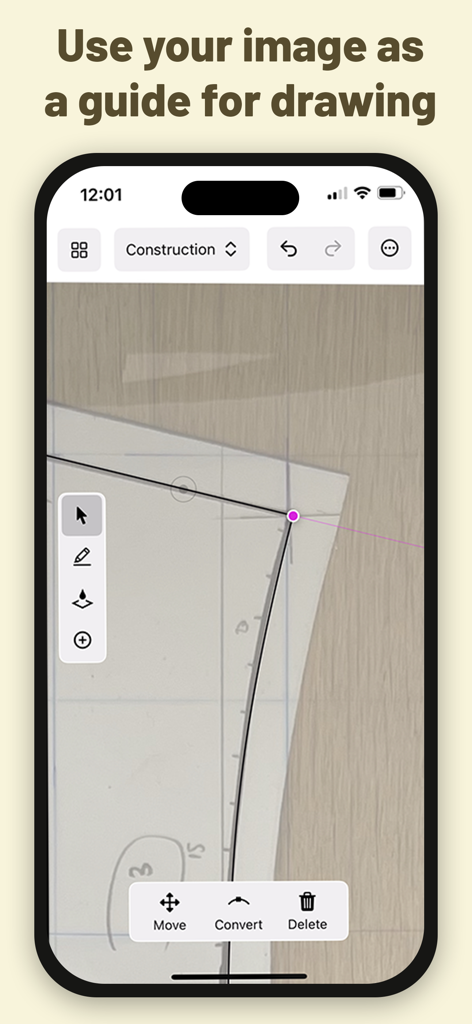
Interfaccia dell'app DartSide che mostra linee vettoriali disegnate su una foto di un cartamodello di carta

Interfaccia dell'app DartSide che mostra linee vettoriali disegnate su una foto di un cartamodello di carta

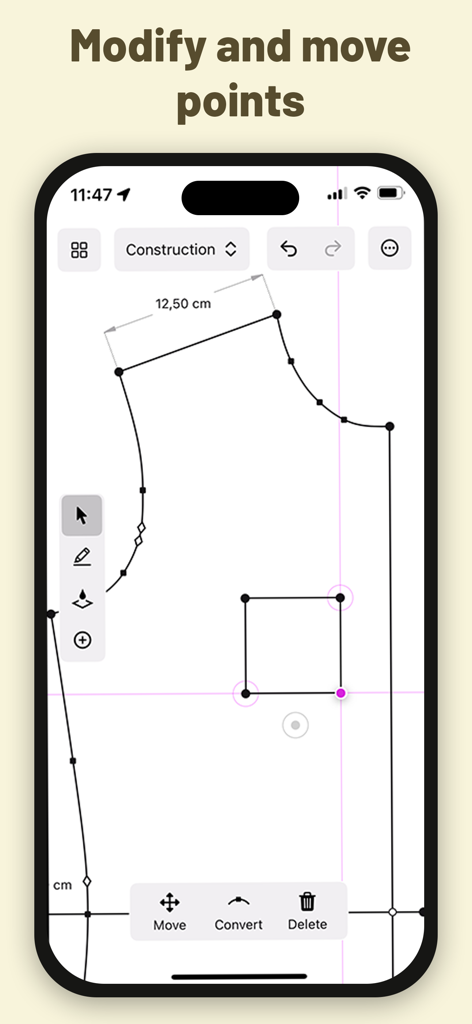
Cartamodello digitale in fase di modifica nell'interfaccia di costruzione dell'app DartSide che mostra gli strumenti di modifica dei punti

Cartamodello digitale in fase di modifica nell'interfaccia di costruzione dell'app DartSide che mostra gli strumenti di modifica dei punti

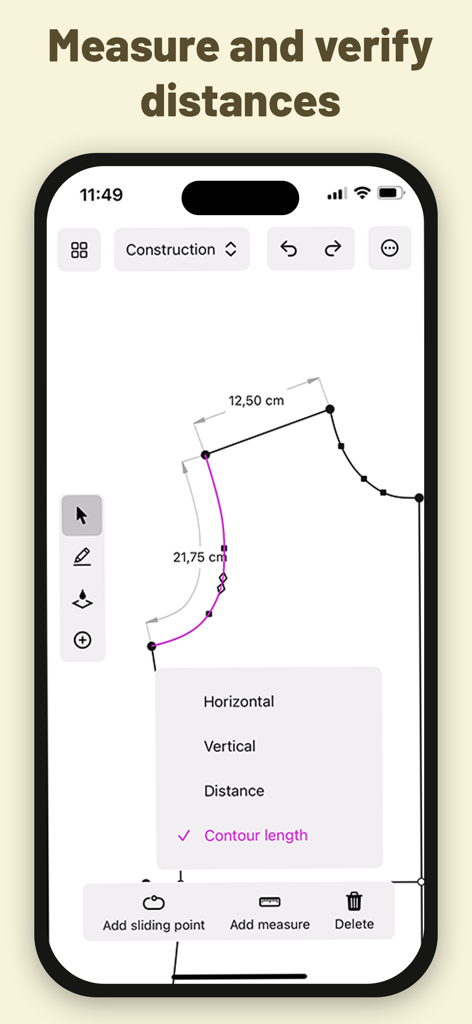
Interfaccia dell'app DartSide che mostra misurazioni tecniche e lunghezze di contorno per un cartamodello digitale.

Interfaccia dell'app DartSide che mostra misurazioni tecniche e lunghezze di contorno per un cartamodello digitale.

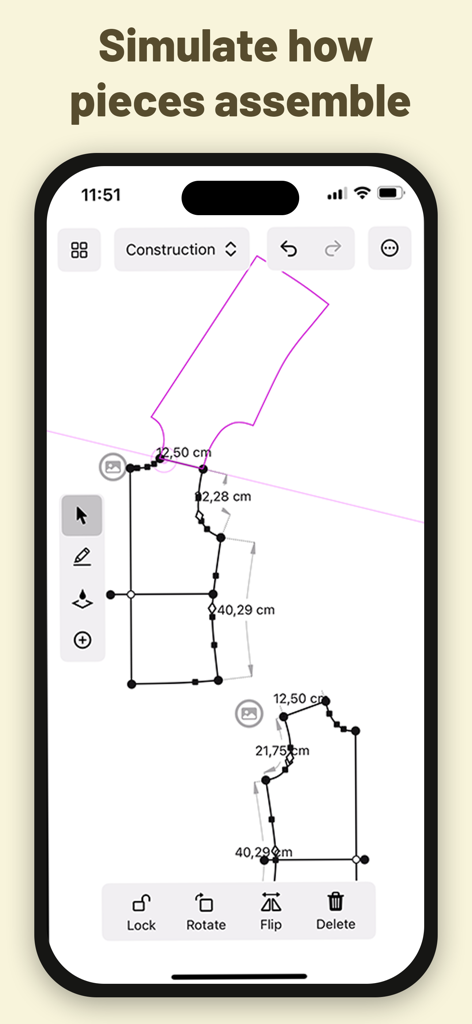
Simulazione di assemblaggio di cartamodelli digitali nell'app DartSide che mostra linee vettoriali e misurazioni

Simulazione di assemblaggio di cartamodelli digitali nell'app DartSide che mostra linee vettoriali e misurazioni

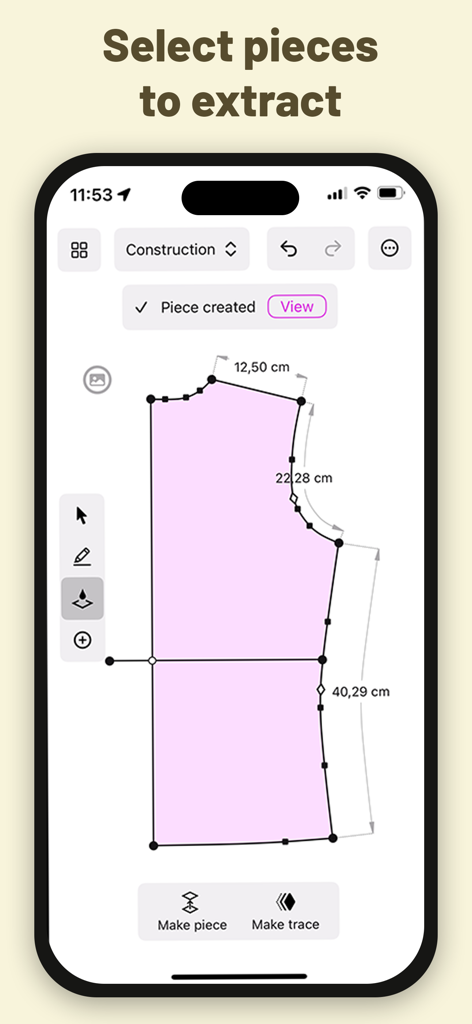
Interfaccia dell'app DartSide che mostra l'estrazione di pezzi di cartamodello digitale con misurazioni precise

Interfaccia dell'app DartSide che mostra l'estrazione di pezzi di cartamodello digitale con misurazioni precise

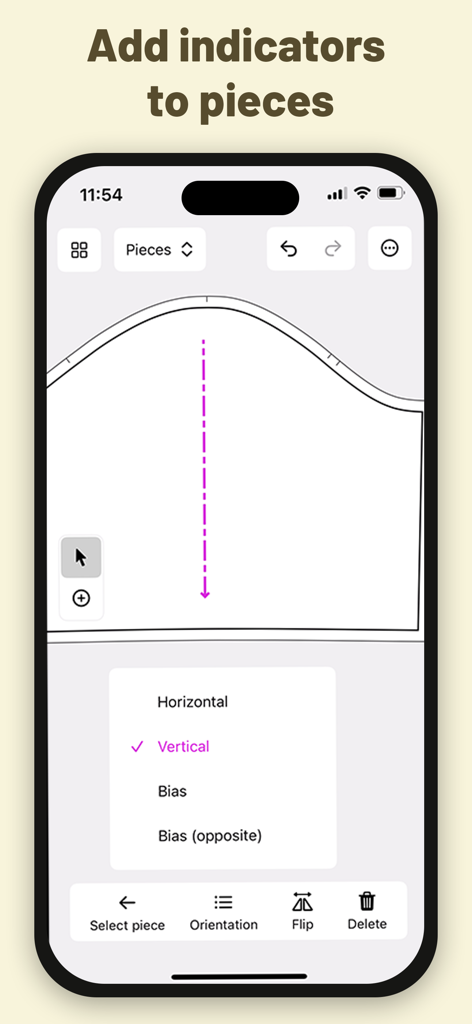
Interfaccia mobile per DartSide che mostra indicatori di orientamento e filo d'ordito per pezzi di cartamodello da cucito

Interfaccia mobile per DartSide che mostra indicatori di orientamento e filo d'ordito per pezzi di cartamodello da cucito

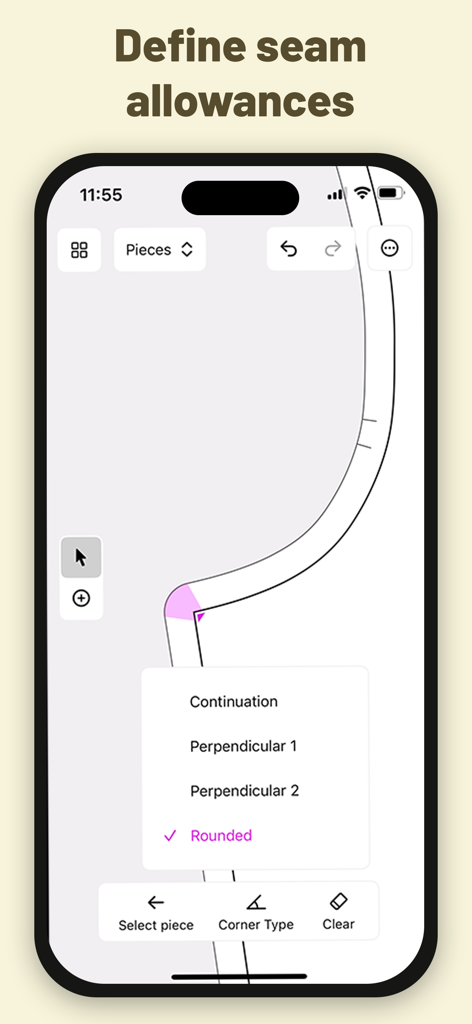
Interfaccia dell'app mobile che mostra opzioni per definire i tipi di angoli dei margini di cucitura per un cartamodello.

Interfaccia dell'app mobile che mostra opzioni per definire i tipi di angoli dei margini di cucitura per un cartamodello.

Dalla Carta ai Cartamodelli Digitali Professionali

Gli strumenti che rendono questa app unica, scelti da 23K+ utenti.

📸

Digitalizzazione Istantanea dei Cartamodelli

Trasforma cartamodelli fisici o toile in vettori accurati. Il nostro strumento di correzione prospettica assicura che la tua scala digitale sia perfetta al millimetro.

📐

Disegna con Apple Pencil

Sperimenta la sensazione tattile del disegno a mano con la potenza del CAD. Aggiungi facilmente margini di cucitura, tacche e fili d'ordito ai tuoi design personalizzati.

🧵

Pronto per la Vendita e la Produzione

Esporta il tuo lavoro come file PDF o SVG professionali. Perfetto per la stampa domestica, la vendita su Etsy o per ulteriore stilizzazione in Adobe Illustrator.

Info sull'app

Tutto quello che devi sapere su DartSide Pattern Drafting.

Descrizione

Scan your sewing patterns with your iPhone or iPad! DartSide is a sewing pattern editor that helps creators with the entire creation process: scanning, construction, industrializing, and exporting. SCAN Scan a paper pattern or a toiling fabric from an image: • Take a photo of a piece of the pattern • Correct the inevitable perspective distortions that come from taking a photo with a camera that isn’t exactly parallel with the pattern • Define the scale of your image • Add the photo to the background of your construction canvas • Lock the image, and use it as a guide to draw the vector contours of your pattern • Hide the image, so that it can be accessed later if you ever want to refer back to it CONSTRUCTION Draw the lines and curves of your patterns using your preferred method: • Draft your pattern from scratch within the app • Adjust a pattern that you’ve scanned from an image • Transform an existing pattern from your project list Key functionality: • Draw and modify lines and curves freely on the screen with your finger or Apple Pencil • Move any point by a specified direction and/or distance • Measure the length between any two points that are linked by a line or curve • Create a trace that can be used to simulate how it mounts with another part of the pattern PIECES You can industrialize all the pieces of your pattern to specify the cutting and the mounting of your model. • Create a new piece by selecting a form you’d like to extract from your construction • Add indicators (notches, markers, fabric grain lines) to each piece • Define seam allowance sizes and corner types EXPORT You can export your patterns in PDF or SVG format. The exported pattern is the exact vector representation you see in Pieces Mode in the app. The exported pattern is compatible with vector drawing apps like Adobe Illustrator or Inkscape. Once exported, you can use one of these tools to finalize the layout and style of your pattern. Project Syncing All your projects are automatically synced to the cloud, no need to remember to manually save to avoid losing your work. The projects are linked to your user account, and can be accessed from multiple devices (iPhone or iPad). DartSide Premium: You can download and try DartSide for free, with the exception of exporting your patterns. To take your patterns even further, you can subscribe to a monthly auto-renewing subscription to unlock: • Unlimited PDF exports • Unlimited SVG exports Exporting your pattern from DartSide opens up a number of possibilities depending on what other apps you use: • Customize the layout of your pattern • Create a cutting layout to print your pattern on your desired paper size • Make your pattern downloadable on your website or online store ----- • Your subscription renews automatically if you don't cancel it at least 24 hours before the end of the current subscription period. • You can cancel your subscription at any time. To avoid being charged for an additional month, cancel at least 24 hours before the end of the current billing period. • You can manage your subscription in your devices Settings > Apple ID > Subscriptions. Terms and conditions: https://dartside.app/p/terms/ Privacy policy: https://dartside.app/p/privacy/ For unlimited exports of your patterns as SVG or PDF, subscribe to an auto-renewing monthly subscription through in-app purchase • You can cancel your subscription at any time from the list of subscriptions associated with your Apple ID in your device’s Settings app We want DartSide to be the best possible partner for all of your pattern drafting needs. If you run into any problems, or have ideas for how things could be improved, we'd love to hear from you at contact@dartside.app !

Ultima versione

1.1.1

Dimensione

22.8 MB

Data di lancio

18 dic 2023

Pronto a Trasformare il Tuo Studio di Cucito?

Unisciti a migliaia di creatori che digitalizzano il loro flusso di lavoro di design. Scarica DartSide oggi stesso e trasforma il tuo iPad in una stazione di cartamodelleria professionale.

Scarica su App Store

App information, icons, screenshots, and descriptions displayed on this page are sourced from the Apple App Store and are the property of their respective developers. Download estimates and rankings are based on MWM's proprietary models and may not reflect actual figures. This page is provided for informational and analytical purposes only.

Believe this page infringes your intellectual property? File a dispute