Docs To Go Standard: Modifica Ufficio Professionale con Integrità Totale della Formattazione
La scelta fidata dai professionisti esperti per visualizzare, modificare e creare file Microsoft Office ovunque. Alimentato dalla tecnologia InTact™ per garantire che i tuoi documenti, fogli di calcolo e presentazioni rimangano perfettamente formattati, anche offline.
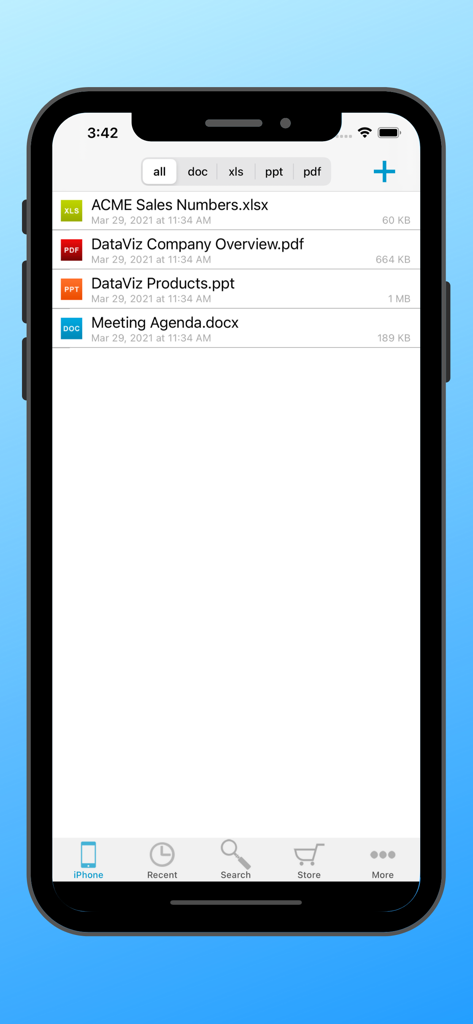
Gestore file Docs To Go Standard su iPhone che mostra un elenco di documenti d'ufficio, inclusi file Excel, PDF, PowerPoint e Word
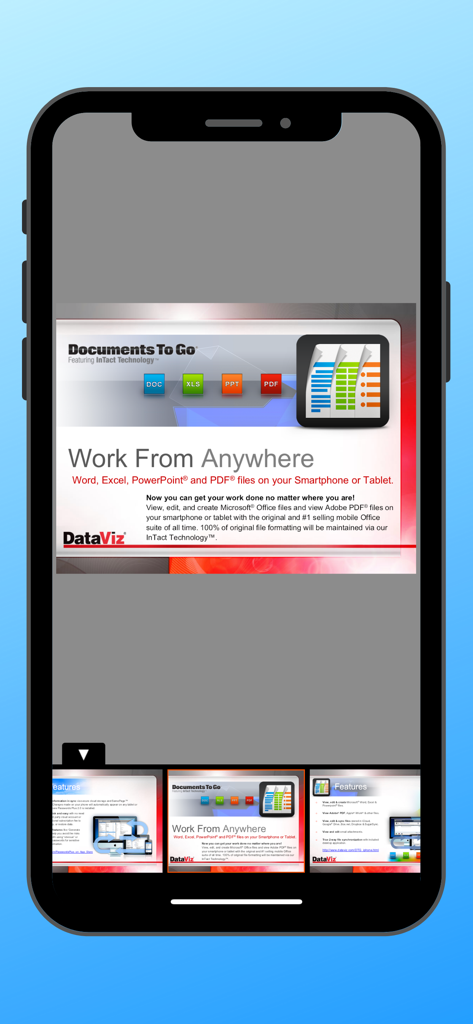
Slide di presentazione nell'app Docs To Go che mostra il supporto per file Word, Excel, PowerPoint e PDF su dispositivi mobili
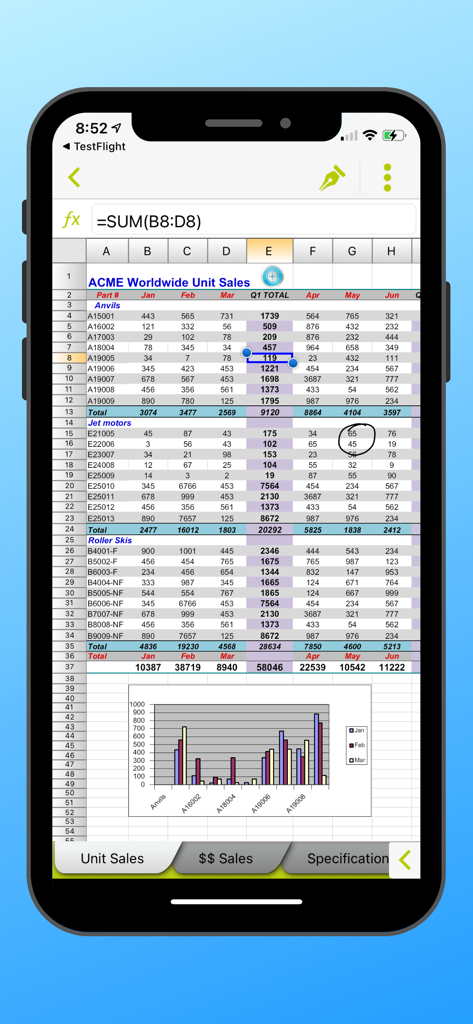
Interfaccia mobile Docs To Go che mostra un foglio di calcolo Excel con dati di vendita e un grafico a barre
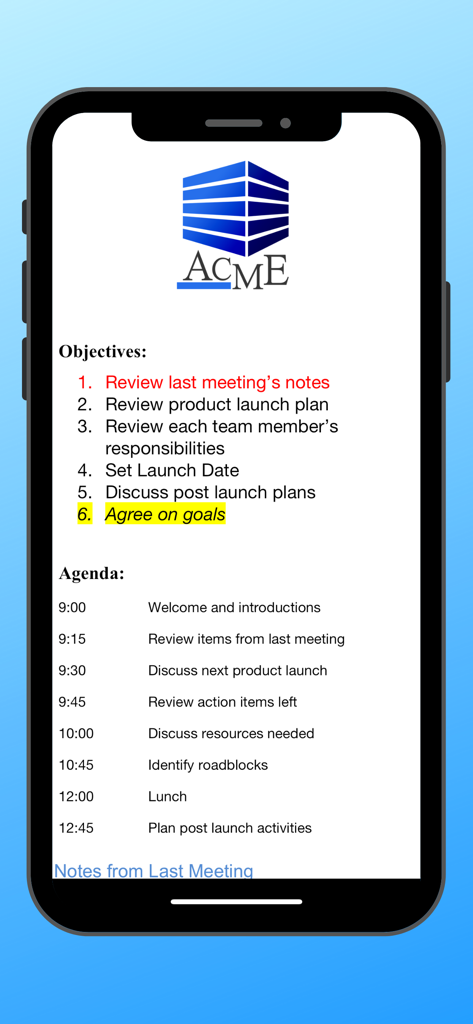
Documento dell'ordine del giorno e degli obiettivi della riunione visualizzato nell'app Docs To Go
Lo Standard Professionale per la Produttività Mobile
Gli strumenti che rendono questa app unica, scelti da 454K+ utenti.
✨
Formattazione con Tecnologia InTact™
Modifica con sicurezza sapendo che la formattazione originale del tuo documento—inclusi tabelle, margini e formule complesse—rimane integra al 100% quando la condividi sul tuo desktop.
📁
Gestione File "Local-First"
Riprendi il controllo dei tuoi dati. Gestisci, ordina e modifica i tuoi file direttamente sul tuo dispositivo senza essere costretto ad abbonamenti cloud-only o connessioni Internet inaffidabili.
🛠️
La Suite Potente All-In-One
Elimina l'affaticamento da app con un unico strumento ad alte prestazioni per file Word, Excel, PowerPoint e PDF, ottimizzato per l'efficienza che i professionisti esperti richiedono.
Info sull'app
Tutto quello che devi sapere su Docs To Go Standard.
Descrizione
Office anywhere with Docs To Go: View, edit, and create Microsoft® Office files (Word, Excel, PowerPoint*) & view Adobe PDF® files on your iOS device with the original & #1 selling mobile MS Office suite of all time.
Docs To Go® Standard contains best-in-class document viewing & editing. Options for connecting to multiple cloud storage accounts, desktop file sync, and opening password-protected files are in our premium version which is available in an in-app purchase.
THE DATAVIZ® ADVANTAGE
• Founded in 1984, DataViz is an industry leader in developing mobile Office & productivity solutions for iOS, Mac, and more.
• Documents To Go, now in its 18th year, is currently preloaded on millions of devices around the world.
• InTact Technology™ retains original document formatting of edited files.
• Technical support is available via email by actual people in our home office & via our robust knowledge-base at DataViz.com.
OVERALL STANDARD VERSION FEATURES:
• Works on both iPhone and iPad
• View, edit, and create MS Office files (97-2018).
• View PDF, iWork, Text, .RTF files, and more!
• Send & receive supported email attachments using the built-in Mail app.
• Open & edit supported files within Docs To Go from any 3rd party app that supports the iOS "Open In" feature.
• File sorting manager (sort your file list by Name, Modified, Size, etc.)
WORD TO GO FEATURES:
• View, edit, and create Word (.doc, .docx) files
• Format font type, size, color, bold, italics, underline, and highlight text
• High fidelity viewing for embedded graphics, tables, comments, footnotes/endnotes, text boxes, table of contents, and hyperlinks
• Change paragraph alignment
• Edit and/or insert bullets and numbering
• Multiple undo/redo
• Find & replace
• Word count
SHEET TO GO FEATURES:
• View, edit, and create Excel (.xls, .xlsx) spreadsheets
• Freeze panes
• Sort
• Extensive cell & number formatting options, including: font type, size, color, alignment, fill, highlight, category, and decimal place)
• 111 functions supported
• Insert, delete, resize, hide/unhide rows & columns
• Rename, insert, and delete worksheets
• Multiple undo/redo
• Find/find next
SLIDESHOW TO GO FEATURES:
• In-slide PowerPoint editing - Edit slide contents & formatting directly in the slide vs. a separate/outline view.
• Thumbnail slide sorter/view
• High fidelity PowerPoint viewing, including: charts, MS Office SmartArt, and more
• View/edit/add speaker notes
• Sort slides
• Promote/demote bullets
• Open password protected PowerPoint 97-2018 files
PDF TO GO FEATURES:
• Pinch-to-zoom to desired PDF page size/width
• Open password-protected PDFs
*PowerPoint files are view and edit only.
Ultima versione
5.6.6
Dimensione
91.2 MB
Data di lancio
14 giu 2009
Pronto a Lavorare con Assoluta Sicurezza?
Unisciti a oltre 450.000 professionisti che si fidano del leader del settore per una modifica impeccabile dei documenti. Ottieni l'affidabilità della tecnologia InTact™ e gestisci i tuoi file Office ovunque, senza bisogno di cloud.
App information, icons, screenshots, and descriptions displayed on this page are sourced from the Apple App Store and are the property of their respective developers. Download estimates and rankings are based on MWM's proprietary models and may not reflect actual figures. This page is provided for informational and analytical purposes only.
Believe this page infringes your intellectual property? File a dispute