
Questa pagina non è una pagina ufficiale dell'app o del suo sviluppatore, ma una pubblicazione editoriale indipendente creata a scopo informativo e di commento. Salvo espressa indicazione contraria, né l'app né il suo sviluppatore sono affiliati, approvati, sponsorizzati, autorizzati o altrimenti ufficialmente collegati a MWM, Apple, Google Play, all'editore dell'app o allo sviluppatore dell'app, e nulla in questa pagina implica che l'app sia stata sviluppata utilizzando i servizi di MWM. Tutti i marchi, loghi, screenshot e altri contenuti rimangono di proprietà dei rispettivi proprietari.


DU Recorder - Screen Recorder
L'era del live si scontra con l'esigenza di documentare. Quest'app concede agli utenti il dominio totale sul proprio schermo, trasformandolo in una piattaforma di creazione e diffusione istantanea, superando le barriere di una semplice registrazione.
Download
25M+Valutazione
Valutazioni totali
243.8KEditore
Categoria
Photo & VideoLingue
25Ultima versione
1.8.0Dimensione
119.7 MBData di lancio
1 dic 2017Analisi Funzionale: DU Recorder - Screen Recorder
Valutazione delle capacità chiave per creatori di contenuti mobile
Livestreaming Multipiataforma
L'app consente agli utenti di trasmettere in diretta lo schermo del proprio dispositivo su piattaforme popolari come YouTube, Facebook e Twitch, facilitando la creazione di contenuti live per un vasto pubblico.
Registrazione Schermo Stabile e Fluida
Lo strumento fornisce una registrazione dello schermo di alta qualità, garantendo video fluidi e stabili per gameplay, tutorial o videochiamate, elementi essenziali per qualsiasi creatore.
Potenti Funzionalità di Editing Video
Questo strumento presenta un set completo di funzionalità di editing video, inclusa la possibilità di tagliare, unire, aggiungere musica, testo, filtri, effetti e regolare la velocità direttamente dal dispositivo mobile, permettendo una produzione video completa.
Registrazione Audio Simultanea (Microfono e Interno)
L'app supporta la registrazione simultanea sia dell'audio interno del dispositivo che del microfono, offrendo flessibilità per commenti, narrazioni e una migliore qualità audio complessiva nei contenuti registrati.
Strumenti di Personalizzazione per Livestream
Consente agli utenti di personalizzare le proprie trasmissioni live con opzioni come watermark personalizzati, temi live e impostazioni di pausa, migliorando l'immagine del brand e il controllo della diretta.
Supporto Facecam per Reazioni e Vlog
Questo strumento integra la funzionalità facecam, consentendo ai creatori di registrare le proprie reazioni o presenze in video, ideale per vlogging, gameplay commentati o tutorial personali.
Domande Frequenti
Tutto quello che devi sapere su DU Recorder - Screen Recorder
What is DU Recorder - Screen Recorder?
DU Recorder is an application designed for creating and recording livestreams and screen videos. It enables users to stream to platforms like YouTube, Facebook, and Twitch.
Which platforms does DU Recorder support for livestreaming?
Yes, DU Recorder supports livestreaming to multiple platforms, including YouTube, Facebook, and Twitch. It also offers RTMP livestreaming capabilities.
Does DU Recorder - Screen Recorder allow screen recording?
Yes, DU Recorder provides stable and fluid screen recording. Users can record games, video calls, live shows, and save these videos to their device.
Can DU Recorder record internal and microphone audio at the same time?
Yes, DU Recorder supports simultaneous recording of both microphone and internal audio during livestreams and screen recordings.
What video editing features are available in DU Recorder?
DU Recorder offers various video editing features such as trimming, adding music, text, frames, stickers, changing speed, voice recording, filters, cropping, merging videos, and converting video to GIF.
Does DU Recorder support RTMP streaming?
Yes, DU Recorder supports RTMP address input for livestreaming, providing flexibility for streaming to custom destinations.
How do I remove the watermark from recordings in DU Recorder?
To remove the watermark in DU Recorder, users must purchase a DU Recorder Premium subscription.
Is DU Recorder Premium a subscription service?
Yes, DU Recorder Premium is a subscription service billed either monthly or annually. It provides access to all paid features.
Can DU Recorder convert videos to GIF format?
Yes, DU Recorder includes a feature to convert video formats to GIF files, available within its video editing tools.
Does DU Recorder include a facecam feature?
Yes, DU Recorder features a facecam option, allowing users to record reaction videos by overlaying their camera feed onto screen recordings.
Gli screenshot e la descrizione seguenti provengono direttamente dall'elenco ufficiale dello store dell'app e sono di proprietà dello sviluppatore.
App Store
Screenshot

Livestream e Registrazione
L'app offre un accesso rapido a funzionalità di livestreaming, come la trasmissione diretta su YouTube e opzioni di registrazione locale su dispositivo per una flessibilità totale.
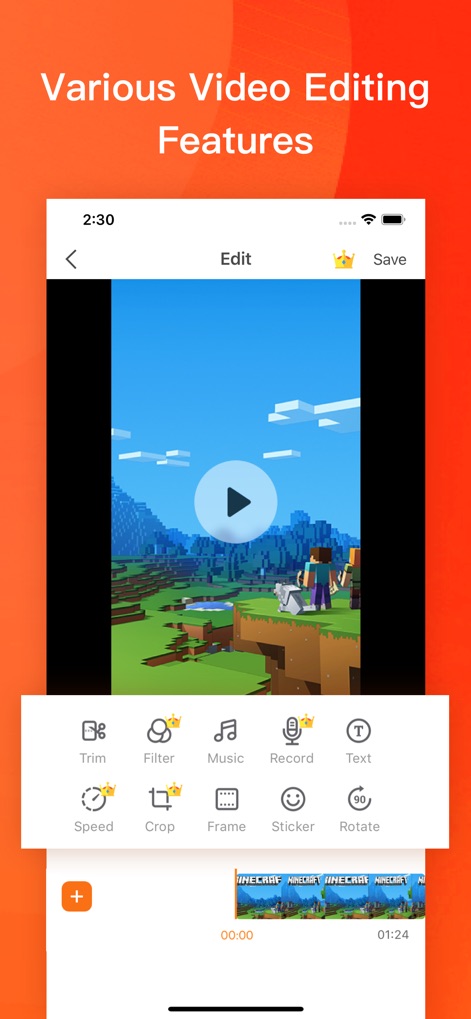
Edizione Video Avanzata
Gli utenti possono affinare i loro contenuti video utilizzando strumenti come il taglio preciso (Trim) per eliminare parti indesiderate o l'applicazione di filtri creativi per migliorare l'estetica.
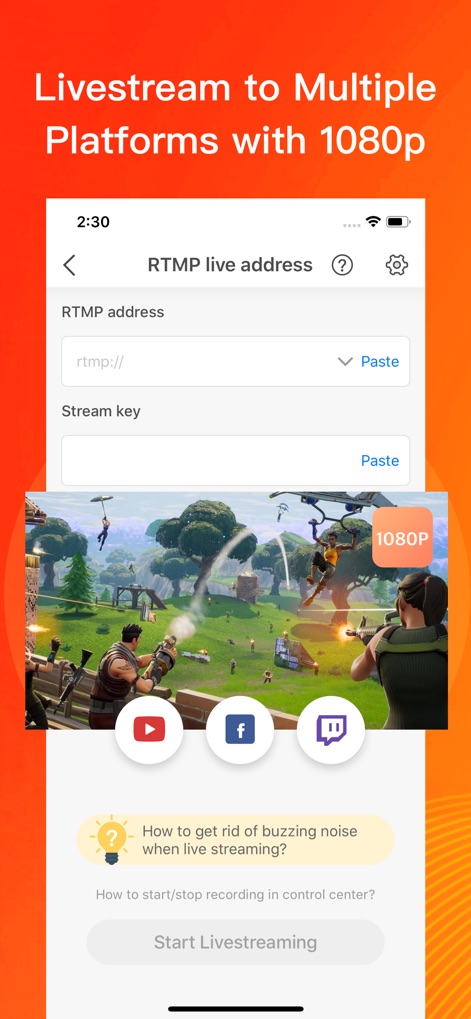
Trasmissioni Multi-Piattaforma
Questa interfaccia evidenzia la capacità di trasmettere in diretta su piattaforme multiple con risoluzione 1080P, oltre al supporto per indirizzi RTMP personalizzati.
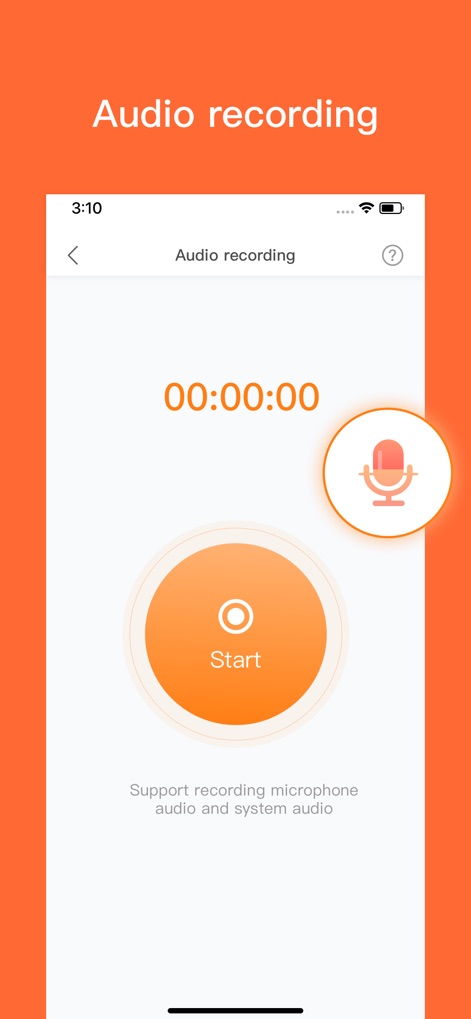
Audio Immersivo
L'app assicura una registrazione audio completa, come evidenziato dall'icona del microfono, supportando sia l'audio del microfono che l'audio di sistema per un'esperienza ricca.
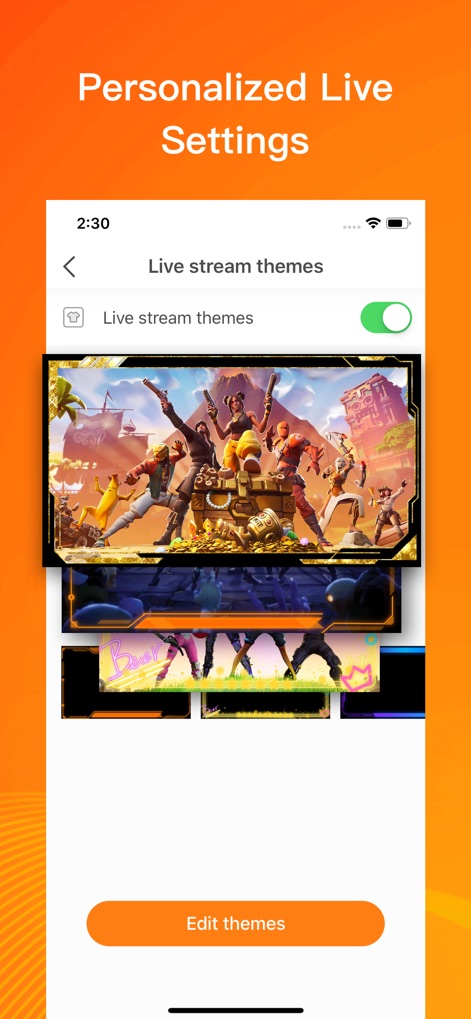
Personalizza la Live
Questo strumento consente una personalizzazione avanzata delle trasmissioni dal vivo, offrendo una varietà di temi (Live stream themes) e un'opzione dedicata per modificarli (Edit themes).
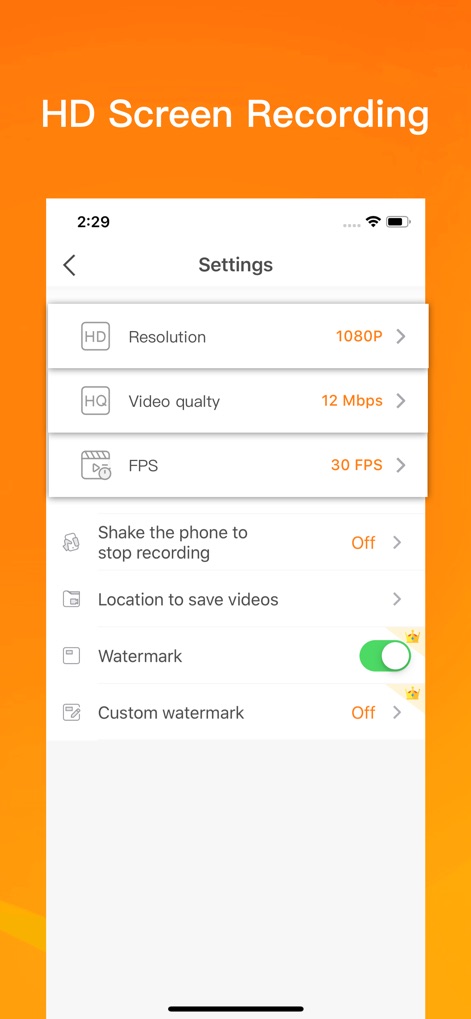
Registra in Alta Qualità
Per registrazioni di qualità superiore, l'app permette agli utenti di selezionare una risoluzione Full HD a 1080P e di impostare la qualità video fino a 12 Mbps.
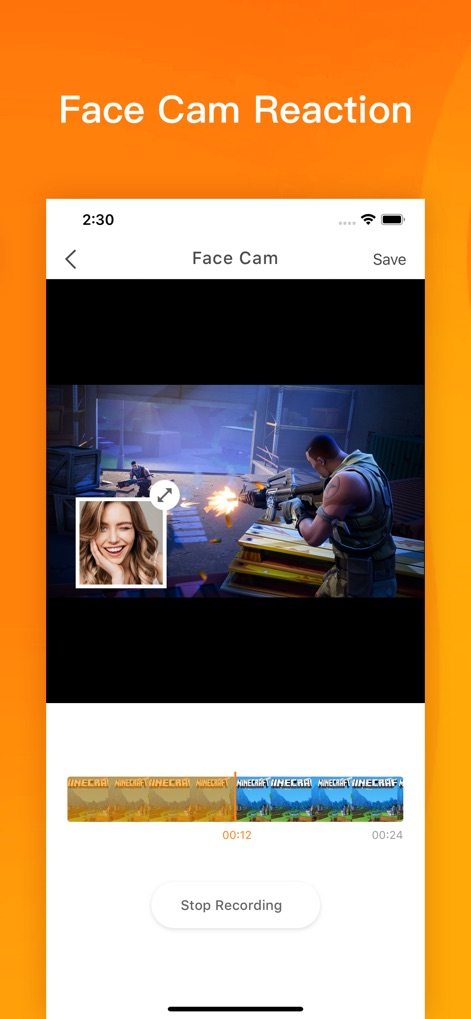
Reazioni con Face Cam
La funzionalità Face Cam permette agli utenti di aggiungere un'overlay della propria webcam, integrando reazioni personali al video registrato per un contenuto più dinamico.
Descrizione
Download
App Simili
App con funzionalità ed esperienza simili

Medal - Game Clipping
Medal B.V.

Screen Recorder,Video Recorder
VIDEOSHOW PTE. LTD.

Screen Recorder
App of the Year LLC

Record it! :: Screen Recorder
DIGISET LLC

Screen Recorder Voice & Video
Arthur Eduardo Skaetta Alvarez Desenvolvimento de Software LTDA.

Screen Recorder ®
Poster App LLP

Super Screen Recorder: Full HD
Dream United, Ltd.

Screen Recorder: Go Record
Torqued Studios LLC

Screen Recorder-Video & Voice
Danila Ianushev
Questa pagina non è una pagina ufficiale dell'app o del suo sviluppatore, ma una pubblicazione editoriale indipendente creata a scopo informativo e di commento. Salvo espressa indicazione contraria, né l'app né il suo sviluppatore sono affiliati, approvati, sponsorizzati, autorizzati o altrimenti ufficialmente collegati a MWM, Apple, Google Play, all'editore dell'app o allo sviluppatore dell'app, e nulla in questa pagina implica che l'app sia stata sviluppata utilizzando i servizi di MWM. Tutti i marchi, loghi, screenshot e altri contenuti rimangono di proprietà dei rispettivi proprietari.