Easy Draw: Learn How to Draw

Easy Draw: Learn How to Draw


Scarica su App StoreScarica su Google Play
Logo di Easy Draw: Learn How to Draw
Easy Draw: Impara a Disegnare di Tutto con Lezioni Guidate Passo Dopo Passo

Libera la tua creatività con tutorial brevi per anime, animali e molto altro. Da bambini a hobbisti, padroneggia l'arte dello schizzo con il tuo tutor digitale personale.

Editore

CEM SOFTWARE COMPANY LIMITED

Categoria

Education

Download

120K+

Valutazione

4.2/5

Valutazioni totali

500

Lingue

10

Capolavori in Creazione

Scopri l'interfaccia usata da 120K+ utenti.
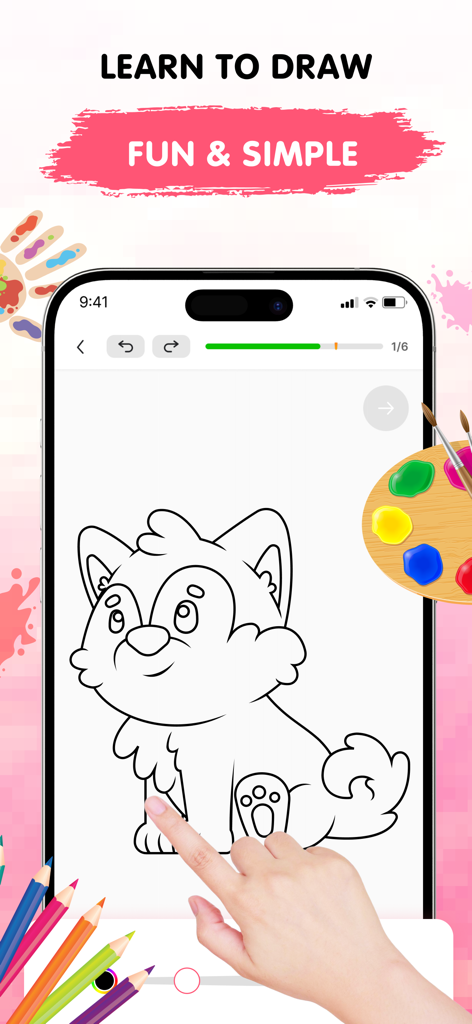
L'app Easy Draw mostra un tutorial passo dopo passo per disegnare un cane carino su uno schermo di smartphone

L'app Easy Draw mostra un tutorial passo dopo passo per disegnare un cane carino su uno schermo di smartphone

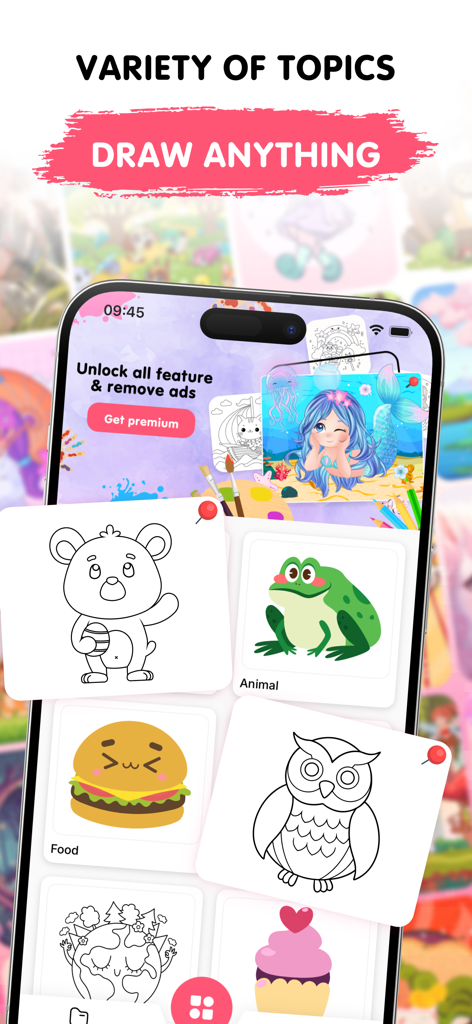
Un'interfaccia di app mobile per Easy Draw che mostra varie categorie di disegno come animali, cibo e ambiente con illustrazioni carine

Un'interfaccia di app mobile per Easy Draw che mostra varie categorie di disegno come animali, cibo e ambiente con illustrazioni carine

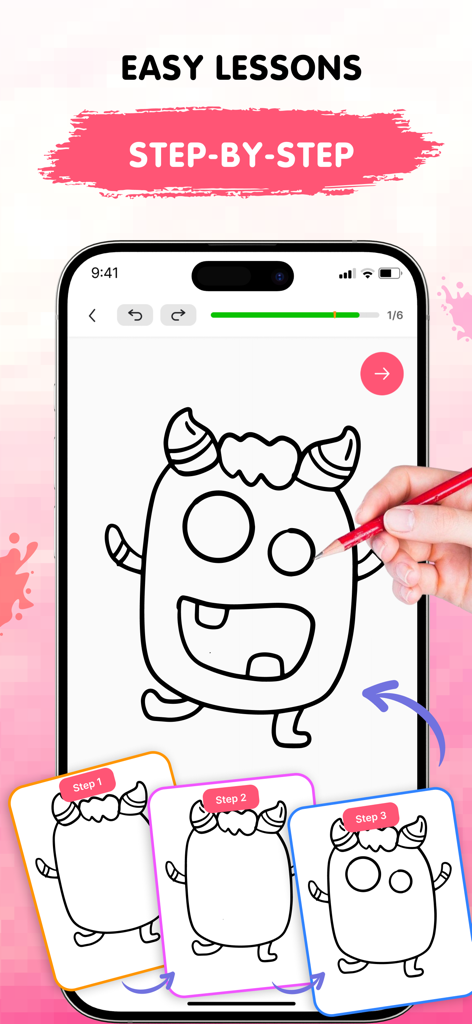
L'app mobile Easy Draw mostra lezioni di disegno passo dopo passo per un tutorial di mostro

L'app mobile Easy Draw mostra lezioni di disegno passo dopo passo per un tutorial di mostro

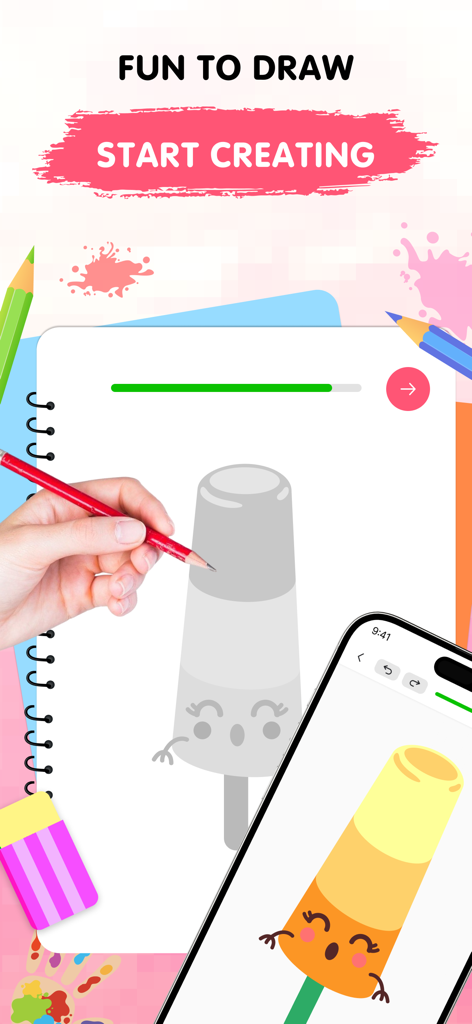
Una mano disegna un simpatico personaggio ghiacciolo in un album da disegno accanto a uno smartphone che mostra la versione colorata finita

Una mano disegna un simpatico personaggio ghiacciolo in un album da disegno accanto a uno smartphone che mostra la versione colorata finita

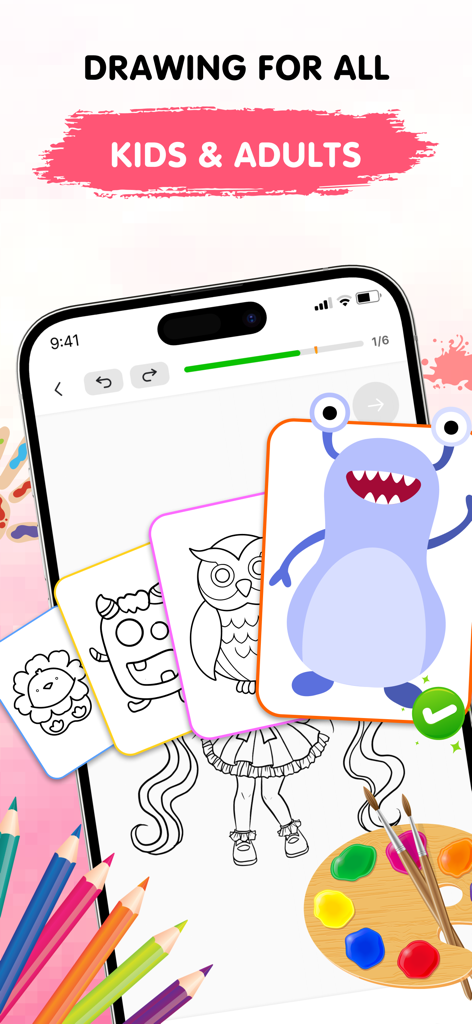
L'interfaccia dell'app Easy Draw mostra tutorial di disegno per bambini e adulti con lezioni passo dopo passo

L'interfaccia dell'app Easy Draw mostra tutorial di disegno per bambini e adulti con lezioni passo dopo passo

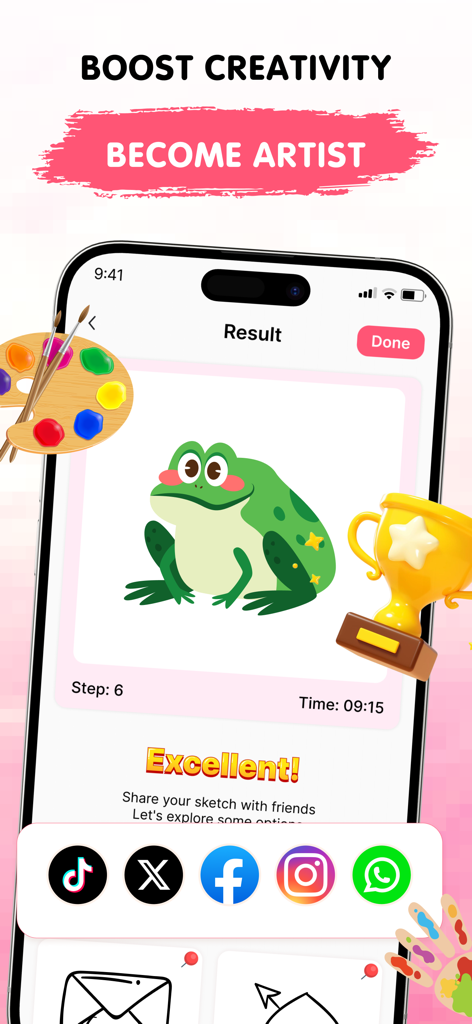
Un disegno completato di una rana verde nell'app Easy Draw con icone di condivisione social e un trofeo

Un disegno completato di una rana verde nell'app Easy Draw con icone di condivisione social e un trofeo

Libera l'Artista che è in Te

Gli strumenti che rendono questa app unica, scelti da 120K+ utenti.

🧩

Lezioni Brevi

Padroneggia schizzi complessi attraverso fasi semplici e guidate che rendono l'apprendimento un gioco.

⛩️

Anime e Stili di Tendenza

Rimani ispirato con una libreria in crescita di temi popolari tra cui anime, animali carini ed estetiche moderne.

🛠️

Creazione Senza Errori

Goditi la libertà di sperimentare con strumenti digitali facili da usare come annulla, ripristina e pennelli regolabili.

Analisi recensioni

Approfondimenti dalle recensioni degli utenti.

Punteggio sentimento

28%
Negativo

Riepilogo

This drawing app receives predominantly negative feedback from users, with the most significant complaint revolving around an excessive number of intrusive advertisements that frequently interrupt gameplay and even redirect to external websites. Many users also express frustration with the limited free content, unappealing picture choices, and high subscription costs, feeling misled by false advertising that promises features like multiplayer. While some appreciate the app's step-by-step drawing guidance and compatibility with styluses, including the Apple Pencil and cheaper alternatives, these positive aspects are often overshadowed by widespread technical issues such as erratic zooming and random lines appearing on screen.

Temi comuni

Overall Enjoyment(6)
Drawing Guidance(4)
Ad Experience(3)
Stylus Compatibility(3)
App Concept(3)

Info sull'app

Tutto quello che devi sapere su Easy Draw: Learn How to Draw.

Descrizione

Discover the Easy Draw: Learn How to Draw Ignite your creativity and develop your drawing skills with Easy Draw: Learn How to Draw, your personal art tutor in your pocket. Whether you're just starting out or looking to refine your technique, Easy Draw offers a smooth, guided experience that makes drawing both easy and enjoyable. Explore a relaxing way to sketch and color your favorite subjects—all in one beautifully designed app. [ Why Choose Easy Draw: Learn How to Draw? ] Easy Draw is more than just a drawing app—it’s your creative partner. With simple, clear instructions and an intuitive interface, anyone can learn how to draw step by step. Relax, explore new styles, and watch your art improve with every stroke.  [ Key Features ] *** Variety of Topics From cute animals and cool cars to anime, food, universe, and enviroment— Easy Draw has a growing library of themes for every interest and style. *** Guided Drawing Steps Each tutorial is broken into bite-sized steps, making it easy to follow and perfect for learners at all levels. No pressure—draw at your own pace. *** Easy-to-Use Drawing Tools With simple tools like undo, redo, erase, and reset, you’re free to experiment as much as you like without worry. *** Adjustable Brush Settings Fine-tune your brush and eraser sizes to get just the right touch. Perfect for adding details or filling in color with precision. *** Expressive Color Palette Unleash your creativity with vibrant colors. Each drawing becomes uniquely yours through personalized color choices. *** Save and Share Freely Show off your creations—export your drawings and share them with friends and family with no limits. [ How to Use Easy Draw ] 1. Pick a Lesson Browse our collection of drawings and choose what inspires you. 2. Follow Each Step Tap through each stage and draw along with confidence—no guesswork, just clear guidance. 3. Share Your Art Once you’ve completed your masterpiece, save it or show it off. Your creativity deserves to be seen! Easy Draw is your go-to app for learning how to draw in a calm, encouraging environment. With structured lessons, vibrant themes, and a toolkit built for artists of all kinds, you’ll find yourself creating art you never imagined possible. Download Easy Draw today and bring your drawings to life! Start your creative journey, build your skills, and express yourself—one line at a time. UNLIMITED ACCESS MEMBERSHIP SUBSCRIPTION • You can subscribe to all features within Easy Draw for unlimited access. • Subscriptions are billed weekly, monthly, or yearly at the rate selected depending on the subscription plan. • You can cancel your subscription via this URL: https://support.apple.com/en-us/HT202039 All personal data is protected in accordance with the Terms of Use and Privacy Policy: https://cemsoftwareltd.com/term.html https://cemsoftwareltd.com/privacyPolicy.html

Ultima versione

1.1.1

Dimensione

109.0 MB

Data di lancio

3 giu 2025

Pronto a Creare il Tuo Primo Capolavoro?

Unisciti a migliaia di aspiranti artisti e inizia a disegnare i tuoi anime preferiti, animali e altro ancora con una guida semplice e passo dopo passo. Scarica Easy Draw e dai vita alla tua creatività oggi stesso.

Scarica su App StoreScarica su Google Play
FAQ

Domande Frequenti

Tutto quello che devi sapere su Easy Draw: Learn How to Draw

Cos'è Easy Draw: Impara a Disegnare?

Easy Draw: Impara a Disegnare è un'applicazione mobile che funge da tutor d'arte personale, guidando gli utenti passo dopo passo nello sviluppo delle loro capacità di disegno. Offre un'esperienza fluida e piacevole per schizzare e colorare.

Come insegna Easy Draw: Impara a Disegnare agli utenti a disegnare?

Easy Draw insegna agli utenti attraverso passaggi di disegno guidati. Ogni tutorial è suddiviso in fasi gestibili, rendendolo facile da seguire al proprio ritmo, dalla scelta di una lezione alla condivisione dell'opera finita.

Quali tipi di soggetti possono disegnare gli utenti con Easy Draw?

Easy Draw offre una varietà di argomenti, tra cui animali carini, auto fantastiche, anime, cibo, universo e ambiente. L'app fornisce una libreria in crescita di temi per soddisfare diversi interessi e stili.

Easy Draw: Impara a Disegnare include strumenti di disegno?

Sì, Easy Draw include strumenti di disegno facili da usare come annulla, ripristina, cancella e reimposta. Gli utenti possono anche mettere a punto le dimensioni di pennelli e gomme e selezionare da una tavolozza di colori espressiva.

Posso condividere i miei disegni creati con Easy Draw: Impara a Disegnare?

Sì, Easy Draw consente agli utenti di salvare e condividere liberamente le proprie creazioni. Gli utenti possono esportare i loro disegni e condividerli con amici e familiari senza limiti.

Quali opzioni di abbonamento sono disponibili per Easy Draw?

Easy Draw offre un ABBONAMENTO DI ACCESSO ILLIMITATO. Gli abbonamenti vengono fatturati settimanalmente, mensilmente o annualmente, a seconda del piano scelto.

Come posso annullare il mio abbonamento Easy Draw?

Gli utenti possono annullare il proprio abbonamento Easy Draw visitando l'URL fornito: https://support.apple.com/en-us/HT202039. Questo link fornisce istruzioni per la gestione degli abbonamenti Apple.

Easy Draw: Impara a Disegnare ha una privacy policy?

Sì, Easy Draw ha una privacy policy. Tutti i dati personali sono protetti in conformità con i Termini di Utilizzo e la Privacy Policy, accessibili tramite https://cemsoftwareltd.com/privacyPolicy.html.

App information, icons, screenshots, and descriptions displayed on this page are sourced from the Apple App Store and are the property of their respective developers. Download estimates and rankings are based on MWM's proprietary models and may not reflect actual figures. This page is provided for informational and analytical purposes only.

Believe this page infringes your intellectual property? File a dispute