
Questa pagina non è una pagina ufficiale dell'app o del suo sviluppatore, ma una pubblicazione editoriale indipendente creata a scopo informativo e di commento. Salvo espressa indicazione contraria, né l'app né il suo sviluppatore sono affiliati, approvati, sponsorizzati, autorizzati o altrimenti ufficialmente collegati a MWM, Apple, Google Play, all'editore dell'app o allo sviluppatore dell'app, e nulla in questa pagina implica che l'app sia stata sviluppata utilizzando i servizi di MWM. Tutti i marchi, loghi, screenshot e altri contenuti rimangono di proprietà dei rispettivi proprietari.

Epson iProjection
Effettua il mirroring del tuo schermo, condividi documenti e collabora senza l'ingombro di cavi o dongle. Prendi il controllo del tuo proiettore Epson direttamente dal tuo iPhone o iPad.
Download
2M+Valutazione
Valutazioni totali
19K+Editore
Categoria
ProductivityLingue
9Ultima versione
4.2.0Dimensione
27.4 MBData di lancio
5 gen 2012Esegui Presentazioni d'Impatto Senza Cavi
Epson iProjection colma il divario tra il tuo flusso di lavoro mobile e il grande schermo, offrendo a educatori e professionisti la libertà di presentare, annotare e collaborare in modalità wireless.
Mirroring Senza Cavi
Muoviti liberamente nella stanza mentre effettui il mirroring del tuo iPad o iPhone in tempo reale, senza bisogno di dongle o adattatori.
Connessione con un Tocco
Salta la configurazione di rete. Scansiona semplicemente un codice QR proiettato per collegare istantaneamente il tuo dispositivo e iniziare a condividere documenti o foto.
Domande Frequenti
Tutto quello che devi sapere su Epson iProjection
Che cos'è Epson iProjection?
Epson iProjection è un'app di proiezione wireless per iPhone, iPad o iPod touch. Riproduce lo schermo del tuo dispositivo e proietta documenti e foto in modalità wireless su proiettori Epson supportati.
Quali dispositivi supporta Epson iProjection per la proiezione wireless?
Epson iProjection supporta iPhone, iPad o iPod touch per la proiezione wireless. Riproduce lo schermo del dispositivo su un proiettore Epson compatibile.
Come mi connetto a un proiettore Epson usando Epson iProjection?
Sì, connettiti scansionando un codice QR proiettato con la fotocamera del tuo dispositivo. Assicurati che sia il tuo dispositivo che il proiettore siano sulla stessa rete.
Posso riprodurre lo schermo del mio dispositivo con Epson iProjection?
Sì, Epson iProjection riproduce lo schermo del tuo dispositivo, proiettando contenuti in modalità wireless. Puoi anche emettere l'audio del tuo dispositivo tramite il proiettore.
Quali tipi di documenti può proiettare Epson iProjection?
Epson iProjection supporta la proiezione di file Microsoft Word, Excel, PowerPoint, Keynote, PDF, JPG e PNG. Ciò include i documenti archiviati nei servizi di file cloud.
Epson iProjection consente a più dispositivi di connettersi contemporaneamente?
Sì, Epson iProjection consente di connettere fino a 50 dispositivi a un proiettore. Può anche visualizzare fino a quattro schermi contemporaneamente da questi dispositivi.
Posso annotare le immagini proiettate usando Epson iProjection?
Sì, Epson iProjection include uno strumento penna per annotare le immagini proiettate. Puoi anche salvare le immagini dopo che sono state modificate con annotazioni.
Epson iProjection può controllare il proiettore da remoto?
Sì, Epson iProjection funziona come un telecomando per il proiettore. Questa funzione consente agli utenti di gestire le impostazioni del proiettore direttamente dal proprio dispositivo.
Quali autorizzazioni richiede l'app Epson iProjection?
L'app richiede l'autorizzazione Rete Locale per trovare e connettersi ai proiettori. L'autorizzazione Foto è facoltativa e consente all'app di proiettare immagini selezionate dal tuo dispositivo.
I video e le animazioni sono supportati durante la proiezione di documenti in Epson iProjection?
No, Epson iProjection non riproduce animazioni, effetti di transizione dello schermo, video o audio durante la proiezione di documenti. Utilizza la funzione di mirroring per tali contenuti.
Epson iProjection può proiettare contenuti dalla fotocamera di un dispositivo?
Sì, Epson iProjection consente di proiettare video in tempo reale direttamente dalla fotocamera del tuo dispositivo. Questa funzione viene selezionata dalle opzioni di proiezione dell'app.
L'audio viene proiettato durante il mirroring dello schermo di un dispositivo con Epson iProjection?
Sì, Epson iProjection emette l'audio del tuo dispositivo dal proiettore durante il mirroring dello schermo. Video e audio potrebbero subire ritardi a seconda delle condizioni della rete.
Gli screenshot e la descrizione seguenti provengono direttamente dall'elenco ufficiale dello store dell'app e sono di proprietà dello sviluppatore.
App Store
Screenshot
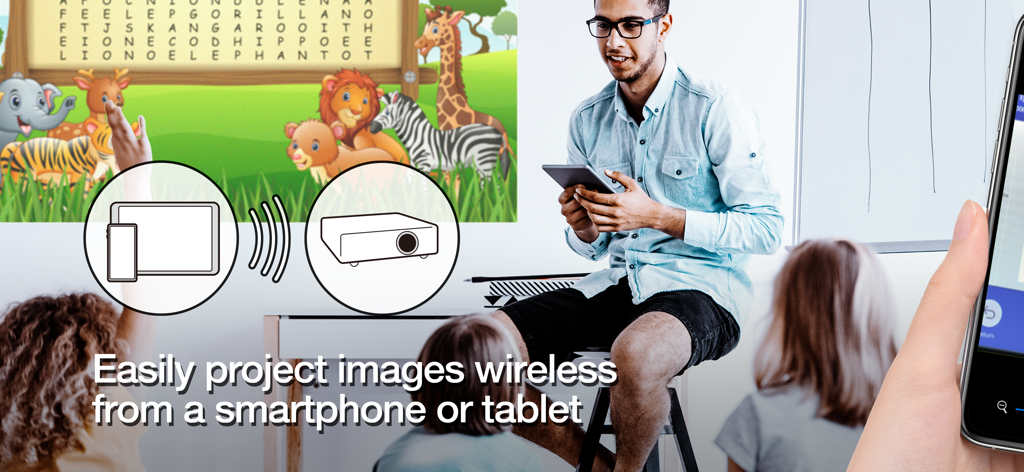
Insegnante che proietta in modalità wireless contenuti didattici da un tablet su uno schermo in un'aula
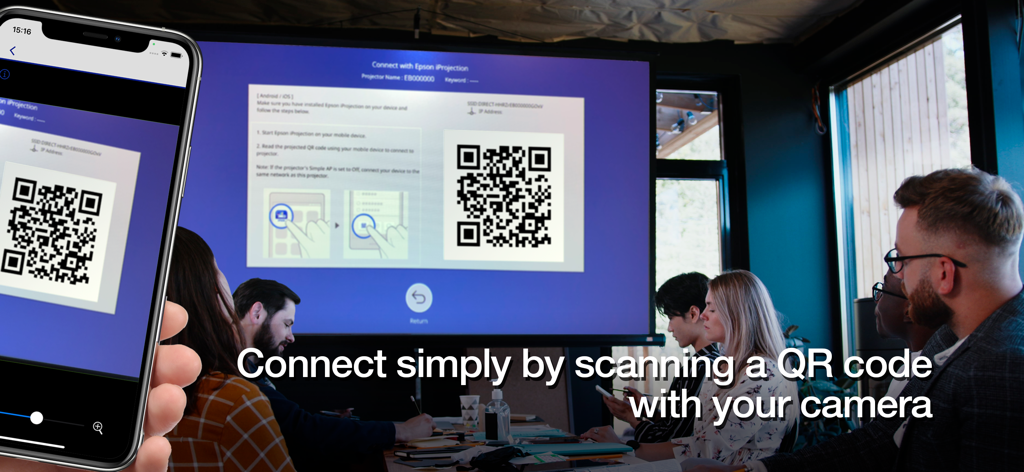
Uno smartphone che scansiona un codice QR su un grande schermo del proiettore per connettersi in modalità wireless in una sala riunioni professionale
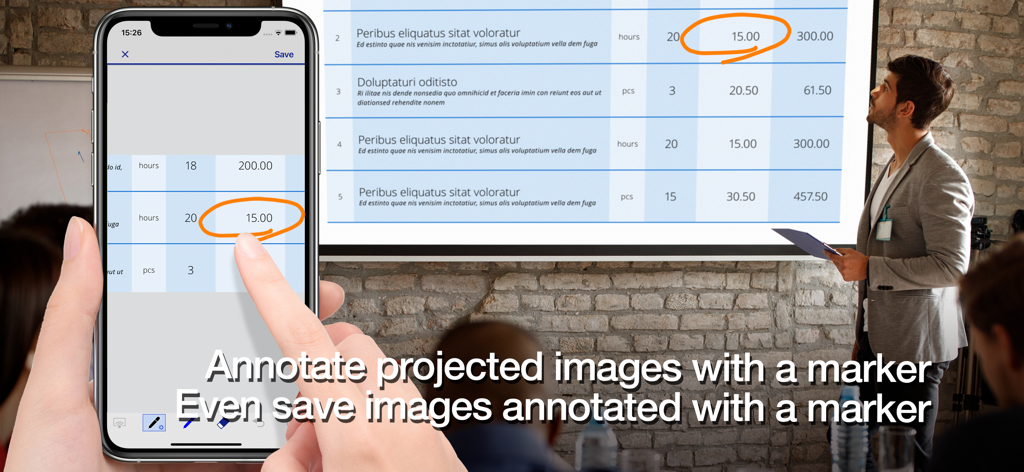
Un professionista che utilizza l'app Epson iProjection per annotare un documento su uno schermo del proiettore utilizzando uno smartphone.
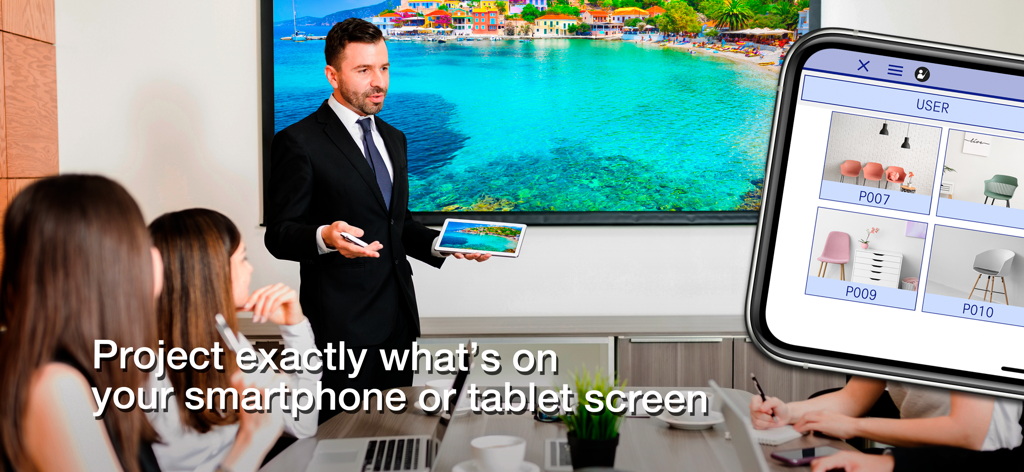
Un presentatore professionista che utilizza Epson iProjection per effettuare il mirroring wireless dello schermo di un tablet su un grande display in una sala riunioni
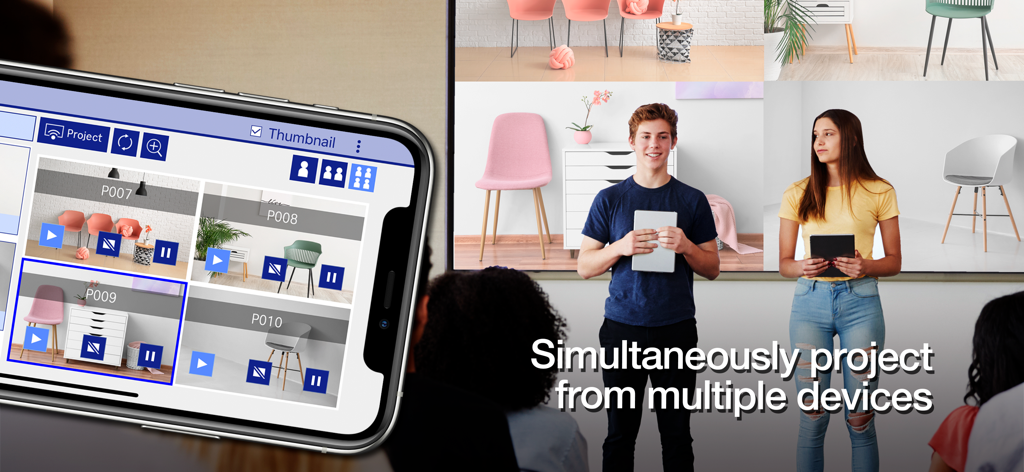
Studenti che proiettano simultaneamente i propri schermi mobili su un unico grande display utilizzando l'app Epson iProjection
Descrizione
Download
App Simili
App con funzionalità ed esperienza simili

DJI Mimo
SZ DJI TECHNOLOGY CO., LTD

DJI Ronin
SZ DJI TECHNOLOGY CO., LTD

Roku TV Remote Control & Cast
Aleh Piashkou

Remote for Hisense TV.
Duscov Stepan

Alpha Linker - Camera Transfer
恒茂 刘

MyCentsys Pro
Centurion Systems (Pty) Ltd

Roku TV Remote Control・
Artur Belov

Luminair
Synthe FX, LLC

FUJIFILM XApp
FUJIFILM Corporation
Questa pagina non è una pagina ufficiale dell'app o del suo sviluppatore, ma una pubblicazione editoriale indipendente creata a scopo informativo e di commento. Salvo espressa indicazione contraria, né l'app né il suo sviluppatore sono affiliati, approvati, sponsorizzati, autorizzati o altrimenti ufficialmente collegati a MWM, Apple, Google Play, all'editore dell'app o allo sviluppatore dell'app, e nulla in questa pagina implica che l'app sia stata sviluppata utilizzando i servizi di MWM. Tutti i marchi, loghi, screenshot e altri contenuti rimangono di proprietà dei rispettivi proprietari.