Exif Wizard-Pro
Exif Wizard-Pro
Scarica su App Store

Questa pagina non è una pagina ufficiale dell'app o del suo sviluppatore, ma una pubblicazione editoriale indipendente creata a scopo informativo e di commento. Salvo espressa indicazione contraria, né l'app né il suo sviluppatore sono affiliati, approvati, sponsorizzati, autorizzati o altrimenti ufficialmente collegati a MWM, Apple, Google Play, all'editore dell'app o allo sviluppatore dell'app, e nulla in questa pagina implica che l'app sia stata sviluppata utilizzando i servizi di MWM. Tutti i marchi, loghi, screenshot e altri contenuti rimangono di proprietà dei rispettivi proprietari.


Logo di Exif Wizard-Pro
Scarica su App Store

Exif Wizard-Pro

Sblocca dati di immagine approfonditi, modifica tag di copyright e semplifica il tuo flusso di lavoro professionale con il lettore Exif e gestore FTP definitivo per iPad e iPhone.

Numeri Chiave

Download

184K+

Valutazione

3.5/5

Valutazioni totali

100

Editore

homedatasheet.com, Inc.

Categoria

Photo & Video

Lingue

1

Ultima versione

13.0

Dimensione

1.9 MB

Data di lancio

21 mar 2011
Funzioni

Strumenti Metadati Professionali per Fotografi Seri

Exif Wizard-Pro ti offre il controllo totale sulle tue immagini digitali. Analizza le specifiche tecniche, proteggi la tua proprietà intellettuale e semplifica il tuo flusso di lavoro professionale direttamente dal tuo iPad o iPhone.

Ispezione Metadati Approfondita

Accedi a dati tecnici granulari come ISO, apertura e lunghezza focale per analizzare le tue prestazioni e padroneggiare le capacità del tuo equipaggiamento.

Flusso di Lavoro FTP Professionale

Carica scatti singoli o interi album sul tuo server privato tramite FTP passivo, ideale per fotogiornalisti sul campo e per consegne ai clienti in studio.

Gli screenshot e la descrizione seguenti provengono direttamente dall'elenco ufficiale dello store dell'app e sono di proprietà dello sviluppatore.

App Store

Screenshot
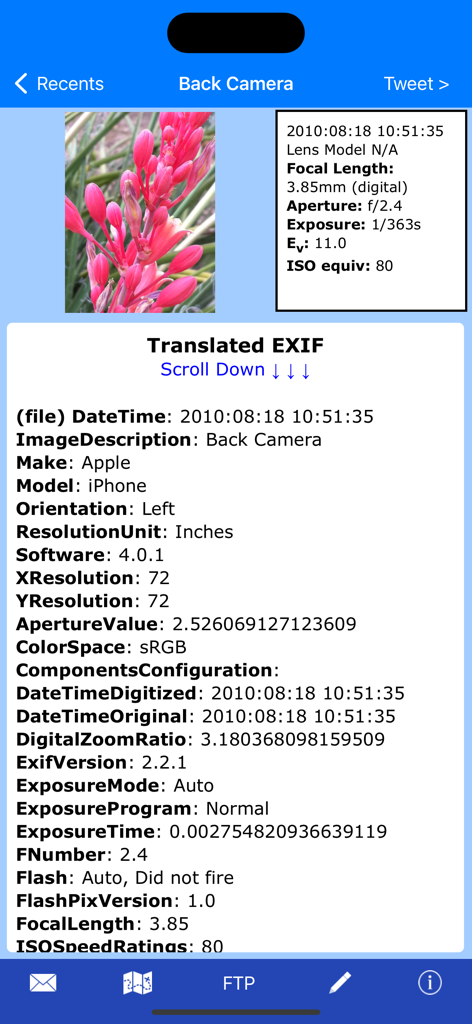
Exif Wizard-Pro - Interfaccia di Exif Wizard Pro che mostra metadati completi dell'immagine e specifiche tecniche della fotocamera per una foto

Interfaccia di Exif Wizard Pro che mostra metadati completi dell'immagine e specifiche tecniche della fotocamera per una foto

Exif Wizard-Pro - Visualizzazione foto a risoluzione intera nell'app Exif Wizard Pro
Visualizzazione foto a risoluzione intera nell'app Exif Wizard Pro

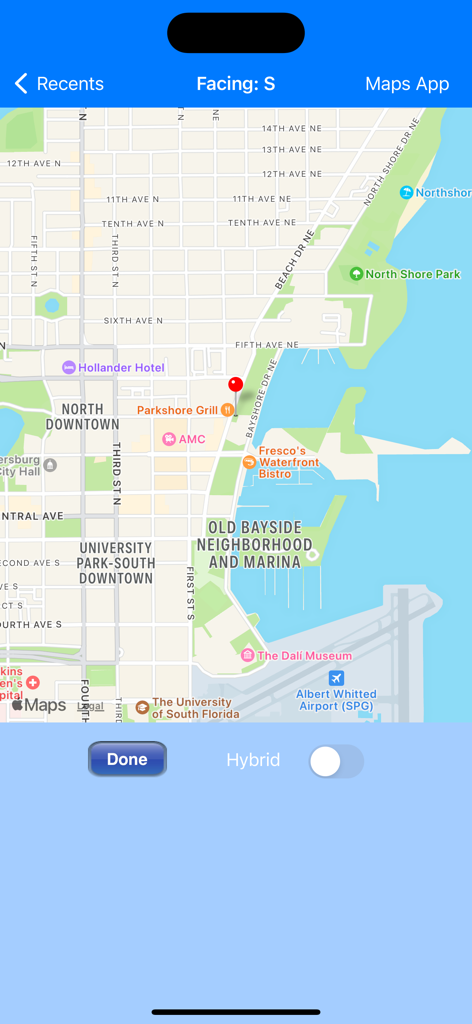
Exif Wizard-Pro - Interfaccia mappa in Exif Wizard-Pro che mostra la posizione geolocalizzata di una foto con un indicatore rosso
Interfaccia mappa in Exif Wizard-Pro che mostra la posizione geolocalizzata di una foto con un indicatore rosso

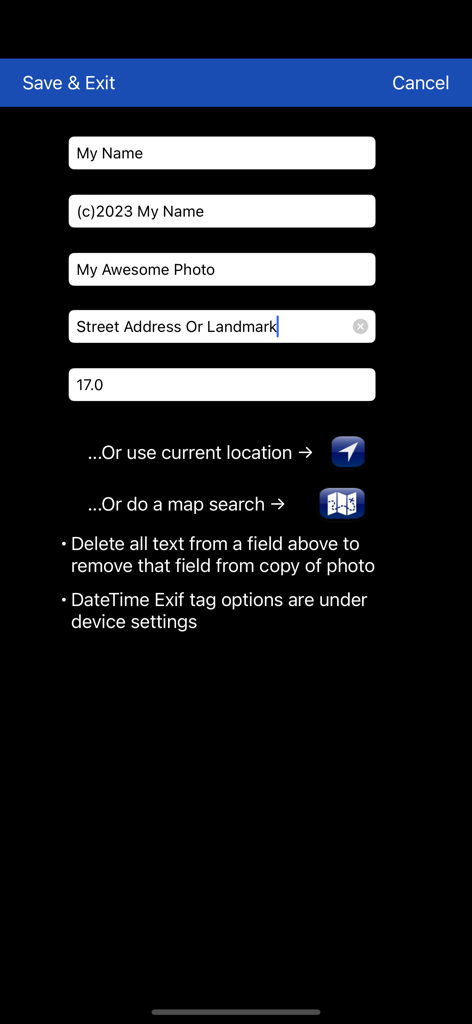
Exif Wizard-Pro - Interfaccia per la modifica dei campi dei metadati delle foto come artista, copyright e informazioni GPS.

Interfaccia per la modifica dei campi dei metadati delle foto come artista, copyright e informazioni GPS.

Descrizione

Exif Wizard-Pro is an Exif reader for photographers who are serious about their digital images. - Work in native screen resolution, portrait & landscape, on your iPad. - Move through an album using left or right finger "swipe" gestures on the preview images - Ability to e-mail photos from within the app which retain their Exif data - Upload images via FTP (passive mode, which virtually every recent server supports) and select your upload directory via a graphical user interface. Send one image at a time, or let Exif Wizard-Pro upload an entire album for you with the touch of a button. - Create a copy of an existing photo with the option to add, modify, or delete some Exif tags (Artist, Copyright, ImageDescription, Software, and GPS Location). Copies are placed at the end of your Recents album (Camera Roll). (JPEG images only) ***iCloud Photo Library Users - In the event a photo you believe is in your iCloud Photo Library fails to load, please open Apple's built-in "Photos" app to verify its presence, then try Exif Wizard-Pro again. Note that it may take several seconds or more to download a photo. ***If you edit a photo in Apple's built-in Photos app, it may become inaccessible to Exif Wizard-Pro. Reverting to original should restore access. FTP security: Exif Wizard-Pro sends FTP data (including your password) unencrypted and, if you choose to store your password, saves it on your mobile device unencrypted. Therefore, you should NOT enter your main server password into Exif Wizard-Pro. If you have not done so already, set up an FTP account with limited access permissions. Consult your sources of technical support for further information. Expectations Management: The process of importing photos from your desktop, laptop, or stand-alone digital camera to your mobile device is controlled by Apple. Some image editing programs, social media sites, and image upload/storage services remove Exif data from photos. Thank you for your understanding. Notes: - Web photos can be stored in your Recents album (Camera Roll) with Exif information by touching and holding the photo, and then touching "Add to Photos" on the action sheet which will appear. - If you experience slow loading of photos for a selected album, go to the "Settings" app (from your home screen) and, in Exif Wizard-Pro's settings, scroll down and turn ON the "Fast Load" switch. *** If Exif Wizard-Pro is not displaying GPS/mapping information for photos you have taken with your iOS device, it may be because you did not enable geotagging when you first used the built-in Camera app. To grant permission now, from your home screen, touch Settings -> Privacy -> Location Services. Make sure the "Location Services" switch at the top of the screen is ON, then scroll down and turn on the switch next to "Camera." Keep in mind that if you enable geotagging, people you transmit your photos to may be able to determine the locations where those photos were taken using any number of mobile and desktop Exif applications.

Download

Scarica su App Store

Questa pagina non è una pagina ufficiale dell'app o del suo sviluppatore, ma una pubblicazione editoriale indipendente creata a scopo informativo e di commento. Salvo espressa indicazione contraria, né l'app né il suo sviluppatore sono affiliati, approvati, sponsorizzati, autorizzati o altrimenti ufficialmente collegati a MWM, Apple, Google Play, all'editore dell'app o allo sviluppatore dell'app, e nulla in questa pagina implica che l'app sia stata sviluppata utilizzando i servizi di MWM. Tutti i marchi, loghi, screenshot e altri contenuti rimangono di proprietà dei rispettivi proprietari.








