Expenses Tracker - Accountit
Scarica su App Store

Questa pagina non è una pagina ufficiale dell'app o del suo sviluppatore, ma una pubblicazione editoriale indipendente creata a scopo informativo e di commento. Salvo espressa indicazione contraria, né l'app né il suo sviluppatore sono affiliati, approvati, sponsorizzati, autorizzati o altrimenti ufficialmente collegati a MWM, Apple, Google Play, all'editore dell'app o allo sviluppatore dell'app, e nulla in questa pagina implica che l'app sia stata sviluppata utilizzando i servizi di MWM. Tutti i marchi, loghi, screenshot e altri contenuti rimangono di proprietà dei rispettivi proprietari.

Logo di Expenses Tracker - Accountit
Scarica su App Store

Expenses Tracker - Accountit

Prendi il pieno controllo delle tue finanze con un'esperienza nativa Apple. Tieni traccia delle transazioni, gestisci i budget e sincronizza su tutti i tuoi dispositivi senza compromettere la privacy dei tuoi dati.

Numeri Chiave

Download

57K+

Valutazione

4.5/5

Valutazioni totali

500

Editore

DesignTech SIA

Categoria

Finance

Lingue

8

Ultima versione

2.6.8

Dimensione

133.1 MB

Data di lancio

7 giu 2021
Funzioni

Padroneggia le Tue Finanze con la Massima Privacy

Sperimenta il tracker di spese manuale definitivo progettato specificamente per l'ecosistema Apple. Sicuro, intuitivo e completamente sotto il tuo controllo.

Tracciamento Prima la Privacy

Nessun collegamento bancario o raccolta dati. I tuoi dati finanziari sono archiviati localmente e sincronizzati tramite iCloud, garantendo che la tua cronologia rimanga solo per i tuoi occhi.

Costruito per il Tuo Stile di Vita Apple

Registra le spese in movimento con Apple Watch, gestisci i budget su iPhone e analizza in profondità sul tuo Mac con un'esperienza nativa e fluida.

Gli screenshot e la descrizione seguenti provengono direttamente dall'elenco ufficiale dello store dell'app e sono di proprietà dello sviluppatore.

App Store

Screenshot
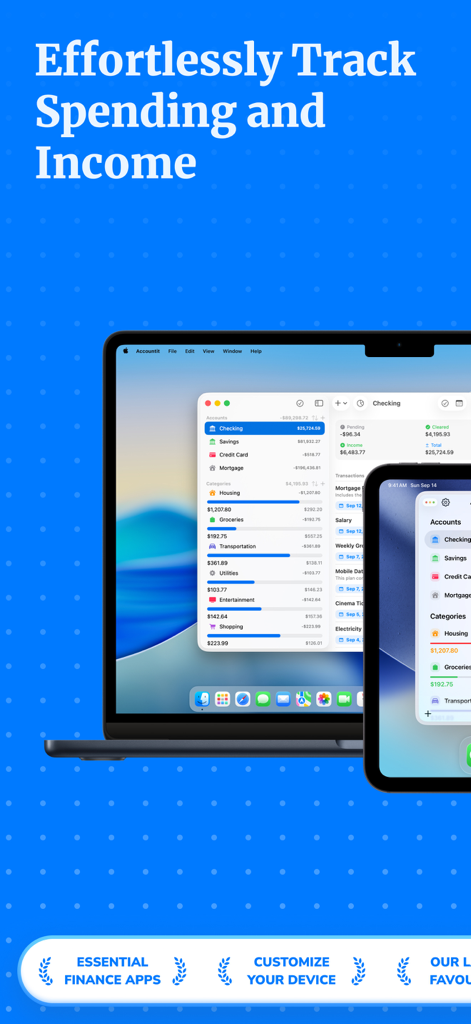
Expenses Tracker - Accountit - Interfaccia dell'app di tracciamento spese Accountit su MacBook e iPhone
Interfaccia dell'app di tracciamento spese Accountit su MacBook e iPhone

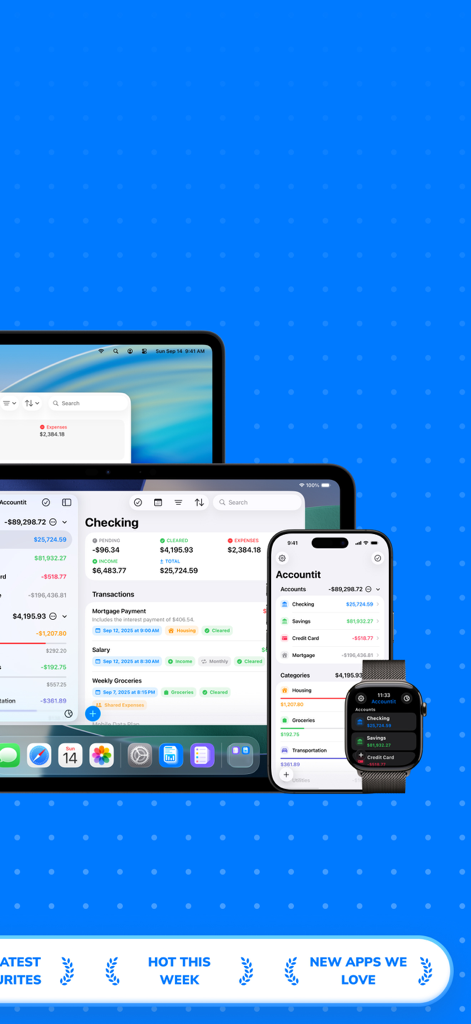
Expenses Tracker - Accountit - App di tracciamento spese Accountit mostrata su Mac, iPad, iPhone e Apple Watch
App di tracciamento spese Accountit mostrata su Mac, iPad, iPhone e Apple Watch

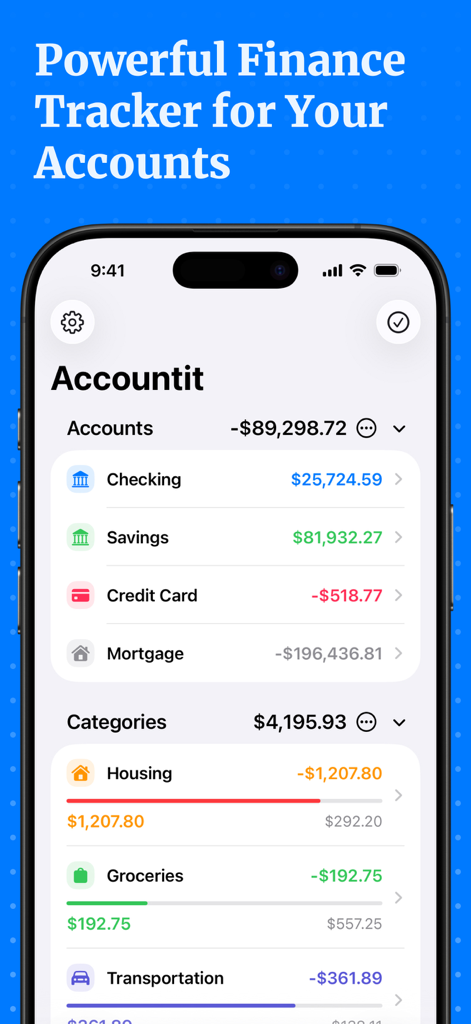
Expenses Tracker - Accountit - Interfaccia dell'app Accountit che mostra i saldi dei conti correnti e di risparmio insieme alle spese categorizzate come alloggio e generi alimentari
Interfaccia dell'app Accountit che mostra i saldi dei conti correnti e di risparmio insieme alle spese categorizzate come alloggio e generi alimentari

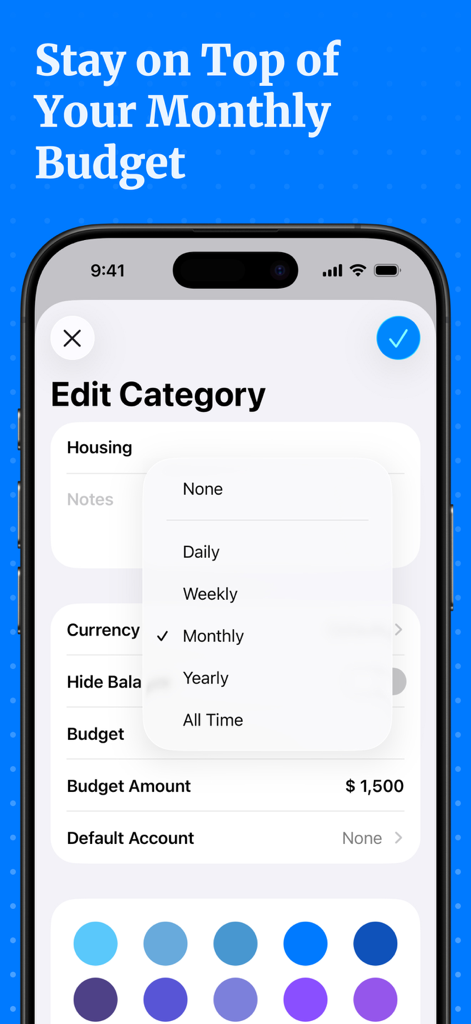
Expenses Tracker - Accountit - Interfaccia dell'app Accountit per la modifica di una categoria e l'impostazione di un importo di budget mensile
Interfaccia dell'app Accountit per la modifica di una categoria e l'impostazione di un importo di budget mensile

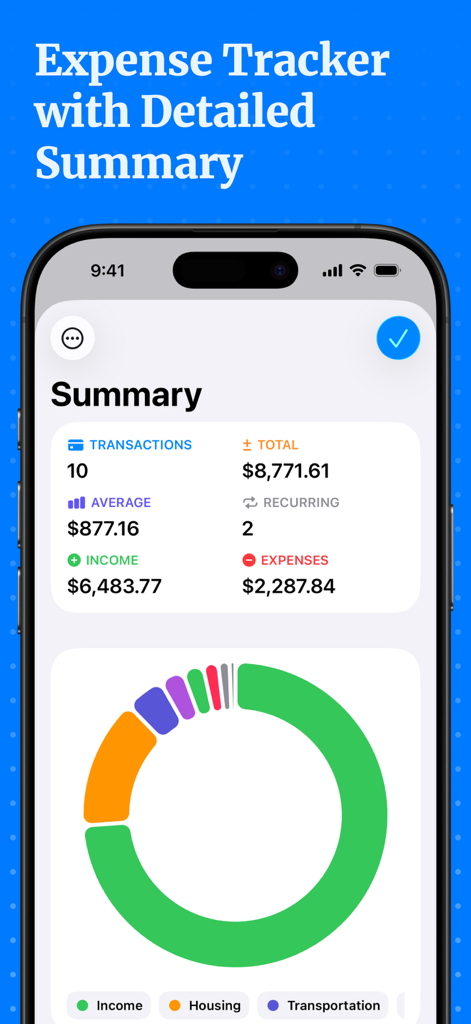
Expenses Tracker - Accountit - Dashboard dettagliata di riepilogo finanziario nell'app Accountit con statistiche su entrate e uscite e un grafico per categoria
Dashboard dettagliata di riepilogo finanziario nell'app Accountit con statistiche su entrate e uscite e un grafico per categoria

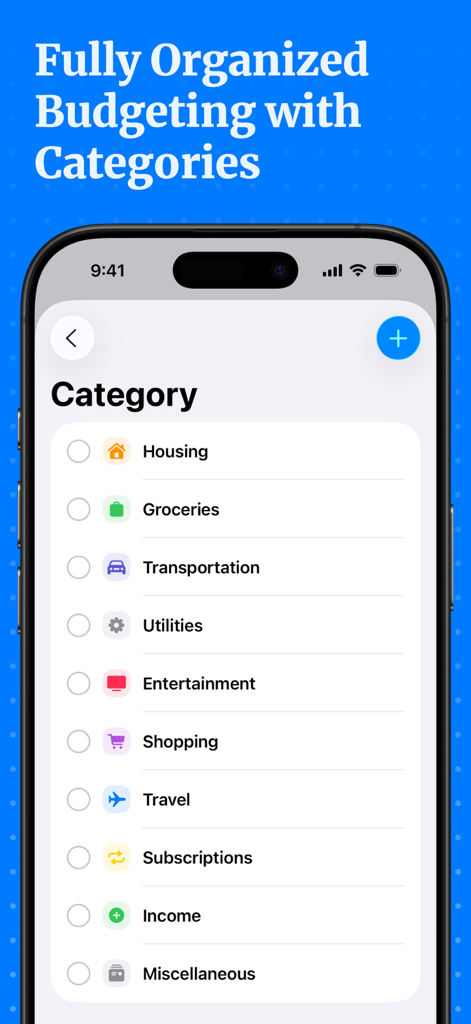
Expenses Tracker - Accountit - Screenshot dell'app Accountit che mostra un elenco di categorie di spesa come Alloggio, Generi Alimentari e Trasporti per un budgeting organizzato.

Screenshot dell'app Accountit che mostra un elenco di categorie di spesa come Alloggio, Generi Alimentari e Trasporti per un budgeting organizzato.

Descrizione

Welcome to Accountit, a simple, but powerful daily transactions tracker that will definitely help you get a full picture of your finances. With Accountit, tracking and organizing all of your transactions becomes as effortless as possible, all thanks to the useful features that the app has on offer. Accountit lets you add an unlimited number of transactions that can be organized into different categories that you can create and customize yourself. With Accountit, you can also filter and organize all of your transactions even more efficiently using tags that you can create and assign to any of your transactions in the app. Don’t worry if you have any recurring transactions because we have got you covered too! Just mark a transaction as recurring and set the frequency when adding it, Accountit will handle the rest for you and you won’t need to manually add the same exact transactions every single time. With Accountit, you can also add various attachments, such as receipts, to your transactions in no time at all because you can scan receipts and take photos directly in the app. One of the main goals of the app is to help you quickly analyze all of your transactions and this is why Accountit offers a dedicated Summary screen that displays an extensive variety of information based on your transactions. Accountit is built with privacy and security in mind and it just doesn’t collect any personal data that can be linked to you. All of your data in the app is stored locally on your device and synced via iCloud if you have enabled this functionality in the settings of the app. We have designed Accountit to be as intuitive and easy to use as possible and it will definitely feel right at home on any of your Apple devices, all thanks to its native design. Accountit offers an extensive variety of features that you can use completely for free, but if you feel that the free functionality isn’t enough for your needs, you can always upgrade to Accountit Plus for even better experience. With Accountit Plus, you get an access to an unlimited number of accounts, categories, and tags, as well as various app customization options, and more. KEY FEATURES: - Unlimited number of transactions - iCloud sync - Ability to add notes to your transactions - Ability to add links to your transactions - Income, expense, and transfer transactions - 1 account - Budgets - Recurring transactions - Multiple sorting and filtering options to help you better organize your transactions - Transactions summary - CSV import and export - Beautiful and useful widgets - Available on iOS, iPadOS, macOS and watchOS PLUS FEATURES: - Unlimited number of accounts - Access to categories and tags - iCloud sharing - Ability to add attachments to transactions - 10 different app icons for you to pick the one that fits your home screen the most - 15 different tint colors that you can choose from to make the app feel more unique to you - Custom appearance (System, light, and dark) - More than 150 different currencies - Bulk editing If you have any questions about Accountit, you can just get in touch with us via email at info@designtech.so. We are always happy to help! Terms of service: https://designtech.notion.site/DesignTech-Terms-of-Service-18cc124eba4080c58316f2ed81f84bff. Privacy policy: https://designtech.notion.site/DesignTech-Privacy-Policy-18bc124eba40809eba48e6af249ebd2c.

Download

Scarica su App Store

Questa pagina non è una pagina ufficiale dell'app o del suo sviluppatore, ma una pubblicazione editoriale indipendente creata a scopo informativo e di commento. Salvo espressa indicazione contraria, né l'app né il suo sviluppatore sono affiliati, approvati, sponsorizzati, autorizzati o altrimenti ufficialmente collegati a MWM, Apple, Google Play, all'editore dell'app o allo sviluppatore dell'app, e nulla in questa pagina implica che l'app sia stata sviluppata utilizzando i servizi di MWM. Tutti i marchi, loghi, screenshot e altri contenuti rimangono di proprietà dei rispettivi proprietari.