Export Messages - Save Print Backup Recover Text SMS iMessages

Export Messages - Save Print Backup Recover Text SMS iMessages


Scarica su App Store
Logo di Export Messages - Save Print Backup Recover Text SMS iMessages

Esporta Messaggi: Salva, Esegui il Backup e Stampa in Sicurezza la Tua Intera Cronologia dei Messaggi

Trasforma le tue conversazioni in file PDF o Excel pronti per il tribunale. Conserva foto, video e note vocali sul tuo Mac o PC per registri legali o ricordi preziosi.

Editore

SOWJANYA ALLA

Categoria

Entertainment

Download

150K+

Valutazione

3.2/5

Valutazioni totali

600

Lingue

1

Le Tue Prove, Organizzate

Scopri l'interfaccia usata da 150K+ utenti.
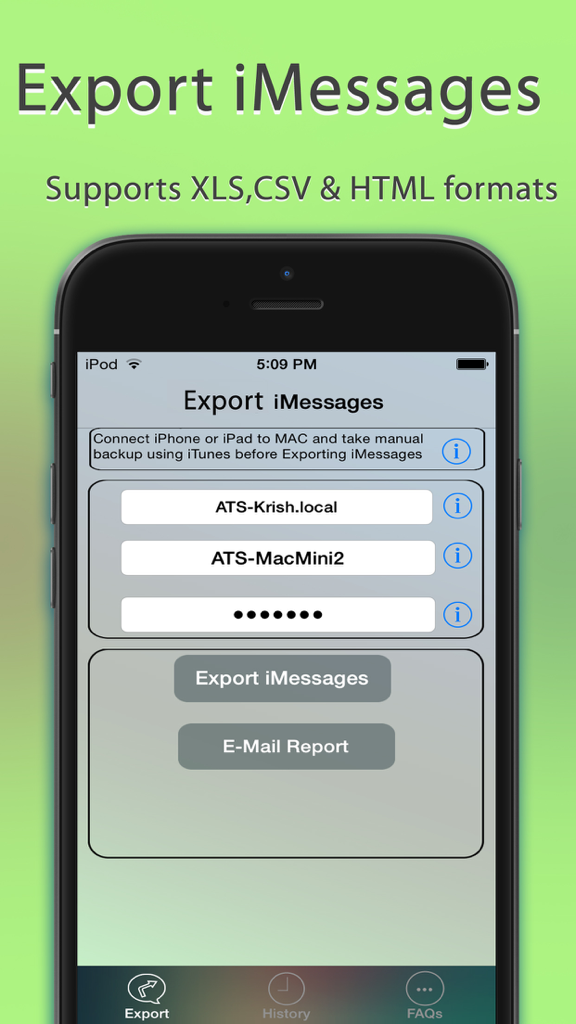
Interfaccia dell'app Esporta Messaggi che mostra le opzioni per esportare iMessage in formati XLS, CSV e HTML

Interfaccia dell'app Esporta Messaggi che mostra le opzioni per esportare iMessage in formati XLS, CSV e HTML

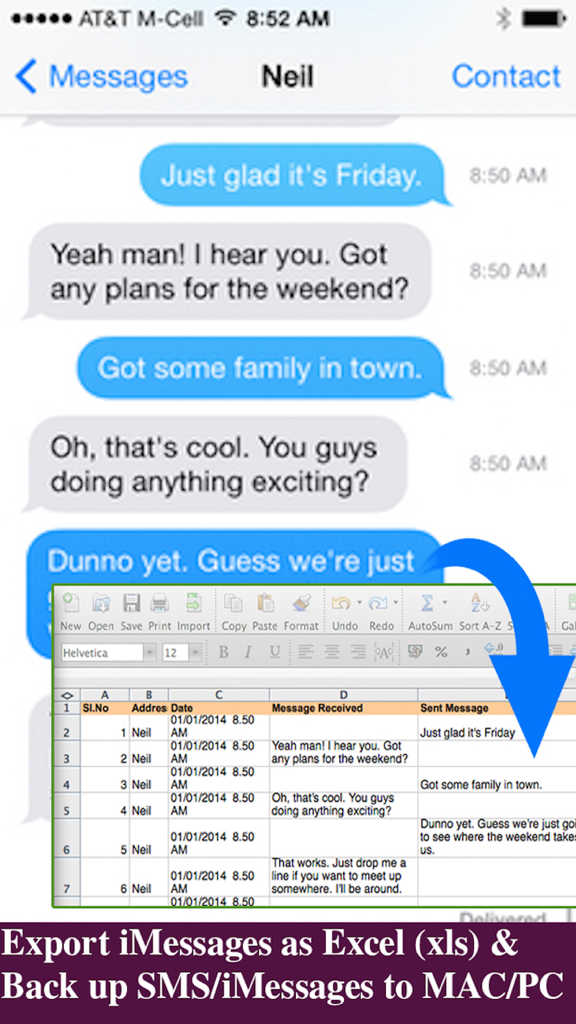
Un'interfaccia che mostra la conversione dei messaggi di testo dell'iPhone in un foglio di calcolo Excel per un backup e una tenuta dei registri facili

Un'interfaccia che mostra la conversione dei messaggi di testo dell'iPhone in un foglio di calcolo Excel per un backup e una tenuta dei registri facili

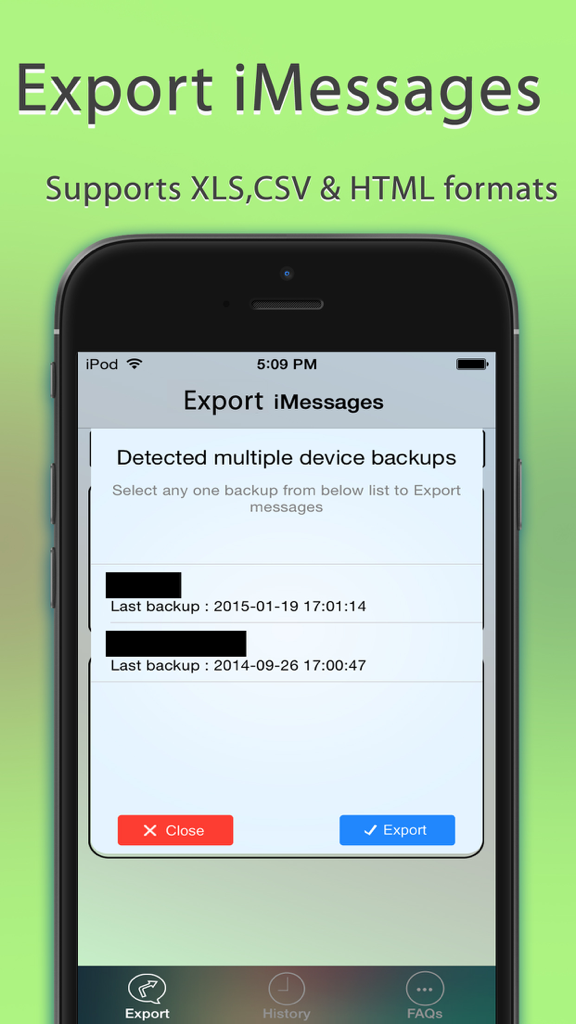
Interfaccia dell'app Esporta Messaggi che mostra un popup per selezionare tra più backup del dispositivo per l'esportazione

Interfaccia dell'app Esporta Messaggi che mostra un popup per selezionare tra più backup del dispositivo per l'esportazione

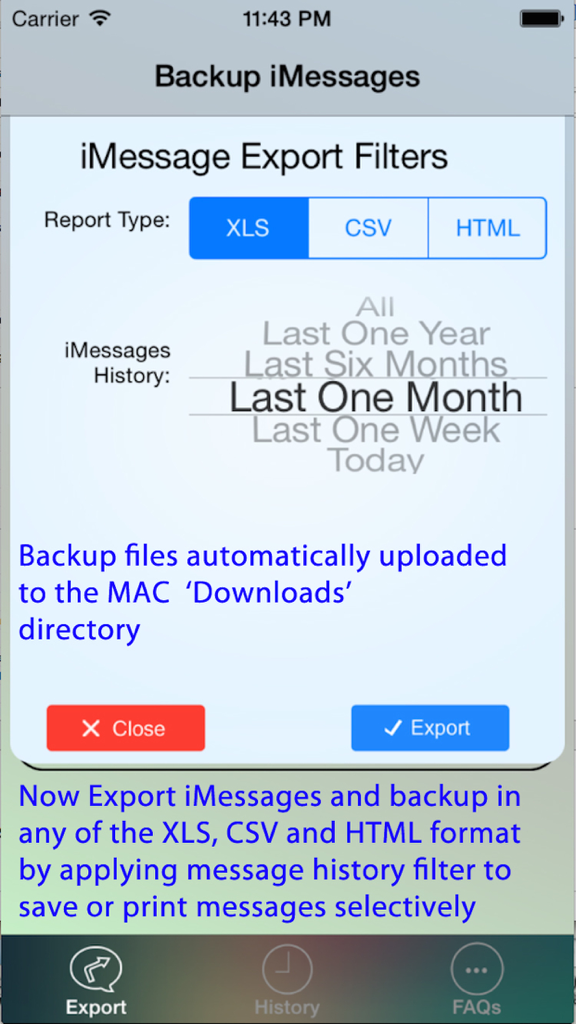
Impostazioni del filtro di esportazione di iMessage per i tipi di report XLS, CSV e HTML con selezione dell'intervallo di date.

Impostazioni del filtro di esportazione di iMessage per i tipi di report XLS, CSV e HTML con selezione dell'intervallo di date.

Gestisci le Tue Conversazioni con Facilità

Gli strumenti che rendono questa app unica, scelti da 150K+ utenti.

⚖️

Esportazione Documenti Pronti per il Tribunale

Trasforma la cronologia dei messaggi in file PDF o Excel professionali con timestamp accurati e dettagli di contatto, ideali per prove legali e registri ufficiali.

📁

Conservazione Completa dei Media

Salva automaticamente tutte le foto, i video e le note vocali dai tuoi thread in cartelle organizzate sul tuo PC o Mac, assicurando che i tuoi ricordi non vadano mai persi.

🔒

Archiviazione Sicura Offline

Proteggi la tua privacy mantenendo i tuoi dati fuori dal cloud. Esporta i messaggi direttamente sul tuo hardware con supporto completo per i backup crittografati di iOS.

Info sull'app

Tutto quello che devi sapere su Export Messages - Save Print Backup Recover Text SMS iMessages.

Descrizione

Export Messages App allows you to Save/Export all Text Messages,Audio messages, Images/Pictures,videos and other attachments to your MAC/PC from Messages App.If you need to print text messages for legal purpose, this is right app for you to take a print of any Text conversation. [IMPORTANT] You need to Download latest Desktop app from http://backupsms.weebly.com for iOS 10.0 or latest iOS support WIndows PC users & Mac users must follow the instructions given in "FaQ" tab with in the Application. Make use of Export Messages App and take a copy all the Text Messages in Messages App to your Computer and keep it safely before Upgrading to a new iPhone Please refer FAQ tab with in the App for instructions on how to Export Messages using the App. Detailed user guides provided in App support website http://backupsms.weebly.com/ + Never worry about losing SMS/iMessages/Text Messages, you can now take backup of all text messages including pictures, videos and other attachments in your messages app to your MAC/PC. + You can free up memory by saving all the the messages permanently to MAC/PC in PDF/HTML/Excel format + You can print save or email SMS, iMessages & Text Messages, MMS, attachments, audio, video messages. + You can filter messages by contact and date range + All attachments saved in a separate folder + This is the Only App in App Store supports iOS10.2 encrypted backups, so export/save messages without compromising on security. Don't waste your time, contact support if you are having any kind of difficulty in using the app. + No in App purchases, you can do unlimited exports for the device on which App is installed. Minimum Requirements: + Mac or Windows PC + Latest iTunes installed on your computer + iTunes backup encryption password required only for Encrypted backup users. Note: Companion PC/MAC applications are having advanced features, you download and use it for free from http://backupsms.weebly.com/

Ultima versione

1.1

Dimensione

8.6 MB

Data di lancio

17 feb 2015

Proteggi la Tua Cronologia e le Tue Prove

Unisciti a oltre 150.000 utenti che si affidano a Esporta Messaggi per salvare, stampare e archiviare le loro conversazioni più importanti in formati PDF ed Excel professionali. Nessun abbonamento: solo una tranquillità permanente.

Scarica su App Store

App information, icons, screenshots, and descriptions displayed on this page are sourced from the Apple App Store and are the property of their respective developers. Download estimates and rankings are based on MWM's proprietary models and may not reflect actual figures. This page is provided for informational and analytical purposes only.

Believe this page infringes your intellectual property? File a dispute