Find My Earbuds: Device Finder
Scarica su App Store

Questa pagina non è una pagina ufficiale dell'app o del suo sviluppatore, ma una pubblicazione editoriale indipendente creata a scopo informativo e di commento. Salvo espressa indicazione contraria, né l'app né il suo sviluppatore sono affiliati, approvati, sponsorizzati, autorizzati o altrimenti ufficialmente collegati a MWM, Apple, Google Play, all'editore dell'app o allo sviluppatore dell'app, e nulla in questa pagina implica che l'app sia stata sviluppata utilizzando i servizi di MWM. Tutti i marchi, loghi, screenshot e altri contenuti rimangono di proprietà dei rispettivi proprietari.

Logo di Find My Earbuds: Device Finder
Scarica su App Store

Find My Earbuds: Device Finder

Smetti di cercare e inizia a trovare. Usa il nostro radar di precisione, la bussola direzionale e il feedback aptico per individuare i tuoi AirPods, Fitbit o qualsiasi dispositivo Bluetooth prima che la batteria si scarichi.

Numeri Chiave

Download

5K+

Valutazione

4.8/5

Valutazioni totali

0

Editore

LSA MANAGEMENT SERVICES AUSTRALIA PTY LTD

Categoria

Utilities

Lingue

1

Ultima versione

1.5.4

Dimensione

50.0 MB

Data di lancio

22 mag 2023
Funzioni

Smetti di cercare, inizia a trovare

EarBuddy trasforma il tuo iPhone in uno scanner ad alta potenza per rintracciare AirPods, Fitbit e tracker smarriti prima che la batteria si scarichi.

Riconoscimento universale dei dispositivi

Identifica i tuoi dispositivi per nome: da Sony e Bose ad Apple e Fitbit, invece di vedere indirizzi MAC tecnici confusi.

Bussola direzionale intelligente

Elimina le congetture con una freccia visiva e un radar 'Caldo o Freddo' che ti guida direttamente al nascondiglio esatto del tuo dispositivo.

Gli screenshot e la descrizione seguenti provengono direttamente dall'elenco ufficiale dello store dell'app e sono di proprietà dello sviluppatore.

App Store

Screenshot
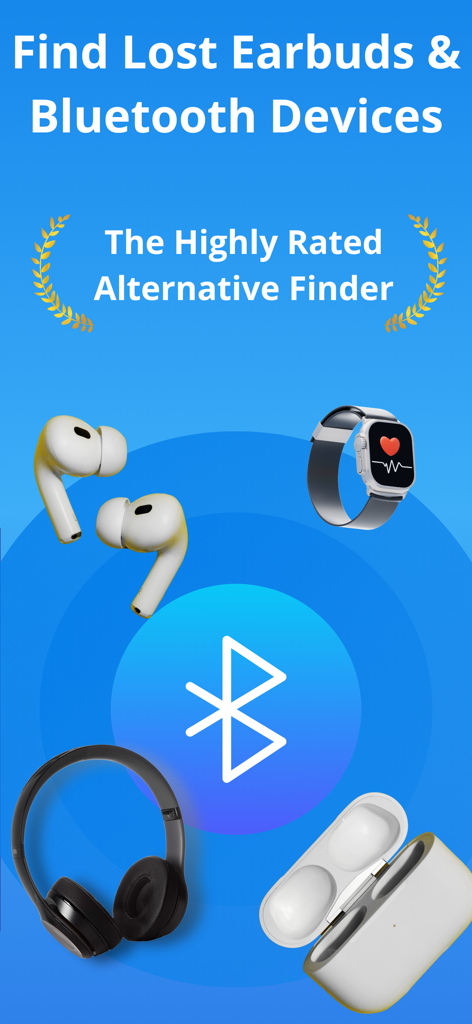
Find My Earbuds: Device Finder - Schermata dell'app per trovare auricolari e dispositivi Bluetooth smarriti che mostra icone di cuffie e smartwatch
Schermata dell'app per trovare auricolari e dispositivi Bluetooth smarriti che mostra icone di cuffie e smartwatch

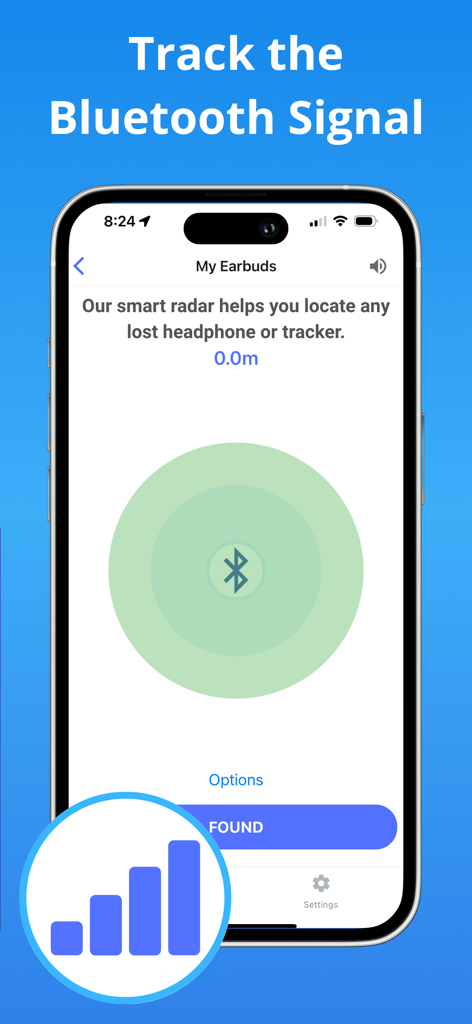
Find My Earbuds: Device Finder - Schermata dello smartphone che mostra un'interfaccia radar di segnale Bluetooth per tracciare auricolari smarriti
Schermata dello smartphone che mostra un'interfaccia radar di segnale Bluetooth per tracciare auricolari smarriti

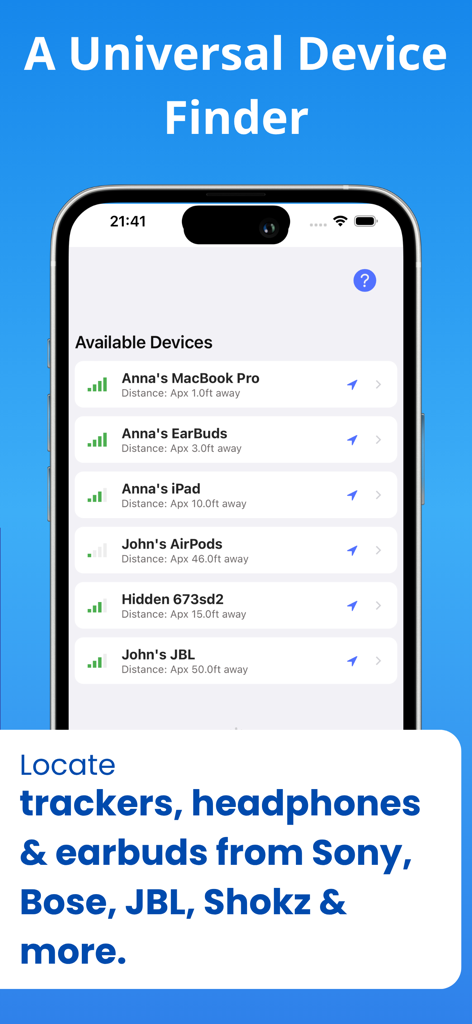
Find My Earbuds: Device Finder - L'app Trova i miei auricolari mostra un elenco di dispositivi Bluetooth scoperti con potenza del segnale e distanza
L'app Trova i miei auricolari mostra un elenco di dispositivi Bluetooth scoperti con potenza del segnale e distanza

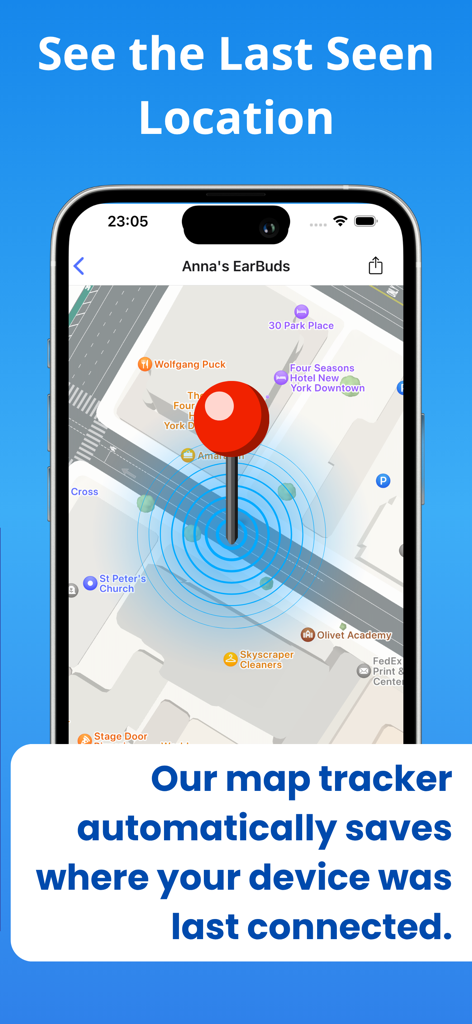
Find My Earbuds: Device Finder - Vista mappa nell'app che mostra l'ultima posizione nota di un dispositivo smarrito
Vista mappa nell'app che mostra l'ultima posizione nota di un dispositivo smarrito

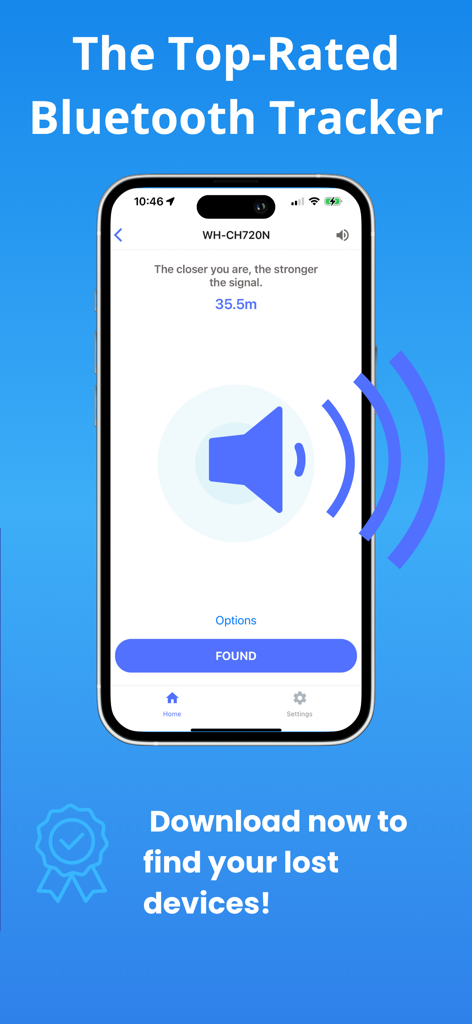
Find My Earbuds: Device Finder - L'interfaccia di tracciamento dell'app Trova i miei auricolari che mostra la potenza del segnale per le cuffie smarrite

L'interfaccia di tracciamento dell'app Trova i miei auricolari che mostra la potenza del segnale per le cuffie smarrite

Descrizione

FIND LOST HEADPHONES, WATCHES & TRACKERS IN SECONDS. Lost your AirPods? Can't find your Fitbit? Dropped a specialized earbud in the couch? EarBuddy turns your iPhone into a high-powered Bluetooth scanner to track down your lost device before the battery runs out. HOW TO FIND YOUR LOST DEVICE: Open & Scan: Launch EarBuddy and grant Bluetooth access. The app will immediately start scanning for nearby signals. Find Your Item: Look for your device name in the list. Tip: Use the "Headphones" or "Watches" tabs to filter the list. If you don't see your device, tap the filter button to "Show Unnamed" devices. Enable Precision: Tap on your device. For the best results, allow "Always" location access so EarBuddy can track your movement accurately on the map. Follow the Signal: Walk around slowly. Watch the Signal Radar — the circle fills up and turns green as you get closer. Use the Compass: Switch to the Compass tab. If the signal is stable, the arrow will point you directly to your lost item. Check the Map: Tap the Map view to see the device’s last known pin and track your own movement path towards it. Found It! Once you recover your device, tap the "Found" button. (And if we saved your day, we’d love a review!)Don't spend hundreds of dollars on a replacement. EarBuddy uses advanced Bluetooth Low Energy (BLE) physics to pinpoint the exact location of your device. WORKS WITH VIRTUALLY ANY BLUETOOTH DEVICE Unlike other apps that only work with Apple products, EarBuddy is a universal scanner. We have tuned our radar to track: Audio: AirPods (All Gens), Beats, Sony, Bose, JLab, Tozo, Skullcandy, Jabra, Samsung Galaxy Buds. Fitness: Fitbit (Versa, Charge, Inspire), Garmin, Xiaomi Mi Band, Whoop. Smart Tags: Tile, Chipolo, Pebblebee, Samsung SmartTags. Other: Apple Pencil, iPad, Apple Watch, and portable speakers. KEY FEATURES: DIRECTION COMPASS (NEW!) Stop walking in circles. Our new Compass Mode analyzes signal shifts to point you in the right direction. Just follow the arrow to your lost item. PRECISION "HOT/COLD" RADAR Watch the signal strength meter move from "Cold" to "Hot" as you walk. Our Smart Signal Smoothing technology removes the "jitter" found in other apps, giving you a steady, reliable reading. "LAST SEEN" PIN DROP EarBuddy runs efficiently in the background. If your device disconnects (e.g., you left it at the gym), we automatically drop a pin on the Apple Map so you know exactly where to start looking. INTELLIGENT DEVICE RECOGNITION Tired of seeing "Unknown Device" or random MAC addresses? EarBuddy decodes the signal to tell you exactly what is nearby (e.g., "JLab JBuds Air" or "Fitbit Charge 5"). HAPTIC & AUDIO FEEDBACK Search without looking at your screen. The "Geiger Counter" mode beeps and vibrates faster as you get closer to your device—perfect for finding earbuds wedged deep under car seats or beds. LOVED BY USERS "I thought my $200 earbuds were gone forever. The radar led me right to the coat pocket I forgot I wore yesterday." "Finally, a scanner that actually names my Tozo headphones instead of just showing numbers!" TRANSPARENT & SECURE We believe in earning your trust. No Accounts Required: Just open and scan. No Data Selling: Your location data stays on your phone. Subscription Control: Manage your premium features directly from the Settings menu (See Image 2). Download EarBuddy now and find what you lost! Terms of Use: https://find-48e69.web.app/terms.html Privacy Policy: https://find-48e69.web.app

Download

Scarica su App Store

Questa pagina non è una pagina ufficiale dell'app o del suo sviluppatore, ma una pubblicazione editoriale indipendente creata a scopo informativo e di commento. Salvo espressa indicazione contraria, né l'app né il suo sviluppatore sono affiliati, approvati, sponsorizzati, autorizzati o altrimenti ufficialmente collegati a MWM, Apple, Google Play, all'editore dell'app o allo sviluppatore dell'app, e nulla in questa pagina implica che l'app sia stata sviluppata utilizzando i servizi di MWM. Tutti i marchi, loghi, screenshot e altri contenuti rimangono di proprietà dei rispettivi proprietari.