FitNotes 2 - Gym Workout Log

FitNotes 2 - Gym Workout Log

Scarica su App Store
Logo di FitNotes 2 - Gym Workout Log

FitNotes 2 - Il tracker di allenamento senza fronzoli per atleti orientati ai dati

Migliora i tuoi sollevamenti con strumenti avanzati come il tracciamento RPE, calcolatori 1RM e integrazione fluida con Apple Watch. Nessun account richiesto e nessun blocco dei dati: solo puro tracciamento delle prestazioni per risultati seri.

Editore

GINGER TECHNOLOGIES PTE. LTD.

Categoria

Health & Fitness

Download

28K+

Valutazione

5.0/5

Valutazioni totali

0

Lingue

2

Precisione a colpo d'occhio

Scopri l'interfaccia usata da 28K+ utenti.

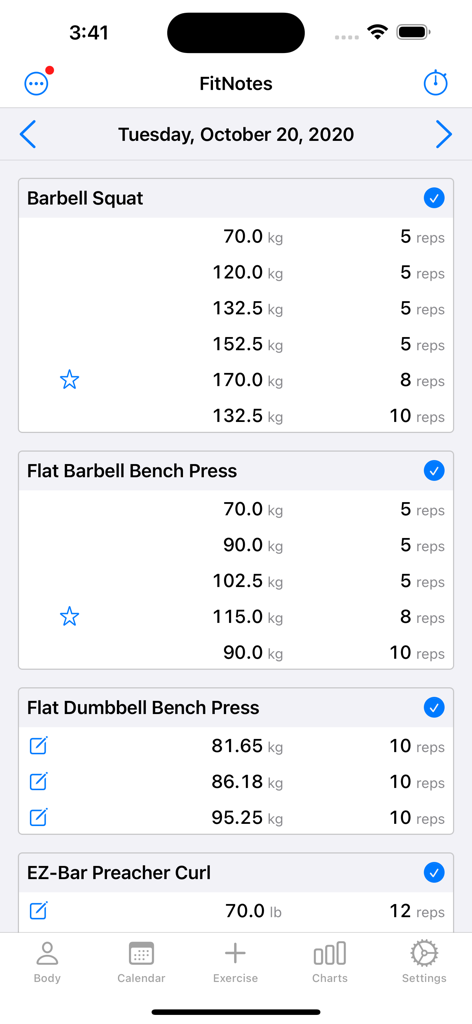
Interfaccia che mostra serie dettagliate di sollevamento pesi e record personali per squat con bilanciere e panca piana
Interfaccia che mostra serie dettagliate di sollevamento pesi e record personali per squat con bilanciere e panca piana

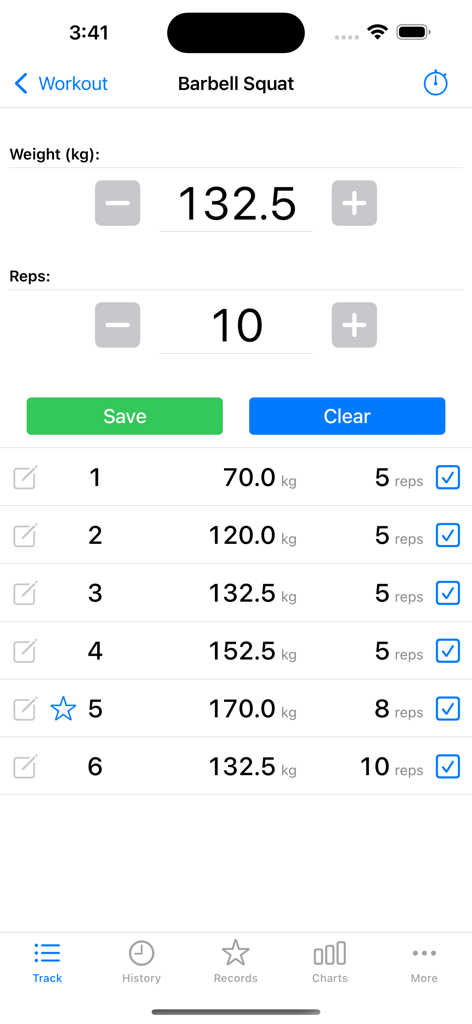
Interfaccia dell'app FitNotes 2 che mostra un registro di allenamento di squat con bilanciere con tracciamento di peso e ripetizioni per più serie.
Interfaccia dell'app FitNotes 2 che mostra un registro di allenamento di squat con bilanciere con tracciamento di peso e ripetizioni per più serie.

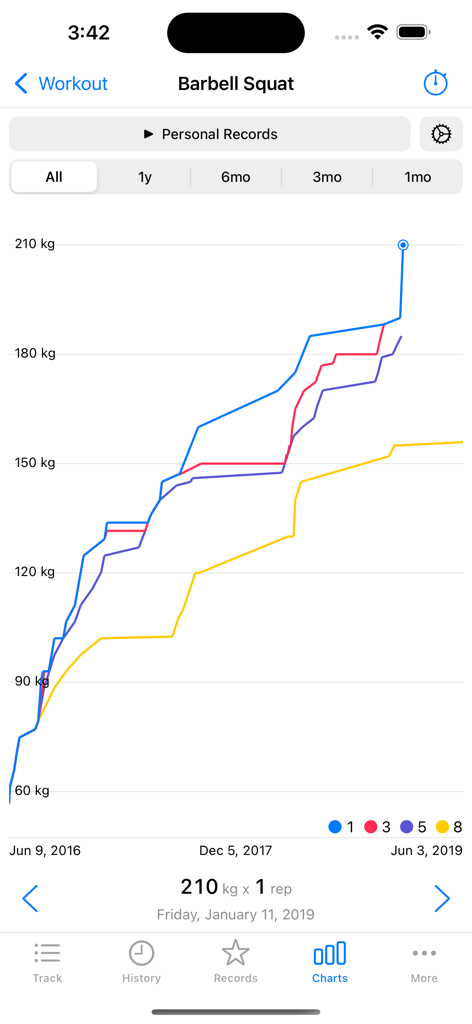
Grafico a linee che mostra i record personali di squat con bilanciere e i progressi di forza nel tempo
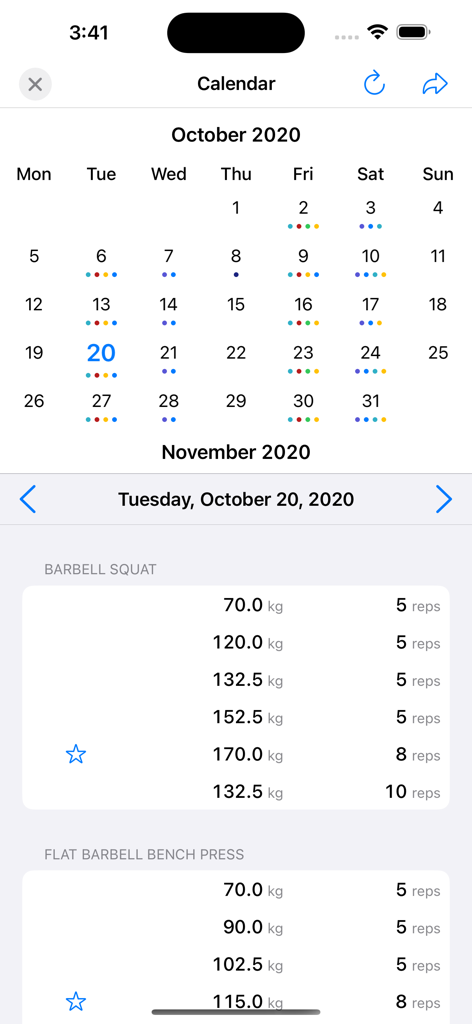
Grafico a linee che mostra i record personali di squat con bilanciere e i progressi di forza nel tempo

Calendario di allenamento mensile e schermata dettagliata del registro degli esercizi che mostra peso e ripetizioni per squat e panca piana
Calendario di allenamento mensile e schermata dettagliata del registro degli esercizi che mostra peso e ripetizioni per squat e panca piana

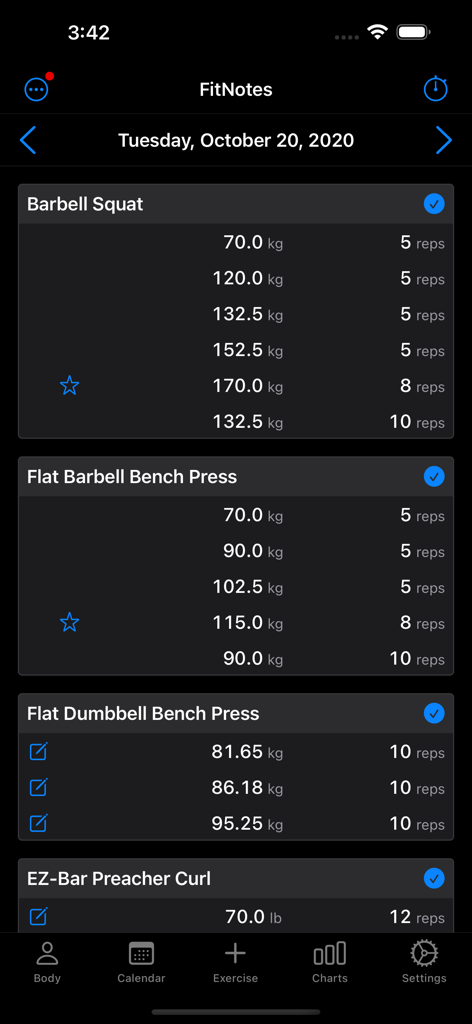
Registro di allenamento giornaliero in FitNotes 2 che mostra serie, pesi e ripetizioni per più esercizi in modalità scura.
Registro di allenamento giornaliero in FitNotes 2 che mostra serie, pesi e ripetizioni per più esercizi in modalità scura.

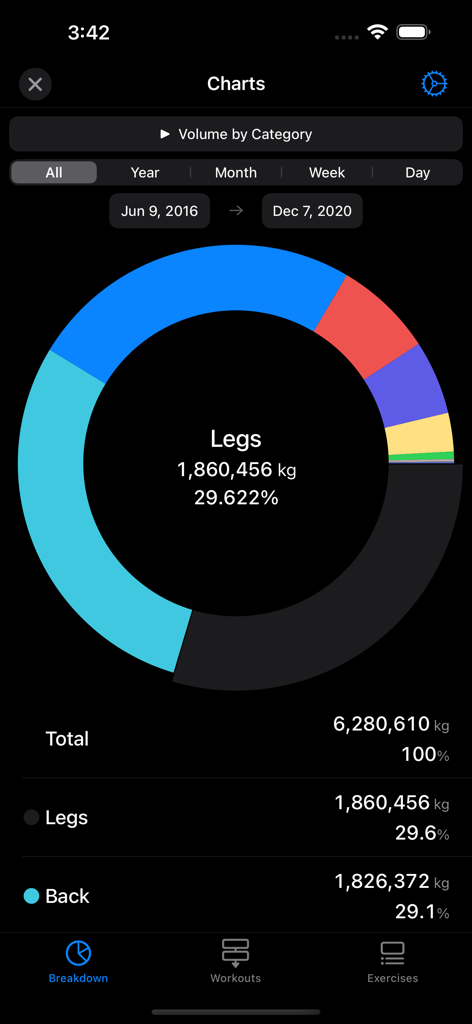
Un grafico a torta nell'app FitNotes 2 che mostra una ripartizione dettagliata del volume di allenamento per gruppo muscolare come gambe e schiena.
Un grafico a torta nell'app FitNotes 2 che mostra una ripartizione dettagliata del volume di allenamento per gruppo muscolare come gambe e schiena.

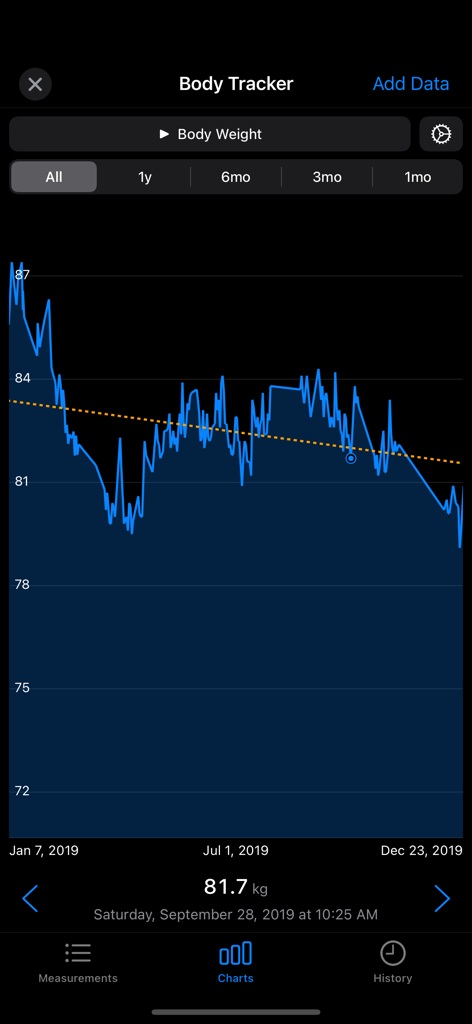
Grafico di tracciamento del peso corporeo nell'app FitNotes 2 che mostra i progressi del peso nel tempo con una linea di tendenza.
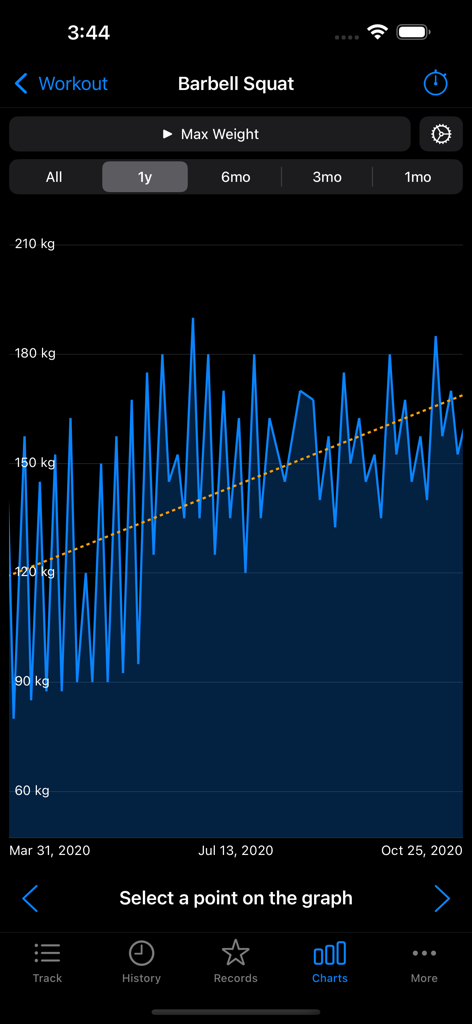
Grafico di tracciamento del peso corporeo nell'app FitNotes 2 che mostra i progressi del peso nel tempo con una linea di tendenza.

Un grafico a linee nell'app FitNotes 2 che mostra i progressi annuali del peso massimo per lo squat con bilanciere con una linea di tendenza ascendente
Un grafico a linee nell'app FitNotes 2 che mostra i progressi annuali del peso massimo per lo squat con bilanciere con una linea di tendenza ascendente

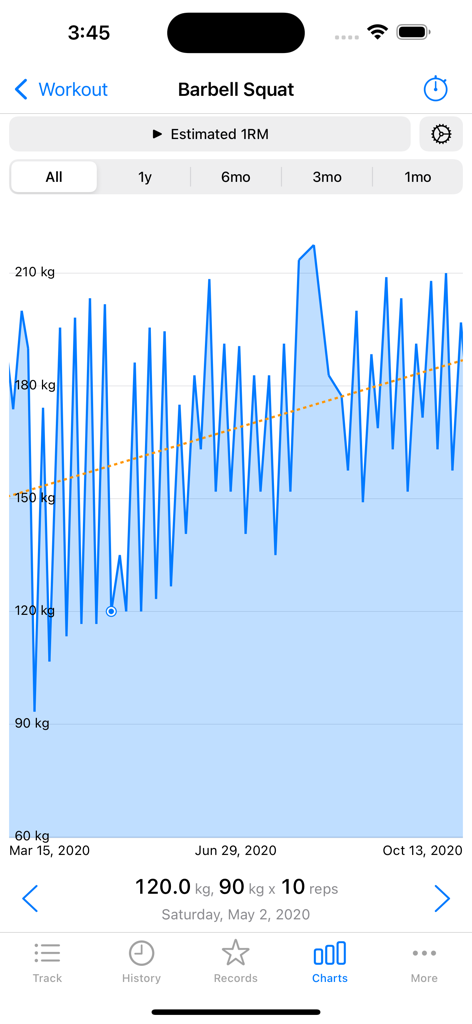
Un grafico a linee che mostra i progressi stimati del massimale di un'alzata per lo squat con bilanciere nel tempo nell'app FitNotes 2

Un grafico a linee che mostra i progressi stimati del massimale di un'alzata per lo squat con bilanciere nel tempo nell'app FitNotes 2

Costruito per l'atleta di forza moderno

Gli strumenti che rendono questa app unica, scelti da 28K+ utenti.

📊

Quantifica i tuoi progressi

Padroneggia il tuo allenamento con calcolatori 1RM, tracciamento RPE e grafici di volume dettagliati per assicurarti di non raggiungere mai un plateau.

Ecosistema Apple Nativo

Registra serie direttamente dal tuo polso e sincronizza perfettamente con HealthKit per un'esperienza in palestra basata sui dati, senza fili.

🛠️

Flessibilità totale della routine

Crea esercizi e modelli personalizzati senza attriti. I tuoi dati ti appartengono: nessun account richiesto e facili esportazioni CSV.

Info sull'app

Tutto quello che devi sapere su FitNotes 2 - Gym Workout Log.

Descrizione

Keep track of your progress in the gym with a workout tracker and planner. • Based on the popular FitNotes app, the best workout planner app ever made on any platform • Routines: Save your workout routines as templates, log them to a workout • Personal Records are automatically tracked • 1RM, Percents Calculator • Plate Calculator with profiles per gym and multiple barbells • Body Tracker: Record your weight, body fat and any other measurement. Integrates with Apple HealthKit. • Goal Tracker: Set personal goals for exercises, such as a 1RM. • Graphs: Helps to analyze your progress and plan your programming • Rest Timer, EMOM, AMRAP and Tabata timers • Notifications: Be notified when the rest timer ends for your next set • Supports every kind of exercise: weight, reps, distance, time • Use built-in exercises or create your own • Mix pounds (lbs) and kilograms (kg) easily • Add notes to workouts, sets, templates and body measurements • Dark Mode • Apple Watch app • Apple Workout integration with or without Apple Watch • Share workouts as text or an image • Warmup sets • RPE, RIR Data Management: • Import the original FitNotes database and FitNotes CSV files • Manual and automatic backups to iCloud • Export your workouts in a CSV • Export back to the original FitNotes. No lock-in. • No account required You can import CSVs from other fitness and workout log apps to bring your data over. The free version of FitNotes 2 can save up to 12 workouts. Delete older workouts to continue using for free. All features are available free, the number of workouts is the only restriction. To save more workouts, purchase FitNotes unlimited lifetime access or a subscription. Terms of Use: https://getfitnotes.com/termsofuse This app is not affiliated with other fitness apps. Purchase of FitNotes does not transfer to other platforms. FitNotes Changes: Version 8 - Add option to skip the rest timer for the final set - Fix HealthKit synced workout dates - Long press notes to show the menu - Update CSV format for the other FitNotes import Version 7 - Export and import templates - Added an option to copy previous sets when adding an exercise to a workout - Add 'Copy' to the long press menu on workout notes - Allow a negative RIR Version 6 - Fix decimal inputs for RPE and RIR - Fix the lockscreen timer text being black for some users Version 5 - Add the rest timer to the lock screen. You must enable it from the rest timer settings. - Restore lookback time ranges for the Exercise records - Add 'By Year' to statistics time groupings - Add an option to double an exercise's weight when calculating volume. You can use this for unilateral or dumbbell exercises. - Add 'Sort By Category' in the exercise list sorting options - Add RPE and RIR to workout sets - Add custom rest times to a single workout set - Add an option to show the workout set notes without opening the notes screen - Flag sets as 'warmup'. Warmup sets are excluded from graphs, statistics and goals. - Fix rest time settings not updating properly when deleted - Fix the rest timer buttons not working after uses EMOM/AMRAP timers - Don't send notifications for EMOM/AMRAP timers - Fix the 'next set' message that could be wrong sometimes when using supersets - Skip autobackup if the phone is too hot - Fix a layout issue with the settings menu for long settings names - Fix 'Y-Axis from Zero' graph option Version 4.1 - Fix number highlighting in the input fields on iOS 17.2 - Fix a crash when sharing a screenshot of the workout - Fix a crash that could happen changing the HealthKit Quantity Type for a measurement - Fix a crash and a bug that could happen when creating new exercises - Fix a crash that could happen when deleting a set that is a record

Ultima versione

10

Dimensione

23.6 MB

Data di lancio

20 dic 2020

Pronto a superare il tuo io passato?

Unisciti a migliaia di atleti orientati ai dati che utilizzano il tracker di allenamento definitivo senza fronzoli. Nessun account, nessun disordine: solo strumenti di performance puri per aiutarti a battere il tuo prossimo PR.

Scarica su App Store

App information, icons, screenshots, and descriptions displayed on this page are sourced from the Apple App Store and are the property of their respective developers. Download estimates and rankings are based on MWM's proprietary models and may not reflect actual figures. This page is provided for informational and analytical purposes only.

Believe this page infringes your intellectual property? File a dispute