Flipbook Maker .Analog/digital
Scarica su App Store

Questa pagina non è una pagina ufficiale dell'app o del suo sviluppatore, ma una pubblicazione editoriale indipendente creata a scopo informativo e di commento. Salvo espressa indicazione contraria, né l'app né il suo sviluppatore sono affiliati, approvati, sponsorizzati, autorizzati o altrimenti ufficialmente collegati a MWM, Apple, Google Play, all'editore dell'app o allo sviluppatore dell'app, e nulla in questa pagina implica che l'app sia stata sviluppata utilizzando i servizi di MWM. Tutti i marchi, loghi, screenshot e altri contenuti rimangono di proprietà dei rispettivi proprietari.

Logo di Flipbook Maker .Analog/digital
Scarica su App Store

Flipbook Maker .Analog/digital

Trasforma i tuoi schizzi e le tue foto in animazioni digitali uniche in pochi secondi. Il modo più semplice per creatori e sognatori di trasformare scarabocchi Lo-Fi in flipbook pronti per diventare virali.

Numeri Chiave

Download

2K+

Valutazione

1.7/5

Valutazioni totali

0

Editore

MINERVA K.K.

Categoria

Photo & Video

Lingue

2

Ultima versione

1.0.4

Dimensione

51.4 MB

Data di lancio

30 ago 2023
Funzioni

Dai Vita alla Tua Creatività

Il modo più semplice per trasformare i tuoi schizzi, foto e scarabocchi in animazioni flipbook condivisibili. Nessun software complesso necessario—solo la tua immaginazione e pochi tocchi.

Magia dall'Analogico al Digitale

Trasforma i tuoi schizzi su carta in fluide animazioni digitali. Scatta foto o scansiona le tue pagine disegnate a mano per colmare il divario tra il tuo sketchbook e lo schermo.

Controllo Totale dei Fotogrammi

Riorganizza senza sforzo le tue immagini e regola la velocità di scorrimento. Trova quel perfetto ritmo Lo-Fi o crea un capolavoro stop-motion ad alta velocità in pochi secondi.

Gli screenshot e la descrizione seguenti provengono direttamente dall'elenco ufficiale dello store dell'app e sono di proprietà dello sviluppatore.

App Store

Screenshot
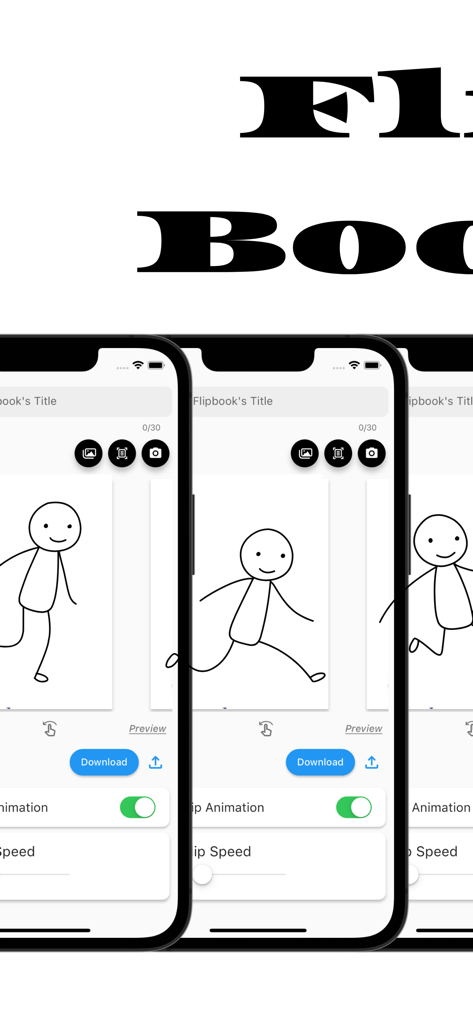
Flipbook Maker .Analog/digital - Interfaccia dell'app Flipbook Maker su tre schermi di iPhone che mostrano un'animazione di omino stilizzato e strumenti di editing
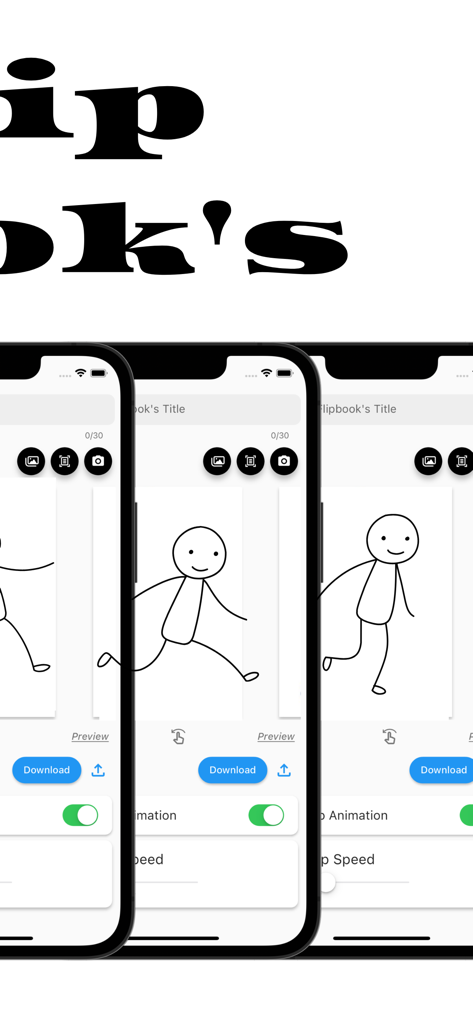
Interfaccia dell'app Flipbook Maker su tre schermi di iPhone che mostrano un'animazione di omino stilizzato e strumenti di editing

Flipbook Maker .Analog/digital - Interfaccia dell'app Flipbook Maker che mostra un'animazione di omino stilizzato disegnata a mano su tre schermi di iPhone

Interfaccia dell'app Flipbook Maker che mostra un'animazione di omino stilizzato disegnata a mano su tre schermi di iPhone

Descrizione

The definitive app for creating a Flipbook! With this app, anyone can easily create a Flipbook. It is also possible to scan and photograph hand-drawn Flipbooks to create Flipbook videos! You will be able to make analog -> digital. ■How to create a Flipbook 1. put images into the app Import images into the app. Take a picture with the camera directly from the app. Scan the image using the scanning function in the app. 2. rearrange the inserted images or change the flip speed 3. Press the download button What you can create with the "Flipbook Maker App" 1. handwritten flip book. You can scan analog paper and make it digital. 2. a slideshow-like movie in which images are displayed at regular intervals 3. other things that can be created with the function of showing images at regular intervals ■Functions of Flipbook Maker App 1. image import and capture Importing images into the app Capture images directly from the app with the camera Scanning using the scanning function in the app. 2. Creating a Flipbook Create a cartoon by arranging images in sequence Adjust the order and placement of images as desired Add custom flip animations 3. adjusting flip speed 3. adjust page flip speed 4. previewing and editing Preview your video 5. edit and fine-tune your video to see the final result 6. output and share your video Output high quality video Share videos on social media and messaging apps. ■Use Cases for Flipbook Maker App Of course. Below are some specific use cases for your Flipbook generation app 1. creator's creation of artwork Illustrators and artists import their own illustrations into the app and adjust the flip speed to create their own flip-book cartoons. This allows them to express their art in a dynamic format. 2. digitizing traditional art You can scan your analog illustrations or comics and import them into the app to enjoy them in digital media. This allows traditional art to be shared in a new way. 3. realization of storytelling Novelists and storytellers use the app to create stories by combining text and illustrations. Through character movement and scene transitions, the story is visually conveyed to the reader. 4. teaching and learning tools Teachers and students use apps to animate and illustrate historical events, scientific processes, and more. Incorporating visual elements helps increase comprehension. 5. entertainment and sharing Regular users will use the app to share with friends and followers as a hobby. They create parapara cartoons documenting their travels, highlights of special events, or funny episodes from their daily lives, and share the fun. 6. special gifts and presents Users can create and give personalized parapara manga as gifts for special events such as birthdays, anniversaries, weddings, etc. This can be a wonderful way to express emotions and memories. 7. slide show ・Creating Presentations : Students will utilize slideshows to make effective presentations in business and academic settings. Students will combine images and text to present information and create presentation materials. ・training and education : Trainers and educators use slideshows to illustrate topics and provide training materials. Visual elements are used to communicate concepts clearly and enhance learning. ・Event announcements and announcements : Event organizers use slideshows to provide event details, schedules, and venue information. Organize information with images and text to provide attendees with easy-to-understand directions. ■Finally This application is a creative tool that allows you to easily create a Flipbook Manga comic or slideshow. You can use your own art and photos to create engaging animated works. It also supports analog to digital conversion, allowing you to enjoy your art and ideas in a new way. It is a simple and fun application that will expand your creativity. Please give it a try!

Download

Scarica su App Store

Questa pagina non è una pagina ufficiale dell'app o del suo sviluppatore, ma una pubblicazione editoriale indipendente creata a scopo informativo e di commento. Salvo espressa indicazione contraria, né l'app né il suo sviluppatore sono affiliati, approvati, sponsorizzati, autorizzati o altrimenti ufficialmente collegati a MWM, Apple, Google Play, all'editore dell'app o allo sviluppatore dell'app, e nulla in questa pagina implica che l'app sia stata sviluppata utilizzando i servizi di MWM. Tutti i marchi, loghi, screenshot e altri contenuti rimangono di proprietà dei rispettivi proprietari.








