
Questa pagina non è una pagina ufficiale dell'app o del suo sviluppatore, ma una pubblicazione editoriale indipendente creata a scopo informativo e di commento. Salvo espressa indicazione contraria, né l'app né il suo sviluppatore sono affiliati, approvati, sponsorizzati, autorizzati o altrimenti ufficialmente collegati a MWM, Apple, Google Play, all'editore dell'app o allo sviluppatore dell'app, e nulla in questa pagina implica che l'app sia stata sviluppata utilizzando i servizi di MWM. Tutti i marchi, loghi, screenshot e altri contenuti rimangono di proprietà dei rispettivi proprietari.

Fotor - AI Photo Editor
L'editing fotografico? Un tempo richiedeva maestria. Oggi, l'app si dimostra il tramite per piegare la realtà digitale ai propri capricci, trasformando un'idea in perfezione visiva senza uno straccio di competenza.
Download
12.5M+Valutazione
Valutazioni totali
237.7KEditore
Categoria
Photo & VideoLingue
16Ultima versione
11.1.10Dimensione
296.5 MBData di lancio
24 lug 2011Analisi Funzionale: Fotor - AI Photo Editor
Valutazione delle principali funzionalità che definiscono l'esperienza utente e l'impatto sul mercato.
Agente AI per l'Editing Intelligente
Rende l'editing intuitivo e veloce tramite comandi vocali o testuali, applicando più modifiche contemporaneamente.
Creatore di Avatar e Foto Profilo AI
Genera avatar e foto profilo unici e professionali da selfie, perfetti per i social media e piattaforme professionali.
Miglioramento Foto AI
Migliora istantaneamente la qualità delle foto, rendendo chiare le immagini sfocate, granulose o a bassa risoluzione.
Gomma Magica
Permette di rimuovere oggetti o persone indesiderate dalle foto in modo pulito e naturale.
Ritocco Pelle AI
Permette di ottenere una pelle impeccabile con levigatura naturale e rimozione delle imperfezioni, per ritratti raffinati.
Rimozione e Sostituzione Sfondo AI
Isola i soggetti dalle immagini e consente di sostituire lo sfondo con un solo tocco, ideale per foto personalizzate o di prodotti.
Modelli di Design per Social Media
Offre modelli predefiniti per creare facilmente post, volantini e poster professionali per i social media.
Generazione Immagini da Testo AI
Trasforma descrizioni testuali in immagini creative e uniche, dando vita alle idee con la potenza dell'IA.
Domande Frequenti
Tutto quello che devi sapere su Fotor - AI Photo Editor
What is the Fotor AI Agent and how does it work?
The Fotor AI Agent is an all-in-one AI photo editing toolbox that understands verbal or typed commands. Users upload a photo and describe desired edits, and the AI Agent applies multiple changes automatically.
Can Fotor's Magic Eraser remove unwanted objects from photos?
Yes, Fotor's Magic Eraser tool quickly removes unwanted elements like bystanders, watermarks, or buildings from photos. It seamlessly blends the edited area with the original background.
Does Fotor offer an AI Headshot feature for professional profiles?
Yes, Fotor offers an AI Headshot feature to create professional PFPs and avatars. These are suitable for platforms like LinkedIn and other social media.
How does Fotor enhance blurry or low-quality photos?
Fotor enhances photos using its AI Photo Enhancer to instantly clarify blurry images. It fixes grainy, pixelated, and low-resolution images with one tap.
Can Fotor generate images from text descriptions?
Yes, Fotor can generate stunning images from text. Users type a description, choose a style, and the app transforms ideas into reality in seconds.
How do I remove or change the background of an image in Fotor?
Fotor's Bg Remover extracts the subject from images with one click. Users can then replace the background to create highly personalized photos or use AI Backgrounds for product photos.
What are the subscription options for Fotor Pro?
Fotor Pro offers monthly or yearly subscription plans. The subscription automatically renews unless turned off at least 24 hours before the current period expires.
Does Fotor provide AI tools for skin retouching and blemish removal?
Yes, Fotor offers AI Retouch to achieve flawless skin. It provides natural and delicate skin smoothing and blemish removal for a refined appearance.
Can I change outfits or hairstyles in Fotor using AI?
Yes, Fotor's AI Replace tool allows instant changes to outfits, hairstyles, and colors. This feature helps users find their best style.
Can Fotor transform selfies into cartoon or anime styles?
Yes, Fotor includes trendy 3D Cartoon and Anime AI art effects. Users can easily transform their selfies into vibrant cartoon comics.
Gli screenshot e la descrizione seguenti provengono direttamente dall'elenco ufficiale dello store dell'app e sono di proprietà dello sviluppatore.
App Store
Screenshot

Ritratti Professionali AI
Questa schermata mostra come l'app permetta di generare ritratti di qualità professionale, evidenziando la raffinatezza del soggetto e la sua popolarità tra oltre 800 milioni di utenti.
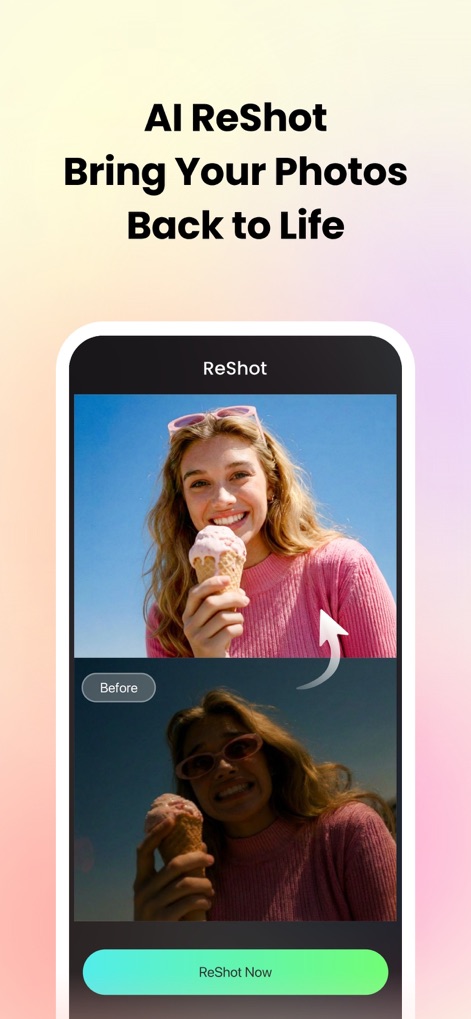
Recupera Dettagli Foto
L'interfaccia illustra la capacità di AI ReShot di rivitalizzare immagini, trasformando una foto scura e sottoesposta in una versione vivida e luminosa per un recupero impressionante.
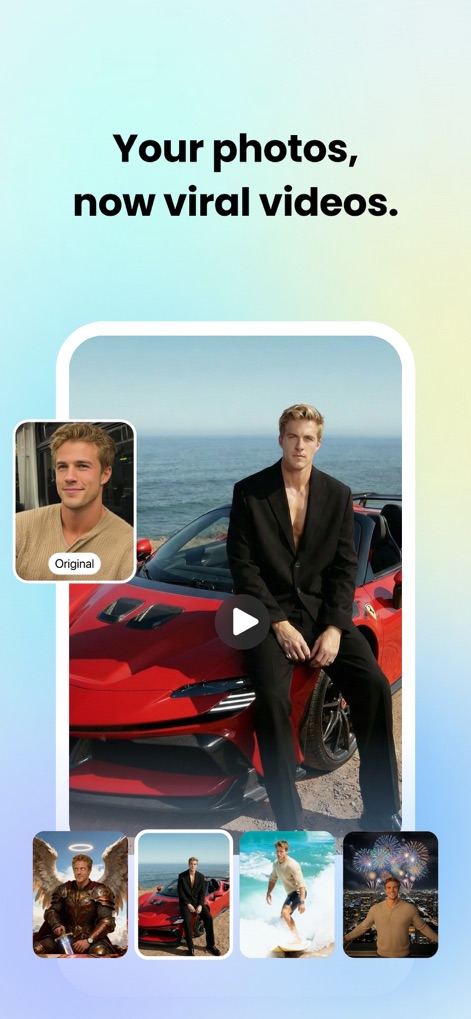
Trasforma Foto in Video
Questa visualizzazione dimostra come l'app converta istantaneamente una singola foto in diversi scenari video virali, offrendo una vasta gamma di contesti visivi dalla versione originale.
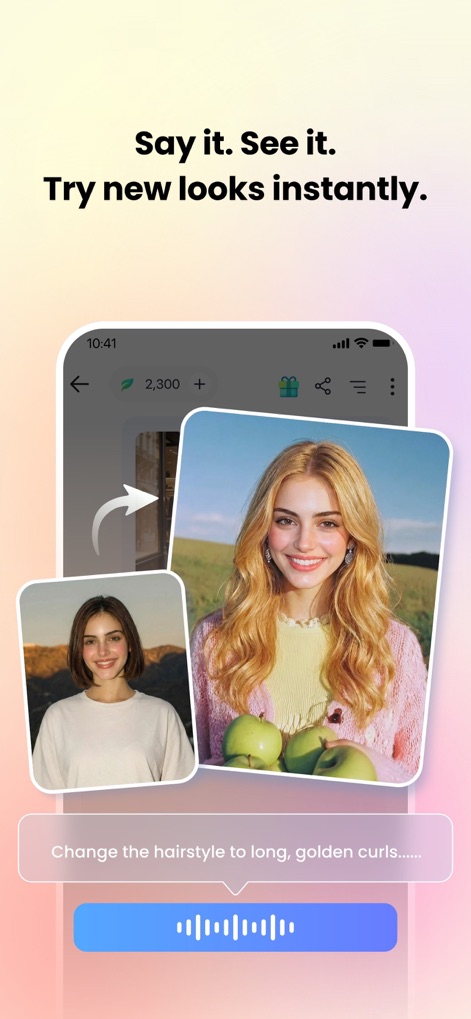
Cambia Look Istantaneamente
L'immagine evidenzia la funzionalità di modifica AI che permette di trasformare l'acconciatura di una persona, come illustrato dal passaggio da capelli corti a riccioli dorati, attraverso semplici comandi vocali o testuali.
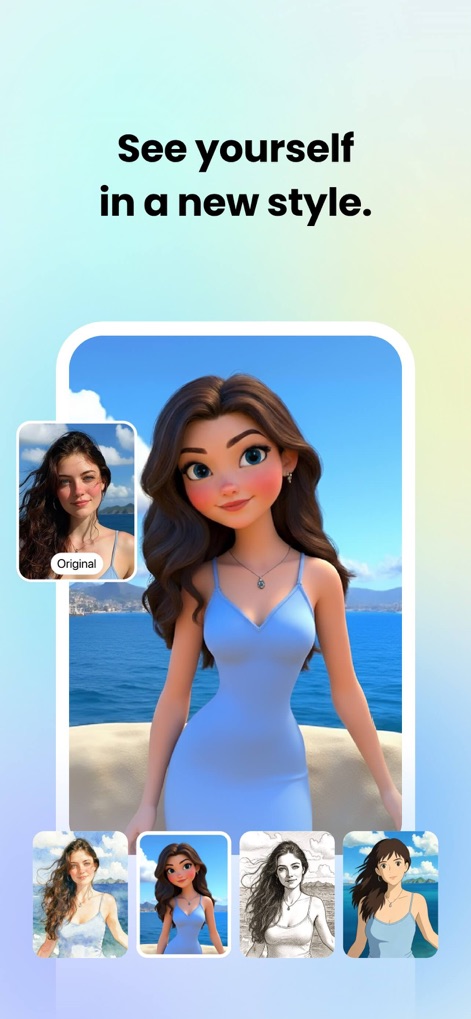
Stili Artistici AI
Questa schermata esplora la versatilità dell'app nel convertire i ritratti in stili artistici unici, mostrando il passaggio dalla foto originale a versioni stilizzate come il cartone animato e l'anime.
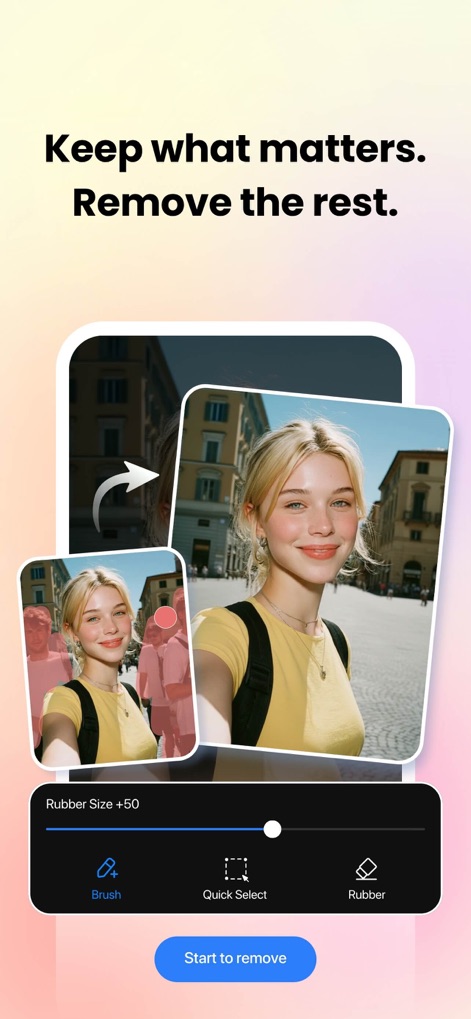
Rimozione Oggetti Indesiderati
L'interfaccia illustra efficacemente la funzione Magic Eraser dell'app, che consente di rimuovere elementi indesiderati come persone o sfondi complessi, lasciando un'immagine pulita e focalizzata.
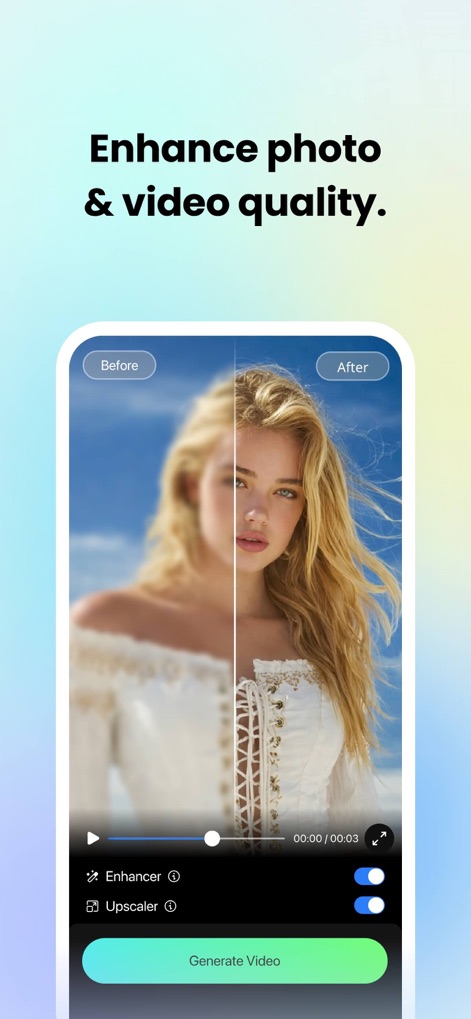
Migliora Qualità Immagini
La schermata dimostra l'efficacia degli strumenti Enhancer e Upscaler dell'app, che trasformano una foto sfocata in un'immagine nitida e ad alta definizione, migliorando la qualità complessiva.
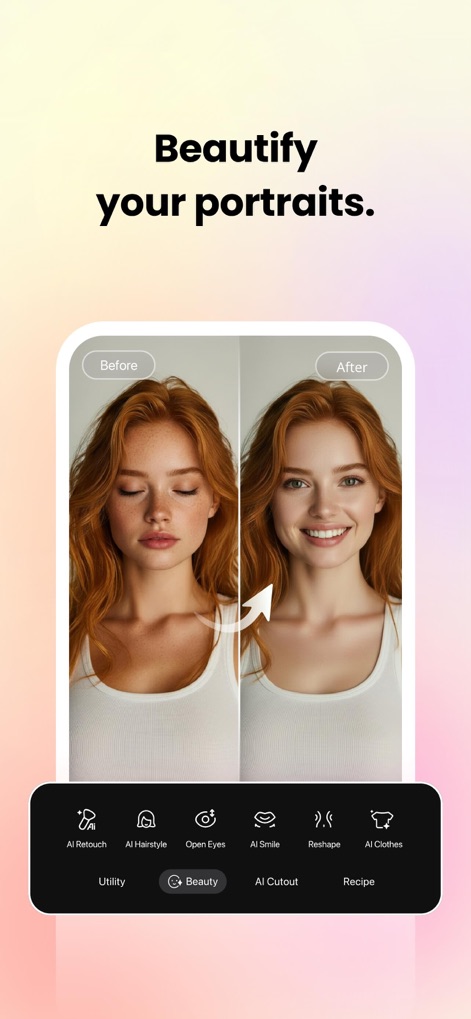
Ritocco Ritratti Perfetti
L'app offre strumenti avanzati di AI Retouch per perfezionare i ritratti, mostrando la trasformazione da un'espressione naturale a un viso con pelle levigata, occhi aperti e un sorriso radioso.
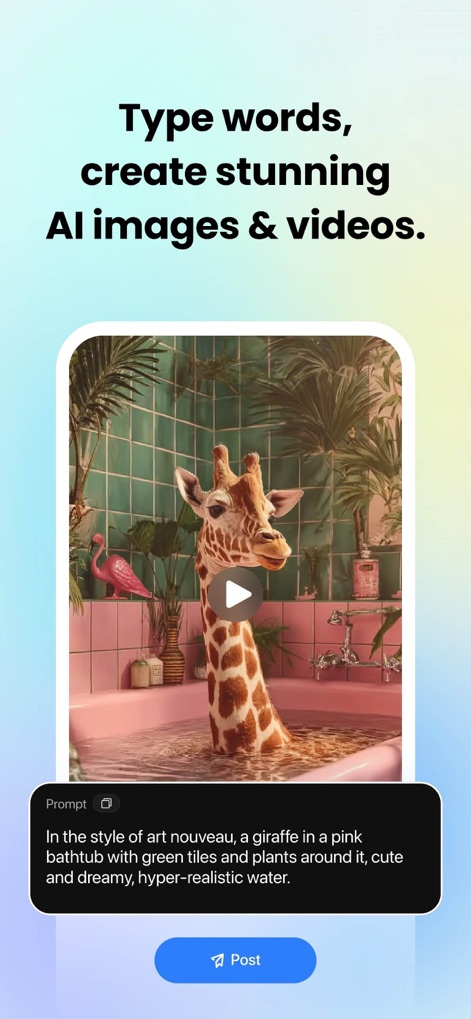
Genera Immagini AI
La funzionalità di generazione di immagini da testo è evidenziata, mostrando come un prompt dettagliato possa creare scene uniche, come una giraffa in una vasca da bagno, in uno stile artistico specifico.
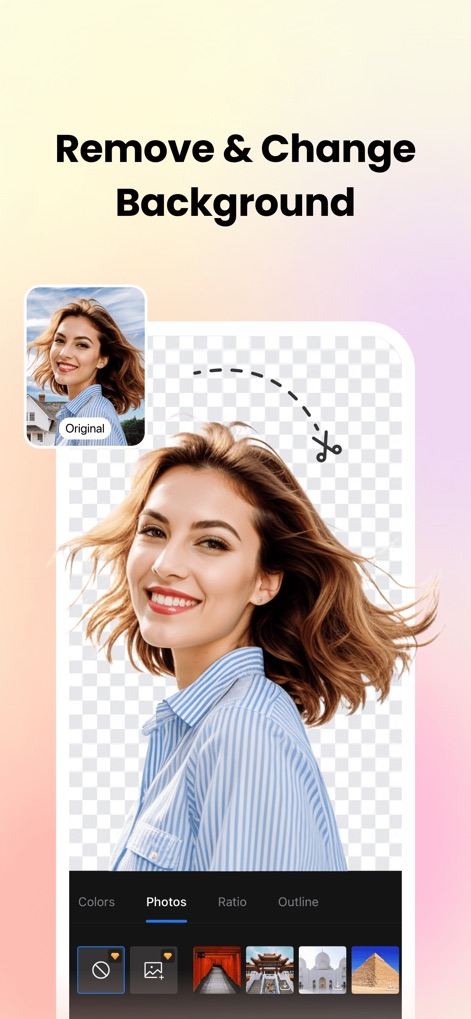
Sfondi Rimuovi e Cambia
Questa schermata illustra l'efficace strumento di rimozione dello sfondo, che isola il soggetto dall'immagine originale, consentendo agli utenti di scegliere facilmente nuovi sfondi da una galleria di opzioni.
Descrizione
Download
App Simili
App con funzionalità ed esperienza simili

ElevenLabs: AI Voice Generator
Eleven Labs Inc.

Viggle AI: Meme Maker
WarpEngine Canada Inc.

可灵AI - AI图片&视频创作工具
Beijing Kwai Technology Co., Ltd.

Leonardo.Ai - Image Generator
Leonardo Interactive Pty Ltd

Reface: Face Swap AI Photo App
NEOCORTEXT, INC.

Shedevrum
DIRECT CURSUS COMPUTER SYSTEMS TRADING LLC

Remove Objects
TAPUNIVERSE LLC

Zaps Collages
Turnip Media Private Limited

Carat - Create Anything
Paradot Corp.
Questa pagina non è una pagina ufficiale dell'app o del suo sviluppatore, ma una pubblicazione editoriale indipendente creata a scopo informativo e di commento. Salvo espressa indicazione contraria, né l'app né il suo sviluppatore sono affiliati, approvati, sponsorizzati, autorizzati o altrimenti ufficialmente collegati a MWM, Apple, Google Play, all'editore dell'app o allo sviluppatore dell'app, e nulla in questa pagina implica che l'app sia stata sviluppata utilizzando i servizi di MWM. Tutti i marchi, loghi, screenshot e altri contenuti rimangono di proprietà dei rispettivi proprietari.