
Questa pagina non è una pagina ufficiale dell'app o del suo sviluppatore, ma una pubblicazione editoriale indipendente creata a scopo informativo e di commento. Salvo espressa indicazione contraria, né l'app né il suo sviluppatore sono affiliati, approvati, sponsorizzati, autorizzati o altrimenti ufficialmente collegati a MWM, Apple, Google Play, all'editore dell'app o allo sviluppatore dell'app, e nulla in questa pagina implica che l'app sia stata sviluppata utilizzando i servizi di MWM. Tutti i marchi, loghi, screenshot e altri contenuti rimangono di proprietà dei rispettivi proprietari.


Gameram: Find gaming teammates
Smetti di giocare da solo e unisciti al social network creato per i giocatori. Abbina compagni di squadra non tossici, condividi i tuoi momenti epici e connettiti su tutte le piattaforme, da mobile e PC alla console.
Download
415K+Valutazione
Valutazioni totali
1K+Editore
Categoria
Social NetworkingLingue
12Ultima versione
1.118.0Dimensione
94.9 MBData di lancio
24 mag 2021L'hub social definitivo per ogni gamer
Smetti di scorrere da solo. Connettiti con una community non tossica, condividi le tue vittorie epiche e trova la tua prossima squadra con un semplice swipe.
Trova la squadra dei tuoi sogni
Usa il nostro strumento LFG (cerco gruppo) con swipe per trovare compagni di squadra che condividono il tuo stile di gioco e le tue vibes, su qualsiasi piattaforma, da PC a mobile.
Condividi ogni vittoria epica
Pubblica le tue clip, il loot raro e i fail divertenti in una community che capisce davvero il contesto. È la tua vita da gamer, condivisa.
Domande Frequenti
Tutto quello che devi sapere su Gameram: Find gaming teammates
Cos'è Gameram?
Gameram è un social network per gamer per connettersi, trovare compagni di squadra per giochi multiplayer, condividere esperienze di gioco e costruire community su varie piattaforme e generi.
Come posso trovare compagni di squadra usando Gameram?
Gameram permette agli utenti di trovare rapidamente compagni di squadra per giochi multiplayer. Puoi pubblicare ID di gioco, unirti ad avventure o cercare partner per partite casual o classificate all'interno dell'app.
Gameram supporta tutti i tipi di giochi e piattaforme?
Sì, Gameram supporta tutti i generi di giochi, inclusi MMORPG, FPS, strategia e casual. Copre piattaforme come PC, PlayStation, Xbox, Nintendo e giochi Mobile.
Posso condividere i miei contenuti di gioco su Gameram?
Sì, Gameram consente agli utenti di condividere screenshot, video, highlight e stream di gameplay con il proprio pubblico. Puoi pubblicare contenuti e connetterti con altri gamer.
Come aiuta Gameram a evitare i giocatori tossici?
Gameram aiuta a evitare i giocatori tossici grazie ai profili valutati dalla community. Questo sistema consente agli utenti di identificare ed escludere i giocatori indesiderati, promuovendo un ambiente di gioco positivo.
Gameram ha una versione web?
Sì, Gameram ha una versione web aggiornata. Permette agli utenti di creare post direttamente dal loro computer, semplificando il processo di condivisione di screenshot o video con pochi clic.
Come funzionano gli abbonamenti in Gameram tramite Apple?
Se ti abboni a Gameram tramite Apple, il pagamento viene addebitato sul tuo account App Store al momento dell'acquisto. Gli abbonamenti si rinnovano automaticamente a meno che tu non disattivi il rinnovo automatico 24 ore prima della fine del periodo.
Dove posso gestire i miei abbonamenti e rinnovi automatici di Gameram?
Puoi gestire i tuoi abbonamenti e rinnovi automatici di Gameram nelle Impostazioni del tuo account dopo l'acquisto. Questo viene fatto all'interno del tuo account Apple App Store.
Ci sono delle quest disponibili in Gameram?
Sì, Gameram include delle quest. Gli utenti le completano per imparare l'app, guadagnando badge o sfondi per il profilo. Le quest sono accessibili dal tuo profilo o dalla pagina Home.
Posso inviare messaggi vocali in Gameram?
Sì, Gameram supporta i messaggi vocali nelle chat private. Questa funzione offre un metodo di comunicazione più veloce e coinvolgente rispetto alla digitazione tradizionale.
Gli screenshot e la descrizione seguenti provengono direttamente dall'elenco ufficiale dello store dell'app e sono di proprietà dello sviluppatore.
App Store
Screenshot

Due giovani gamer sorridenti guardano uno schermo di smartphone con il testo 'Unisciti alla community di giocatori'.
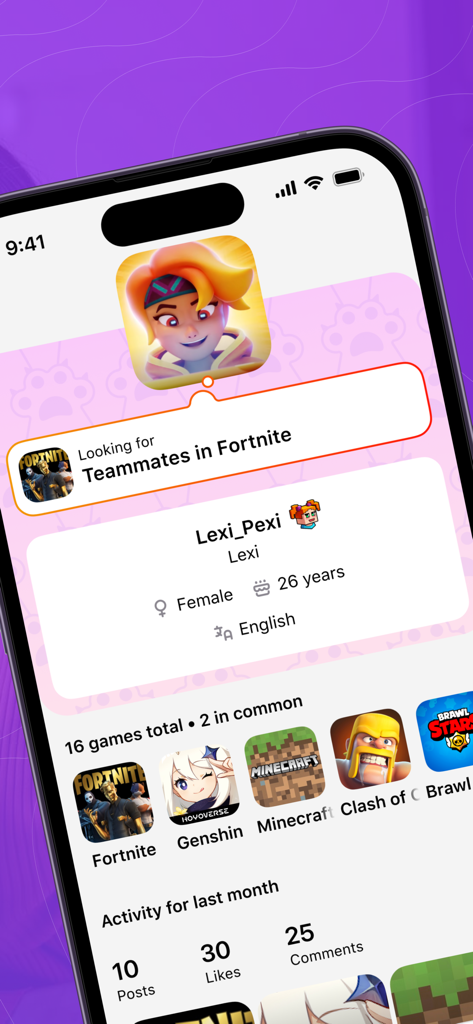
Un profilo utente sull'app Gameram che mostra un gamer in cerca di compagni di squadra in Fortnite con un elenco di giochi condivisi come Genshin Impact e Minecraft.
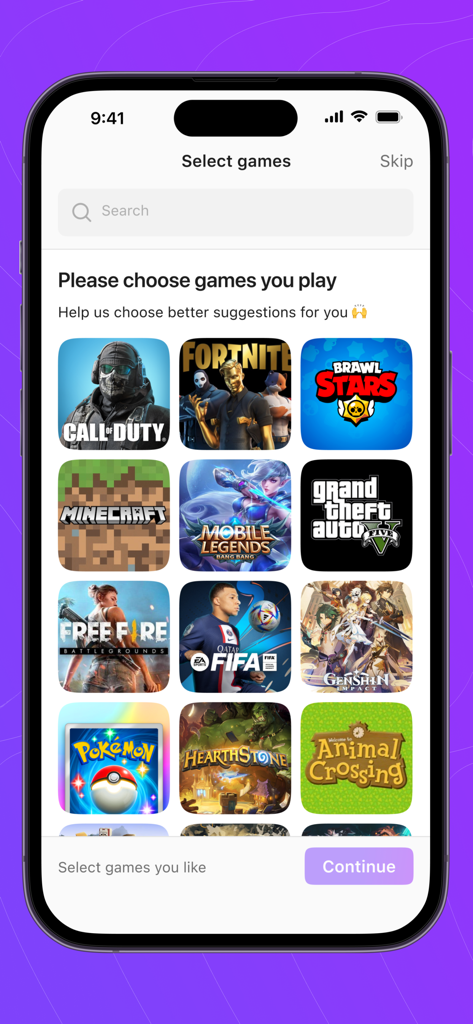
Un'interfaccia mobile che mostra un elenco di giochi popolari da selezionare nell'app Gameram.
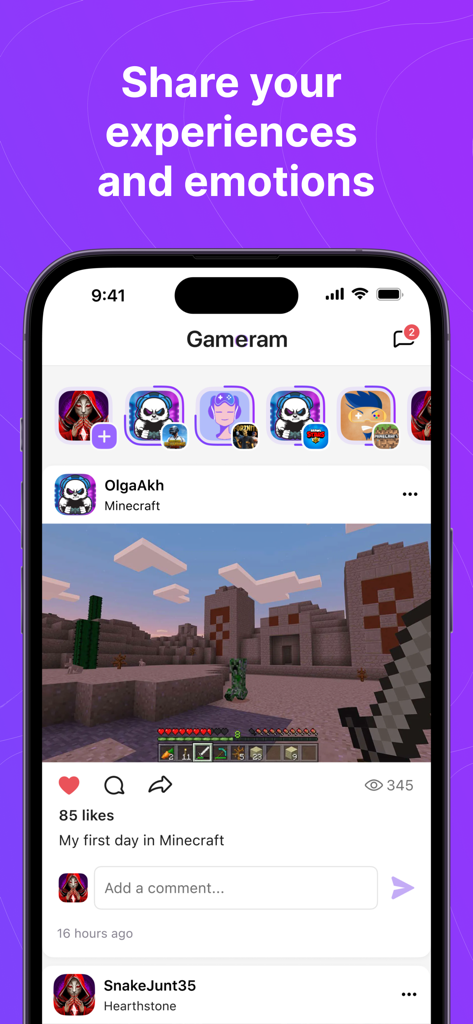
Feed social di Gameram che mostra un post con uno screenshot di gioco di Minecraft.
Descrizione
Download
App Simili
App con funzionalità ed esperienza simili

CastChat - Voice Chat & Match
Guru Rain Holding Limited

比心-找游戏陪练上比心APP就够了
Shanghai Yepu Network Technology Co.,Ltd.

小鹿组队-电竞吃鸡游戏交友必备
Tianjin FutureByte Technology Co., Ltd

Gamee LFG: Find Gamer Friends
Ayano Sato

Lita - Meet Gamer Friends
BATTUTA TECHNOLOGY PTE. LTD

GamerLink LFG, Find Teammates!
GamerLink Inc.

E-Pal: Your Kind Teammates
Epal, Inc.

Nicee陪玩-語音交友組隊上分
SIVONA HONG KONG LIMITED

DUBS – Find Gaming Friends
ONEXP UK LTD
Questa pagina non è una pagina ufficiale dell'app o del suo sviluppatore, ma una pubblicazione editoriale indipendente creata a scopo informativo e di commento. Salvo espressa indicazione contraria, né l'app né il suo sviluppatore sono affiliati, approvati, sponsorizzati, autorizzati o altrimenti ufficialmente collegati a MWM, Apple, Google Play, all'editore dell'app o allo sviluppatore dell'app, e nulla in questa pagina implica che l'app sia stata sviluppata utilizzando i servizi di MWM. Tutti i marchi, loghi, screenshot e altri contenuti rimangono di proprietà dei rispettivi proprietari.