GeoAce: Rilievi AR Professionali con Precisione Centimetrica
Sfrutta la potenza del Visual SLAM e della Realtà Aumentata per acquisire, localizzare ed esportare dati geospaziali ad alta precisione ovunque, anche in interni o sotto fitta copertura.
Editore
e.quinox KG
Categoria
Business
Download
2K+
Valutazione
4.0/5
Valutazioni totali
0
Lingue
33
Precisione in Ogni Fotogramma
Scopri l'interfaccia usata da 2K+ utenti.
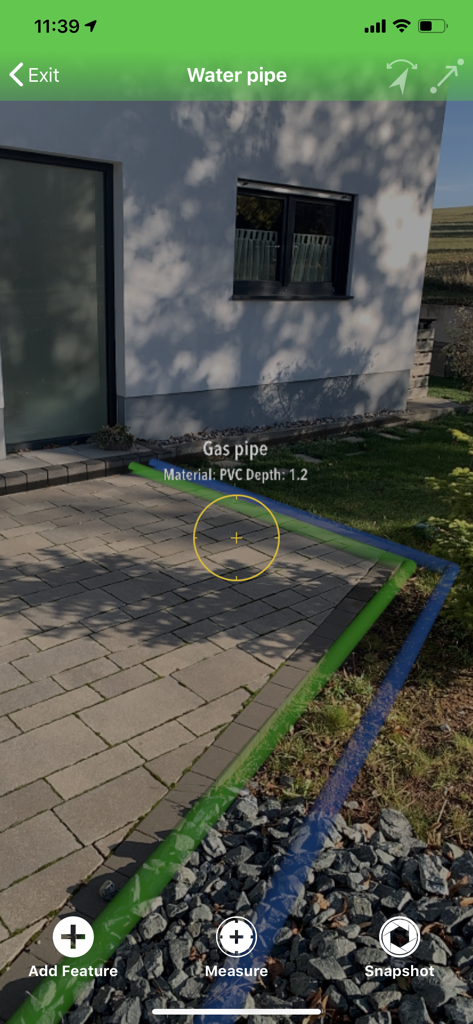
Visualizzazione in realtà aumentata di condotte idriche e del gas sotterranee utilizzando l'app di rilievo GeoAce
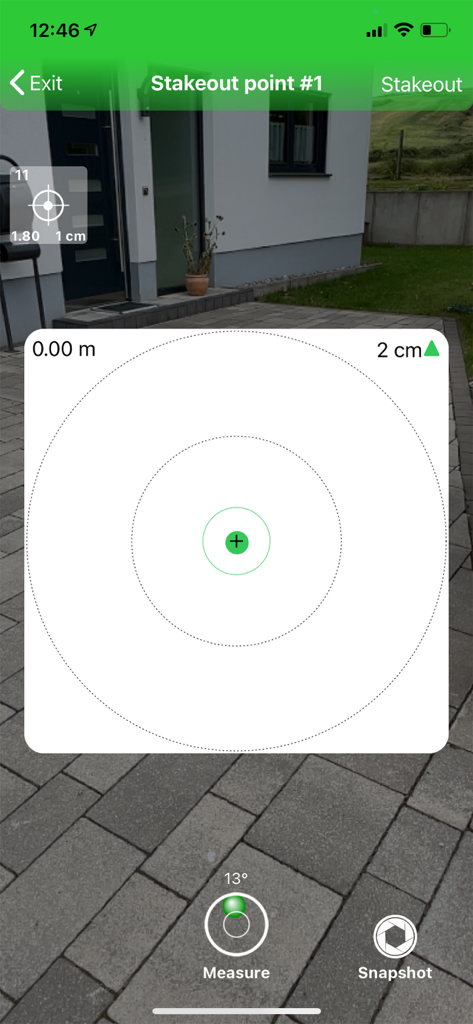
App mobile GeoAce che mostra un picchettamento visivo in realtà aumentata con precisione centimentrica
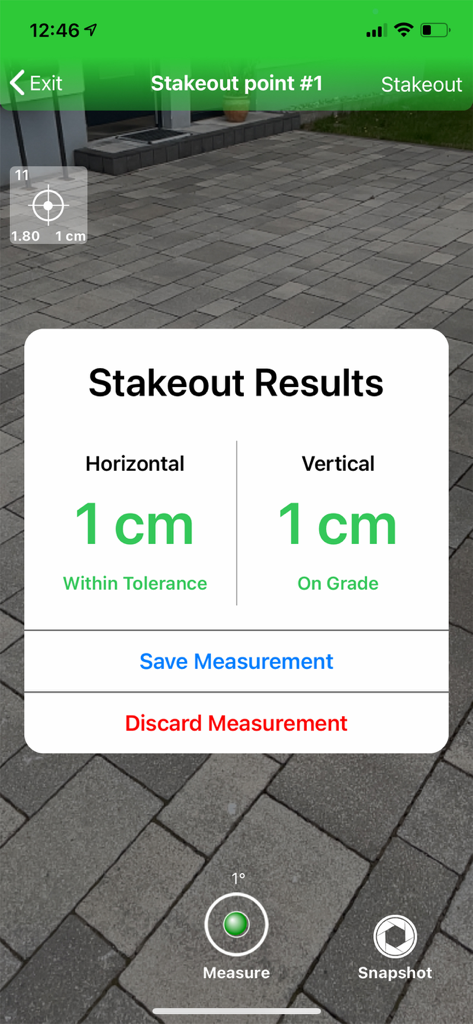
App GeoAce che mostra risultati di picchettamento AR con precisione centimentrica per misurazioni verticali e orizzontali
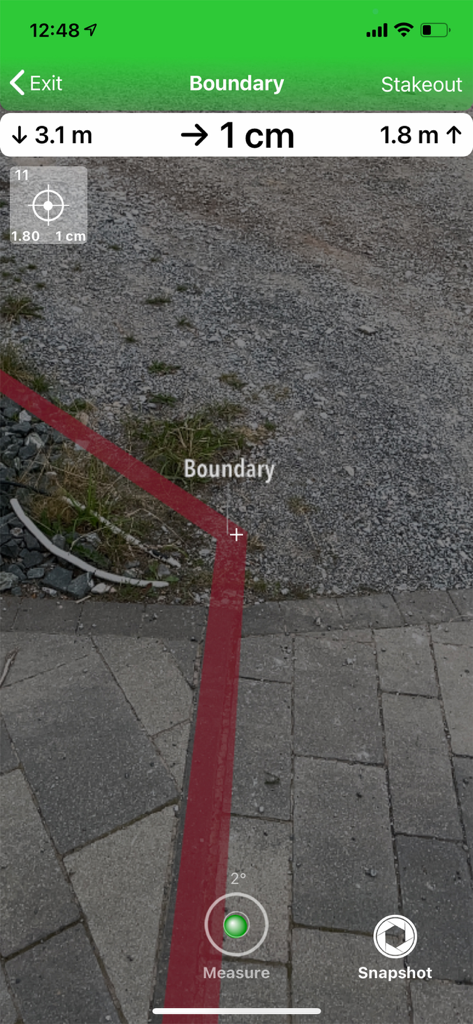
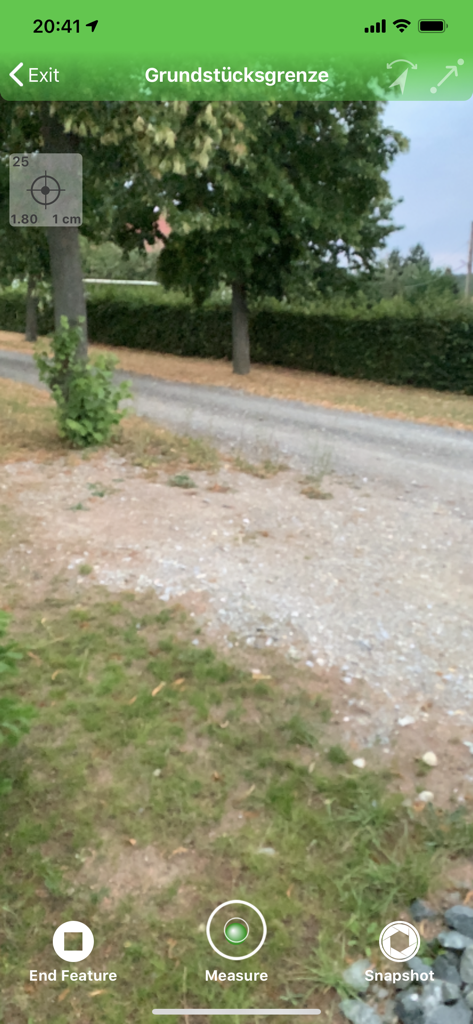
Vista in realtà aumentata in GeoAce che mostra una linea di confine rossa con misurazioni di precisione centimentrica su un sentiero di pietra.
Interfaccia di rilievo AR nell'app GeoAce per la misurazione dei confini di proprietà
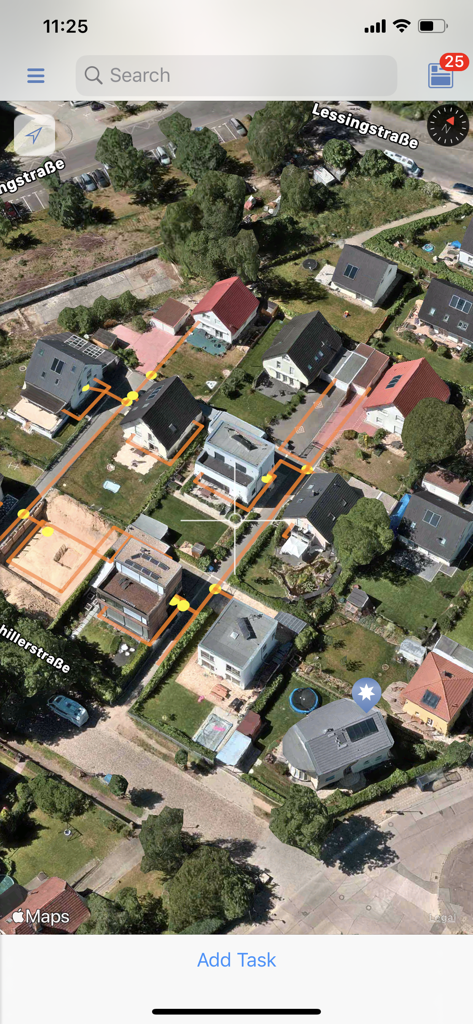
Una vista mappa satellitare nell'app GeoAce che visualizza i confini delle proprietà residenziali e punti di rilievo gialli per la raccolta di dati geospaziali
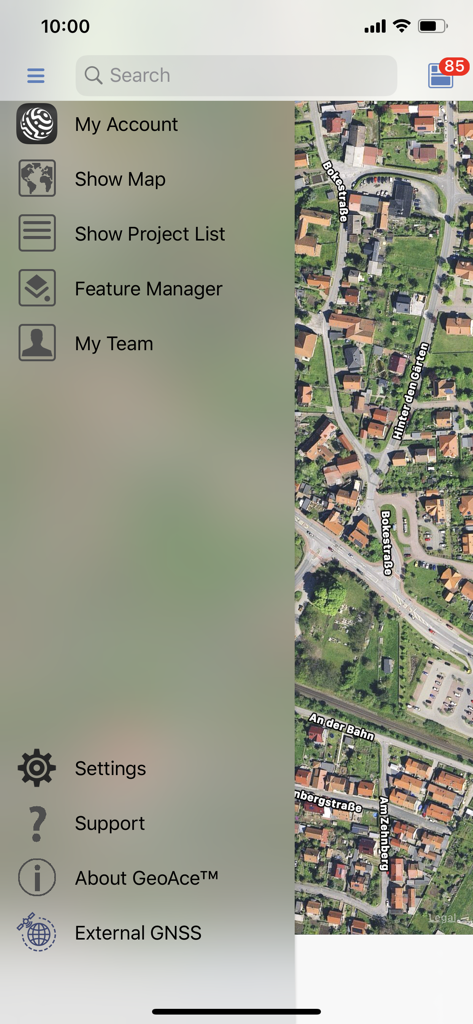
Menu di navigazione laterale di GeoAce che mostra opzioni di gestione progetti di rilievo su una mappa satellitare aerea
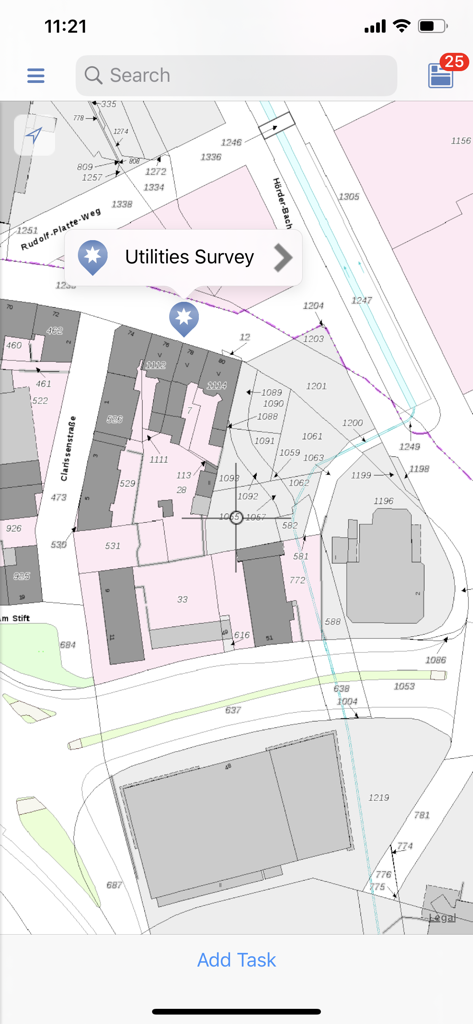
Una vista mappa 2D nell'app GeoAce che mostra un progetto di rilievo delle utenze su una mappa catastale dettagliata.
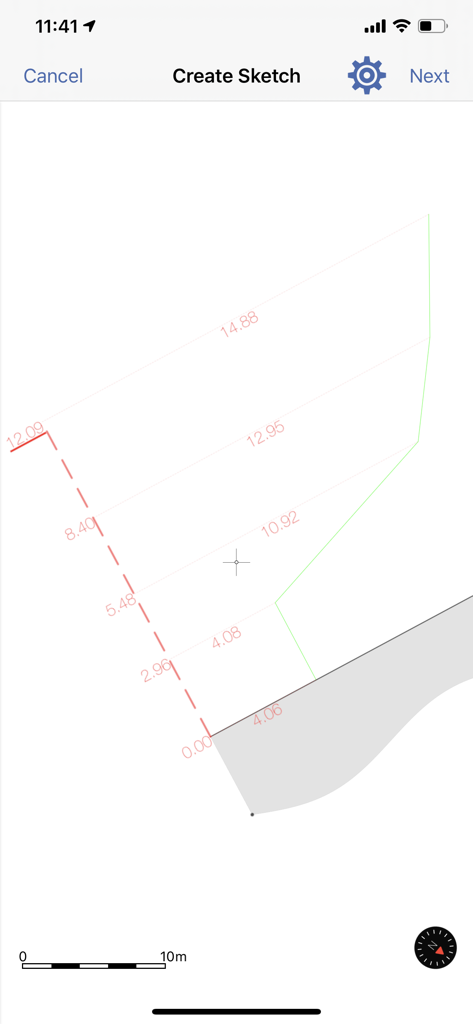
Interfaccia dell'app mobile GeoAce per creare schizzi di rilievo professionali con misurazioni di distanza e scala
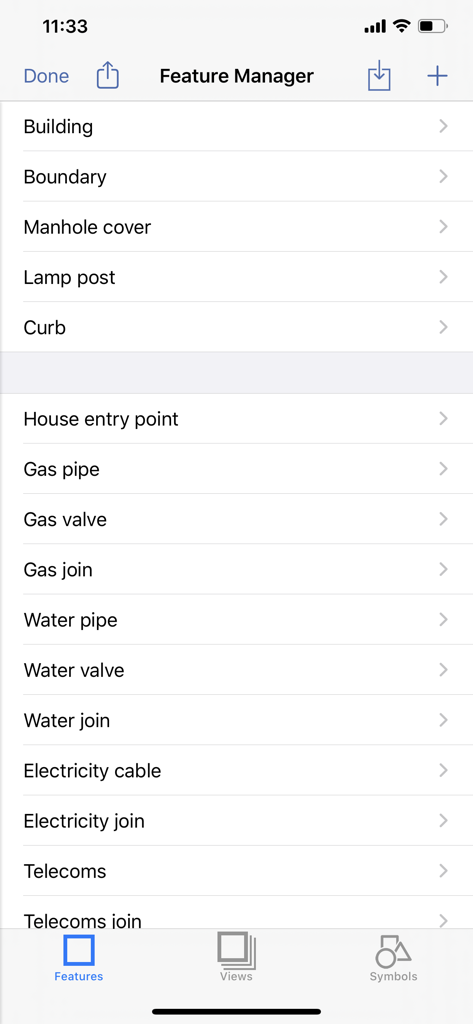
Interfaccia dell'app GeoAce che mostra la schermata Feature Manager con un elenco di categorie di infrastrutture come edifici, confini e condotte per i rilievi.
Rilievi Professionali, Semplificati
Gli strumenti che rendono questa app unica, scelti da 2K+ utenti.
📍
Lavora Dove il GNSS Fallisce
Utilizza la tecnologia Visual SLAM e AR per mappare spazi interni, foreste fitte o gallerie dove i segnali GPS tradizionali non possono arrivare.
🎯
Precisione Elevata
Trasforma il tuo dispositivo mobile in un sistema di rilievo professionale. Ottieni risultati con precisione centimentrica senza il costo di $20.000 dell'hardware tradizionale.
📂
Integrazione Diretta CAD e GIS
Risparmia ore di tempo fatturabile con esportazioni immediate in DXF, DWG e Shapefiles. I tuoi dati sono pronti per AutoCAD o ArcGIS non appena lasci il sito.
Info sull'app
Tutto quello che devi sapere su GeoAce.
Descrizione
GeoAce is a super-easy-to-use surveying application, for both surveyors and non-surveyors, who want to accurately collect geospatial data or locate (stakeout) such data on-site. GeoAce turns your smartphone or tablet into a precise, centimeter-accurate surveying system, without the need to use GNSS receivers or total stations.
It uses Visual SLAM positioning and Augmented Reality technology to accurately determine the position of your smartphone/tablet in space and collect 3-dimensional data at the same time directly in the video stream. It doesn’t rely on GNSS positioning, so it can be used also indoors, under tree coverage and even in underground mining. You can connect external GNSS receivers to further increase the versatility of the application and accuracy. You can upgrade your GNSS receivers from Leica, Trimble, eSurvey, Stonex, Emlid and others with GeoAce to an Augmented Reality rover working everywhere, even in areas where GNSS usually wont work.
The results are ready to use drawings in PDF and standard CAD & GIS formats. GeoAce doesn’t require a network connection and all processing and exporting is done on the device.
Key Features:
• 2D MapView with more than 245 Overlay Map Layers
• Offline Maps
• 3D Augmented Reality view
• Data collection in 3D Augmented Reality view
• Visual Stakeout (points and polylines)
• Feature and Layer manager
• Apple Watch support
• Import GeoJSON, Esri SHP, DXF, DWG, DGN, GPX, OSM, CSV, KML/KMZ files
• Export GeoJSON, Esri SHP, DXF, DWG, DGN, customizable CSV with QA report, Penmap, KML/KMZ
• Georeference a survey by using WMS, WFS, imported CAD or GNSS files
• Survey sketch PDF export with linear and chain & offset dimensions
• Assign tasks to specific users
• Sync data between multiple devices
• Photo documentation of results
• World-wide coordinate system and geoid support
• Connection to external GNSS receivers
• Quality (RMS) and status information
Subscription types:
1. Free Subscription functionality:
• Import: all formats
• Overlay imported data on top of Apple maps
• Precise GNSS surveying and CSV export
• Free 7 days trial of all “Survey" subscription features
Paid subscription:
2. "View" Subscription, all features of the Free subscription, plus
• Visual stakeout with external GNSS in Augmented Reality
• Apple watch support
• WMS, TMS and WFS, offline maps
• Export: PDF, GeoJSON, Esri, DXF
• Sync between devices
3. "GIS" Subscription, all features of the "View" subscription, plus
• Visual SLAM data collection in Augmented Reality
• Georeferencing
4. "Survey" Subscription, all features of the "GIS" subscription, plus
• GNSS data collection in Augmented Reality with eBubble and tilt compensation
• Export: DWG, DGN
• Teamleader reporting
Purchase of a GeoAce subscription allows you to run the GeoAce App on all supported platforms, with your tasks and projects being automatically synchronized between your devices. Subscription payments will be charged to your iTunes Account at confirmation of purchase and will automatically renew unless you cancel your subscription or turn off auto-renewal at least 24-hours prior to the end of the current subscription period. A cancelled subscription remains active until the end of the current period, at which time your account reverts to the “Free" subscription functionality.
Customers selecting the Free Trial will enjoy “Survey" subscription features for a period of 7 days, after which they can elect to purchase a paid subscription. In the absence of a purchase, their account will revert to “Free" subscription functionality.
For further information:
• GeoAce Privacy Policy: https://its-geo.eu/Privacy.html
• GeoAce Terms of Use: https://its-geo.eu/terms-of-service.html
Ultima versione
26.1
Dimensione
258.1 MB
Data di lancio
18 feb 2020
Porta la Precisione Centimetrica in Tasca
Dai ai tuoi team la precisione del Visual SLAM e della Realtà Aumentata. Inizia la tua prova gratuita di 7 giorni di GeoAce oggi e colma il divario tra cantiere e ufficio.
App information, icons, screenshots, and descriptions displayed on this page are sourced from the Apple App Store and are the property of their respective developers. Download estimates and rankings are based on MWM's proprietary models and may not reflect actual figures. This page is provided for informational and analytical purposes only.
Believe this page infringes your intellectual property? File a dispute