GoodReader Pro PDF Editor: Lo spazio di lavoro professionale definitivo
Padroneggia i tuoi documenti con sicurezza di livello militare, gestione file di classe desktop e strumenti PDF superiori. Acquisto una tantum, zero abbonamenti e oltre un decennio di affidabilità comprovata per gli utenti esperti.
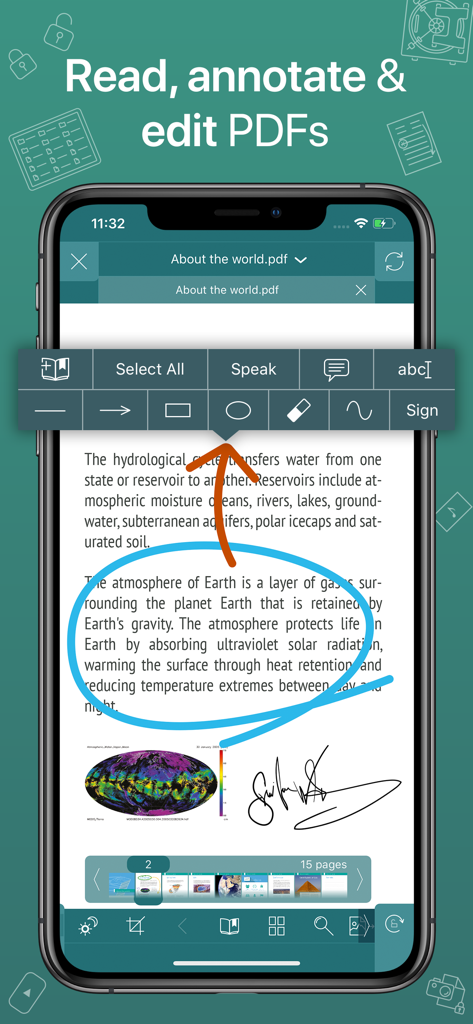
Interfaccia dell'app GoodReader Pro che mostra un documento PDF con annotazioni a cerchio blu e una firma digitale
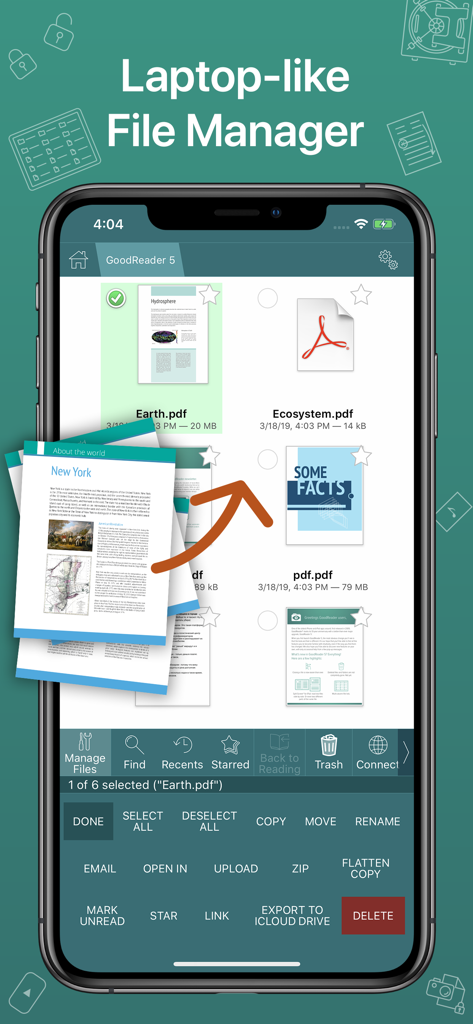
Screenshot dell'app GoodReader Pro che mostra un'interfaccia di gestione file professionale simile a un laptop con documenti PDF
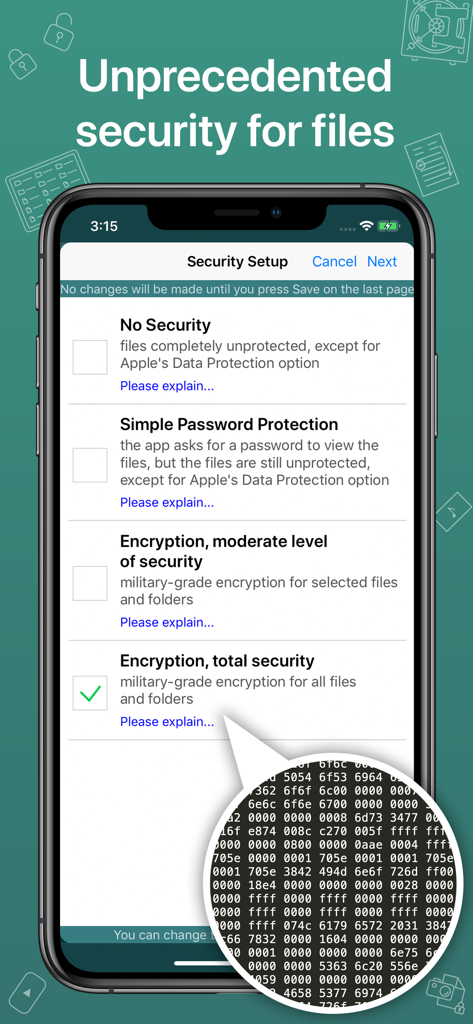
Schermata di configurazione della sicurezza di GoodReader Pro che mostra opzioni per la crittografia di file di livello militare.
Potenza desktop per professionisti mobili
Gli strumenti che rendono questa app unica, scelti da 159K+ utenti.
📂
Sincronizzazione file di classe desktop
Gestisci librerie enormi come un professionista. Connettiti direttamente a server SMB, SFTP o cloud per sincronizzare intere strutture di cartelle per l'accesso offline.
🖋️
Markup avanzato e Reflow
Elimina lo scorrimento orizzontale con PDF Reflow e utilizza strumenti di precisione per annotare, firmare e appiattire i documenti per la condivisione professionale.
🛡️
Sicurezza di livello militare
Proteggi i dati sensibili con la crittografia AES-256. Questo livello di sicurezza indipendente garantisce che i tuoi file rimangano bloccati anche se il tuo dispositivo viene compromesso.
Info sull'app
Tutto quello che devi sapere su GoodReader Pro PDF Editor.
Descrizione
GoodReader® Pro and our famous classic GoodReader app are essentially the same app, but this one comes with Pro Pack® pre-activated, no subscription or in-app purchase needed.
First released in 2009, GoodReader is truly a veteran of the App Store.
In the modern app business, it's not easy to stay relevant that long. We're proud to say that after 12 years and counting, we've been delivering wonderful updates with extraordinary new features. And we're going to keep doing that!
GoodReader is a perfect combination of document-reading and file-managing capabilities. It's your one-stop shop for all your document needs when you're on the go with your iOS device.
Use the app once, and you'll be hooked. Soon you'll be wondering how you ever managed to work without it.
-= File Reading =-
PDF, TXT, MS Office, iWork, HTML, pictures, music & audio-books, videos. This is what you can view in GoodReader, plus you can also annotate PDF files and edit TXT files.
-= PDF Reading and Annotating =-
PDF files is where GoodReader truly shines. Reading experience is so superior, it's hard to describe. To rephrase one of our customers' review, "try it, and you'll see." While you're at it, give our PDF Reflow feature a try. You'll be surprised how much better PDF reading goes when you don't have to scroll left/right all the time, for every single line of text.
Annotating PDFs is another star feature of our app. Adding notes and drawings, highlighting text, and then sharing your annotated files or annotation summaries will be your main productivity and collaboration asset.
-= File Management =-
While reading files is a big part of GoodReader, it's not all it can do. It can also serve as a central hub for all your files, even those that can't be opened by GoodReader itself. It's like bringing your personal computer experience to your mobile device — easily managing huge collections of files and folders will make you forget you don't have your laptop around.
-= Connecting =-
Dropbox, OneDrive, Google Drive, Box.com, WebDAV, SMB, AFP, FTP, SFTP — these are all accessible from inside GoodReader. Download, upload, and sync individual files or huge folder collections.
-= Security =-
With GoodReader, your data security steps up to the level previously only dreamt of. With GoodReader Pro, you'll get AES-256, a military-grade encryption, for all your data. And it's completely independent from the built-in Apple's Data Protection, so even if a hacker steals and unlocks your device, your data will still be protected by another strong layer of security, our own.
-= Split-Screen =-
This wonderful feature allows you to split an iPad screen in half, to read two files side-by-side. And even two different parts of the same file!
Ultima versione
5.19.1221
Dimensione
49.0 MB
Data di lancio
9 mar 2019
Abbandona gli abbonamenti. Possiedi lo standard del settore.
Unisciti a oltre 150.000 professionisti che si affidano a GoodReader Pro per la sicurezza di livello militare e la gestione documentale d'élite. Acquisto una tantum, produttività a vita.
App information, icons, screenshots, and descriptions displayed on this page are sourced from the Apple App Store and are the property of their respective developers. Download estimates and rankings are based on MWM's proprietary models and may not reflect actual figures. This page is provided for informational and analytical purposes only.
Believe this page infringes your intellectual property? File a dispute