HUD Nav

HUD Nav

Scarica su App Store
Logo di HUD Nav

HUD Nav: Trasforma il tuo parabrezza in un Head-Up Display High-Tech

Guida in modo più sicuro con la navigazione svolta per svolta riflessa direttamente nella tua linea di vista. Sperimenta la tecnologia premium da cruscotto in qualsiasi veicolo, perfettamente ottimizzata per le guide notturne e gli spostamenti quotidiani.

Scarica su App Store

Editore

Sebastien BUET

Categoria

Navigation

Download

153K+

Valutazione

2.3/5

Valutazioni totali

0

Lingue

2

Il tuo cruscotto, reinventato

Scopri l'interfaccia usata da 153K+ utenti.
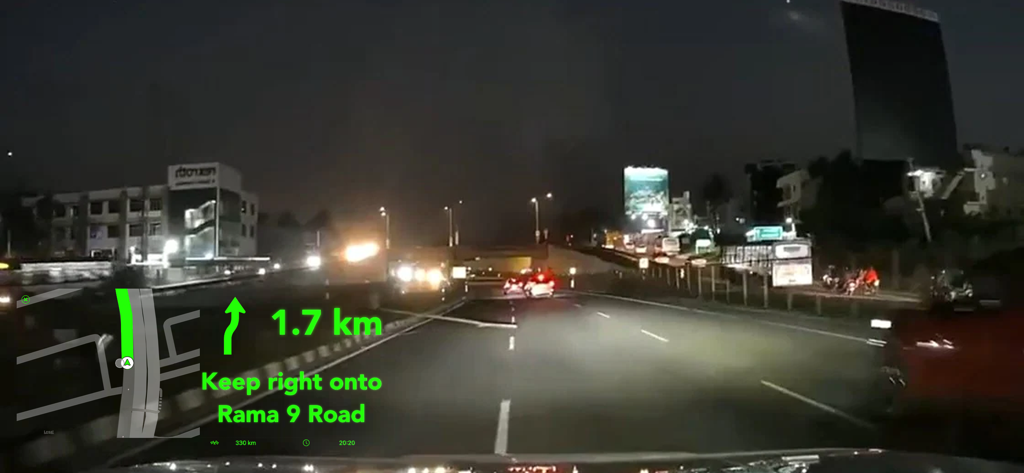
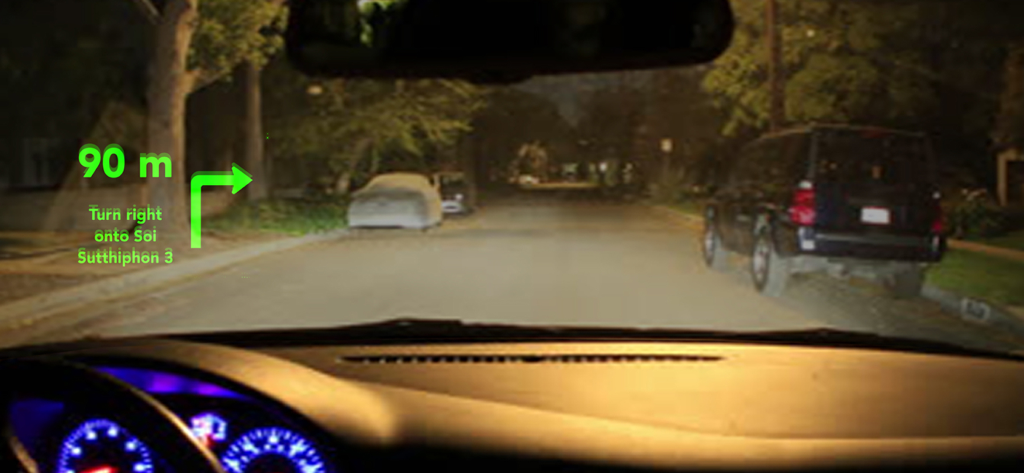
Head up display che mostra indicazioni di navigazione riflesse su un parabrezza d'auto di notte

Head up display che mostra indicazioni di navigazione riflesse su un parabrezza d'auto di notte

Riflesso della navigazione HUD su un parabrezza d'auto di notte

Riflesso della navigazione HUD su un parabrezza d'auto di notte

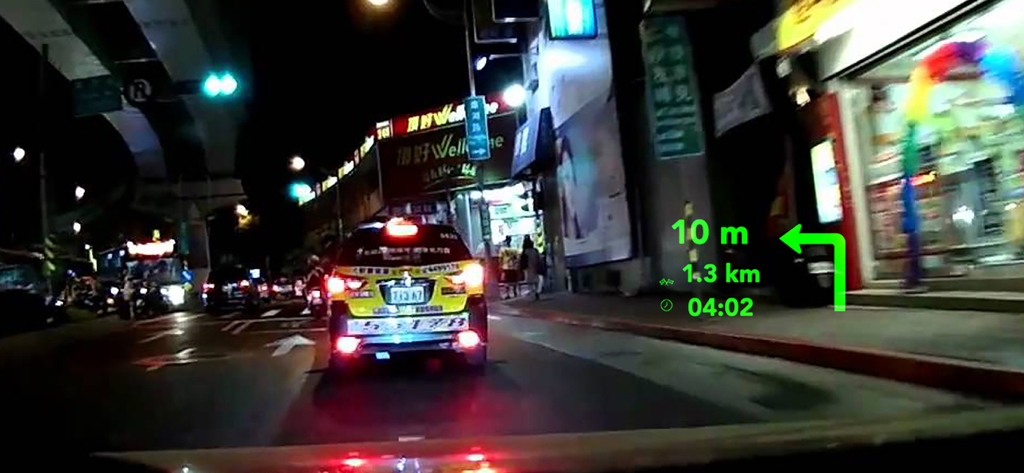
Interfaccia HUD Nav proiettata su un parabrezza d'auto che mostra la navigazione svolta per svolta di notte

Interfaccia HUD Nav proiettata su un parabrezza d'auto che mostra la navigazione svolta per svolta di notte

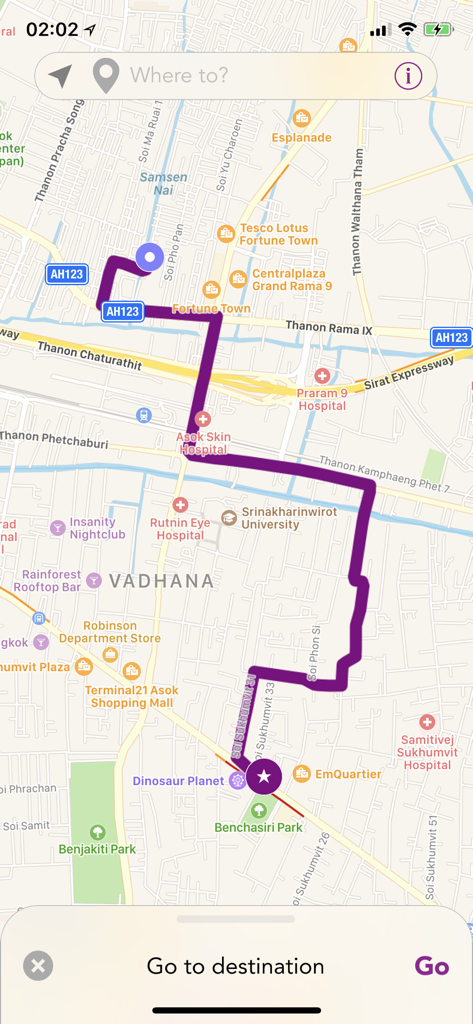
Un'interfaccia mappa nell'app HUD Nav che mostra un percorso di navigazione viola attraverso una città

Un'interfaccia mappa nell'app HUD Nav che mostra un percorso di navigazione viola attraverso una città

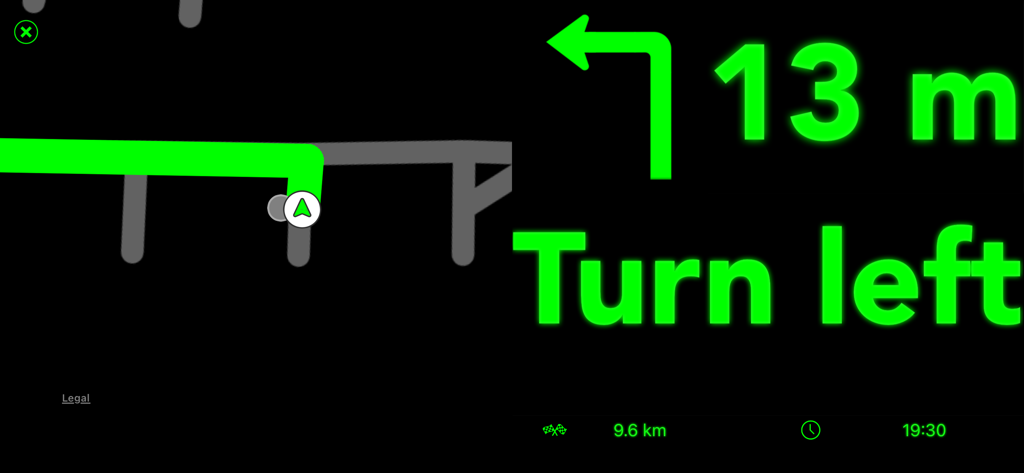
Interfaccia HUD Nav con indicazioni svolta per svolta e mappa verdi

Interfaccia HUD Nav con indicazioni svolta per svolta e mappa verdi

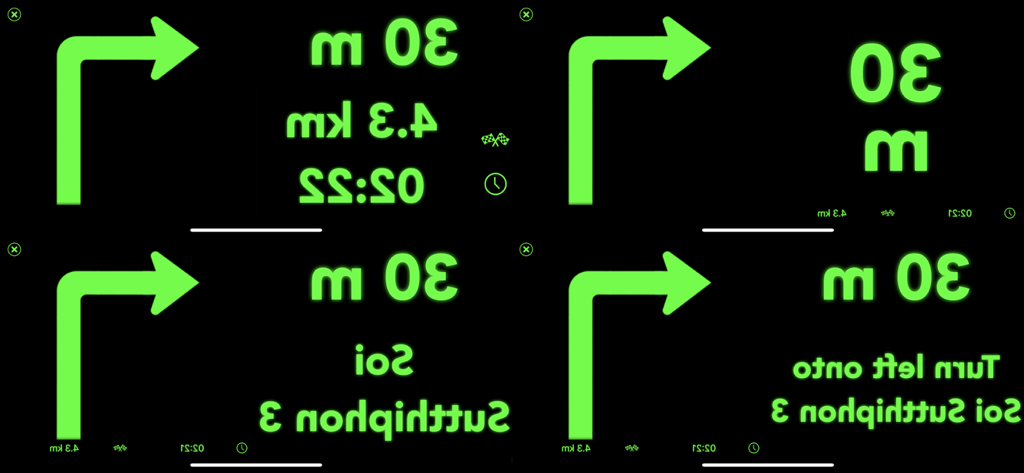
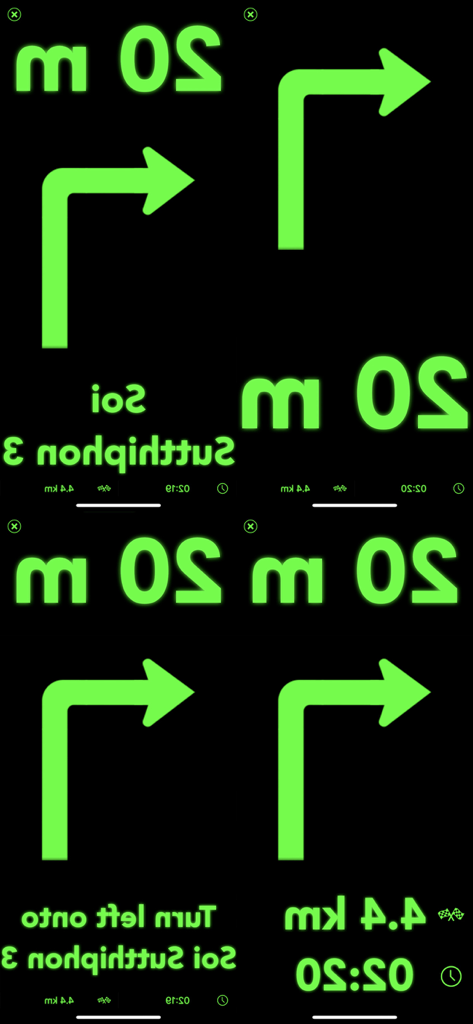
Quattro varianti dell'interfaccia di navigazione head-up display speculare verde che mostrano direzioni di svolta e distanza

Quattro varianti dell'interfaccia di navigazione head-up display speculare verde che mostrano direzioni di svolta e distanza

Quattro schermi di interfaccia di navigazione speculari con testo e icone verdi su sfondo nero per head-up display

Quattro schermi di interfaccia di navigazione speculari con testo e icone verdi su sfondo nero per head-up display

Guida in modo più intelligente con un cruscotto futuristico

Gli strumenti che rendono questa app unica, scelti da 153K+ utenti.

🛡️

Sicurezza con gli occhi sulla strada

Elimina il pericolo di guardare il telefono. Proietta dati di navigazione critici nella tua linea di vista in modo da non perdere mai la concentrazione sulla strada.

📲

Integrazione Apple senza interruzioni

Sfrutta la potenza di Apple Maps. Invia i tuoi percorsi preferiti direttamente all'app e goditi un'esperienza HUD high-tech senza cambiare le tue abitudini.

🕶️

Interfaccia cockpit personalizzabile

Personalizza la tua vista con sei diverse modalità di visualizzazione. Che tu voglia frecce minime o tempi di arrivo dettagliati, personalizza il tuo HUD per adattarlo al tuo stile di guida.

Info sull'app

Tutto quello che devi sapere su HUD Nav.

Descrizione

Transform your iPhone and iPad into a head-up display for any car with HUD Nav - Turn by turn Head up display navigation. Look for a location, chose a route and place your iPhone/iPad on the dashboard — you’ll see the directions, distances, and other information, reflected on your windshield. Drive safer and keep your eyes on the road, and know in advance what’s ahead. Features: - Watch the direction and distance to the next turn, right on the windshield - HUD interfaces with clear, simple and non-distracting information that you understand immediately - Double tap the HUD to change the information displayed. 6 different modes are available: + Direction and distance to the next turn + Direction, road/street name, and distance to the next turn + Direction and distance to the next turn, remaining distance to destination and expected time arrival (ETA) + Detailed direction, road/street name, and distance to the next turn + Map, direction and distance to the next turn + Map, direction, road/street name, and distance to the next turn - Get voice instructions and drive with a co-pilot - Choose the voice that guides you (available in some languages) - Motorcycle mode: the HUD is not mirrored so you can use the app while riding your bike, or driving in bright conditions - Save places and locations in the Historic to quickly drive to them later. Edit your historic and rename places/locations, organize them or delete them - Works with Apple Maps app: send routes from Maps to the app, and drive them with the app HUD Note! - On a clear day or bright conditions, the device screen brightness is typically insufficient to give a decent reflection for HUD mode. In that situation, you can use the app in motorcycle mode with the phone fixed with some mount. At night, in dusk, or in dull weather the reflection is normally well-discernible. - When driving, make sure that your iPhone or iPad is well fixed in some mount or on some sticky pad, and doesn't prevent you from clearly seeing the road. Continued use of GPS running in the background can quickly drain your device battery. Note that the app uses the same "route search engine" as the Maps app. However, as not all the iOS features are available in all countries, you can check the list of features available for your country at https://www.apple.com/ae/ios/feature-availability/. If you face any problems or find any bugs, please email us at support@seb-appstore.com or report the bug right from the app. We appreciate your feedback! Check out our other iPhone and iPad apps at www.seb-appstore.com, with hundreds of discounted and free apps.

Ultima versione

2.0

Dimensione

17.5 MB

Data di lancio

12 mar 2017

Pronto a trasformare il tuo parabrezza in un cockpit futuristico?

Unisciti a oltre 150.000 automobilisti che hanno aggiornato i loro spostamenti. Scarica HUD Nav ora per tenere gli occhi sulla strada e le indicazioni in vista stasera.

Scarica su App Store

App information, icons, screenshots, and descriptions displayed on this page are sourced from the Apple App Store and are the property of their respective developers. Download estimates and rankings are based on MWM's proprietary models and may not reflect actual figures. This page is provided for informational and analytical purposes only.

Believe this page infringes your intellectual property? File a dispute