iBunkoHD
iBunkoHD
Scarica su App Store

Questa pagina non è una pagina ufficiale dell'app o del suo sviluppatore, ma una pubblicazione editoriale indipendente creata a scopo informativo e di commento. Salvo espressa indicazione contraria, né l'app né il suo sviluppatore sono affiliati, approvati, sponsorizzati, autorizzati o altrimenti ufficialmente collegati a MWM, Apple, Google Play, all'editore dell'app o allo sviluppatore dell'app, e nulla in questa pagina implica che l'app sia stata sviluppata utilizzando i servizi di MWM. Tutti i marchi, loghi, screenshot e altri contenuti rimangono di proprietà dei rispettivi proprietari.


Logo di iBunkoHD
Scarica su App Store

iBunkoHD

Dai vita alla tua intera collezione di libri, manga e documenti con un'interfaccia realistica e pluripremiata. Progettato per lettori esigenti e collezionisti che richiedono il controllo totale sulle loro librerie PDF, CBZ e Aozora Bunko.

Numeri Chiave

Download

142K+

Valutazione

3.9/5

Valutazioni totali

3K+

Editore

Dwango Co., Ltd.

Categoria

Books

Lingue

3

Ultima versione

3.4.42

Dimensione

34.7 MB

Data di lancio

9 mag 2010
Funzioni

Lo Standard d'Oro per la Tua Collezione Digitale

Progettato per lettori esigenti che desiderano di più, iBunkoHD trasforma il tuo iPad in una libreria premium per manga ad alta definizione, PDF accademici e letteratura classica.

Gestisci la Tua Collezione Manga

Leggi file .cbz e .cbr come sono stati concepiti, con rilegatura automatica da destra verso sinistra e splendide pagine doppie.

Gestione Professionale dei File

Liberati dagli store proprietari. Connetti la tua libreria privata tramite Dropbox, FTP o WebDAV con supporto completo per i tuoi file DRM-free.

Gli screenshot e la descrizione seguenti provengono direttamente dall'elenco ufficiale dello store dell'app e sono di proprietà dello sviluppatore.

App Store

Screenshot
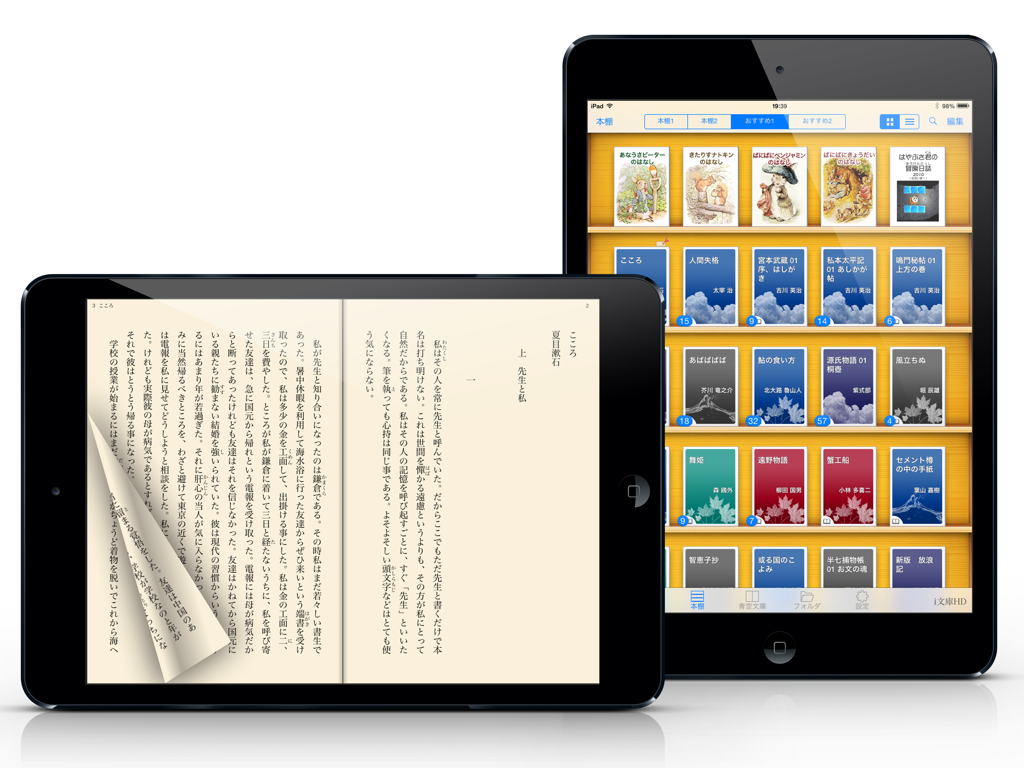
iBunkoHD - Libreria digitale e visualizzazione di lettura giapponese nell'app iBunkoHD su iPad.
Libreria digitale e visualizzazione di lettura giapponese nell'app iBunkoHD su iPad.

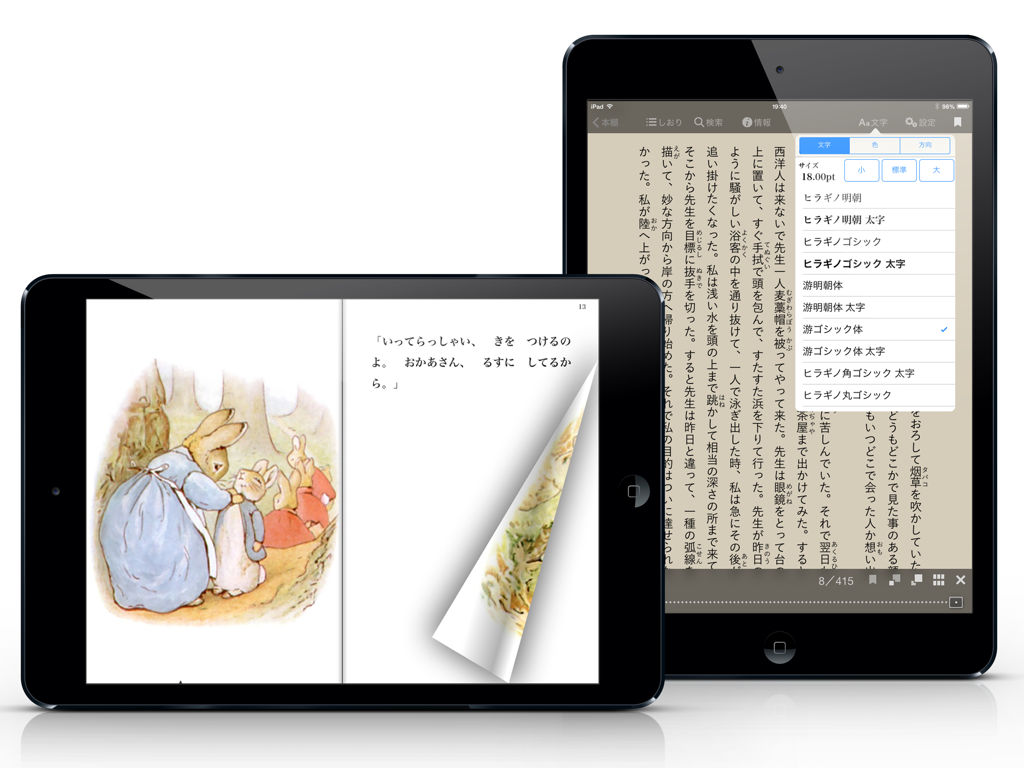
iBunkoHD - App iBunkoHD su iPad che mostra un'animazione realistica di sfoglio pagina e menu di impostazioni del font giapponese.
App iBunkoHD su iPad che mostra un'animazione realistica di sfoglio pagina e menu di impostazioni del font giapponese.

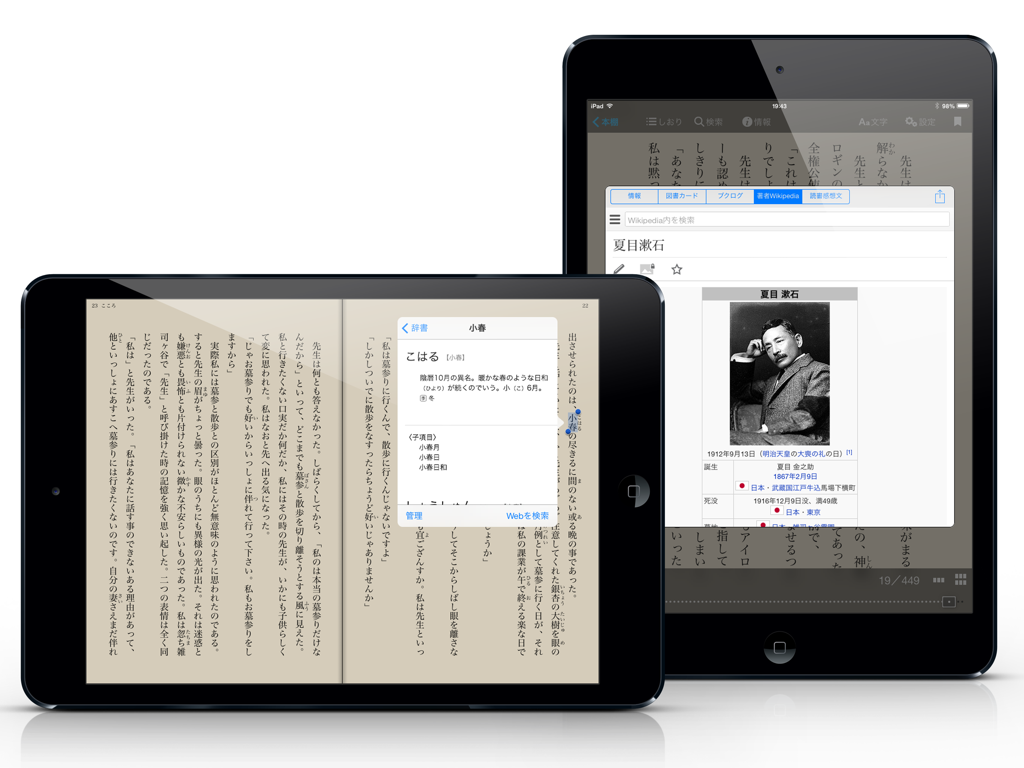
iBunkoHD - Due iPad che mostrano l'app iBunkoHD con testo giapponese, un popup dizionario e una finestra informativa sull'autore.
Due iPad che mostrano l'app iBunkoHD con testo giapponese, un popup dizionario e una finestra informativa sull'autore.

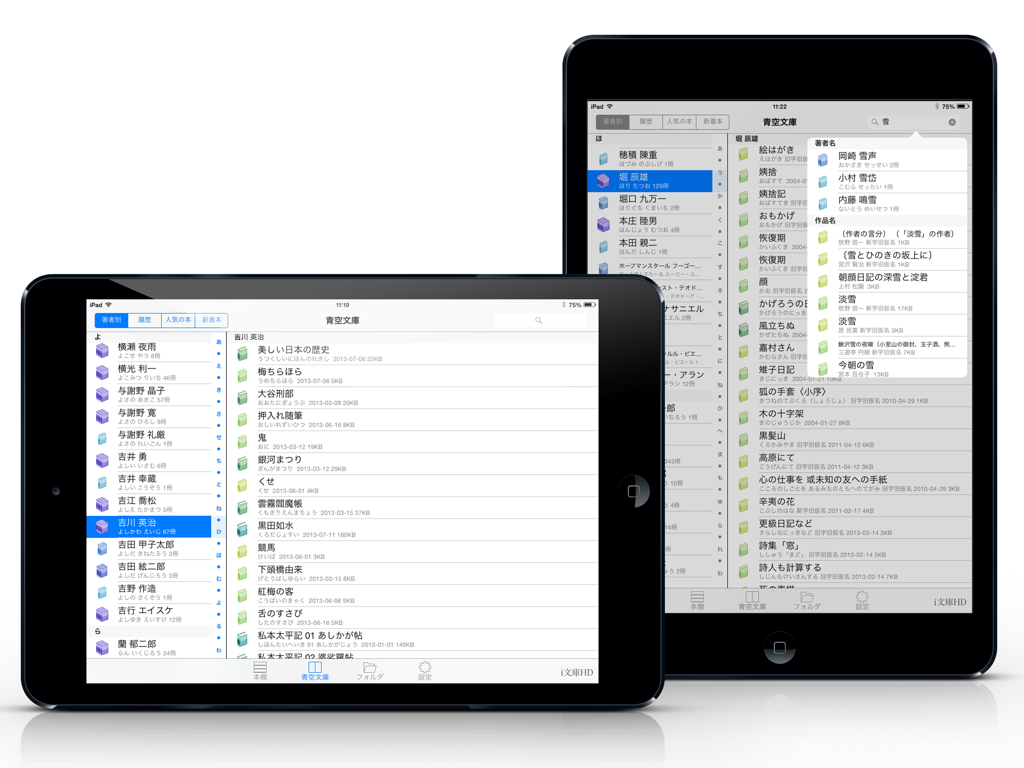
iBunkoHD - Due iPad che mostrano l'interfaccia dell'app iBunkoHD con un elenco completo di letteratura giapponese dalla libreria Aozora Bunko.
Due iPad che mostrano l'interfaccia dell'app iBunkoHD con un elenco completo di letteratura giapponese dalla libreria Aozora Bunko.

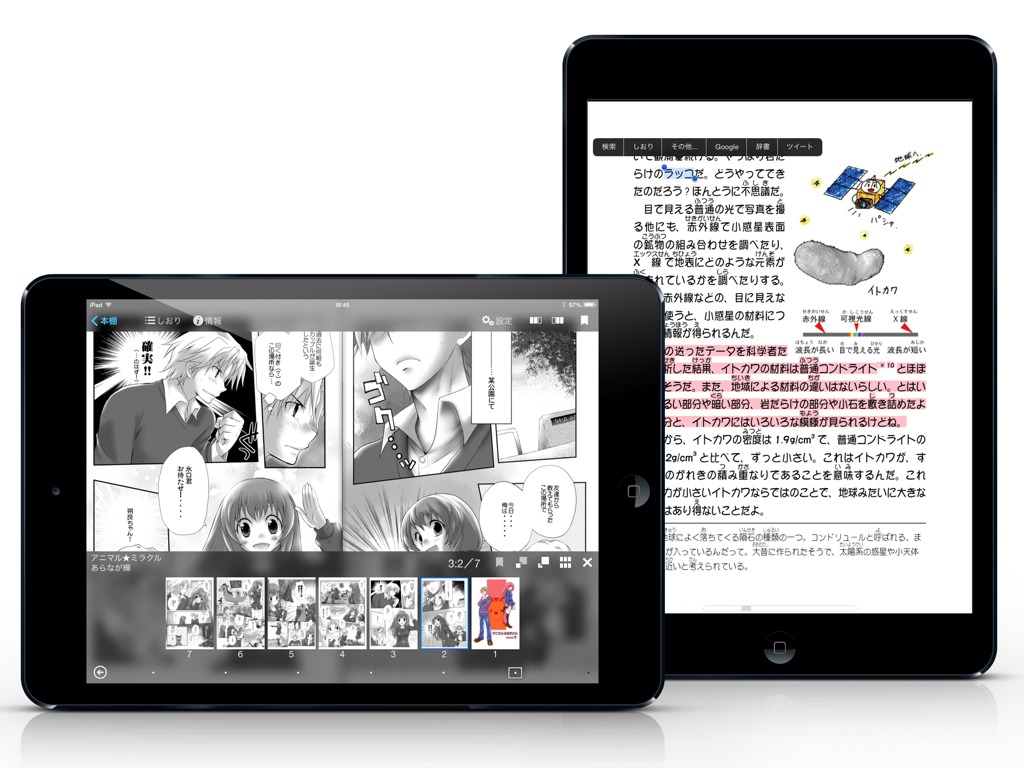
iBunkoHD - App iBunkoHD su iPad che mostra interfacce di lettura di manga e testo giapponese.

App iBunkoHD su iPad che mostra interfacce di lettura di manga e testo giapponese.

Descrizione

iBunkoHD provides you the best way to read novels, documents and comic books on iPad. Thanks to a realistic interface, you can enjoy reading as you would with a real paper book. Reading on your iPad is now easier than ever! This is a great iPad app for all the book lovers! Won Good Design Award 2010 Ranked #1 in the Japanese App Store in 2010 Read books and comics in vertical setting with comfort ・Support both horizontal (left open) and vertical (right open) writings. ・The app automatically detects the binding direction of a PDF document. Double page spread and page effect ・When viewed landscape mode, the pages switch to the double page spread. The pages containing landscape format images are automatically treated as a double page spread. ・You can "flip" pages just like reading a real paper book. Feature about 230 built-in books and "Aozora Bunko" ・ You can download a book with simple controls from "Aozora Bunko", the Japanese digital library that provides copyright-free Japanese literary works. ・ The app comes with the well-known books from "Aozora Bunko". "Bookshelf" function ・Create a bookshelf as you need. ・You can easily choose a book you'd like to read by browsing the book covers displayed on the shelf. "Bookmark" function ・You can place as many bookmarks as you want and add notes on it. ・Select text as a bookmark in order to highlight the sentence. Supported file formats. iBunkoHD supports the following file formats as books: - .txt .pdf - .zip .rar (containing .txt or .jpg/.png files) - .cbz .cbr Transfer files ・Transfer the files using iTunes 'File Sharing' via the USB cable as well as via Dropbox, SkyDrive, pogoplug, Box, SugarSync. The app also supports both the WebDAV and the FTP servers. Utilize data from PDF ・Support the table of contents or hyperlinks on the file. ・Select and search words (when the data contains text). ・Using our own processing technology, app can select a Japanese words smoothly. Smart screen design removing the white space ・Eliminate unnecessary white space for better readability on the screen. Thumbnails of pages show quick reference for where you'd like to read ・List the page thumbnails at the bottom of the screen or in the full screen. ・The page with bookmarks will be attached a mark. You can also display only the page thumbnails which contain bookmarks. History back pages ・Viewed pages are saved in history so you can easily go back to the previous page. Look up words in the dictionary ・You can use the iPad's built-in dictionary as well as other dictionary apps that support custom URL schemes. ・Just select text and tap the button to look up the word. Support Bluetooth keyboards ・You can read without touching the screen by using the compatible device. Passcode lock ・You can set passcode lock on specific bookshelves or the "folder" screen that stored transferred files. Various page settings ・Available various settings such as enable/disable the flipping effect or change the position of the tap control. ・Customize your iBunkoHD to suit your own preferences! You will find many more convenient functions and settings.

Download

Scarica su App Store

Questa pagina non è una pagina ufficiale dell'app o del suo sviluppatore, ma una pubblicazione editoriale indipendente creata a scopo informativo e di commento. Salvo espressa indicazione contraria, né l'app né il suo sviluppatore sono affiliati, approvati, sponsorizzati, autorizzati o altrimenti ufficialmente collegati a MWM, Apple, Google Play, all'editore dell'app o allo sviluppatore dell'app, e nulla in questa pagina implica che l'app sia stata sviluppata utilizzando i servizi di MWM. Tutti i marchi, loghi, screenshot e altri contenuti rimangono di proprietà dei rispettivi proprietari.







