iCatcher! Podcast Player

iCatcher! Podcast Player


Scarica su App Store
Logo di iCatcher! Podcast Player

iCatcher! Lo Strumento Definitivo per Utenti Esperti di Podcast

Prendi il controllo totale della tua esperienza di ascolto con impostazioni di riproduzione granulari, automazione avanzata e sincronizzazione senza interruzioni su tutti i tuoi dispositivi Apple.

Editore

Joe Graf

Categoria

News

Download

86K+

Valutazione

5.0/5

Valutazioni totali

0

Lingue

1

Controllo a Colpo d'Occhio

Scopri l'interfaccia usata da 86K+ utenti.
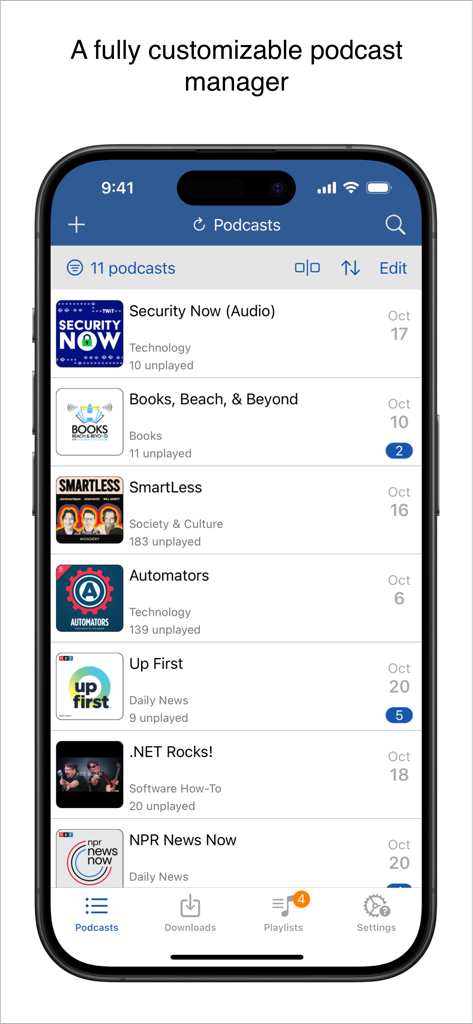
Interfaccia del lettore podcast iCatcher che mostra un elenco di show sottoscritti e episodi non letti su un iPhone

Interfaccia del lettore podcast iCatcher che mostra un elenco di show sottoscritti e episodi non letti su un iPhone

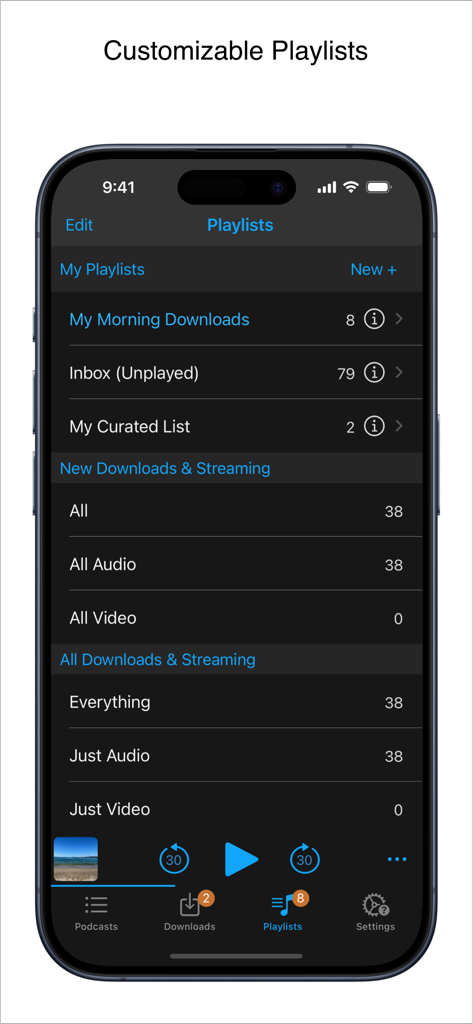
Interfaccia del lettore podcast iCatcher che mostra la gestione personalizzabile delle playlist su iPhone.

Interfaccia del lettore podcast iCatcher che mostra la gestione personalizzabile delle playlist su iPhone.

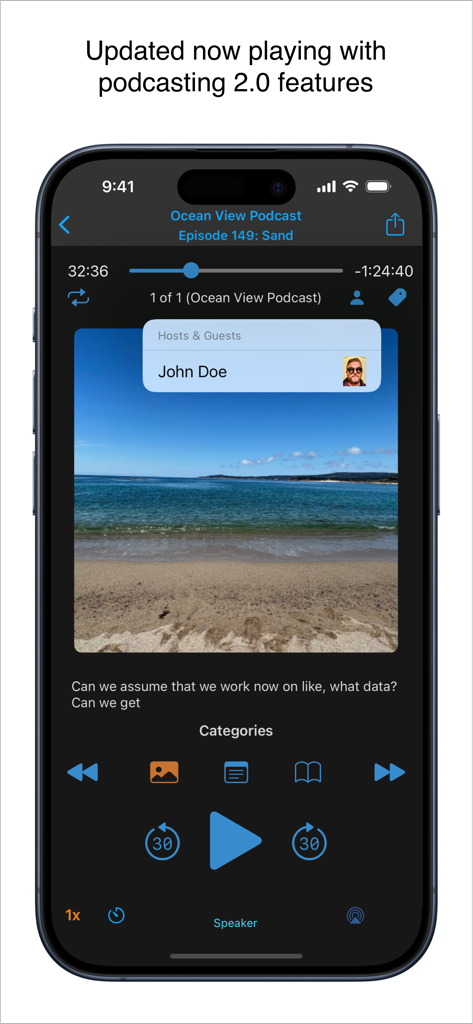
Schermata in riproduzione del lettore podcast iCatcher su iPhone con funzionalità Podcasting 2.0 come informazioni sull'host e controlli di riproduzione.

Schermata in riproduzione del lettore podcast iCatcher su iPhone con funzionalità Podcasting 2.0 come informazioni sull'host e controlli di riproduzione.

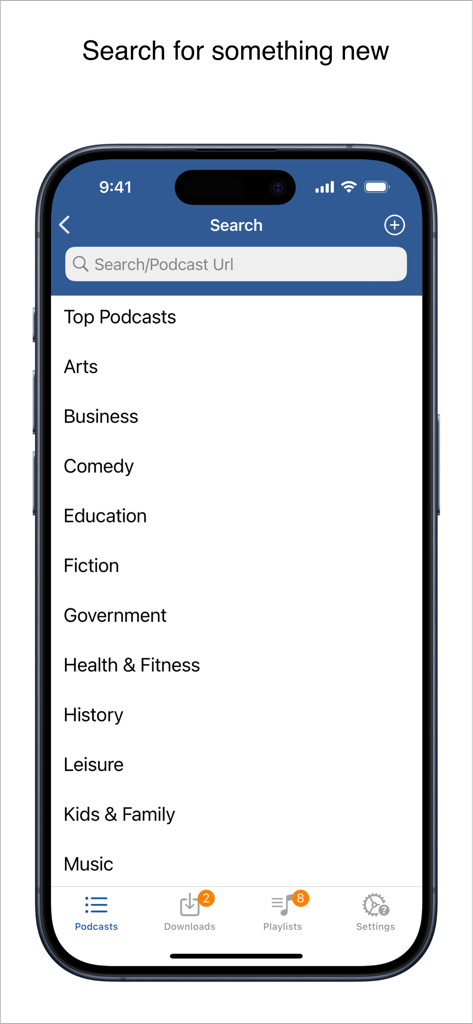
Interfaccia di ricerca del lettore podcast iCatcher che mostra un elenco di categorie di podcast e una barra di ricerca per parole chiave o URL.

Interfaccia di ricerca del lettore podcast iCatcher che mostra un elenco di categorie di podcast e una barra di ricerca per parole chiave o URL.

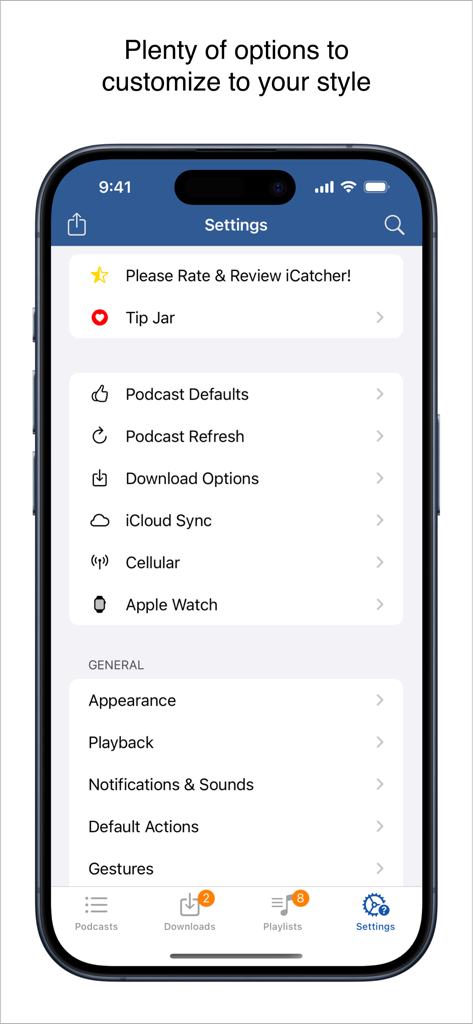
Menu delle impostazioni dell'app iCatcher! Podcast Player con opzioni di personalizzazione granulare per utenti esperti

Menu delle impostazioni dell'app iCatcher! Podcast Player con opzioni di personalizzazione granulare per utenti esperti

Costruito per l'Utente Esperto di Podcast

Gli strumenti che rendono questa app unica, scelti da 86K+ utenti.

🛠️

Controllo Riproduzione Granulare

Imposta velocità personalizzate per podcast, utilizza gesti avanzati per la navigazione a mani libere e crea filtri intelligenti per la coda automatizzata perfetta.

🚀

Integrazione Profonda con iOS

Sincronizza i tuoi progressi su iPhone, iPad e Watch tramite iCloud. Utilizza iComandi iOS per automatizzare il tuo ascolto e rimanere efficiente in movimento.

🔒

Supporto Feed Privati

Gestisci senza problemi feed protetti da password da Patreon o Supercast, con download offline robusti e potenti opzioni di importazione OPML.

Info sull'app

Tutto quello che devi sapere su iCatcher! Podcast Player.

Descrizione

Download, listen, watch, and relish your favorite podcasts. FEATURES - Subscribe to your preferred podcasts within the app and manage them conveniently. - Download episodes over WiFi or Cellular (available on devices with cellular capabilities). - Support for password-protected feeds. - Background refresh and download in the background. - Sync subscriptions, episode playback positions, and playlists between your devices using iCloud. - Universal App (compatible with iPhone and iPad). - Search across all views to locate the podcast or episode you’re seeking. - Customize playlists with filtering options based on podcasts, episodes, and more. - Support for continuous playback (toggle it on the now playing screen just below the time elapsed). - Portrait and landscape orientation supporter, with a configurable option in the settings. - Unfollow podcasts and still keep them on your device. This feature is particularly useful for podcasts that don’t meet your expectations. PLAYBACK - Variable playback speed. - Remembered playback speed per podcast. - Support for podcasts with chapters and chapter images (MP3 and M4A formats). - Utilize your headset controls, including Bluetooth car controls (when paired), to play/pause, jump forward or backward 30 seconds. - Sleep timer. - Beautifully rendered show notes. - Onscreen controls for skipping ahead and skipping back. - Gesture support on the now playing screen (when the podcast logo is visible) to facilitate hands-free use. - Double-tap to play/pause. - Swipe up to adjust playback speed. - Swipe left or right to rewind or fast-forward. - Home to the L gesture for the 2-minute Leo jump. - Refer to Settings and Gestures for more information and customization options for rewind/fast-forward gestures. - AirPlay support allows you to watch or listen to podcasts on your large screen. - External display support for videos is available for devices that support an external display (use the Apple HDMI adapter). - Enjoy your favorite podcasts with a familiar layout. FIND NEW PODCASTS QUICKLY - Search for your podcasts by title, keyword, or author. - Browse the top podcasts categorized by different genres. • Manually add podcasts by entering their URLs. • Support for password-protected feeds. • Option to download a single episode. • Import podcast subscriptions for episodes already on your device from iTunes. • Import your OPML file from iTunes or other iOS podcast app. • Import media using the iTunes File Sharing feature. • Add your existing audiobooks (non-password-protected ones) using the iTunes File Sharing feature. • Add previously downloaded podcasts from your computer using the iTunes file sharing feature (see Settings and Import Media for details). SHORTCUT ACTIONS • Search your podcasts and episodes using shortcut actions. • Easily create an export from other apps into iCatcher using the subscribe action. • Control playback. • View podcast action including currently playing. • Import media directly into the app (like audiobooks). • Transfer your media to the watch via shortcut actions. • Pull chapter images. • Many more actions available. MORE • Completely customizable to suit your podcast preferences. • Swipe across a podcast or episode to access additional options. • Podcast settings allow you to set the days the podcast typically releases or the number of days between. • Specify the number of episodes to download when new ones are available. • Share podcast information via email with your friends. CONTACT Email: Tap the settings tab and select Send Questions or Feedback. Twitter/X: @Joeisanerd. PLEASE NOTE: The app doesn’t sync with iTunes. Like other podcast apps, it’s a standalone app designed for subscribing and downloading on the device. * If a feed doesn’t work, please let me know so I can investigate it. Requires iOS 17.4 or higher.

Ultima versione

9.3.3

Dimensione

52.1 MB

Data di lancio

15 mar 2011

Gestisci Oggi la Tua Libreria Podcast

Unisciti a oltre 86.000 utenti esperti che richiedono più di un semplice lettore. Ottieni il controllo granulare, i comandi avanzati e la riproduzione personalizzata che la tua abitudine all'ascolto merita.

Scarica su App Store

App information, icons, screenshots, and descriptions displayed on this page are sourced from the Apple App Store and are the property of their respective developers. Download estimates and rankings are based on MWM's proprietary models and may not reflect actual figures. This page is provided for informational and analytical purposes only.

Believe this page infringes your intellectual property? File a dispute