

iFastViewer

iFastViewer

Scarica su App Store
Logo di iFastViewer

iFastViewer: Collaborazione Remota Professionale Sicura in Mobilità

Partecipa a riunioni, visualizza desktop e prendi il controllo da remoto direttamente dal tuo iPhone o iPad. Sperimenta una comunicazione e sessioni di formazione senza interruzioni con sicurezza di livello enterprise, ovunque ti porti il tuo lavoro.

Scarica su App Store

Editore

FastViewer GmbH

Categoria

Business

Download

33K+

Valutazione

3.0/5

Valutazioni totali

100

Lingue

2

Sperimenta lo Spazio di Lavoro

Scopri l'interfaccia usata da 33K+ utenti.
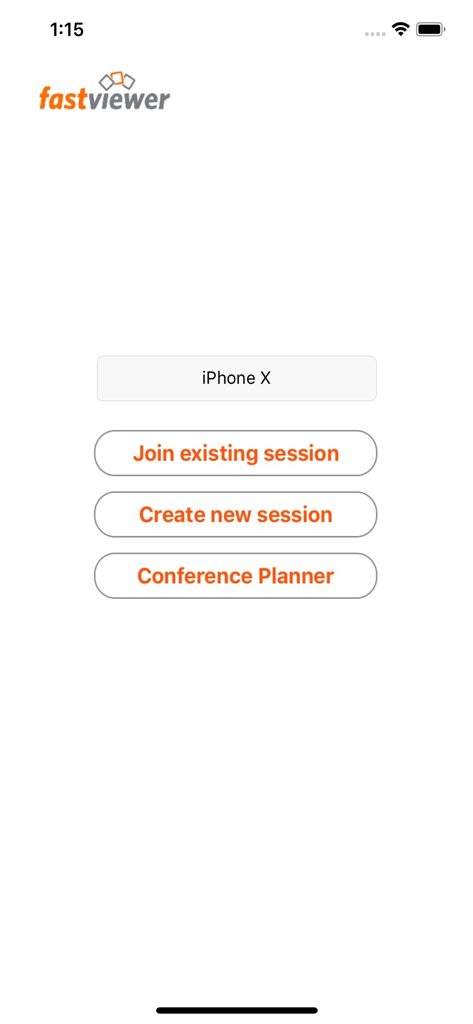
Menu principale di iFastViewer che mostra le opzioni per partecipare o creare una sessione e accedere al pianificatore di conferenze

Menu principale di iFastViewer che mostra le opzioni per partecipare o creare una sessione e accedere al pianificatore di conferenze

Libera la Mobilità Professionale

Gli strumenti che rendono questa app unica, scelti da 33K+ utenti.

🎯

Interazione Remota di Precisione

Controlla desktop remoti con fluidi gesti multi-touch. Ingrandisci, pizzica e naviga interfacce complesse per un supporto tecnico senza interruzioni in movimento.

📹

Video e Voce Attivi

Mantieni una presenza professionale con video e audio cristallini. Passa da spettatore a relatore istantaneamente, indipendentemente dalla tua posizione.

⚖️

Centro di Controllo Moderatore

Prendi il comando delle tue sessioni gestendo partecipanti e diritti di condivisione all'interno di un ambiente sicuro e conforme alle normative aziendali.

Info sull'app

Tutto quello che devi sapere su iFastViewer.

Descrizione

The iFastViewer app lets you attend FastViewer sessions from the comfort of your iPhone, iPod touch or iPad. Even if you’re on the go, you no longer have to miss out on presentations, web conferences, online meetings or training sessions. Features ······································································ Desktop: See your meeting partner’s desktop. You can view it in fit-to-screen mode or zoom in and use multi-touch functions, like pinching your fingers together or apart, to smoothly scale the display size. When remote control is enabled, the mouse cursers movement is now relative to your fingers movement. Video: Tap on the camera icon to see video images of all participants in a meeting with a webcam. If your device has a camera, you can even transmit your own video image. Voice-Communication: Navigate on the iFastViewer app to the "audio" tab: Here you can dynamically activate and deactivate your speaker or microphone to participate in the sessions voice communication. Chat: The chat function also lets you join in discussions even when you’re not at your desktop. Users: The list of participants lists all of a session’s attendees. You can also see who’s sharing their desktops. As moderator you can manage the participants and control who is sharing and in remote control as well. What is FastViewer? ······································································ FastViewer lets you view and participate in presentations, meetings and training courses online – all in a secure and easy-to-use environment.

Ultima versione

3.3.8

Dimensione

10.8 MB

Data di lancio

29 lug 2010

Prendi il Controllo delle Tue Riunioni, Ovunque Tu Sia

Unisciti a migliaia di professionisti che rimangono produttivi in movimento. Scarica iFastViewer per iPhone e iPad per sperimentare una collaborazione remota sicura e senza interruzioni oggi stesso.

Scarica su App Store

App information, icons, screenshots, and descriptions displayed on this page are sourced from the Apple App Store and are the property of their respective developers. Download estimates and rankings are based on MWM's proprietary models and may not reflect actual figures. This page is provided for informational and analytical purposes only.

Believe this page infringes your intellectual property? File a dispute








