
Questa pagina non è una pagina ufficiale dell'app o del suo sviluppatore, ma una pubblicazione editoriale indipendente creata a scopo informativo e di commento. Salvo espressa indicazione contraria, né l'app né il suo sviluppatore sono affiliati, approvati, sponsorizzati, autorizzati o altrimenti ufficialmente collegati a MWM, Apple, Google Play, all'editore dell'app o allo sviluppatore dell'app, e nulla in questa pagina implica che l'app sia stata sviluppata utilizzando i servizi di MWM. Tutti i marchi, loghi, screenshot e altri contenuti rimangono di proprietà dei rispettivi proprietari.


ImgPlay: GIF Maker & Meme
Il creatore di GIF definitivo basato sull'IA per storyteller sui social. Trasforma video, raffiche e Live Photos in GIF e meme di qualità professionale per TikTok, Instagram e iMessage in pochi secondi.
Download
9M+Valutazione
Valutazioni totali
205K+Editore
Categoria
Photo & VideoLingue
15Ultima versione
6.5.3Dimensione
244.6 MBData di lancio
23 giu 2015Tutto ciò di cui hai bisogno per dominare il feed
Dalla rimozione dello sfondo basata sull'IA all'editing frame-perfect, ImgPlay trasforma le tue Live Photos e i tuoi video in contenuti di alta qualità e condivisibili in pochi secondi.
Trasforma le tue Live Photos
Non lasciare che i tuoi momenti migliori rimangano inattivi. Trasforma Live Photos e video in GIF fluide e in loop, pronte per la chat di gruppo o le tue storie.
Magia basata sull'IA
Crea sticker personalizzati all'istante. Rimuovi gli sfondi con un tocco per rendere i tuoi meme professionali e curati, senza software da desktop.
Domande Frequenti
Tutto quello che devi sapere su ImgPlay: GIF Maker & Meme
Cos'è ImgPlay?
ImgPlay è un'app GIF Maker che converte video, Live Photos, foto in sequenza, immagini fisse e registrazioni dello schermo in GIF di alta qualità. Offre strumenti per la creazione di animazioni e meme.
ImgPlay può convertire video in GIF?
Sì, ImgPlay può convertire video in GIF con un ritaglio preciso. Trasforma anche Live Photos, foto in sequenza e registrazioni dello schermo in animazioni fluide.
ImgPlay offre funzionalità AI per l'editing di GIF?
Sì, ImgPlay include tecnologia AI all'avanguardia per l'editing di GIF. Offre la rimozione dello sfondo AI per rimuovere istantaneamente gli sfondi dalle tue creazioni.
Posso creare meme usando l'app ImgPlay?
Sì, ImgPlay include un Meme Maker avanzato con aree di testo multiple e una tela di testo automatica. Puoi anche utilizzare adesivi personalizzati e importare font.
Quali formati di esportazione supporta ImgPlay per le GIF?
ImgPlay supporta l'esportazione delle creazioni in formato GIF, MP4, APNG o WebP. Offre anche risoluzioni personalizzate e ottimizzazione delle dimensioni del file.
ImgPlay è gratuito o ha un abbonamento?
ImgPlay offre ImgPlay Premium per sbloccare tutte le funzionalità di editing GIF e rimuovere le filigrane. Le opzioni di abbonamento includono piani settimanali, mensili o annuali.
Posso condividere le mie GIF direttamente sui social media da ImgPlay?
Sì, ImgPlay offre la condivisione con un tocco sulle principali piattaforme come Instagram, TikTok, Reels, X e Facebook. Permette anche la condivisione rapida tramite iMessage.
ImgPlay consente l'editing a livello di fotogramma per le animazioni?
Sì, ImgPlay fornisce l'editing a livello di fotogramma. Gli utenti possono visualizzare, modificare, riordinare e rimuovere singoli fotogrammi, o combinare diversi tipi di media all'interno di un singolo progetto.
Quali modalità fotocamera offre ImgPlay per la creazione di contenuti?
ImgPlay offre quattro modalità fotocamera per catturare nuovi contenuti. Queste modalità sono vivavoce, normale, stop-motion e boomerang, offrendo opzioni di creazione versatili.
Posso personalizzare gli sfondi in ImgPlay?
Sì, ImgPlay fornisce strumenti per la personalizzazione degli sfondi. Puoi aggiungere sfondi colorati o a fantasia e applicare vari bordi per incorniciare perfettamente la tua GIF.
Gli screenshot e la descrizione seguenti provengono direttamente dall'elenco ufficiale dello store dell'app e sono di proprietà dello sviluppatore.
App Store
Screenshot
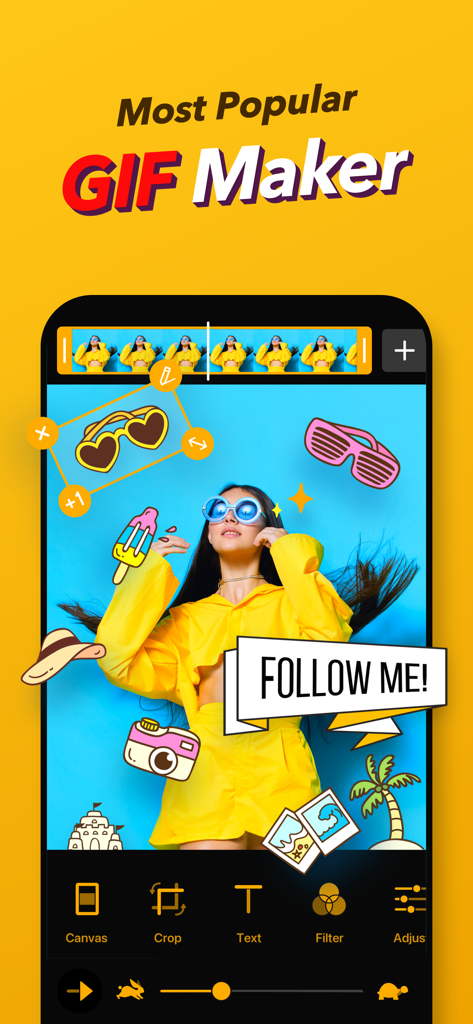
Interfaccia dell'app ImgPlay che mostra strumenti di editing GIF con sticker e un banner 'Follow Me' su sfondo giallo
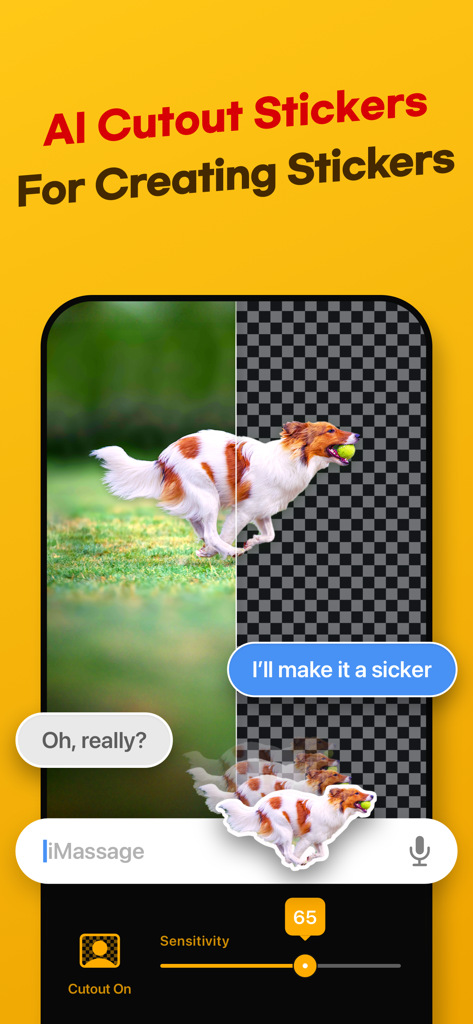
Funzione di rimozione dello sfondo AI per creare sticker personalizzati dalle foto
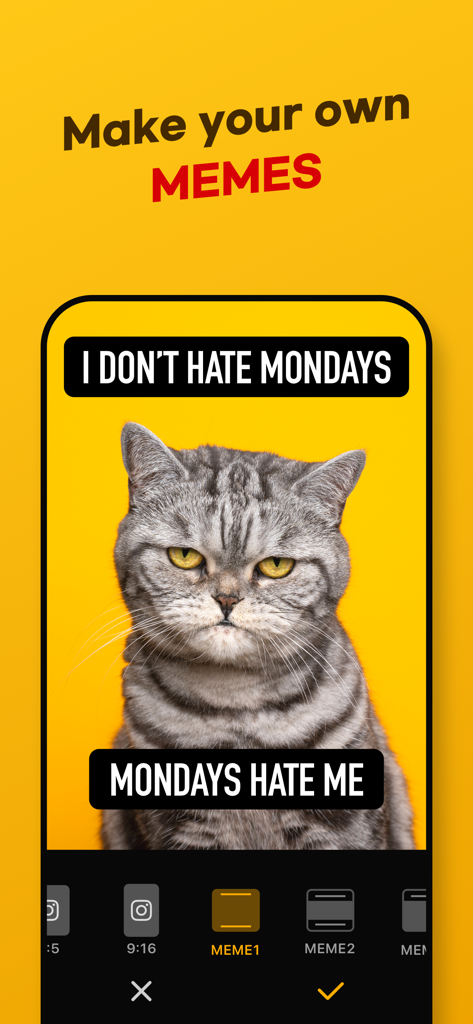
Interfaccia dell'app ImgPlay che mostra la modifica di un meme di un gatto scontroso con didascalie di testo personalizzate e opzioni di layout.
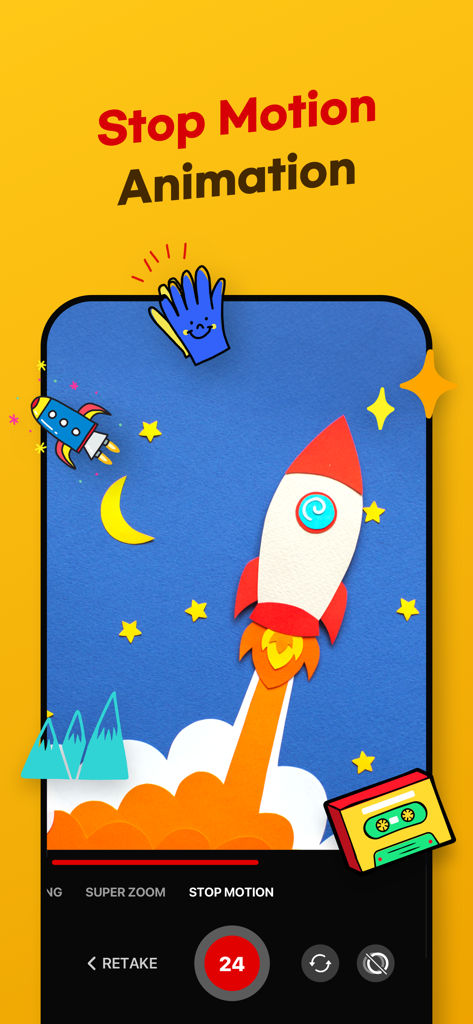
Interfaccia dell'app ImgPlay per la creazione di animazioni stop motion con grafiche di razzi e stelle
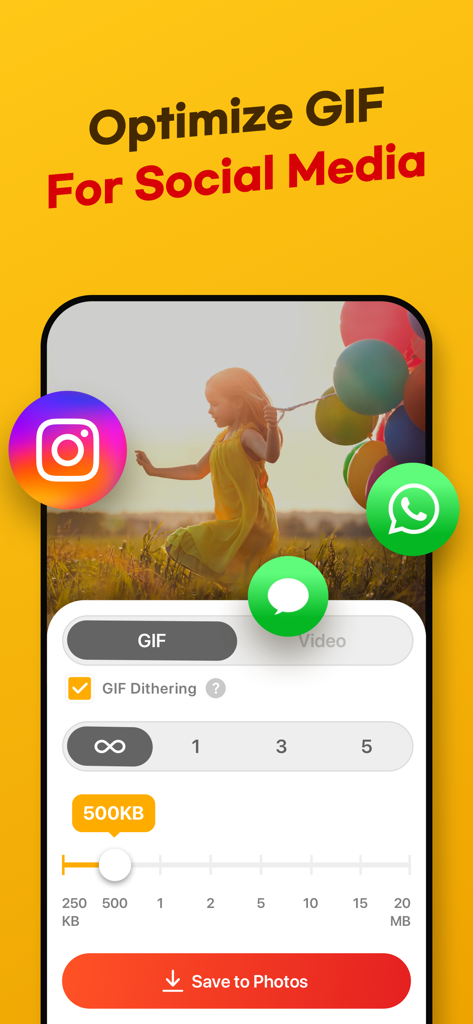
Interfaccia dell'app ImgPlay che mostra le impostazioni per ottimizzare la qualità e la dimensione del file GIF per la condivisione sui social media
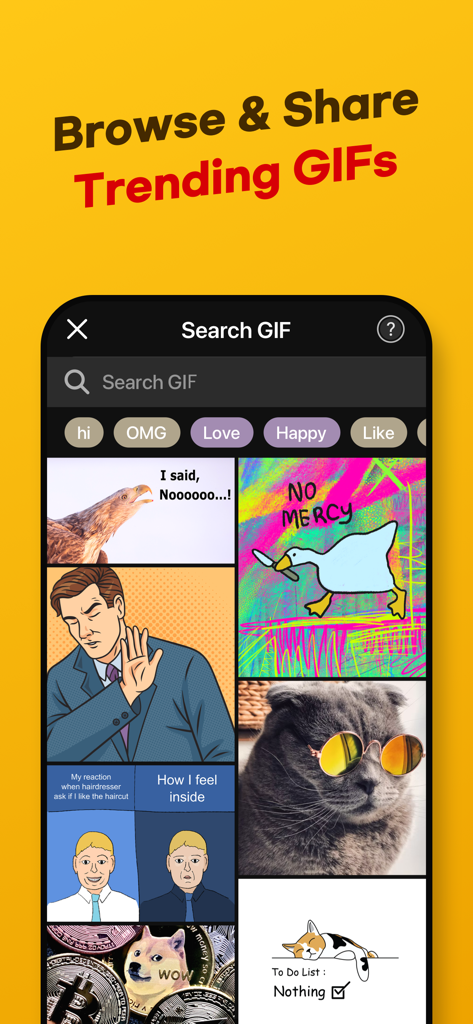
Interfaccia dell'app ImgPlay che mostra una libreria di GIF di tendenza e una barra di ricerca per i meme
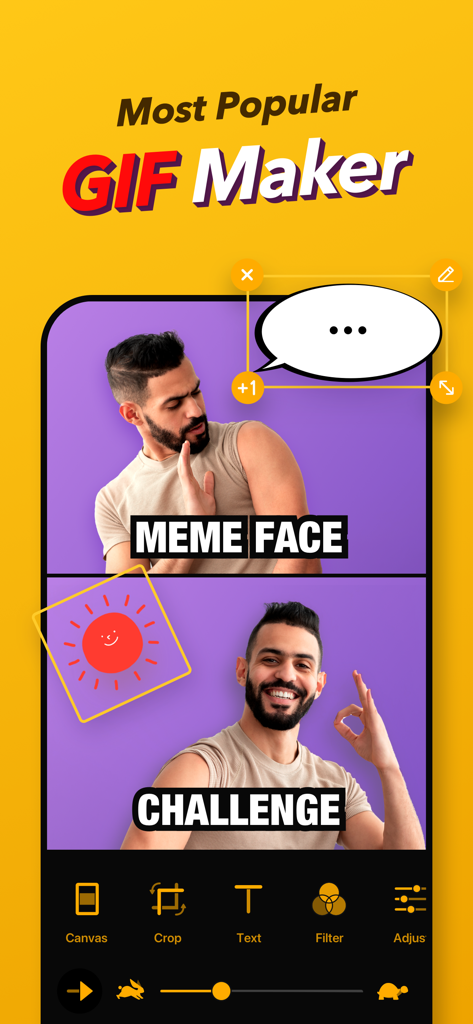
Screenshot dell'interfaccia dell'app ImgPlay che mostra la creazione di un meme a due fotogrammi con un uomo che mostra espressioni diverse e una nuvoletta di dialogo
Descrizione
Download
App Simili
App con funzionalità ed esperienza simili

quickLive-Video2Live Wallpaper
Changshu Chuang Shi Media Technology Co., Ltd.

Live - LivePhoto maker
Beyond Trading

Patternator Video Wallpapers
Bazaart Ltd.
GIF Maker & Editor Pro
Chengdu Siwen Culture Media Co., Ltd.
Gif Maker-meme & video to gifs
姿凤 陈

Mematic - The Meme Maker
Trilliarden Entertainment GmbH

Video to Live ◦
Anish Modan

Boomerang - Video Maker
Video Bakery Ltd.

Easy Video Speed Editor
Osawa Shunsuke
Questa pagina non è una pagina ufficiale dell'app o del suo sviluppatore, ma una pubblicazione editoriale indipendente creata a scopo informativo e di commento. Salvo espressa indicazione contraria, né l'app né il suo sviluppatore sono affiliati, approvati, sponsorizzati, autorizzati o altrimenti ufficialmente collegati a MWM, Apple, Google Play, all'editore dell'app o allo sviluppatore dell'app, e nulla in questa pagina implica che l'app sia stata sviluppata utilizzando i servizi di MWM. Tutti i marchi, loghi, screenshot e altri contenuti rimangono di proprietà dei rispettivi proprietari.