Inko: La Lavagna Collaborativa Pixel-Perfect per Team Creativi
Fate brainstorming e disegnate insieme in tempo reale su iPad, Mac e Apple TV. Sperimentate una collaborazione sicura e senza ritardi con configurazione zero-configurazioni, anche senza Wi-Fi.
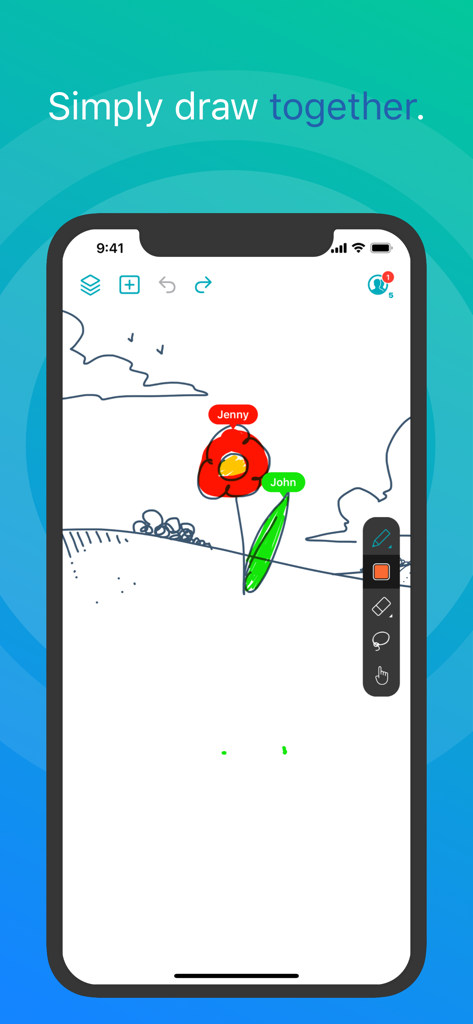
Due utenti collaborano in tempo reale su una lavagna digitale nell'app Inko.
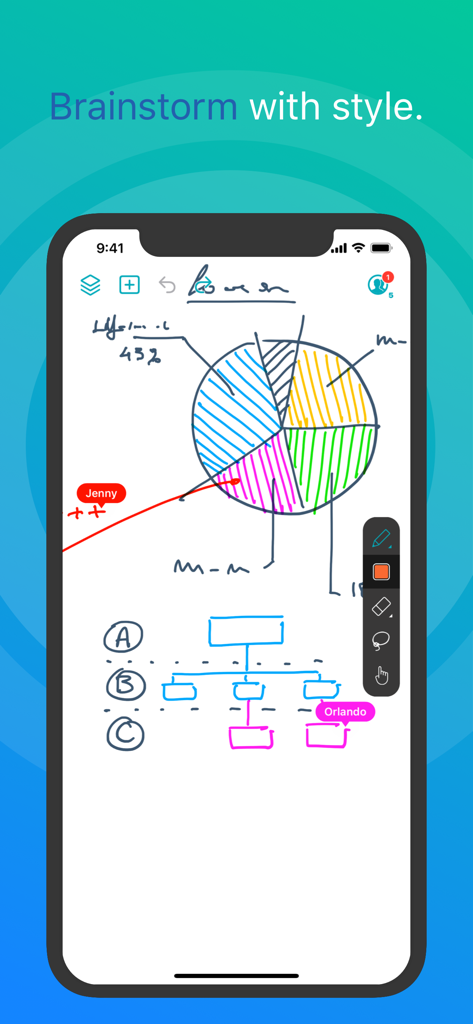
Screenshot dell'app Inko che mostra disegni collaborativi in tempo reale su una lavagna digitale con un grafico a torta e un diagramma di flusso.
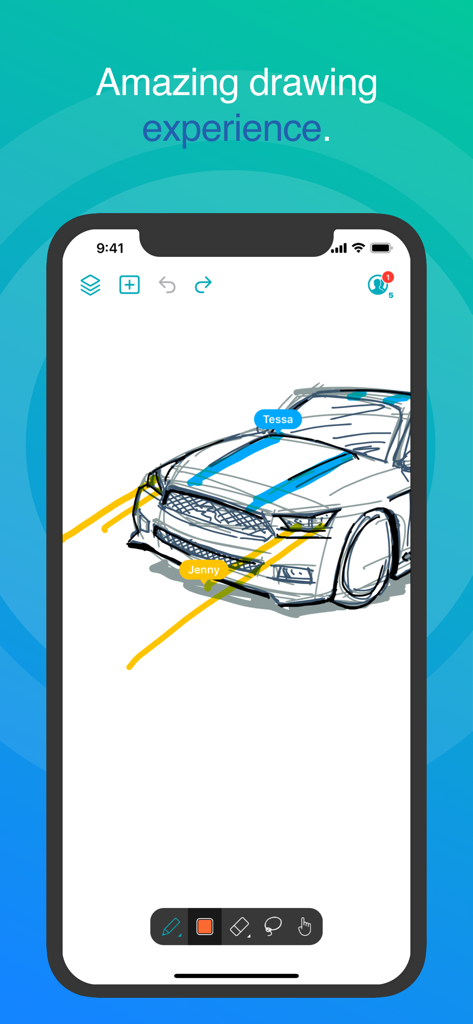
Interfaccia dell'app Inko che mostra un disegno collaborativo in tempo reale di un'auto con etichette di più utenti.
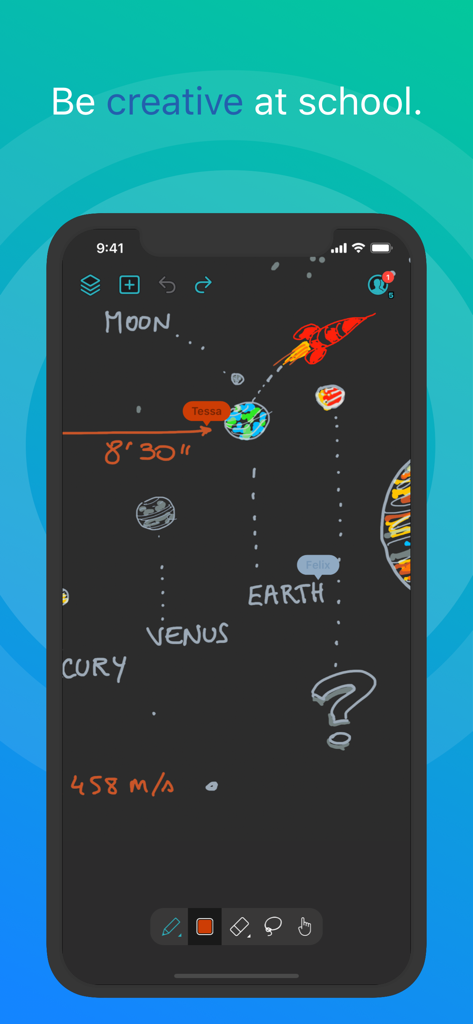
Disegno collaborativo del sistema solare sull'app lavagna Inko.
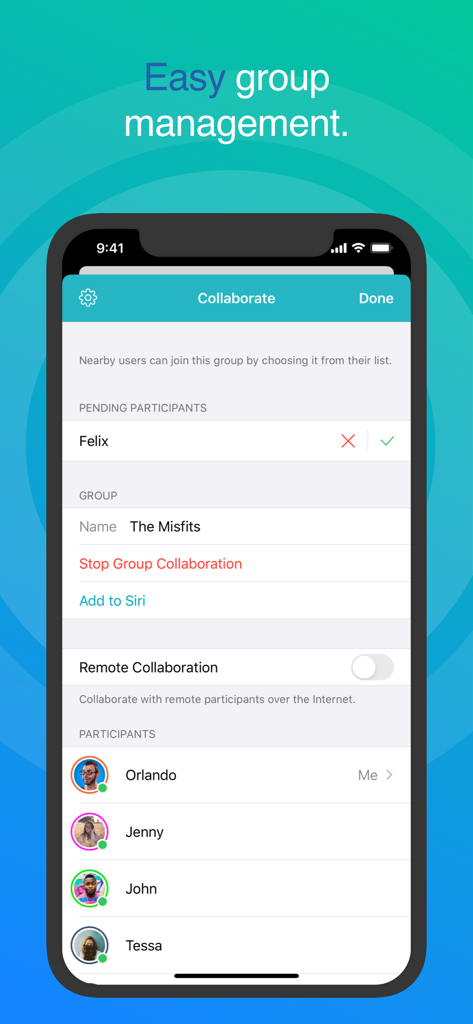
Schermata di collaborazione della lavagna Inko che mostra una facile gestione dei gruppi e l'elenco dei partecipanti.
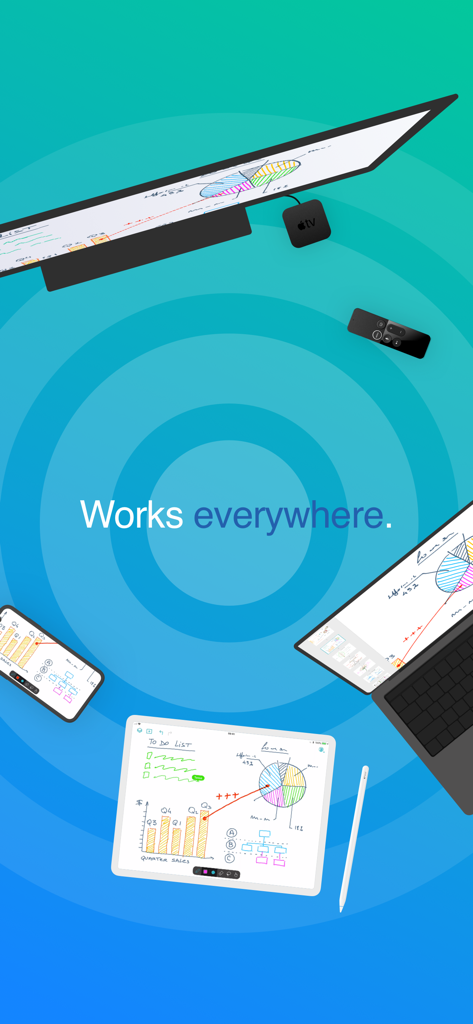
App lavagna Inko sincronizzata su iPad, iPhone, Mac e Apple TV, che mostra schizzi e grafici collaborativi.
Migliorate la Vostra Ideazione Collaborativa
Gli strumenti che rendono questa app unica, scelti da 898K+ utenti.
⚡
Connettività Senza Attriti
Iniziate a collaborare istantaneamente senza necessità di creare un account. Utilizzate la connettività peer-to-peer per fare brainstorming nei caffè o presso i clienti senza bisogno di un punto di accesso Wi-Fi.
✏️
Precisione di Livello Professionale
Sfruttate il supporto completo di Apple Pencil con il rendering accelerato da Metal. Godetevi un'esperienza priva di pixel che rimane perfettamente nitida e reattiva, anche durante complesse manovre di zoom.
📺
Il Vantaggio del Grande Schermo
Trasformate la vostra sala riunioni o aula proiettando su Apple TV. Usate il telecomando come un innovativo puntatore laser per guidare il vostro pubblico attraverso ogni dettaglio del vostro progetto.
Info sull'app
Tutto quello che devi sapere su Inko › Whiteboard: Draw+Pencil.
Descrizione
Inko is a collaborative whiteboard that lets you draw together using multiple iPad, iPhone or Mac, and even interact on Apple TV. Ideal for team coworkers in a brainstorming session, for a creative classroom project, or for an interactive meeting between a graphic designer and their client.
Create a group and just start drawing together! No need for complex network setup, or even any network at all, thanks to nearby connectivity. Be it in a bar, or on the beach. Oh, and your drawing even goes to the big screen too thanks to the free companion app for Apple TV! It instantly connects and interacts with all devices in the room. A great alternative to those bulky & expensive interactive boards. Inko 2 now brings remote collaboration over the Internet(*), Dark Mode support, a Mac app, and much more.
Even though Inko is both simple and intuitive, it's also backed with advanced features like beautiful pixel-free rendering that stays sharp when zooming in. It also offers precise Apple Pencil support for an amazing drawing experience, lag-free and undo-capable real-time interactions, as well as hi-res PDF exports to share with your group when you’re done.
COLLABORATION & CONNECTIVITY
• Highly responsive, "appears-as-it-happens" multi-user drawing with no lag.
• Participants’ labels on drawing trails that show who is currently drawing.
• Nearby collaboration: nomadic connectivity for local devices, even without Wi-Fi access point (peer-to-peer or LAN).
• Remote collaboration: seamless connectivity over the Internet for global reach via invitation link sharing.
• Up to 8 participants for peer-to-peer connectivity or 12 participants for LAN/Internet.
• Group saving for quick setup of future sessions.
• Security & privacy: TLS connection between devices (nearby) and end-to-end encryption with daily data removal on server (remote).
• No account creation.
DRAWING & VISUALIZATION
• Beautiful pixel-free visualization that stays sharp when zooming, as well as vibrant colors on wide color displays (P3).
• High-performance Metal rendering.
• Extensive Apple Pencil support (finger action, angle, pressure, high-speed & predictive sampling).
• Pen tool with two sizes & one calligraphic variant.
• Lasso editing: select, move, rescale.
• Ephemeral highlighter to point things out. On Apple TV, it even features innovative motion-driven interaction with the remote, like a laser pointer.
• Single- and multi-user undo/redo & reliable syncing.
OTHER FEATURES
• Optimized for latest iOS: file sharing, Split View Multitasking on iPad, Drag & Drop, Today Widget, Quick Actions, Universal Link, Siri Shortcuts, SF Symbols, Smart Screenshot, Dark Mode…
• Universal app for iPad, iPhone & Mac. Free Apple TV companion app(**).
• Export images, hi-res PDF, or native archive for a productive workflow.
• iCloud sync for personal drawings.
PRICING
Multi-user collaboration requires a subscription. Two plans are proposed that enable all your devices (iPad, iPhone, Mac) and let other users join using just the free app:
• Nearby Plan enables local collaboration over peer-to-peer or LAN.
• Remote Plan enables remote collaboration over the Internet. Also includes all features of Nearby Plan.
Both plans offer a fully functional 7-day free trial. The free app provides full drawing capabilities in single-user mode, lets you access, organize, & export your drawings, and let you try out nearby collaboration for 5-minute time-limited sessions. Volume purchase (VPP) is available for schools & businesses: see Inko (Volume Ed.).
HELP & FEEDBACK
Send your questions/feedback to inko@creaceed.com
(*) requires Remote Plan
(**) only works with local connectivity. With older Apple TV models, you can use AirPlay Mirroring.
Terms of Use: https://creaceed.com/terms
Privacy Policy: https://creaceed.com/privacy
Ultima versione
2.5
Dimensione
33.6 MB
Data di lancio
28 mar 2018
Pronti a Disegnare la Vostra Prossima Grande Idea?
Unitevi a migliaia di professionisti e insegnanti che scelgono Inko per una collaborazione fluida e in tempo reale. Iniziate la vostra prova gratuita di 7 giorni e sperimentate la lavagna digitale più reattiva al mondo su tutti i vostri dispositivi Apple.
App information, icons, screenshots, and descriptions displayed on this page are sourced from the Apple App Store and are the property of their respective developers. Download estimates and rankings are based on MWM's proprietary models and may not reflect actual figures. This page is provided for informational and analytical purposes only.
Believe this page infringes your intellectual property? File a dispute