
Questa pagina non è una pagina ufficiale dell'app o del suo sviluppatore, ma una pubblicazione editoriale indipendente creata a scopo informativo e di commento. Salvo espressa indicazione contraria, né l'app né il suo sviluppatore sono affiliati, approvati, sponsorizzati, autorizzati o altrimenti ufficialmente collegati a MWM, Apple, Google Play, all'editore dell'app o allo sviluppatore dell'app, e nulla in questa pagina implica che l'app sia stata sviluppata utilizzando i servizi di MWM. Tutti i marchi, loghi, screenshot e altri contenuti rimangono di proprietà dei rispettivi proprietari.


JigSpace
Trasforma i tuoi modelli 3D e i file CAD in esperienze interattive in realtà aumentata. Semplifica idee tecniche complesse, accorcia il ciclo di vendita e coinvolgi il tuo pubblico con l'app AR più apprezzata al mondo.
Download
1M+Valutazione
Valutazioni totali
31K+Editore
Categoria
Graphics & DesignLingue
1Ultima versione
3.41.0Dimensione
368.4 MBData di lancio
7 mag 2016Comunica alla velocità della vista
Trasforma i tuoi file CAD complessi e le tue idee tecniche in splendide presentazioni 3D interattive che il tuo pubblico può esplorare istantaneamente in Realtà Aumentata.
Dal CAD all'AR in pochi minuti
Salta la ripida curva di apprendimento dei software 3D tradizionali. Importa i tuoi modelli e crea presentazioni interattive con un'interfaccia intuitiva senza codice.
Chiarezza visiva senza rivali
Abbatti la complessità con viste esplose ed etichette interattive. Permetti al tuo pubblico di scoprire i vari livelli per vedere esattamente come funziona la tua tecnologia.
Gli screenshot e la descrizione seguenti provengono direttamente dall'elenco ufficiale dello store dell'app e sono di proprietà dello sviluppatore.
App Store
Screenshot
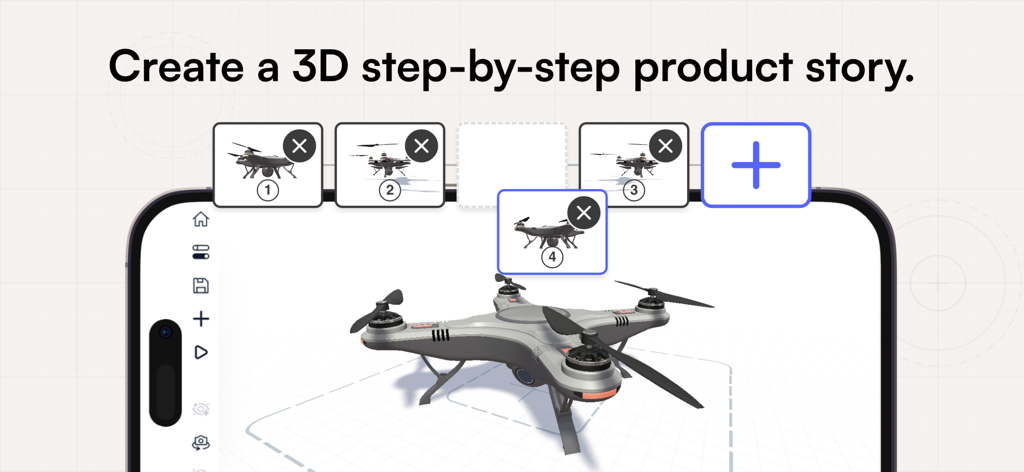
Un'interfaccia per smartphone che mostra l'app JigSpace mentre crea una storia di prodotto 3D passo dopo passo con il modello di un drone.
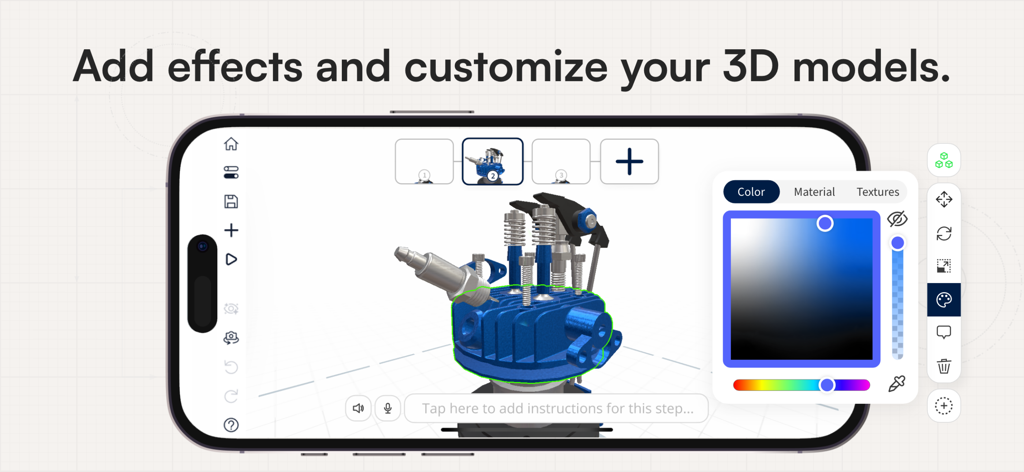
Interfaccia dell'app mobile JigSpace che mostra la personalizzazione di un modello di motore 3D con uno strumento di selezione colore
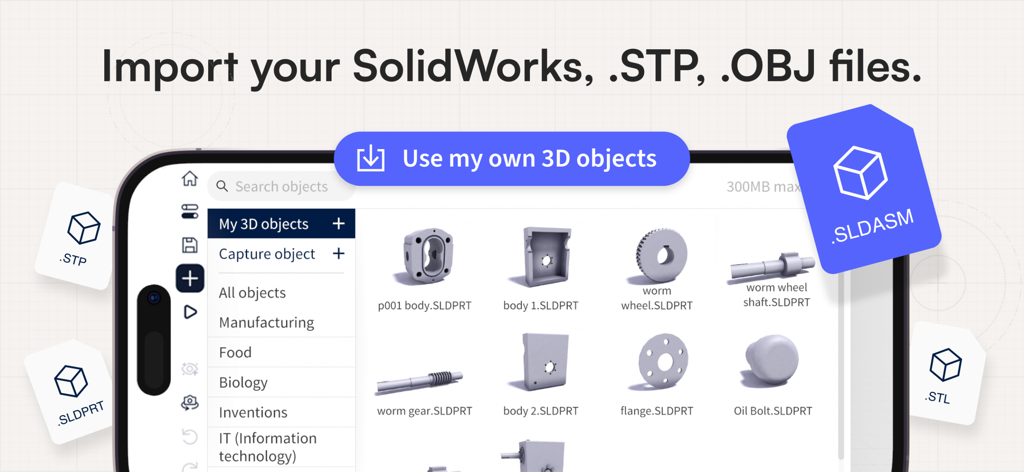
Screenshot dell'interfaccia dell'app JigSpace che mostra la possibilità di importare file 3D SolidWorks, STP e OBJ.
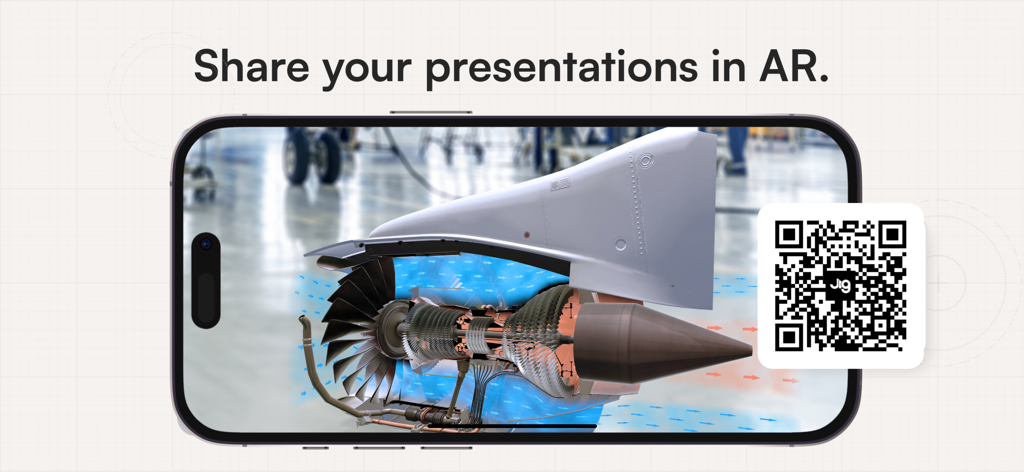
Uno smartphone che visualizza un modello di motore a reazione 3D in realtà aumentata con un codice QR per la condivisione
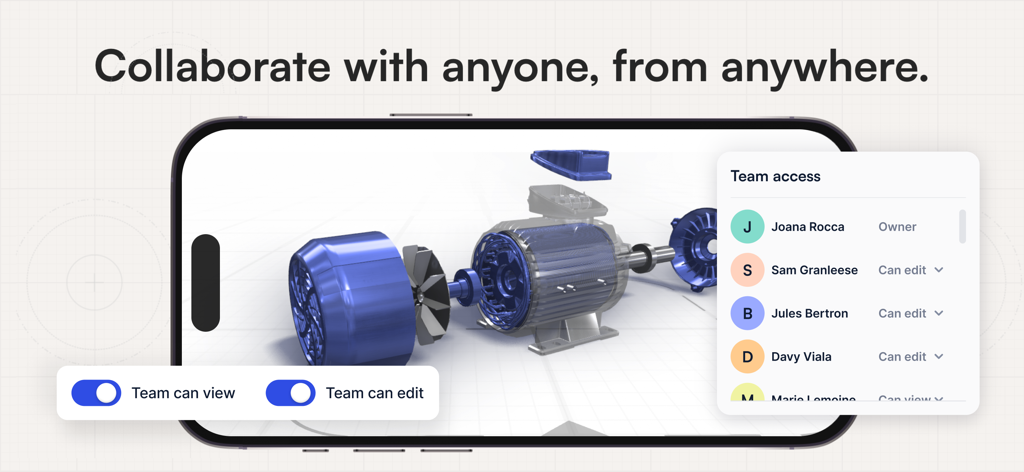
Lo schermo di uno smartphone che mostra un modello di motore 3D con un menu di accesso del team e opzioni per i permessi di collaborazione.
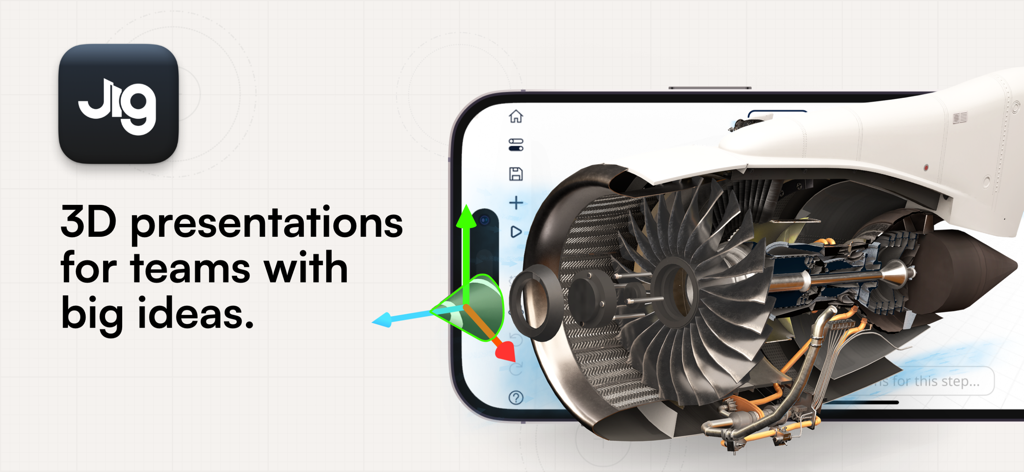
Uno smartphone che visualizza un modello interattivo di motore a reazione 3D in realtà aumentata all'interno dell'app JigSpace.
Descrizione
Download
App Simili
App con funzionalità ed esperienza simili

ARLOOPA: Scan & Discover AR
ARLOOPA Inc

ARvid Augmented Reality
Elie Gebran

Reality Composer
Apple Inc.

Feather: 3D sketchbook
Sketchsoft Inc.

Wintor AR Tours
Wintor b.v.

BOCLAA
Zachary Aghaizu

UniAR
Light Generation Co., Ltd.

ARDrawing: Unleash Creativity
Tung Tran Thanh
Questa pagina non è una pagina ufficiale dell'app o del suo sviluppatore, ma una pubblicazione editoriale indipendente creata a scopo informativo e di commento. Salvo espressa indicazione contraria, né l'app né il suo sviluppatore sono affiliati, approvati, sponsorizzati, autorizzati o altrimenti ufficialmente collegati a MWM, Apple, Google Play, all'editore dell'app o allo sviluppatore dell'app, e nulla in questa pagina implica che l'app sia stata sviluppata utilizzando i servizi di MWM. Tutti i marchi, loghi, screenshot e altri contenuti rimangono di proprietà dei rispettivi proprietari.