
Questa pagina non è una pagina ufficiale dell'app o del suo sviluppatore, ma una pubblicazione editoriale indipendente creata a scopo informativo e di commento. Salvo espressa indicazione contraria, né l'app né il suo sviluppatore sono affiliati, approvati, sponsorizzati, autorizzati o altrimenti ufficialmente collegati a MWM, Apple, Google Play, all'editore dell'app o allo sviluppatore dell'app, e nulla in questa pagina implica che l'app sia stata sviluppata utilizzando i servizi di MWM. Tutti i marchi, loghi, screenshot e altri contenuti rimangono di proprietà dei rispettivi proprietari.

JUMP PAINT by MediBang
Padroneggia l'arte del manga con lezioni esclusive dagli editori di Weekly Shonen Jump. Usa G-pen professionali, retini e font per creare il tuo capolavoro e partecipare a concorsi ufficiali direttamente dal tuo iPhone.
Download
1M+Valutazione
Valutazioni totali
11K+Editore
Categoria
EntertainmentLingue
18Ultima versione
6.4Dimensione
81.2 MBData di lancio
22 giu 2017Padroneggia l'arte del Manga
Tutto ciò di cui hai bisogno per creare, imparare e pubblicare il tuo manga utilizzando gli stessi strumenti professionali delle leggende di Weekly Shonen Jump.
Strumenti Manga di livello professionale
Accedi a oltre 90 pennelli gratuiti, incluse autentiche G-pen e mapping pen, oltre a più di 800 retini e sfondi professionali.
Lezioni di Weekly Shonen Jump
Padroneggia l'arte con tutorial esclusivi su storyboard, character design e dialoghi direttamente dai migliori editori di manga del mondo.
Domande Frequenti
Tutto quello che devi sapere su JUMP PAINT by MediBang
Cos'è JUMP PAINT?
JUMP PAINT è un'app completamente gratuita per la creazione di manga e illustrazioni ufficiali di Weekly Shonen Jump. È una collaborazione tra MediBang Paint e Weekly Shonen Jump, che fornisce strumenti, pennelli, materiali e font per manga.
JUMP PAINT è gratuito?
Sì, JUMP PAINT è un'app completamente gratuita. Fornisce G-pen, Mapping Pen, Tones e Background gratuiti per creare manga e illustrazioni senza alcun costo.
Quali strumenti di disegno sono disponibili in JUMP PAINT?
JUMP PAINT include oltre 90 pennelli gratuiti, come Penna, Matita, Acquerello, G Pen, Mapping Pen e Acrilico. Gli utenti possono anche creare pennelli personalizzati e utilizzare funzionalità come Force Fade In e Out per linee precise.
JUMP PAINT offre risorse didattiche per la creazione di manga?
Sì, JUMP PAINT offre ampie risorse didattiche per la creazione di manga. Queste includono lezioni su storia, design dei personaggi e dialoghi fornite dal dipartimento editoriale di Jump, accessibili direttamente dall'app.
Gli utenti possono partecipare a concorsi di manga tramite JUMP PAINT?
Sì, gli utenti possono partecipare ai concorsi Jump direttamente tramite l'app JUMP PAINT. L'applicazione fornisce informazioni su ogni concorso, assicurando che i creatori siano a conoscenza delle opportunità per inviare il loro lavoro.
JUMP PAINT supporta la sensibilità alla pressione su iPhone?
Sì, JUMP PAINT supporta la sensibilità alla pressione su modelli di iPhone compatibili. In particolare, la funzionalità 3D Touch su iPhone 6 e iPhone 6 Plus consente agli utenti di applicare la sensibilità alla pressione durante il disegno nell'app.
Quali risorse gratuite sono disponibili in JUMP PAINT per sfondi e toni?
JUMP PAINT fornisce 800 diversi tipi di toni e sfondi gratuiti. Queste risorse includono nuvole, edifici e veicoli predefiniti, che gli utenti possono facilmente aggiungere alle loro creazioni con un solo tocco.
Gli utenti di JUMP PAINT possono collaborare a progetti?
Sì, JUMP PAINT abilita la creazione di team, consentendo agli utenti di collaborare a lavori con amici da qualsiasi luogo. Questa funzionalità facilita progetti creativi condivisi tra più utenti.
È richiesto un account MediBang per utilizzare le funzionalità cloud di JUMP PAINT?
Sì, è necessario un account MediBang per accedere alle funzionalità cloud di JUMP PAINT. Gli utenti devono creare un account su medibang.com per utilizzare funzionalità come l'archiviazione cloud e il backup dei dati.
Che tipo di font offre JUMP PAINT per i fumetti?
JUMP PAINT offre 50 font professionali per fumetti. Questi font aiutano gli utenti a creare l'atmosfera dei loro fumetti e a definire efficacemente l'umore o la personalità dei personaggi all'interno delle loro opere.
Gli screenshot e la descrizione seguenti provengono direttamente dall'elenco ufficiale dello store dell'app e sono di proprietà dello sviluppatore.
App Store
Screenshot
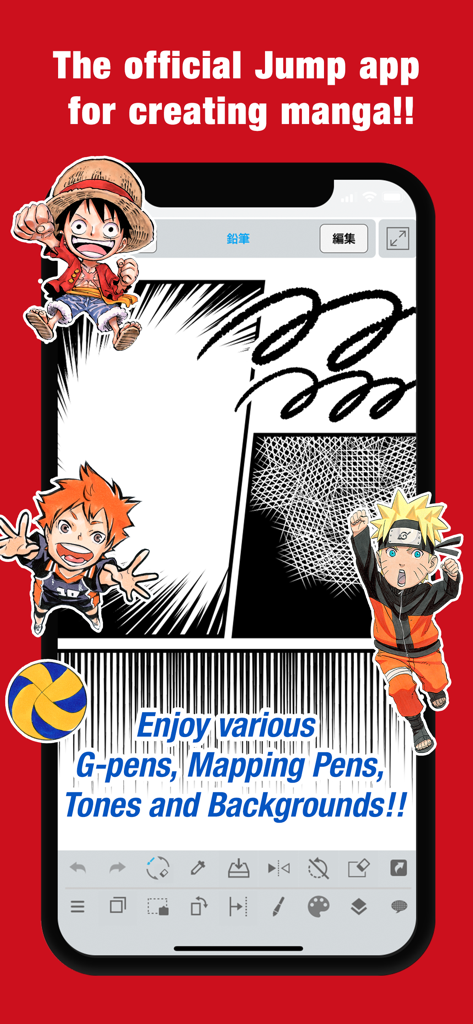
Interfaccia mobile dell'app JUMP PAINT con vignette manga e personaggi come Naruto e Luffy
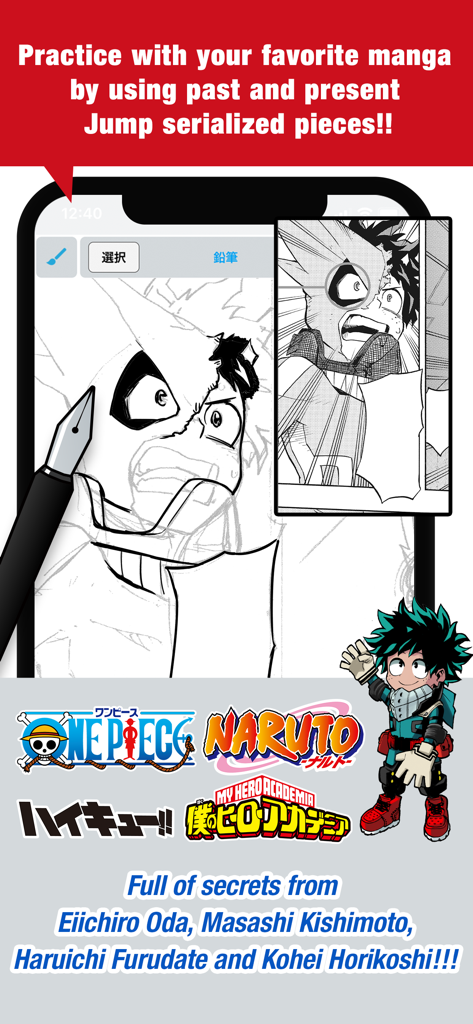
Schermata dell'app JUMP PAINT che mostra la pratica di disegno manga con un personaggio di My Hero Academia e i loghi delle popolari serie Shonen Jump
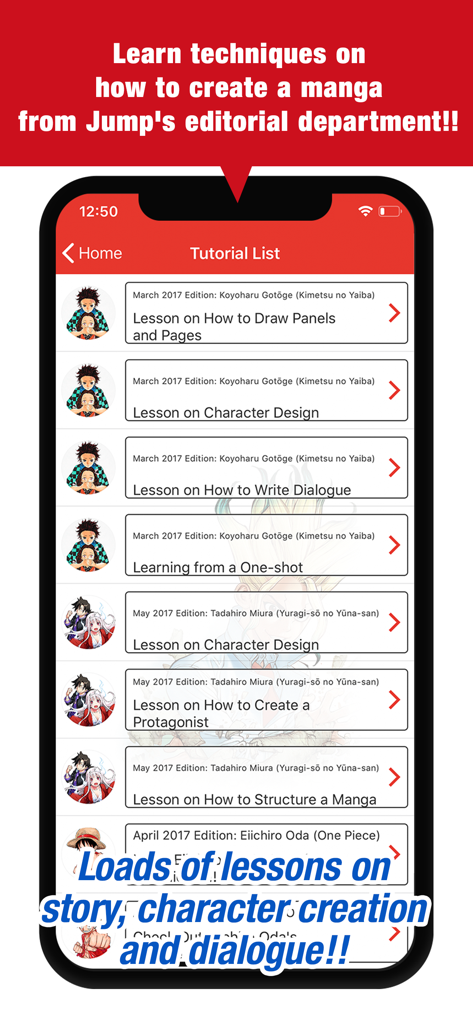
Screenshot dell'app JUMP PAINT che mostra un elenco di tutorial ufficiali sulla creazione di manga dagli autori di Shonen Jump
Descrizione
Download
App Simili
App più classificate nella stessa categoria

TikTok - Videos, Shop & LIVE
TIKTOK PTE. LTD.

Netflix
Netflix, Inc.

Freecash - Get Paid Real Money
256 REWARDS LTD

DramaBox - Stream Drama Shorts
STORYMATRIX PTE. LTD

HBO Max: Stream Movies & TV
WarnerMedia Global Digital Services, LLC

Amazon Prime Video
AMZN Mobile LLC

NetShort - Popular Dramas & TV
NETSTORY PTE. LTD.

ReelShort - Stream Drama & TV
New Leaf Publishing, Inc.

Disney+
Disney Electronic Content, Inc.
Questa pagina non è una pagina ufficiale dell'app o del suo sviluppatore, ma una pubblicazione editoriale indipendente creata a scopo informativo e di commento. Salvo espressa indicazione contraria, né l'app né il suo sviluppatore sono affiliati, approvati, sponsorizzati, autorizzati o altrimenti ufficialmente collegati a MWM, Apple, Google Play, all'editore dell'app o allo sviluppatore dell'app, e nulla in questa pagina implica che l'app sia stata sviluppata utilizzando i servizi di MWM. Tutti i marchi, loghi, screenshot e altri contenuti rimangono di proprietà dei rispettivi proprietari.