Lemur: Lo Standard Professionale per il Controllo MIDI e OSC Personalizzato
Utilizzato da icone del settore da oltre 20 anni. Costruisci il tuo flusso di lavoro definitivo con scripting di livello professionale, widget multitouch personalizzati e connettività ultra-stabile per il tuo studio o palcoscenico.
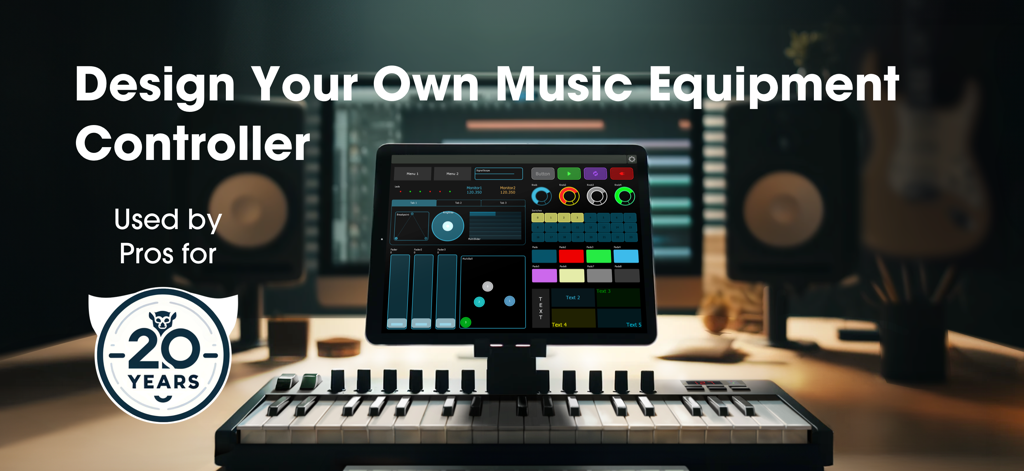
App Lemur su un iPad che mostra un'interfaccia di controller per apparecchiature musicali personalizzata in un ambiente di studio professionale
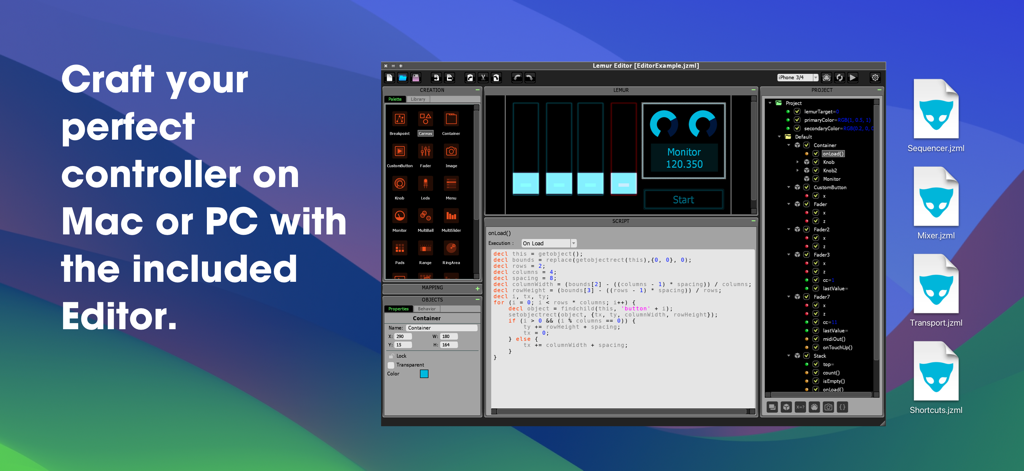
Interfaccia Lemur Desktop Editor che mostra pannelli di progettazione e scripting di controller MIDI personalizzati
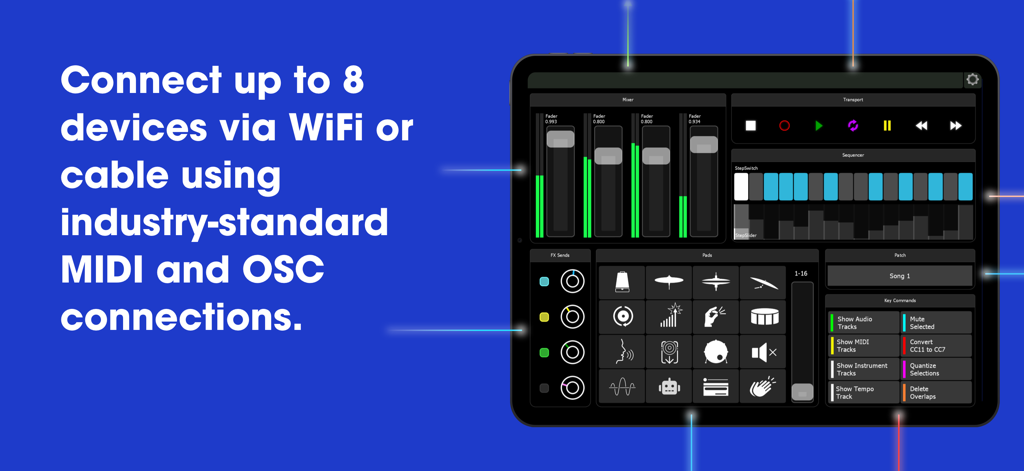
Interfaccia di controller MIDI e OSC personalizzabile di Lemur su un iPad che mostra le opzioni di connettività
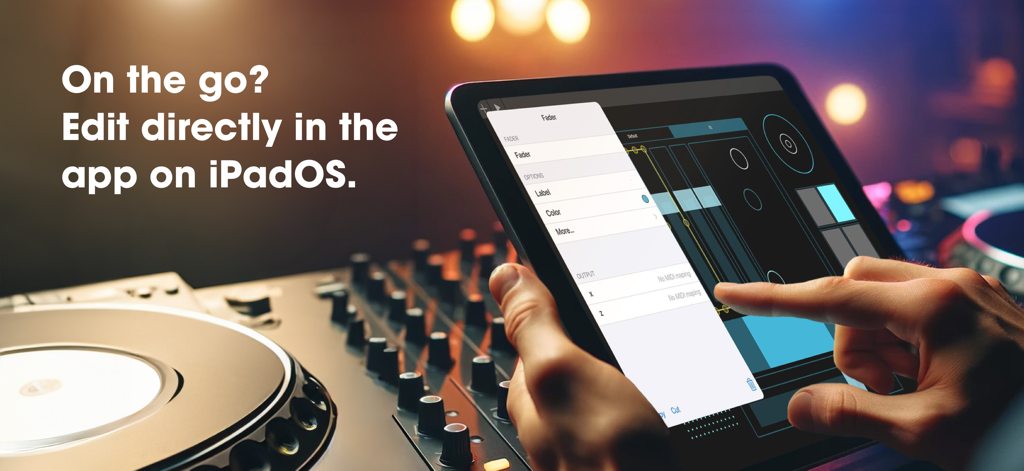
Un utente che modifica un fader MIDI personalizzato direttamente all'interno dell'app Lemur su un iPad in uno studio musicale.
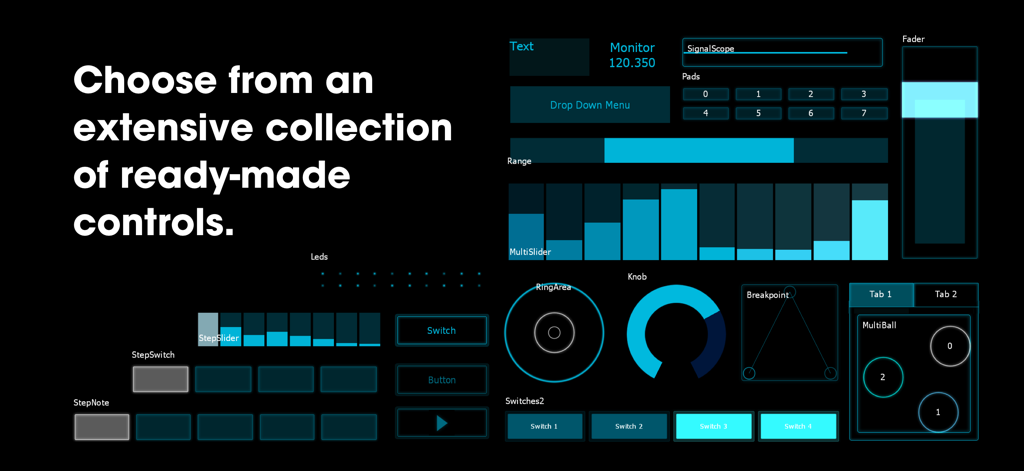
Una raccolta di controlli di interfaccia MIDI e OSC personalizzabili nell'app Lemur su sfondo nero.
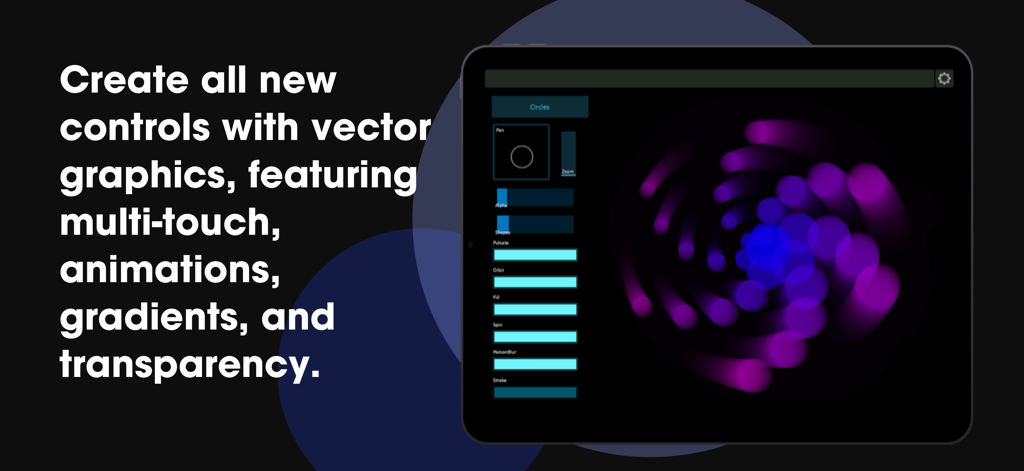
App Lemur su un iPad che mostra controlli di grafica vettoriale personalizzati con animazioni multitouch e gradienti
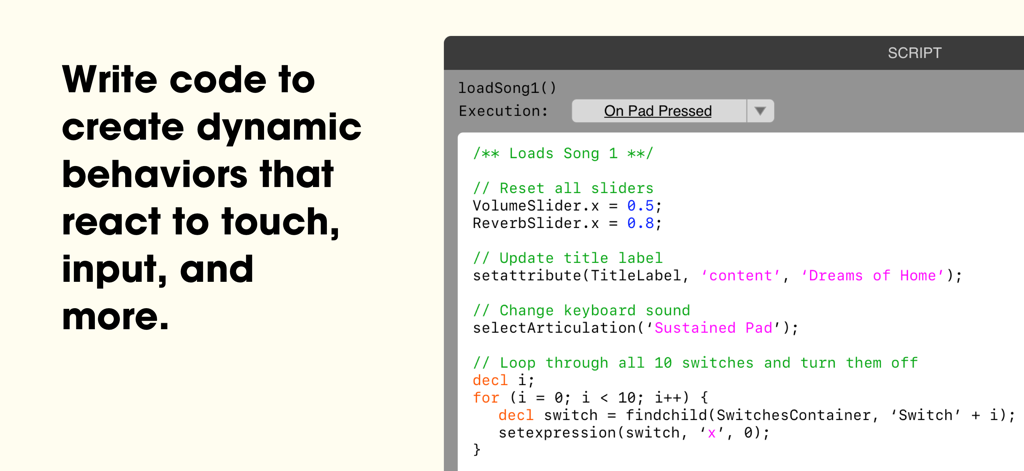
Uno screenshot dell'interfaccia di scripting dell'app Lemur che mostra codice personalizzato per automatizzare controller MIDI e flussi di lavoro di produzione musicale
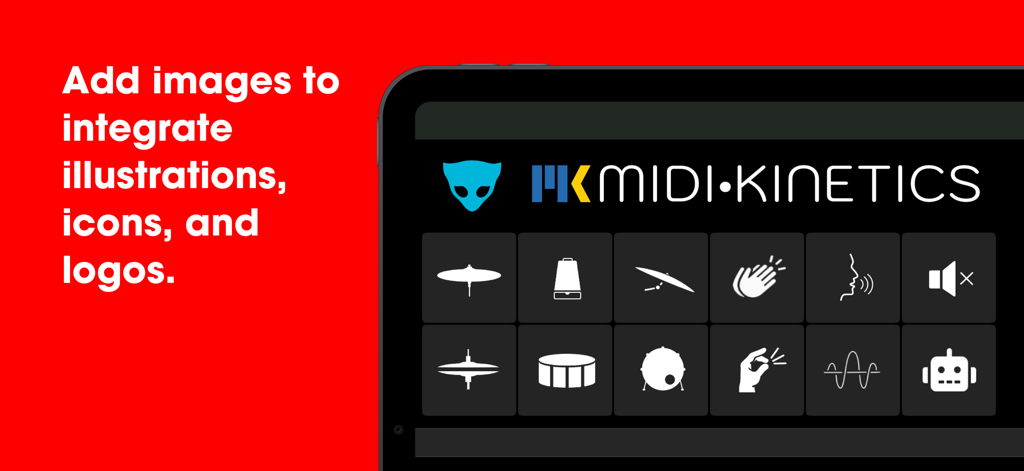
Un iPad che mostra l'interfaccia dell'app Lemur con una griglia di icone personalizzate per la produzione musicale e il logo MIDI Kinetics.
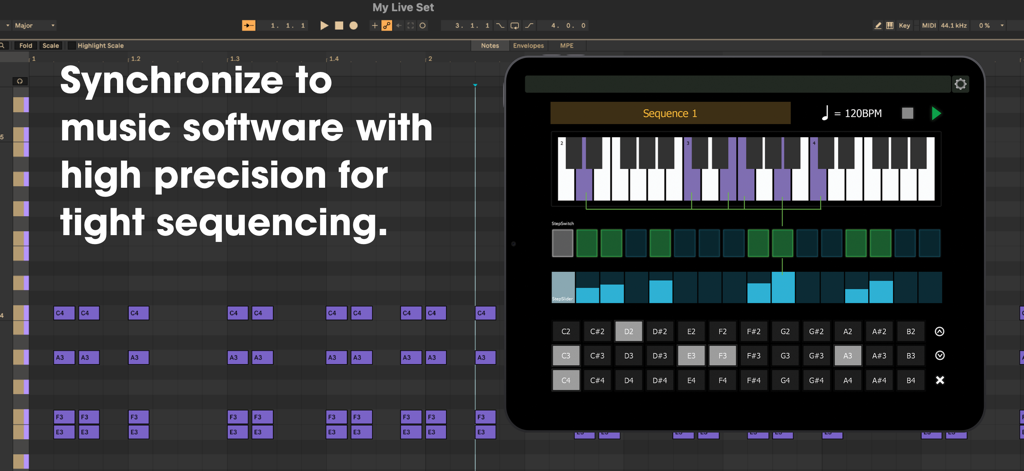
App Lemur su un iPad che mostra un'interfaccia di sequencer MIDI personalizzata sincronizzata con una workstation audio digitale
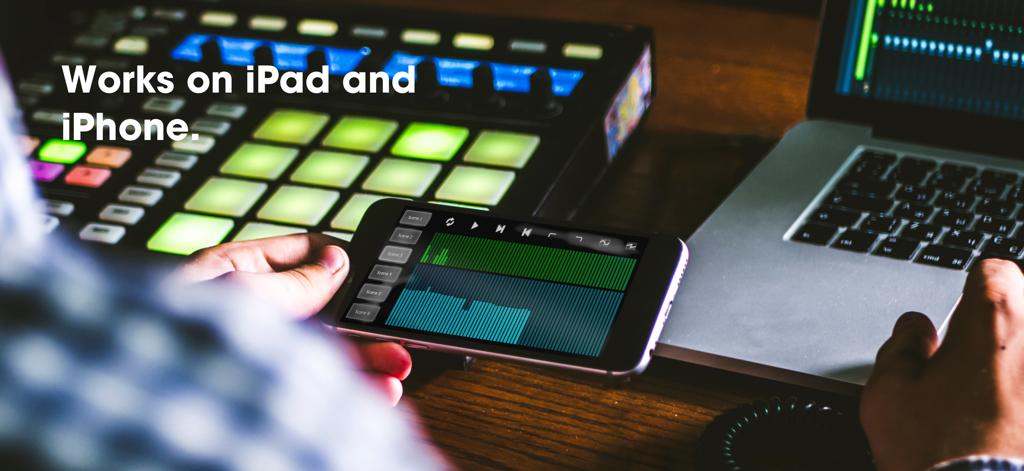
Un produttore musicale che utilizza l'app controller MIDI Lemur su un iPhone in un ambiente di studio professionale.
Scatena il Tuo Flusso di Lavoro Creativo Definitivo
Gli strumenti che rendono questa app unica, scelti da 5K+ utenti.
🎨
Scripting con Tela Infinita
Progetta widget personalizzati basati su vettori con supporto multitouch completo per creare un'interfaccia che si adatti perfettamente al tuo flusso di lavoro unico in studio.
⚡
Connettività Professionale Ultra-Stabile
Controlla fino a 8 sistemi contemporaneamente tramite MIDI o OSC via USB, Thunderbolt o Wi-Fi con la stabilità leggendaria richiesta dai professionisti.
🕹️
Sequenziamento Interno di Precisione
Guida i tuoi strumenti hardware e software con i widget avanzati StepNote e StepSlider perfettamente sincronizzati con il tuo clock MIDI esterno.
Info sull'app
Tutto quello che devi sapere su Lemur.
Descrizione
For over 20 years, Lemur has been the world’s premier tool for creating custom MIDI and OSC controllers. Pioneering multitouch technology, Lemur has become synonymous with innovation in music performance and production. Its pivotal role in the evolution of music technology has made it the trusted choice of artists like Daft Punk, Björk, Plastikman, CHVRCHES, The Glitch Mob, Orbital, and many more.
In the film studio, Lemur has become a beloved tool for professional music composers, serving as the central hub for composing templates—managing sample libraries, keyswitches, mix automations, and DAW key commands.
With its extensive collection of built-in widgets, and powerful programming language, if you can dream it, Lemur can build it. Lemur has even been used to make games!
----
Creating Projects - The Lemur Desktop Software Suite (free) includes the Lemur Editor for macOS and Windows, providing a powerful editor for designing and scripting your controller, as well as the Lemur Daemon, enabling seamless MIDI and OSC connectivity across your entire setup via USB or WiFi.
Connectivity - Simply connect your iPad/iPhone to your computer via Wi-Fi or USB/Thunderbolt and make the connection! Lemur also supports CoreMIDI, allowing you to use any class-compliant hardware MIDI interface. With 8 ports of MIDI/OSC connectivity, you can even control up to 8 computers from one device!
----
Latest Features:
Version 5.0 introduces the incredible new Canvas, Image, and Sequencer family of features with rock solid timing.
Canvas - A brand-new object that lets you script custom widgets with full multitouch support. Adapted from the HTML5 Canvas element, it allows you to design vector-based widgets featuring shapes, animations, shadows, and transparency. With Canvas, you are no longer limited to Lemur’s collection of built-in widgets—you can create entirely custom controls that precisely match the demands of your project. Polygons, waveforms, circular objects, and infinitely more are all possible with Canvas, opening the door to a completely new Lemur experience.
Image - The new Image widget allows you to add custom PNG images directly to your project, opening up possibilities for incorporating image assets that are too complex to create with vector code in the Canvas widget. Whether you’re designing detailed graphics, branding your project with logos, or adding custom button icons, the Image widget makes it easy to enhance your templates with rich visual elements.
Sequencer - Lemur 5.0 introduces a family of new features for tight sequencing, including three new objects: StepNote, StepSwitch, and StepSlider. Each offers a unique style of sequencing, ready to use right out of the box. These objects utilize the new "On Clock" execution mode, enabling high-precision synchronization to external MIDI clock. Simply add them to your template, and they’ll handle the hard work of controlling your MIDI instruments with perfect timing.
In-App Editor (iPad Only) - Lemur now supports editing projects directly in the app. Virtually every function of the desktop editor is now accessible through an intuitive system of iOS menus and widgets. Best of all – it’s easier to use than ever, offering a smaller learning curve and an immediate initial experience. Any basic configuration, such as a bank of faders, or modifying a script can now be created with familiar taps and gestures.
Skins - Lemur features three new skins, in addition to the classic look. Choose the look that fits your style and sparks your creativity.
----
Join the Lemur Community Forum!
Now in its 10th year! Connect with others to ask questions, troubleshoot, share solutions, and explore Lemur programming with a community tailored to your needs.
----
Subscribe Today!
Access to Lemur requires an active paid subscription, available as an in-app purchase. Subscriptions give you full access to all features.
----
Ultima versione
5.7.5
Dimensione
26.4 MB
Data di lancio
23 gen 2025
Porta il Tuo Flusso di Lavoro ai Livelli Professionali
Unisciti a leggende come Daft Punk e Hans Zimmer. Inizia oggi la tua abbonamento per costruire il controller personalizzato definitivo per il tuo studio o palcoscenico.
App information, icons, screenshots, and descriptions displayed on this page are sourced from the Apple App Store and are the property of their respective developers. Download estimates and rankings are based on MWM's proprietary models and may not reflect actual figures. This page is provided for informational and analytical purposes only.
Believe this page infringes your intellectual property? File a dispute