
Questa pagina non è una pagina ufficiale dell'app o del suo sviluppatore, ma una pubblicazione editoriale indipendente creata a scopo informativo e di commento. Salvo espressa indicazione contraria, né l'app né il suo sviluppatore sono affiliati, approvati, sponsorizzati, autorizzati o altrimenti ufficialmente collegati a MWM, Apple, Google Play, all'editore dell'app o allo sviluppatore dell'app, e nulla in questa pagina implica che l'app sia stata sviluppata utilizzando i servizi di MWM. Tutti i marchi, loghi, screenshot e altri contenuti rimangono di proprietà dei rispettivi proprietari.


Lightleap by Lightricks
La fotocamera del tuo telefono produce delusioni? Lightleap by Lightricks non promette miracoli, ma offre il bisturi digitale attraverso cui l'utente può imporre la propria visione, trasformando il banale in ciò che avrebbe desiderato catturare.
Download
25M+Valutazione
Valutazioni totali
196.2KEditore
Categoria
Photo & VideoLingue
12Ultima versione
1.21Dimensione
270.5 MBData di lancio
31 ago 2017Analisi Funzionalità Chiave di Lightleap by Lightricks
Una panoramica analitica delle principali capacità di editing fotografico per il pubblico social.
Filtri Fotografici
L'app fornisce una vasta gamma di filtri preimpostati, raggruppati per tema, che consentono di modificare rapidamente l'atmosfera e lo stile delle immagini con la possibilità di regolarne l'intensità.
Sostituzione Cielo
Consente agli utenti di trasformare drasticamente lo sfondo delle fotografie, sostituendo il cielo esistente con oltre 60 opzioni di alta qualità, inclusi scenari diurni, tramonti, tempeste e cieli fantastici, con un solo tocco.
Preset di Stile (Looks)
Questo strumento presenta preset di stile predefiniti che permettono di cambiare l'atmosfera generale di una foto con un singolo tocco, facilitando la creazione di un'estetica coerente per i feed social.
Strumento Correggi (Heal)
L'app offre uno strumento di correzione che permette di rimuovere facilmente oggetti indesiderati, persone o imperfezioni dallo sfondo e dal primo piano delle immagini, migliorando la pulizia e la composizione fotografica.
Regolazioni Avanzate
Questo strumento mette a disposizione degli utenti un set completo di controlli manuali per ritoccare finemente le immagini, inclusi parametri come luce, contrasto, temperatura, nitidezza e ritaglio, per risultati di qualità professionale.
Effetti Speciali
Consente di arricchire le fotografie con una varietà di effetti speciali come ombreggiature, scintille, bagliori e cambiamenti climatici, per aggiungere un tocco creativo e vivacizzare le aree meno interessanti.
Domande Frequenti
Tutto quello che devi sapere su Lightleap by Lightricks
What is Lightleap by Lightricks?
Lightleap by Lightricks is a photo editor app that enables users to transform their photos quickly. It offers features like Sky replacement, healing, filters, effects, and comprehensive adjustment tools for professional-looking results.
How can I replace the sky in my photos using Lightleap?
Lightleap's Sky feature allows users to replace the background sky with one tap. It offers over 60 high-quality sky backgrounds, including options like sunny, dusk, sunset, storm, and fantasy skies, to enhance images.
Can Lightleap remove unwanted objects or people from images?
Yes, Lightleap features a Heal function designed to remove unwanted objects or people from photos. Users can select and erase items in both the foreground and background, and also smooth over mistakes.
What are 'Looks' in the Lightleap photo editor?
In the Lightleap photo editor, 'Looks' are predefined styles that change a photo's vibe with one tap. They function as filters, allowing users to create signature styles or apply specific moods like golden hour or dusk.
Does Lightleap offer various photo filters?
Yes, Lightleap provides numerous filters organized by theme, such as warm, black and white, urban, and fade. Users can easily adjust the intensity of these filters to achieve their desired photographic effects.
What kind of special effects are available in Lightleap?
Lightleap offers special effects like shadow overlays, sparkles, lens flares, and weather manipulations to enhance photos. Users can also add seasonal themes and adjust mood elements for creative outcomes.
What photo adjustment tools does Lightleap include?
Lightleap includes a comprehensive set of adjustment tools. These allow users to modify light, contrast, temperature, tint, and hue. The app also supports cropping, sharpening, depth, structure, and grain adjustments.
Is Lightleap a standalone app or part of a suite?
Lightleap is part of the Enlight Creativity Suite by Lightricks, an award-winning developer. This suite also includes other creative applications like Pixaloop, Videoleap, and Photofox, enhancing user creativity.
Who developed the Lightleap app?
Lightleap is developed by Lightricks, an award-winning app developer known for its Enlight Creativity Suite. Lightricks also developed apps such as Pixaloop, Videoleap, and Photofox.
Gli screenshot e la descrizione seguenti provengono direttamente dall'elenco ufficiale dello store dell'app e sono di proprietà dello sviluppatore.
App Store
Screenshot
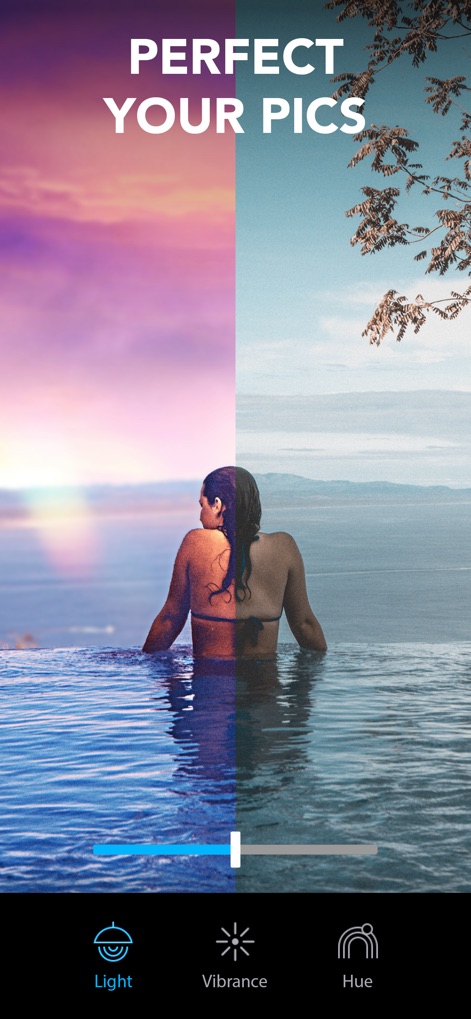
Migliora le Immagini
La schermata mostra l'impatto trasformativo dell'app, evidenziando come una regolazione della luminosità possa convertire un'immagine spenta in una vivace, con il cursore di regolazione ben visibile.
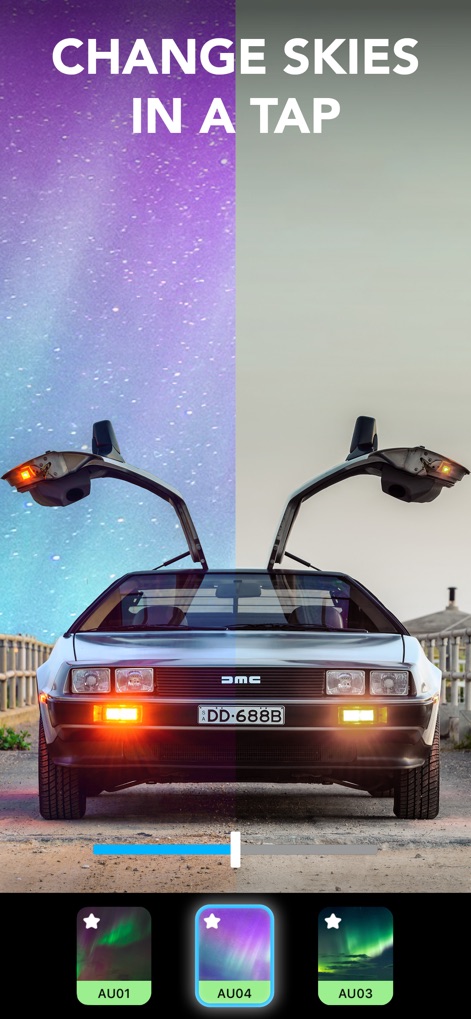
Trasforma il Cielo
Questo screenshot illustra la funzionalità "Sky", permettendo agli utenti di sostituire il cielo originale con suggestivi scenari come la Via Lattea, offrendo diverse opzioni di sostituzione in basso.
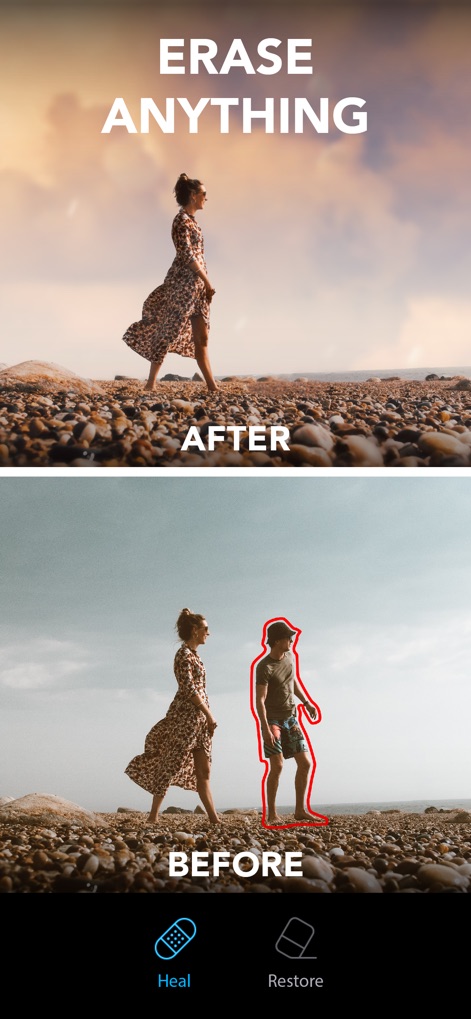
Rimuovi Elementi Indesiderati
La funzionalità "Heal" è qui dimostrata, dove gli utenti possono facilmente eliminare un soggetto indesiderato (l'uomo evidenziato in rosso) dalla scena, mostrando un'immagine finale pulita.
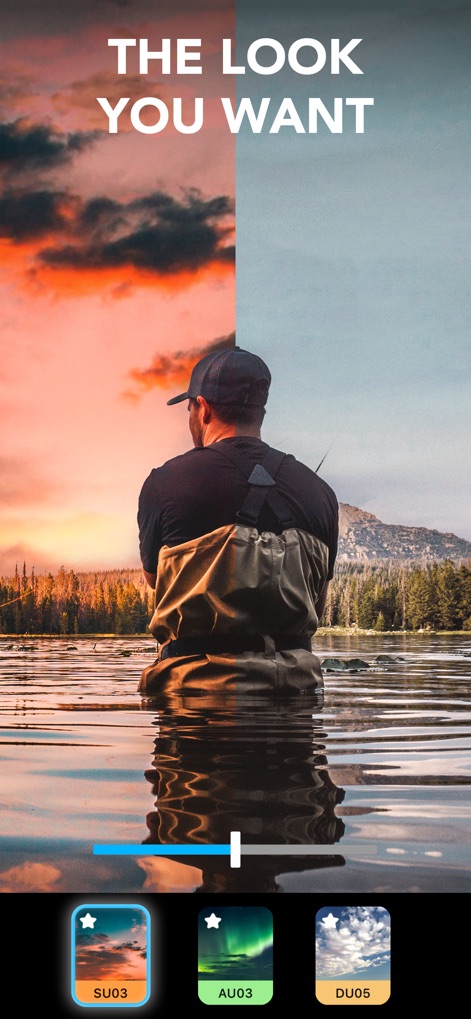
Stili Prefiniti Esclusivi
L'app offre "Looks" predefiniti, come si vede dal confronto tra il tramonto intenso e la scena originale, con numerose opzioni di stile presentate nella parte inferiore della schermata.
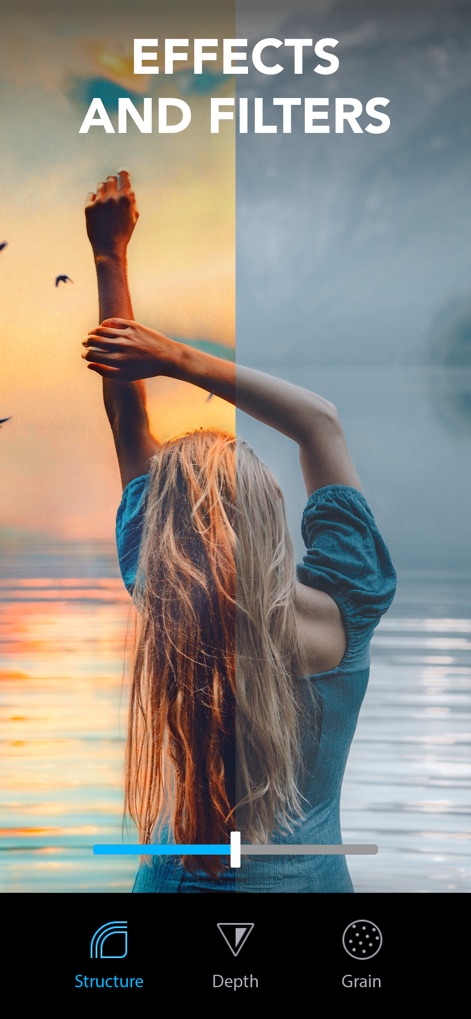
Effetti e Filtri Creativi
Questo screenshot mette in risalto gli effetti e i filtri applicabili, mostrando un'immagine con tonalità calde e luminose a contrasto con l'originale, con opzioni come "Structure" e "Depth" disponibili per ulteriori modifiche.
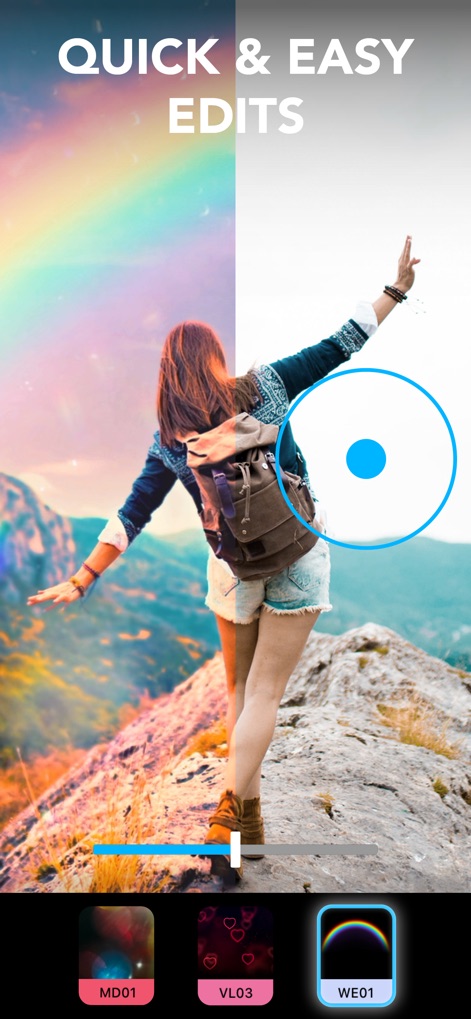
Modifiche Rapide Facili
La schermata illustra la facilità di applicare effetti, trasformando il paesaggio montano con un vibrante effetto arcobaleno, facilmente selezionabile tramite l'indicatore circolare mostrato sull'immagine.
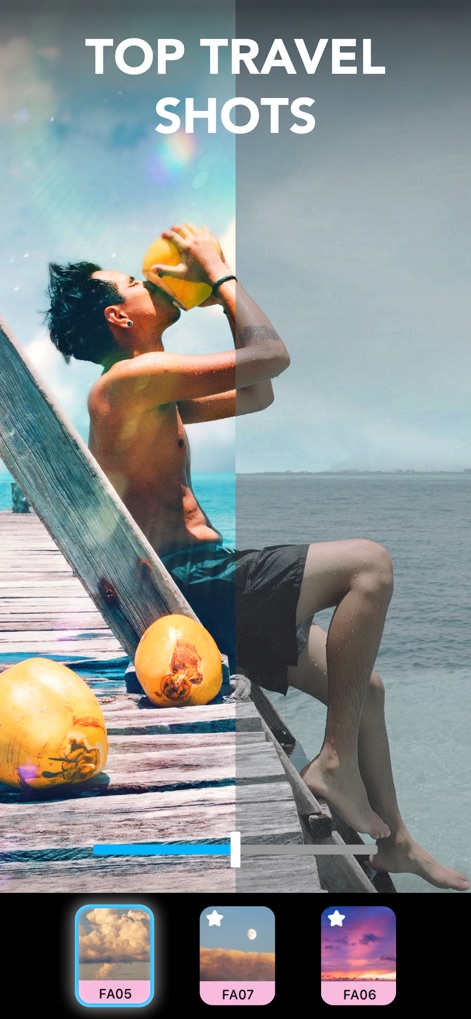
Scatti di Viaggio Incredibili
L'immagine evidenzia come gli utenti possano valorizzare gli scatti di viaggio, aggiungendo colori vivaci e un suggestivo effetto lens flare, trasformando l'atmosfera della foto.
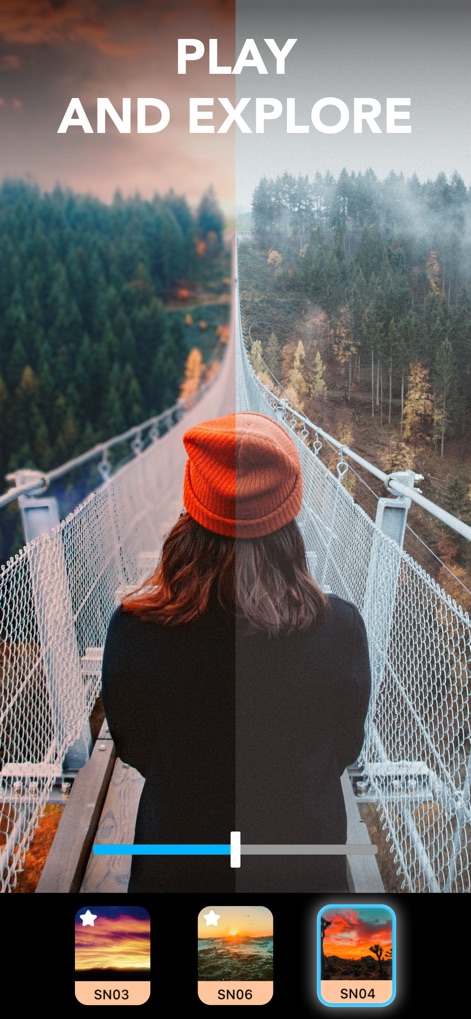
Esplora Nuove Atmosfere
Gli utenti possono sperimentare diverse atmosfere, come dimostrato dalla transizione da una foresta nebbiosa a una immersa in calde tonalità del tramonto, selezionabili tra le opzioni sottostanti.
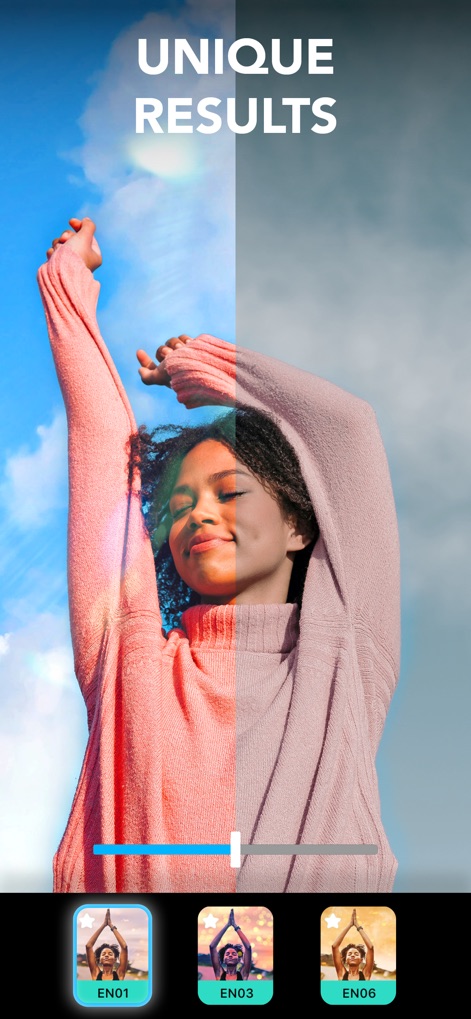
Risultati Unici Sbalorditivi
Questo strumento consente di ottenere risultati unici, come l'aggiunta di bagliori di luce colorati e raggi solari che illuminano il soggetto, rendendo l'immagine estremamente accattivante.

Regola Ogni Dettaglio
Lo screenshot finale mostra le avanzate opzioni di regolazione, permettendo di modificare l'esposizione e la temperatura del colore, trasformando completamente l'atmosfera della scena.
Descrizione
Download
App Simili
App con funzionalità ed esperienza simili

EPIK - AI Photo & Video Editor
SNOW Corporation

Citrus: AI 1 Tap Perfect Photo
Wemagine.ai LLP

SnapEdit: Photo Editor AI
SilverAI Joint Stock Company

Background Eraser 〜 Stickers
handyCloset Inc.

PhotoScan by Google Photos
Google LLC

Magic Eraser - Remove Object
Creatix Technology Global Limited

Magic Eraser Background Editor
Honk Honk Punch Pty Ltd

ProKnockOut-Cut Paste Photos
Shenzhen Qianhai Happy Tour Network Technology Co., Ltd.

Background Eraser - Remove BG*
SHANTANU PTE. LTD.
Questa pagina non è una pagina ufficiale dell'app o del suo sviluppatore, ma una pubblicazione editoriale indipendente creata a scopo informativo e di commento. Salvo espressa indicazione contraria, né l'app né il suo sviluppatore sono affiliati, approvati, sponsorizzati, autorizzati o altrimenti ufficialmente collegati a MWM, Apple, Google Play, all'editore dell'app o allo sviluppatore dell'app, e nulla in questa pagina implica che l'app sia stata sviluppata utilizzando i servizi di MWM. Tutti i marchi, loghi, screenshot e altri contenuti rimangono di proprietà dei rispettivi proprietari.