
Questa pagina non è una pagina ufficiale dell'app o del suo sviluppatore, ma una pubblicazione editoriale indipendente creata a scopo informativo e di commento. Salvo espressa indicazione contraria, né l'app né il suo sviluppatore sono affiliati, approvati, sponsorizzati, autorizzati o altrimenti ufficialmente collegati a MWM, Apple, Google Play, all'editore dell'app o allo sviluppatore dell'app, e nulla in questa pagina implica che l'app sia stata sviluppata utilizzando i servizi di MWM. Tutti i marchi, loghi, screenshot e altri contenuti rimangono di proprietà dei rispettivi proprietari.


LightPDF: AI Chat PDF, Scanner
Smetti di perdere ore a leggere e formattare. Chatta con i tuoi documenti per ottenere risposte istantanee, scansiona documenti con OCR e converti file in movimento con il toolkit più intelligente per la produttività moderna.
Download
152K+Valutazione
Valutazioni totali
100Editore
Categoria
ProductivityLingue
8Ultima versione
2.11.29Dimensione
112.5 MBData di lancio
28 giu 2022Massimizza la tua produttività con strumenti per documenti basati sull'intelligenza artificiale
Smetti di perdere ore in letture e formattazioni manuali. LightPDF combina un'intelligenza artificiale all'avanguardia con un toolkit professionale per aiutarti a gestire il tuo flusso di lavoro in movimento.
Insight AI istantanei
Chatta direttamente con i tuoi PDF per ottenere riepiloghi istantanei, risposte citate e punti dati chiave senza leggere ogni pagina.
Scanner mobile intelligente
Trasforma note fisiche e contratti in PDF di alta qualità. Utilizza l'OCR basato sull'intelligenza artificiale per estrarre testo e rimuovere la scrittura a mano istantaneamente.
Domande Frequenti
Tutto quello che devi sapere su LightPDF: AI Chat PDF, Scanner
Cos'è LightPDF e cosa fa?
LightPDF è un toolkit PDF mobile basato sull'intelligenza artificiale. Consente agli utenti di riassumere, chattare con PDF, scansionare documenti, convertire formati di file, modificare, leggere e gestire PDF sui propri dispositivi mobili.
Posso chattare con i documenti usando l'assistente AI di LightPDF?
Sì, LightPDF dispone di un Assistente AI Chat che ti consente di porre domande direttamente ai tuoi PDF, scansioni, documenti Excel, Word, PPT ed ePub, ricevendo risposte con fonti citate.
Quali tipi di file può convertire LightPDF?
LightPDF può convertire PDF in Word, JPG, PNG, Excel, PPT e TXT. Converte anche formati Word, PPT, Excel, JPG, PNG e CAD in PDF. La tecnologia OCR supporta la conversione di scansioni in testo modificabile.
LightPDF offre funzionalità di scansione documenti?
Sì, LightPDF funziona come uno Scanner Intelligente per Telefono. Converte foto di documenti, biglietti e libri in PDF. Estrae e copia anche testo dalla carta e rimuove la scrittura a mano.
Posso collaborare a documenti PDF con LightPDF?
Sì, LightPDF abilita il lavoro di squadra consentendo agli utenti di condividere file tramite link. Più persone possono visualizzare, modificare, evidenziare, firmare e aggiungere commenti contemporaneamente sullo stesso documento PDF, migliorando la produttività.
Come funzionano gli abbonamenti per LightPDF?
Gli abbonamenti LightPDF vengono addebitati sulla tua carta di credito tramite il tuo account iTunes e si rinnovano automaticamente. Per evitare il rinnovo, devi annullare almeno 24 ore prima della fine del periodo corrente nelle Impostazioni Account dell'App Store.
LightPDF può rimuovere watermark dalle immagini?
Sì, l'IA di LightPDF riconosce e rimuove automaticamente i watermark dalle immagini. Questa funzionalità elimina la modifica manuale per loghi di grandi dimensioni e watermark a schermo intero, migliorando l'efficienza dell'apprendimento.
LightPDF è disponibile su più sistemi operativi?
Sì, LightPDF è accessibile su più dispositivi e sistemi operativi, inclusi Windows, macOS, Android e iOS, consentendo agli utenti di gestire i PDF ovunque e in qualsiasi momento.
Posso modificare e firmare PDF usando LightPDF?
Sì, l'editor basato su cloud di LightPDF ti consente di modificare, firmare e aggiungere immagini ai file PDF. Puoi anche evidenziare, disegnare annotazioni, inserire note e ridurre le dimensioni del file all'interno dell'applicazione.
LightPDF supporta l'OCR per l'estrazione del testo?
Sì, LightPDF è dotato di tecnologia OCR. Può riconoscere ed estrarre testo da scansioni e foto PDF, convertendoli in formati modificabili come docx, xlsx, pptx, pdf e txt.
Gli screenshot e la descrizione seguenti provengono direttamente dall'elenco ufficiale dello store dell'app e sono di proprietà dello sviluppatore.
App Store
Screenshot
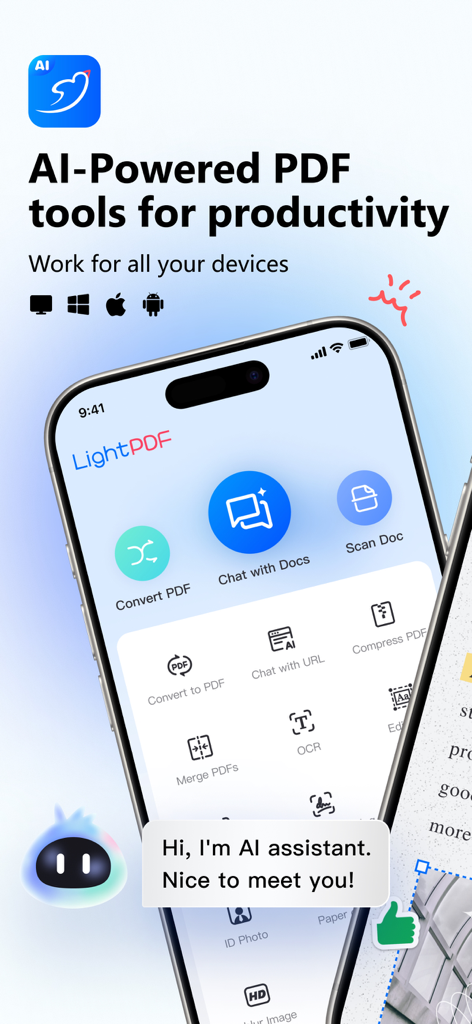
Interfaccia dell'app LightPDF che mostra strumenti per documenti basati sull'IA come la scansione e la chat con PDF
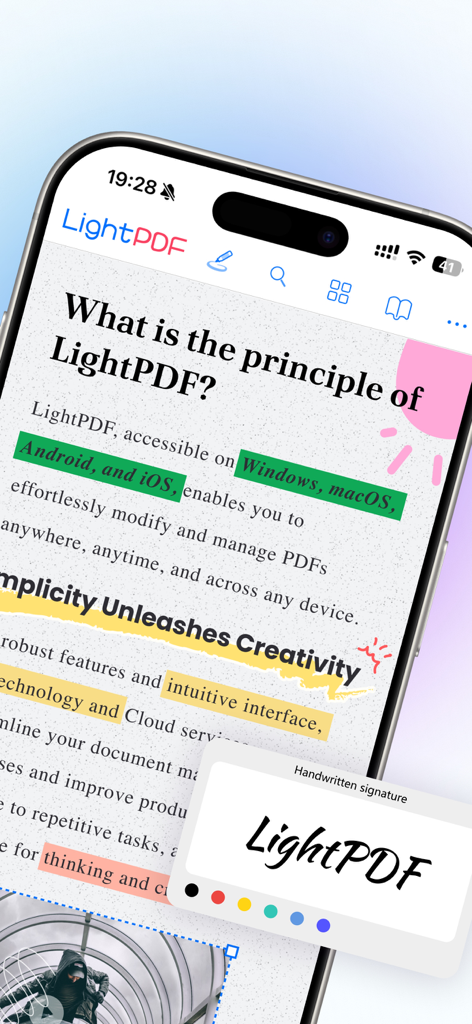
Interfaccia dell'app mobile LightPDF che mostra un PDF con evidenziazioni colorate e uno strumento per firme scritte a mano
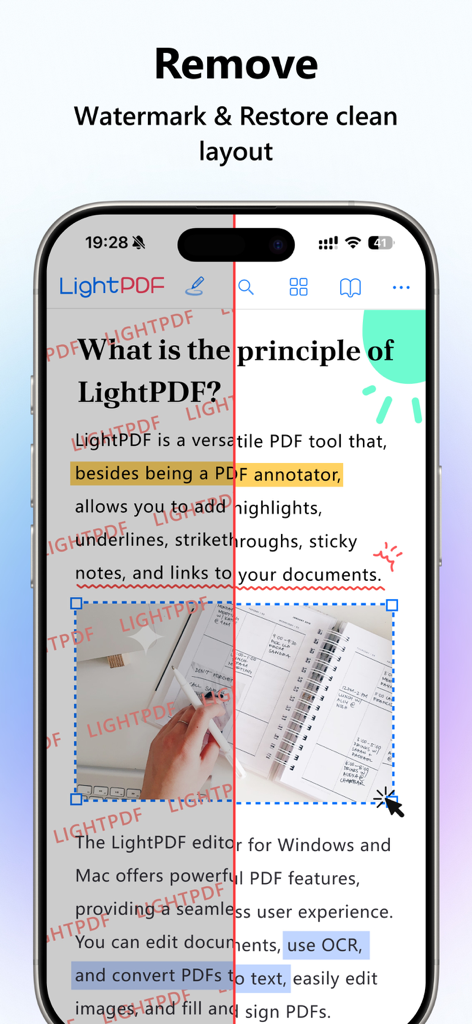
Confronto prima e dopo di un documento PDF che mostra la rimozione di filigrane rosse e il ripristino di un layout pulito utilizzando LightPDF.
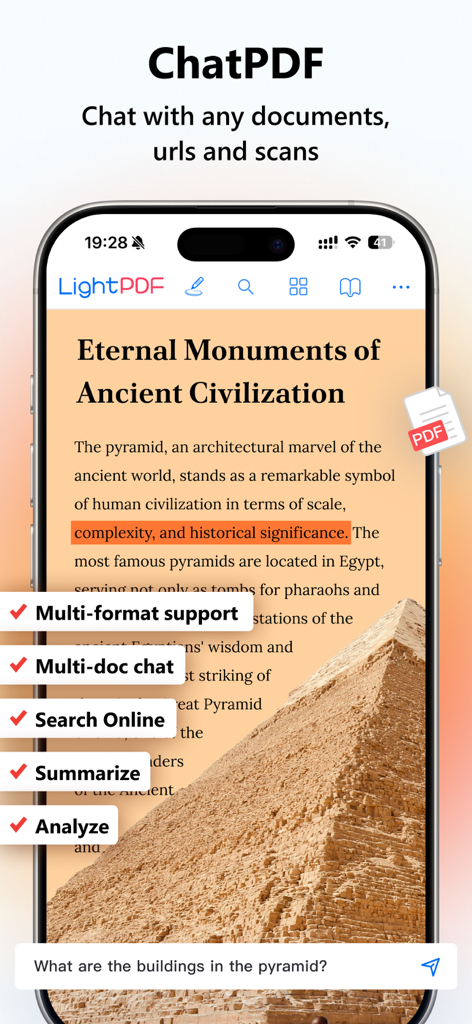
Interfaccia dell'app LightPDF che mostra l'assistente chat AI che analizza un documento su uno smartphone
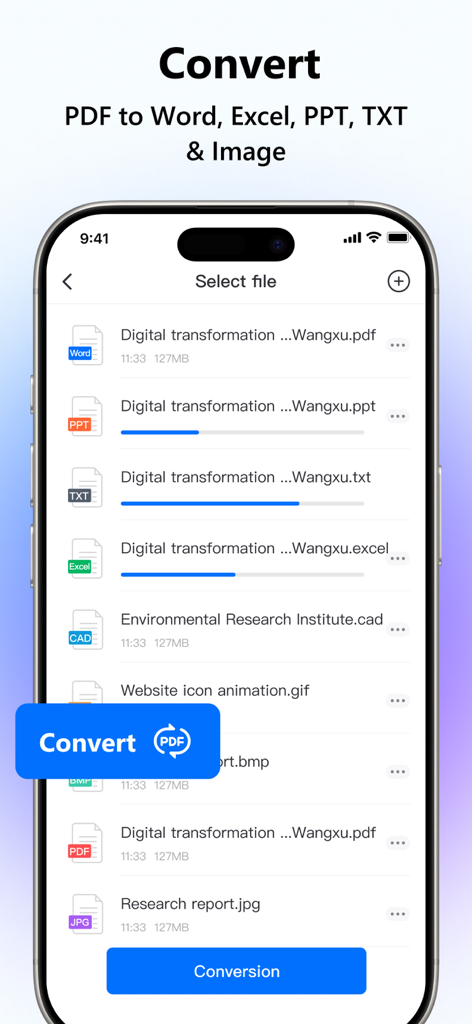
Interfaccia dell'app LightPDF che mostra lo stato di conversione di file PDF in formati Word, Excel e PowerPoint
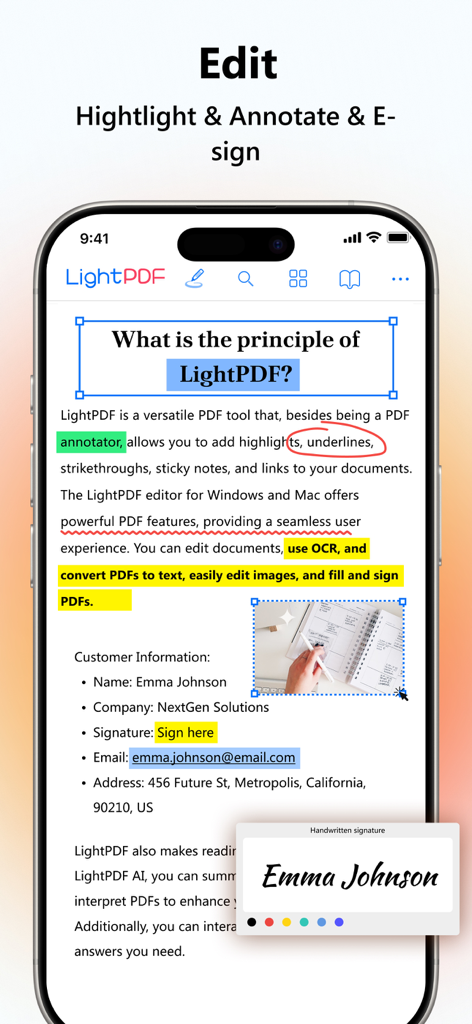
Screenshot dell'app LightPDF che dimostra le funzionalità di modifica PDF con evidenziazione e firma elettronica
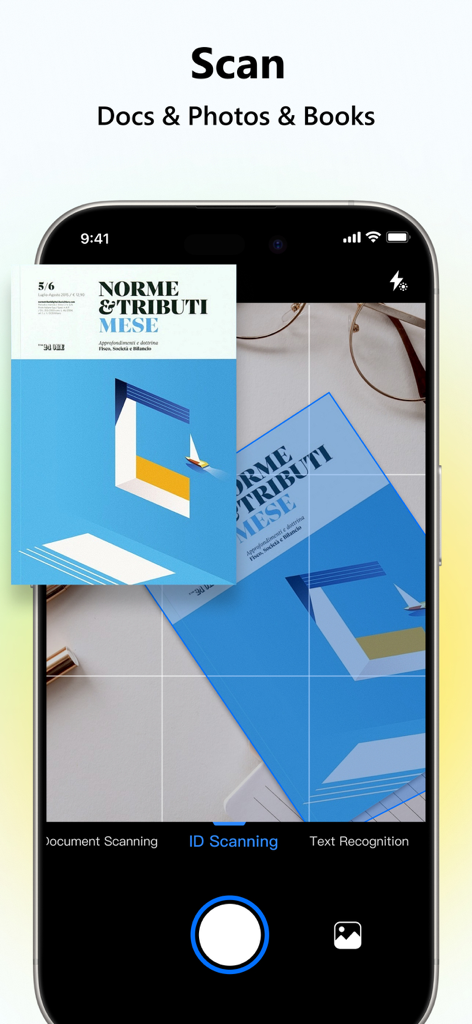
Schermata dello smartphone che utilizza l'app LightPDF per scansionare un documento con riconoscimento del testo
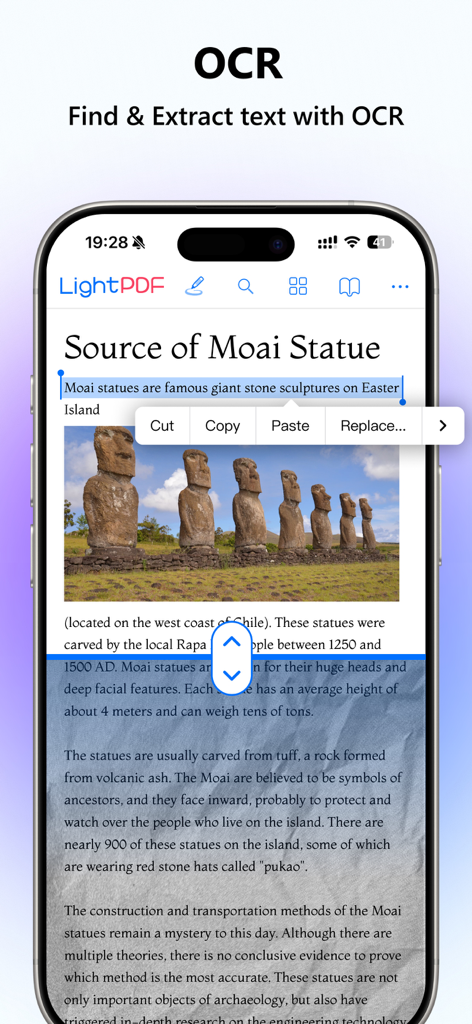
App mobile LightPDF che mostra la funzione OCR per trovare ed estrarre testo da un documento scansionato
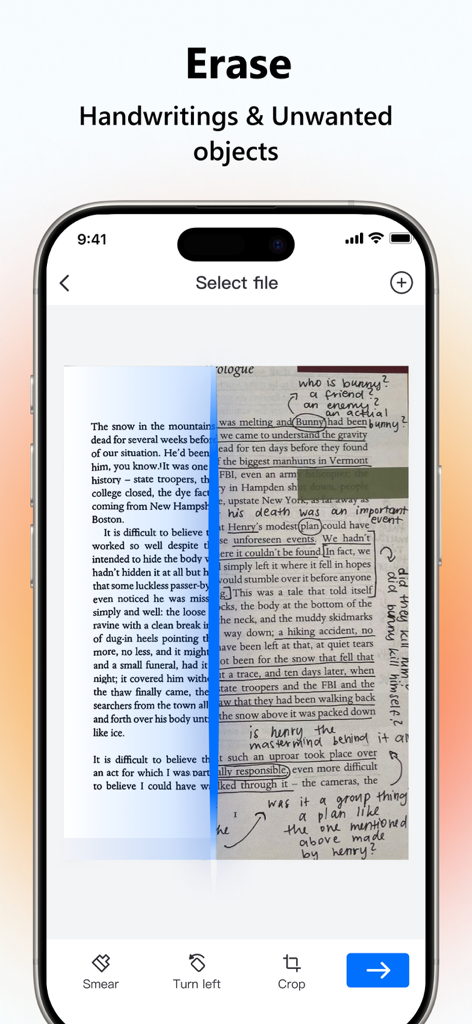
Un confronto che mostra una pagina scansionata prima e dopo aver cancellato la scrittura a mano e i segni utilizzando LightPDF
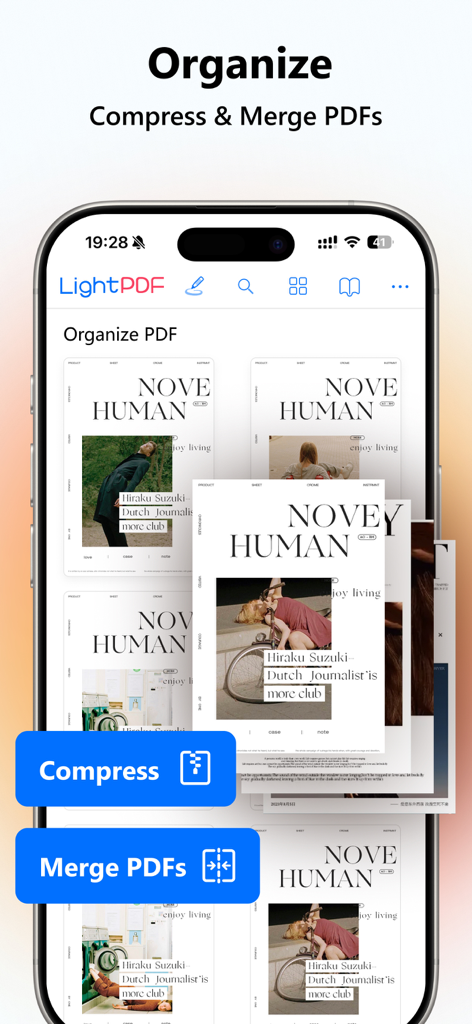
Schermata dell'app LightPDF che mostra le opzioni per organizzare, comprimere e unire documenti PDF su un telefono cellulare.
Descrizione
Download
App Simili
App con funzionalità ed esperienza simili

PDF PRO Scan Image & Documents
Balzo srl

The PDF Scanner, PDF editor HQ
NEXT K.U.M. LTD

CamScanner - PDF Scanner App
INTSIG Information Co., Ltd

Adobe Scan: PDF & OCR Scanner
Adobe Inc.

WPS Office: PDF, Docs, Sheets
KINGSOFT OFFICE SOFTWARE CORPORATION LIMITED

iLovePDF - PDF Editor & Scan
ILOVEPDF S.L.

Scanner App: Genius Scan
The Grizzly Labs

Microsoft Lens: PDF Scanner
Microsoft Corporation

Clear Scan: Doc Scanner App
INDY MOBILE APP COMPANY LIMITED
Questa pagina non è una pagina ufficiale dell'app o del suo sviluppatore, ma una pubblicazione editoriale indipendente creata a scopo informativo e di commento. Salvo espressa indicazione contraria, né l'app né il suo sviluppatore sono affiliati, approvati, sponsorizzati, autorizzati o altrimenti ufficialmente collegati a MWM, Apple, Google Play, all'editore dell'app o allo sviluppatore dell'app, e nulla in questa pagina implica che l'app sia stata sviluppata utilizzando i servizi di MWM. Tutti i marchi, loghi, screenshot e altri contenuti rimangono di proprietà dei rispettivi proprietari.