Lyric Creator
Lyric Creator
Scarica su App Store

Questa pagina non è una pagina ufficiale dell'app o del suo sviluppatore, ma una pubblicazione editoriale indipendente creata a scopo informativo e di commento. Salvo espressa indicazione contraria, né l'app né il suo sviluppatore sono affiliati, approvati, sponsorizzati, autorizzati o altrimenti ufficialmente collegati a MWM, Apple, Google Play, all'editore dell'app o allo sviluppatore dell'app, e nulla in questa pagina implica che l'app sia stata sviluppata utilizzando i servizi di MWM. Tutti i marchi, loghi, screenshot e altri contenuti rimangono di proprietà dei rispettivi proprietari.


Logo di Lyric Creator
Scarica su App Store

Lyric Creator

Il compagno definitivo per il tuo Casio CT-S1000V. Crea vocalist personalizzati, modifica fonemi granulari e colma il divario tra i tuoi testi e il tuo hardware con un controllo ritmico professionale.

Numeri Chiave

Download

2K+

Valutazione

3.8/5

Valutazioni totali

0

Editore

CASIO COMPUTER CO., LTD.

Categoria

Music

Lingue

2

Ultima versione

2.0.2

Dimensione

396.5 MB

Data di lancio

20 gen 2022
Funzioni

Padroneggia la tua sintesi vocale

Il compagno definitivo per il tuo Casio CT-S1000V. Colma il divario tra testo e suono con una programmazione precisa dei testi e la progettazione di vocalist personalizzati.

Programmazione intuitiva dei testi

Evita i menu dell'hardware. Digita o importa i testi direttamente e usa la nostra griglia drag-and-drop per assegnare valori di nota alle sillabe per una fraseologia ritmica perfetta.

Crea vocalist originali

Carica i tuoi campioni WAV di 10 secondi per creare patch Vocalist personalizzate. Affina età, genere e vibrato per creare un suono distintivo che si faccia notare.

Gli screenshot e la descrizione seguenti provengono direttamente dall'elenco ufficiale dello store dell'app e sono di proprietà dello sviluppatore.

App Store

Screenshot
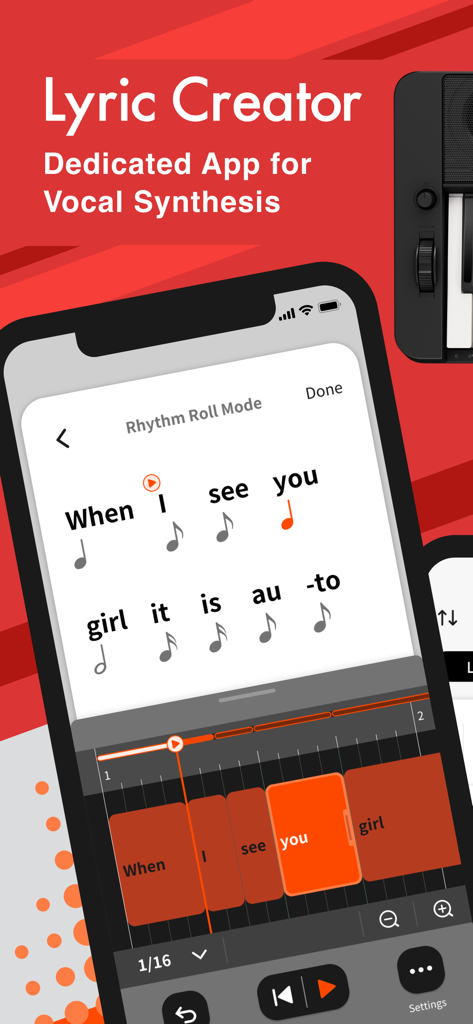
Lyric Creator - Interfaccia dell'app Lyric Creator che mostra le sillabe assegnate ai valori delle note musicali in modalità Rhythm Roll
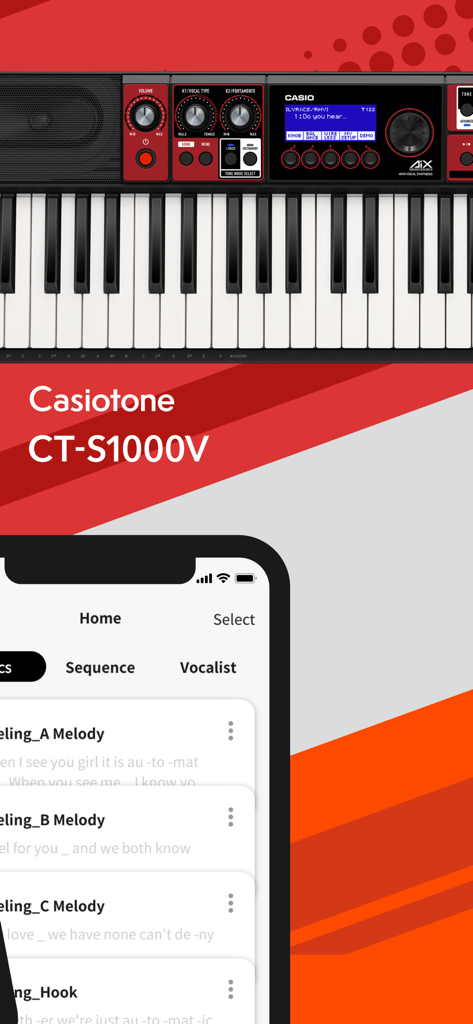
Interfaccia dell'app Lyric Creator che mostra le sillabe assegnate ai valori delle note musicali in modalità Rhythm Roll

Lyric Creator - Interfaccia dell'app Lyric Creator mostrata su uno smartphone con una tastiera Casio CT-S1000V
Interfaccia dell'app Lyric Creator mostrata su uno smartphone con una tastiera Casio CT-S1000V

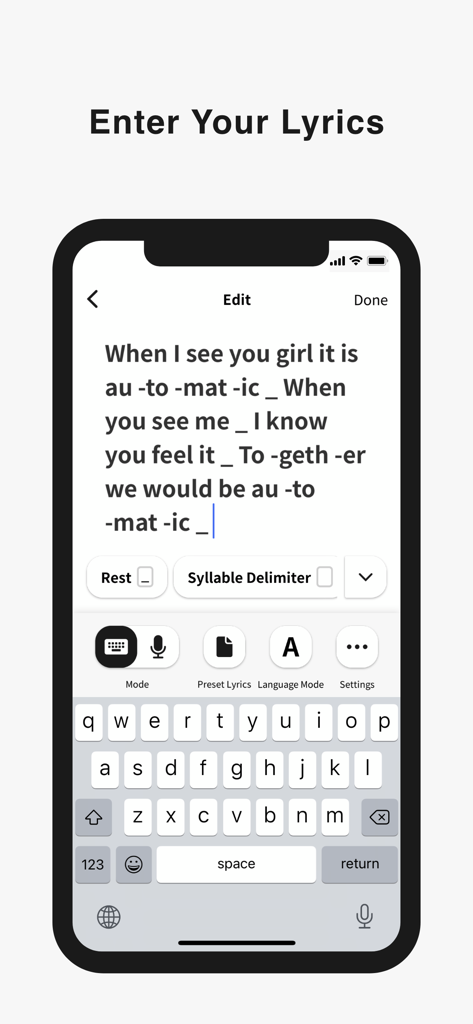
Lyric Creator - Uno smartphone mostra l'interfaccia dell'app Lyric Creator per inserire e formattare i testi delle canzoni con divisioni sillabiche
Uno smartphone mostra l'interfaccia dell'app Lyric Creator per inserire e formattare i testi delle canzoni con divisioni sillabiche

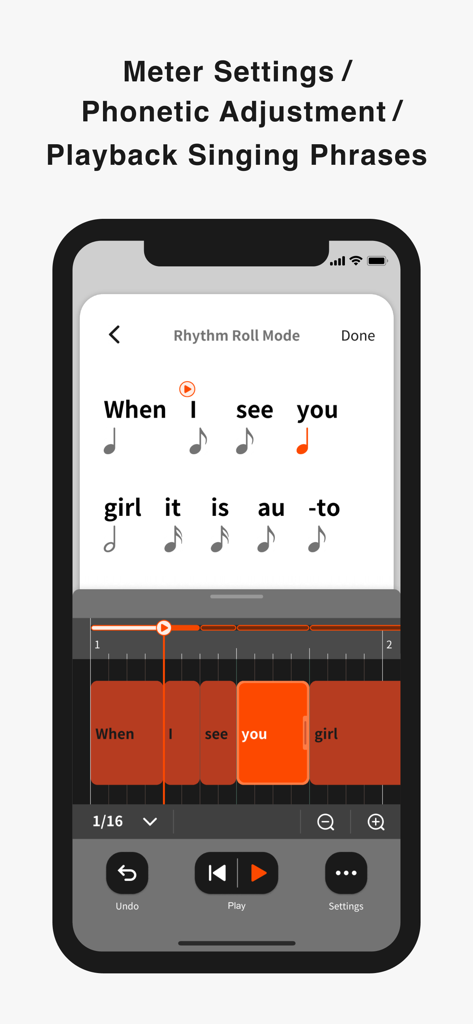
Lyric Creator - Uno screenshot dell'app Lyric Creator che mostra l'interfaccia della modalità Rhythm Roll per regolare il timing e il metro delle frasi vocali
Uno screenshot dell'app Lyric Creator che mostra l'interfaccia della modalità Rhythm Roll per regolare il timing e il metro delle frasi vocali

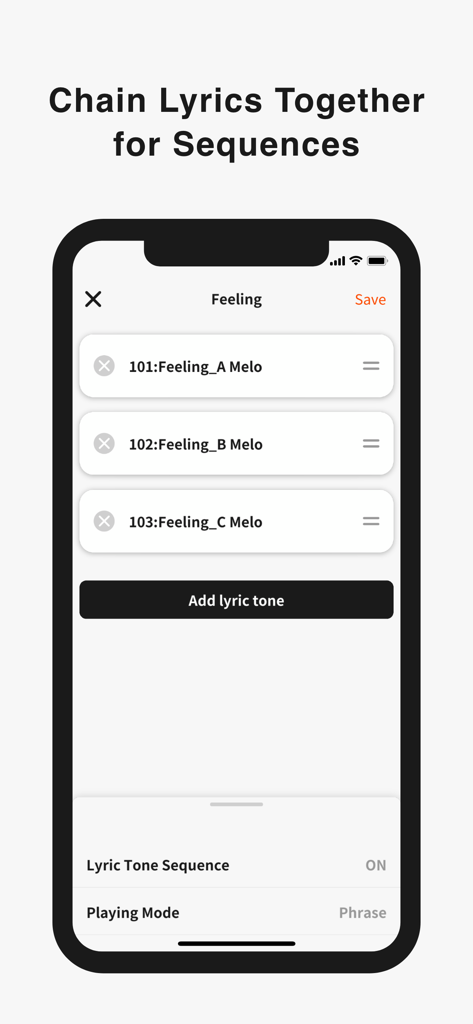
Lyric Creator - Interfaccia dell'app Lyric Creator che mostra un elenco di toni di testo concatenati per una sequenza musicale
Interfaccia dell'app Lyric Creator che mostra un elenco di toni di testo concatenati per una sequenza musicale

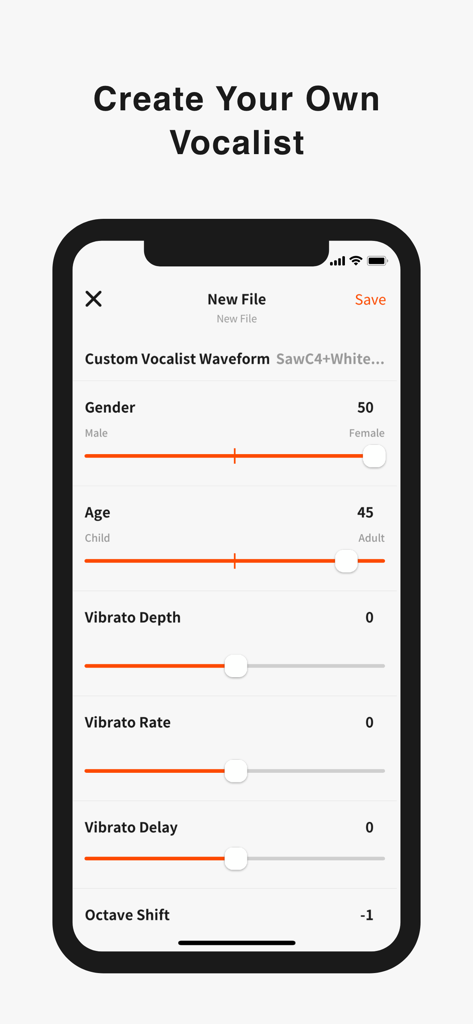
Lyric Creator - Interfaccia dell'app Lyric Creator per personalizzare un vocalist con controlli di età, genere e vibrato
Interfaccia dell'app Lyric Creator per personalizzare un vocalist con controlli di età, genere e vibrato

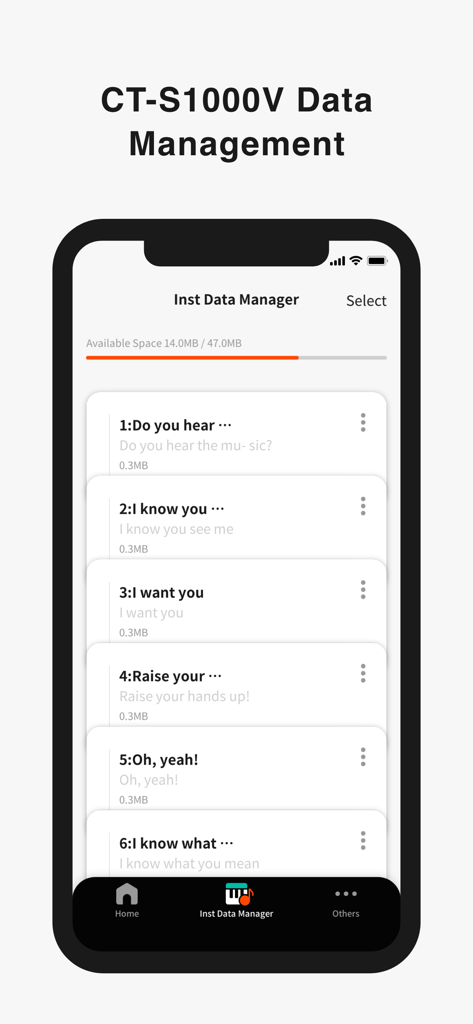
Lyric Creator - Interfaccia dell'app Lyric Creator che mostra il gestore dati dello strumento con un elenco di file di testo salvati per una tastiera Casio

Interfaccia dell'app Lyric Creator che mostra il gestore dati dello strumento con un elenco di file di testo salvati per una tastiera Casio

Descrizione

Enter Your Lyrics Favorite song lyrics and original creations alike can be entered in English and Japanese using your iOS device via Casio’s own Lyric Creator app. This text is automatically divided into syllable units (though you can also assign divisions manually and group multiple syllables together), and after exporting the resulting data to your CT-S1000V, you’re ready to play. Set the Meter In Phrase Mode, the playback meter of the lyrics is determined by assigning note values (8th notes, quarter notes, etc.) to the individual syllable units and inserting rests. In addition to the traditional input of note symbols, you can now also edit the note values by visually dragging boxes along grid lines for more intuitive control. Individual lyric tones include tempo data, which can be adjusted both during the playback of singing phrases in the app as well as when playing on the CT-S1000V. Tempo can also be synced to the MIDI clock from your DAW or other external MIDI device to ensure that your vocal phrasing always remains in time regardless of how adventurous you get. Get Granular with Phrasing and Diction Users with the appetite for a truly granular approach can go even deeper and edit the phonemes that comprise individual syllables. And besides crafting clearer vocal diction, this process can be used to approximate regional accents or mimic the pronunciation of words in languages other than English and Japanese. (Note that the available phoneme library consists only of sounds that occur in standard English and Japanese.) Playback Singing Phrases Preview lyrics phrases directly in the app, in any tempo. Instantly check the rhythm and how the lyric phrase will sound before transferring the lyric data to an instrument. Chain Lyrics Together for Longer Sequences While Lyric Creator places a limit on the length of lyric that can be entered (up to 100 eighth-note syllables), once uploaded to your CT-S1000V, individual lyrics can be chained together into much longer sequences. This function allows you to fine tune individual sections at the input stage before combining them within your CT-S1000V to create a complete song. Create Your Own Vocalists The Lyric Creator app can also be used to transform a WAV audio sample (16bit/44.1kHz, mono/stereo, max. 10 seconds in length) stored within your mobile device into an original Vocalist patch that can then be loaded into the CT-S1000V. The editing interface allows you to set characteristics such as age, gender, vocal range, and vibrato. The CT-S1000V’s 22 Vocalist presets have each been designed for maximum clarity of enunciation by blending different waveforms with elements such as white noise, and as such User Vocalist waveforms may not achieve the same level of articulation. But with some experimentation you can create new sounds, including abstract ones akin to the CT-SV1000V’s Animal preset. Connecting the CT-S1000V to Your Smart Device Once the Lyric Creator app is installed on your smartphone or tablet, you can start transferring lyrics, sequences, vocal samples, etc., by connecting your device to your CT-S1000V via a USB cable. While connected, you can also use the app to view how much space is available on the CT-S1000V’s internal drive, delete files, and edit file names. Program files are exported using a proprietary format that enables sharing between CT-S1000V users. You can also import Music XML lyric data and note values from your DAW.

Download

Scarica su App Store

Questa pagina non è una pagina ufficiale dell'app o del suo sviluppatore, ma una pubblicazione editoriale indipendente creata a scopo informativo e di commento. Salvo espressa indicazione contraria, né l'app né il suo sviluppatore sono affiliati, approvati, sponsorizzati, autorizzati o altrimenti ufficialmente collegati a MWM, Apple, Google Play, all'editore dell'app o allo sviluppatore dell'app, e nulla in questa pagina implica che l'app sia stata sviluppata utilizzando i servizi di MWM. Tutti i marchi, loghi, screenshot e altri contenuti rimangono di proprietà dei rispettivi proprietari.







