Melody Scanner
Melody Scanner
Scarica su App Store

Questa pagina non è una pagina ufficiale dell'app o del suo sviluppatore, ma una pubblicazione editoriale indipendente creata a scopo informativo e di commento. Salvo espressa indicazione contraria, né l'app né il suo sviluppatore sono affiliati, approvati, sponsorizzati, autorizzati o altrimenti ufficialmente collegati a MWM, Apple, Google Play, all'editore dell'app o allo sviluppatore dell'app, e nulla in questa pagina implica che l'app sia stata sviluppata utilizzando i servizi di MWM. Tutti i marchi, loghi, screenshot e altri contenuti rimangono di proprietà dei rispettivi proprietari.


Logo di Melody Scanner
Scarica su App Store

Melody Scanner

Trasforma video di YouTube, registrazioni dal microfono o MP3 in partiture professionali, file MIDI e tablature per chitarra. Che tu sia uno studente di pianoforte o un producer casalingo, cattura ogni nota con la potenza della trascrizione guidata dall'IA.

Numeri Chiave

Download

53K+

Valutazione

3.5/5

Valutazioni totali

200

Editore

Klangio GmbH

Categoria

Music

Lingue

1

Ultima versione

3.0.1

Dimensione

26.6 MB

Data di lancio

25 gen 2024
Funzioni

Sblocca Ogni Nota che Suoni

Melody Scanner colma il divario tra esecuzione e notazione utilizzando IA avanzata, rendendo facile per i musicisti trascrivere, modificare e condividere il loro lavoro.

Trasforma YouTube in Spartiti

Incolla semplicemente un link alla tua canzone o cover preferita e genera istantaneamente una partitura suonabile, MIDI o tablature per chitarra.

Cattura le Tue Composizioni

Registra le tue sessioni live di pianoforte, flauto o chitarra direttamente tramite il microfono e osservale trasformarsi in notazione professionale.

Gli screenshot e la descrizione seguenti provengono direttamente dall'elenco ufficiale dello store dell'app e sono di proprietà dello sviluppatore.

App Store

Screenshot
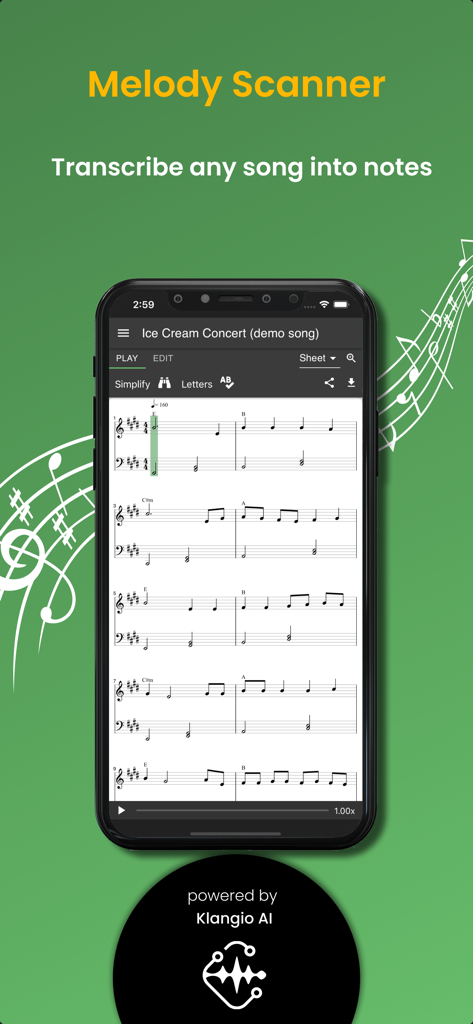
Melody Scanner - Schermata dello smartphone che mostra l'app Melody Scanner che trascrive una canzone in spartiti per pianoforte
Schermata dello smartphone che mostra l'app Melody Scanner che trascrive una canzone in spartiti per pianoforte

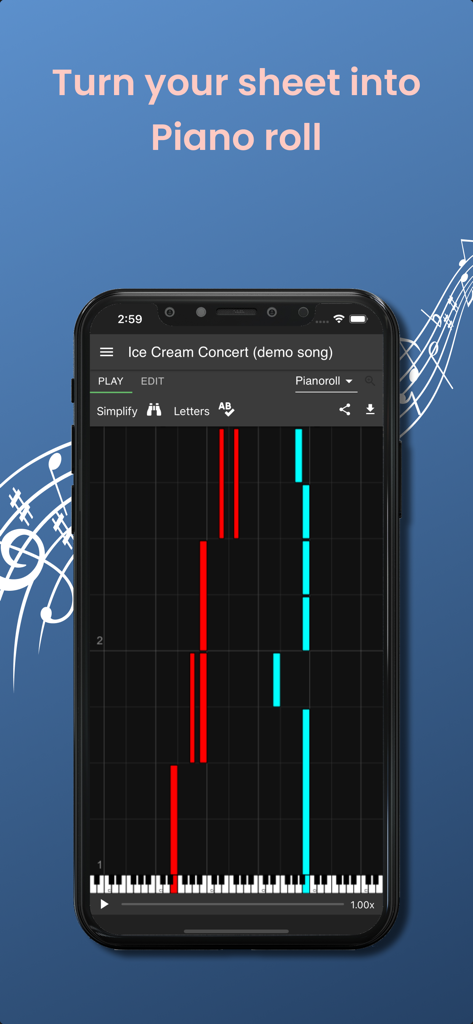
Melody Scanner - Interfaccia dell'app Melody Scanner che mostra un piano roll con note su uno schermo di smartphone

Interfaccia dell'app Melody Scanner che mostra un piano roll con note su uno schermo di smartphone
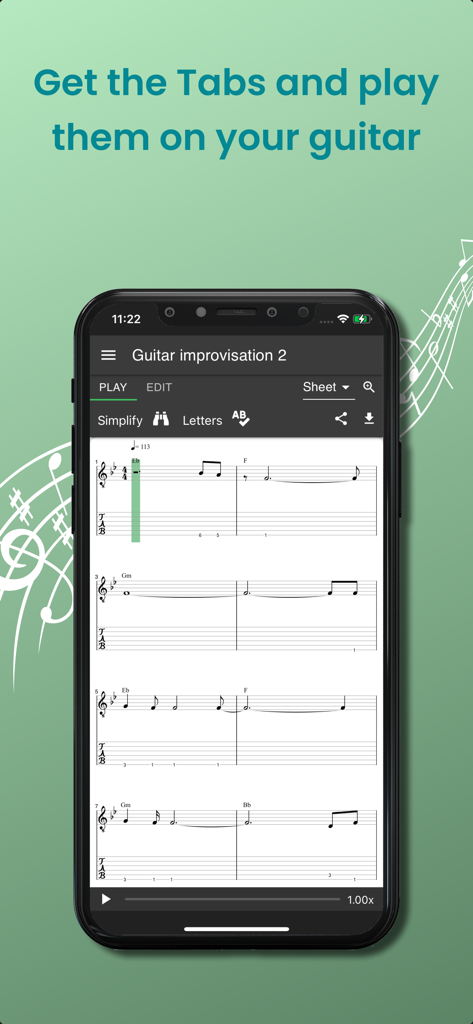
Melody Scanner - Uno smartphone che mostra tablature per chitarra e notazione musicale generate da una registrazione nell'app Melody Scanner
Uno smartphone che mostra tablature per chitarra e notazione musicale generate da una registrazione nell'app Melody Scanner

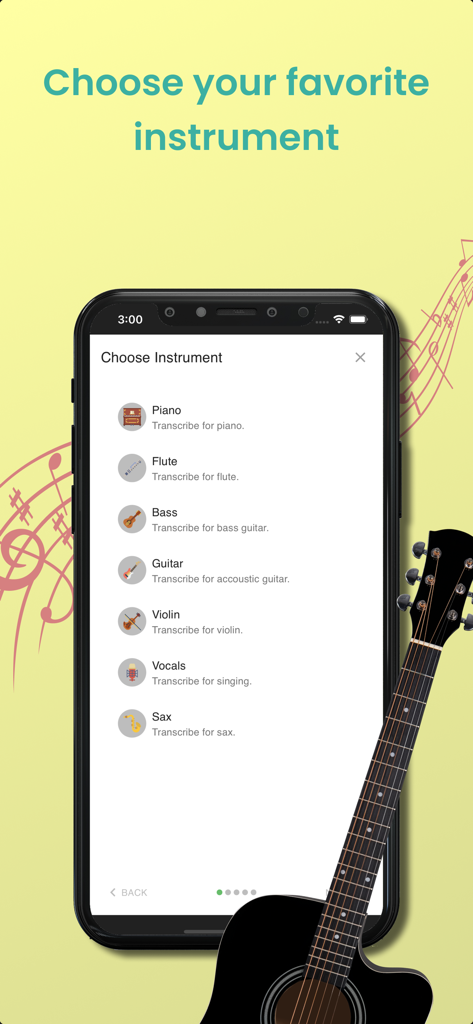
Melody Scanner - Schermata dell'app Melody Scanner per la selezione di strumenti tra cui pianoforte, flauto, chitarra e violino per la trascrizione
Schermata dell'app Melody Scanner per la selezione di strumenti tra cui pianoforte, flauto, chitarra e violino per la trascrizione

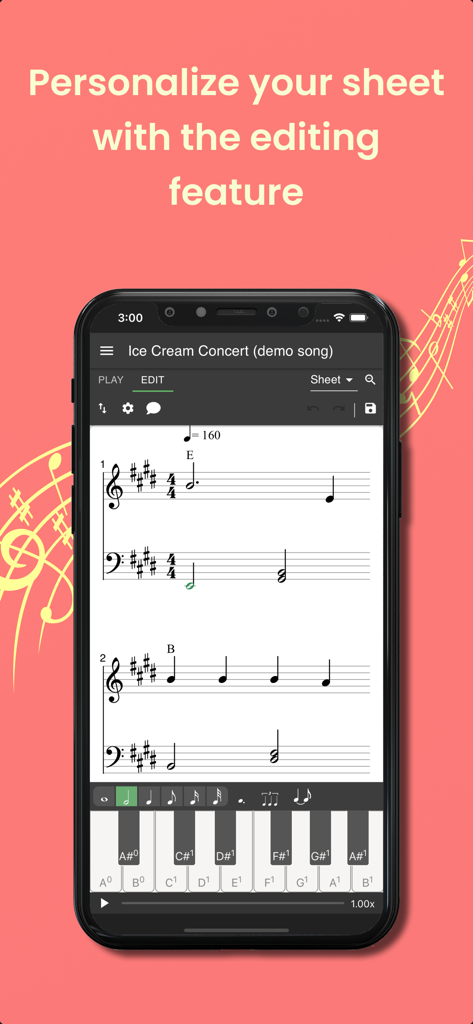
Melody Scanner - App Melody Scanner che mostra la funzione di modifica degli spartiti su uno schermo di smartphone

App Melody Scanner che mostra la funzione di modifica degli spartiti su uno schermo di smartphone
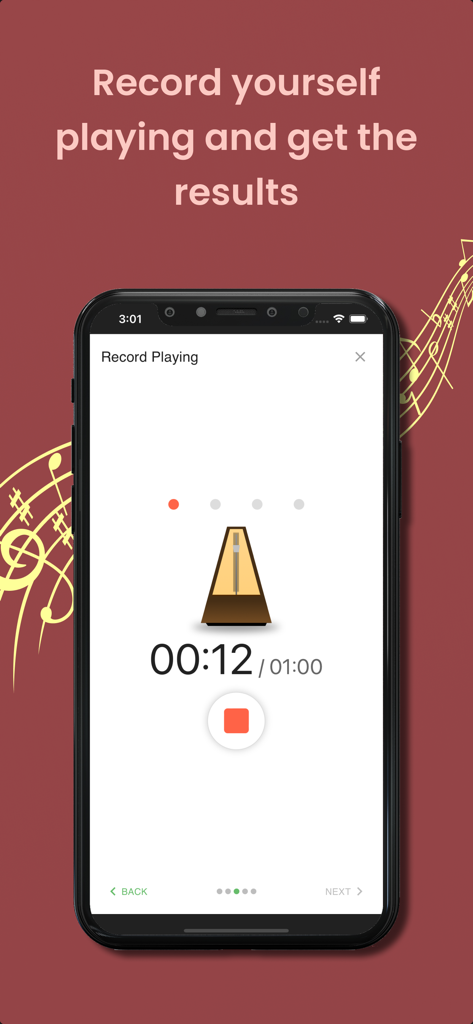
Melody Scanner - Interfaccia dell'app Melody Scanner che mostra la schermata di registrazione con un metronomo e un timer di 12 secondi per la trascrizione audio.

Interfaccia dell'app Melody Scanner che mostra la schermata di registrazione con un metronomo e un timer di 12 secondi per la trascrizione audio.

Descrizione

Transcribe piano music recordings to scores and edit them online. SUPPORTED INSTRUMENTS: Piano, Flute, Violin (beta), Accoustic Guitar (beta) Currently only solo instruments are supported, no bands or orchestras. FUNCTIONS » Transcribe YouTube song covers, microphone recordings and audio files to sheet music » View the transcribed music as classical score, piano roll or guitar tab » Playback the sheet music and listen to the result » Download sheet as PDF, MIDI, or MusicXML » Share your compositions with your friends » Synchronize with the desktop version WHAT THIS APP DOESN'T OFFER » Separation of multiple instruments: The note recognition can't separate multiple instruments. If you record multiple instruments playing simultaneously you will get bad transcription results! » Live note recognition: This app is not able to show you live note recognition results. Instead, it will take some time to perform the frequency analysis and show you the results. » 100% match percentage: This app won't detect 100% of the played notes and there will also be wrong detections. But depending on the quality of the input signal, it will give you useful suggests! WHY DO I NEED AN ACCOUNT? You create an account to ensure that only you can access your created sheet music! A lot of computing power is necessary to generate the scores from the audio, so it needs to run on a powerful server in the cloud. Also, you can access your sheets from the desktop version, too, by signing in using the same account. FREE AND PREMIUM » Transcribing audio to sheet music is a computation expensive process and needs to be run on a powerful server in the cloud. Your PREMIUM purchase supports us paying our checks and developing new features for the app. » The FREE version of this app covers Microphone and YouTube transcriptions. Uploading your own files is a PREMIUM feature. » In the FREE version sheets are limited to 40 bars (about 2 minutes). Upgrading to PREMIUM will unlock the full sheet. » PREMIUM subscriptions can be cancelled at any time and you will continue to use PREMIUM features until the end of the subscription period. » All with PREMIUM transcribed songs will stay unlocked forever. REQUIREMENTS » Internet: active internet connection for server connectivity » Microphone (optional) DESKTOP VERSION » There is a desktop version of this app available, which you can access in your browser. » The desktop version covers even more features like editing your sheets, since there is more space available on a bigger screen » You can login with the same account and synchronize your scores between multiple devices Give music your personal note! SUMMARY Transcribe music recordings from YouTube, MP3 or microphone to sheet music and edit them online. With the Melody Scanner App you can create on-the-go recordings of your instrument. Those are uploaded to your personal cloud songbook and transcribed to score. You can record your instrument, import YouTube videos or upload MP3 files. It has never been so easy to create sheet music! CONTACT US  We're always happy to hear from you. No matter what comes to your mind, we want to hear it. Would you like another feature? Does something not work as expected? Send us an e-mail at: support@melodyscanner.com This app is actively developed and there are updates on a regular base The Apple Terms of Use apply: https://www.apple.com/legal/internet-services/itunes/dev/stdeula/

Download

Scarica su App Store

Questa pagina non è una pagina ufficiale dell'app o del suo sviluppatore, ma una pubblicazione editoriale indipendente creata a scopo informativo e di commento. Salvo espressa indicazione contraria, né l'app né il suo sviluppatore sono affiliati, approvati, sponsorizzati, autorizzati o altrimenti ufficialmente collegati a MWM, Apple, Google Play, all'editore dell'app o allo sviluppatore dell'app, e nulla in questa pagina implica che l'app sia stata sviluppata utilizzando i servizi di MWM. Tutti i marchi, loghi, screenshot e altri contenuti rimangono di proprietà dei rispettivi proprietari.








