Metronomics Metronome
Scarica su App Store

Questa pagina non è una pagina ufficiale dell'app o del suo sviluppatore, ma una pubblicazione editoriale indipendente creata a scopo informativo e di commento. Salvo espressa indicazione contraria, né l'app né il suo sviluppatore sono affiliati, approvati, sponsorizzati, autorizzati o altrimenti ufficialmente collegati a MWM, Apple, Google Play, all'editore dell'app o allo sviluppatore dell'app, e nulla in questa pagina implica che l'app sia stata sviluppata utilizzando i servizi di MWM. Tutti i marchi, loghi, screenshot e altri contenuti rimangono di proprietà dei rispettivi proprietari.


Logo di Metronomics Metronome
Scarica su App Store

Metronomics Metronome

Il metronomo professionale per architetti ritmici. Genera groove sequenziati, padroneggia tempi composti e costruisci un orologio interno impeccabile con controllo avanzato delle suddivisioni.

Numeri Chiave

Download

156K+

Valutazione

4.8/5

Valutazioni totali

100

Editore

John Nastos

Categoria

Music

Lingue

1

Ultima versione

2024.2

Dimensione

14.7 MB

Data di lancio

16 mag 2011
Funzioni

Padroneggia il tuo orologio interno

Metronomics è più di un semplice click track. È un ambiente completo di allenamento ritmico progettato per professionisti di alto livello che richiedono precisione tecnica e flessibilità creativa.

Modalità di allenamento per l'indipendenza

Costruisci una sicurezza ritmica solida come una roccia impostando il metronomo in modo che rimanga silenzioso per battute specifiche, sfidandoti a mantenere il tempo perfetto senza una guida.

Maestria del tempo complesso

Programma senza problemi tempi composti e suddivisioni personalizzate come 5/7 o 23/4, fornendo la precisione matematica richiesta per composizioni moderne e tecniche.

Gli screenshot e la descrizione seguenti provengono direttamente dall'elenco ufficiale dello store dell'app e sono di proprietà dello sviluppatore.

App Store

Screenshot
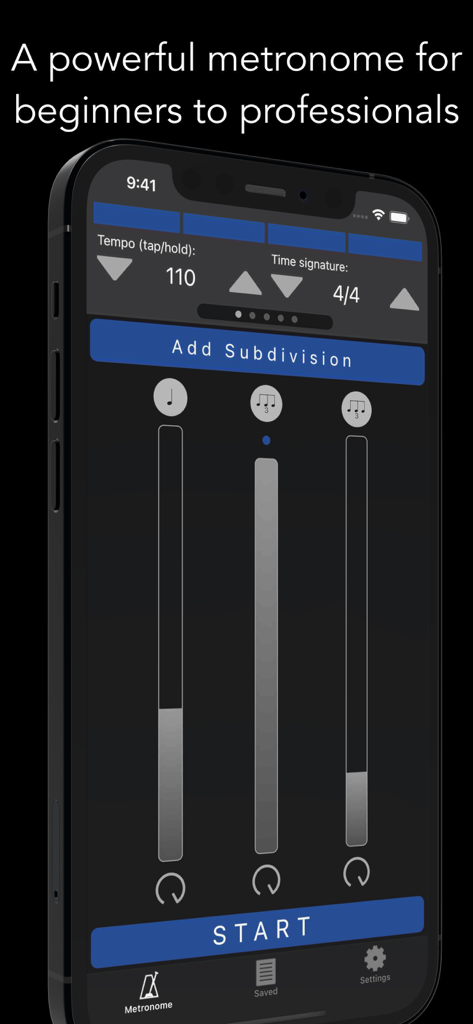
Metronomics Metronome - Interfaccia dell'app Metronomics Metronome che mostra il tempo e i controlli di suddivisione ritmica su un iPhone
Interfaccia dell'app Metronomics Metronome che mostra il tempo e i controlli di suddivisione ritmica su un iPhone

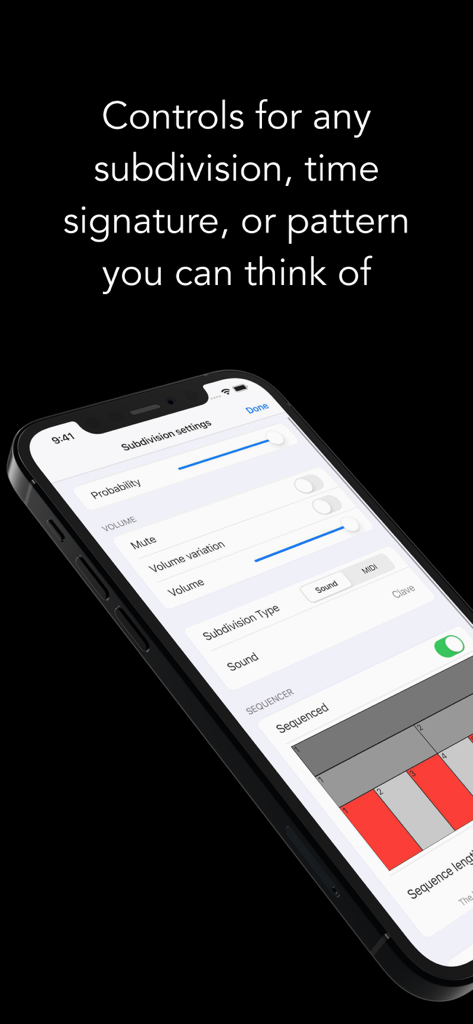
Metronomics Metronome - La schermata delle impostazioni di suddivisione dell'app Metronomics che mostra opzioni di controllo ritmico come volume e probabilità
La schermata delle impostazioni di suddivisione dell'app Metronomics che mostra opzioni di controllo ritmico come volume e probabilità

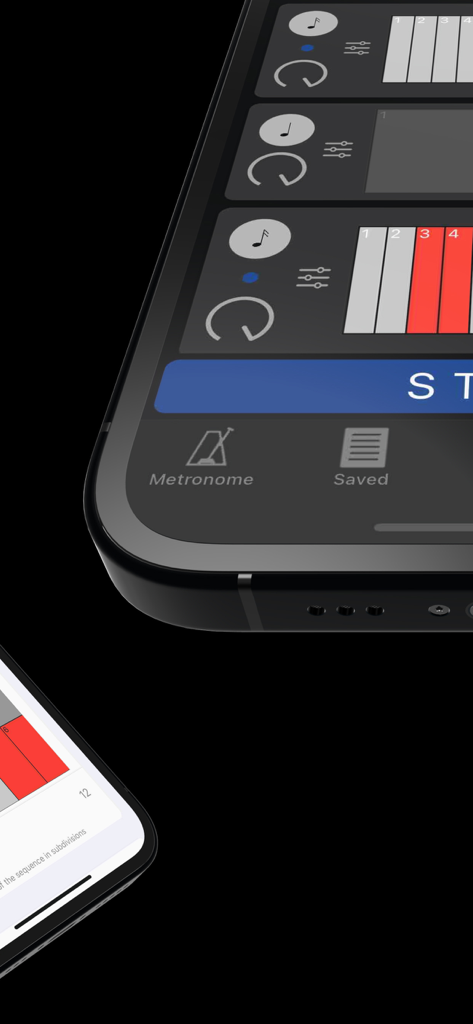
Metronomics Metronome - Primo piano dell'interfaccia del sequencer a griglia dell'app Metronomics Metronome che mostra pattern ritmici.
Primo piano dell'interfaccia del sequencer a griglia dell'app Metronomics Metronome che mostra pattern ritmici.

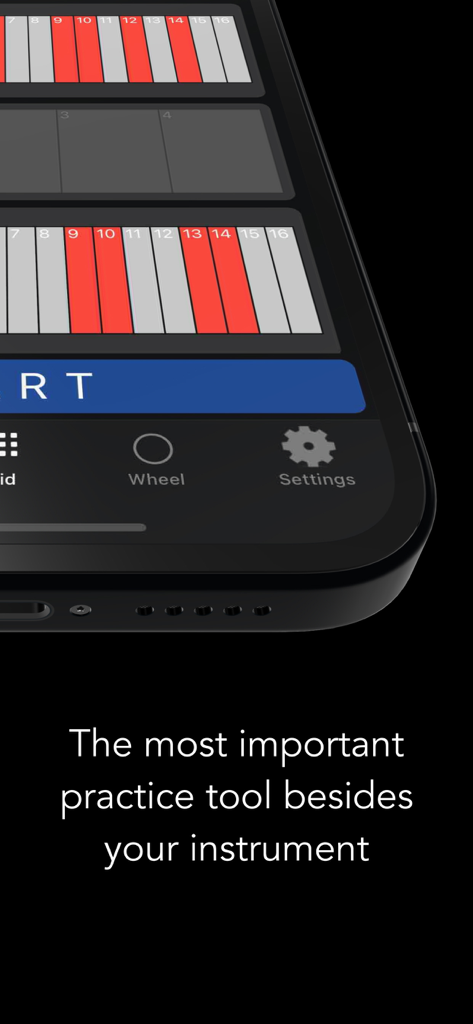
Metronomics Metronome - App Metronomics che mostra una griglia ritmica su uno schermo di smartphone con il testo Lo strumento di pratica più importante oltre al tuo strumento
App Metronomics che mostra una griglia ritmica su uno schermo di smartphone con il testo Lo strumento di pratica più importante oltre al tuo strumento

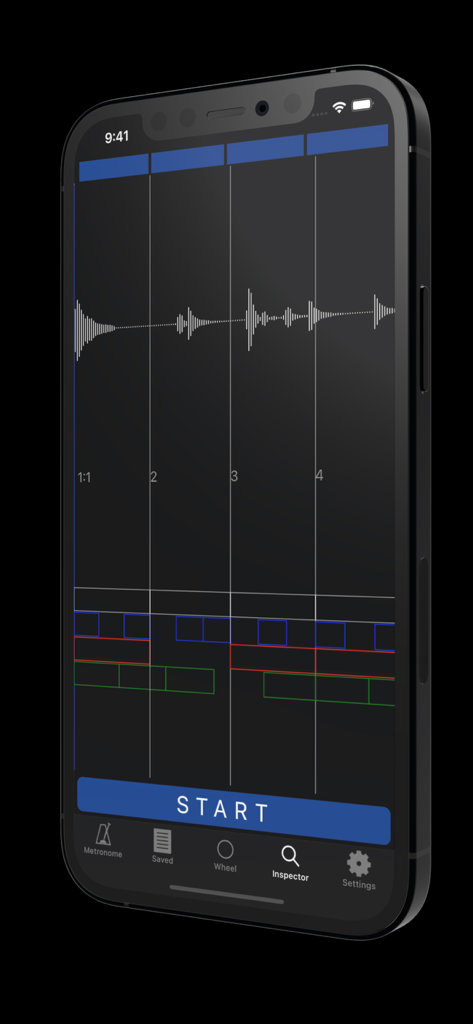
Metronomics Metronome - iPhone che mostra la modalità Inspector dell'app Metronomics Metronome con un'analisi della forma d'onda audio e della griglia ritmica.
iPhone che mostra la modalità Inspector dell'app Metronomics Metronome con un'analisi della forma d'onda audio e della griglia ritmica.

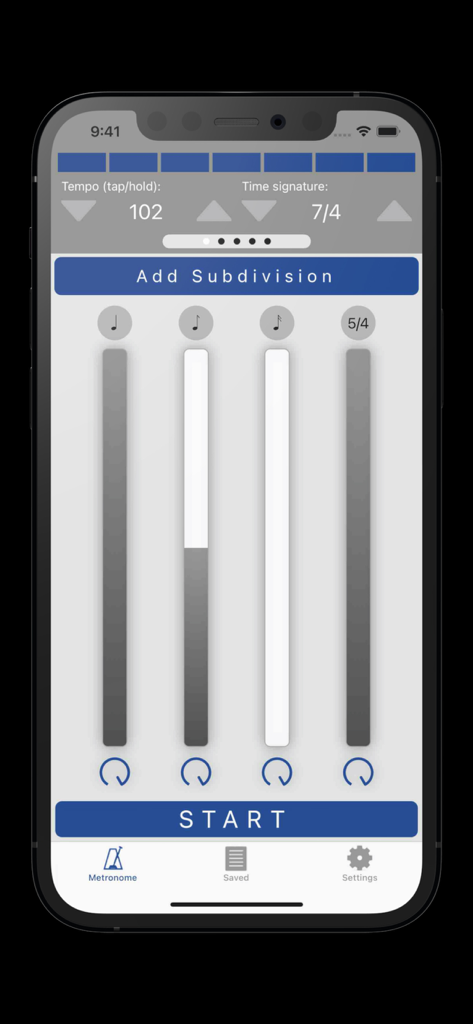
Metronomics Metronome - Interfaccia dell'app Metronomics Metronome che mostra le impostazioni del tempo e le suddivisioni ritmiche
Interfaccia dell'app Metronomics Metronome che mostra le impostazioni del tempo e le suddivisioni ritmiche

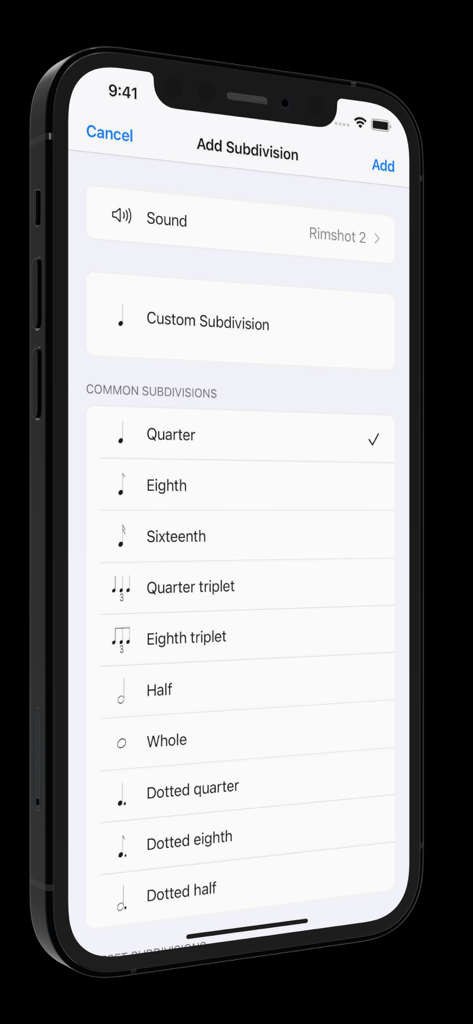
Metronomics Metronome - Interfaccia dell'app Metronomics che mostra opzioni comuni di suddivisione ritmica come note da un quarto e da un ottavo

Interfaccia dell'app Metronomics che mostra opzioni comuni di suddivisione ritmica come note da un quarto e da un ottavo

Descrizione

Metronomics is not only a metronome, but a tool designed to help build a solid sense of time and rhythmic security. It's a new kind of metronome -- use Metronomics to generate random patterns, sequenced grooves, or a combination of both to help you practice with more than just your typical click track. Enough features to keep a professional busy for years or start a beginner on the right track. The only metronome that gives you complete control over how subdivisions are played -- add subdivisions of any type (including custom subdivisions like 5/7) and have them played all the time, at random intervals, or in a sequenced pattern. Now available across platforms for both iOS and macOS -- the most powerful metronome, available for all of your devices. Features: - Choose from 40 different samples for each subdivision - Generate patterns using random or sequenced variations of different subdivisions - Include built-in preset patterns such as claves or ride cymbal patterns - Choose any number of beats per measure (with any denominator) you like or practice mixed meters such as 4/4 + 3/8 + 5/4 where the segments of the bar get accented automatically - Use any type of subdivision. Common types like quarter notes, sixteenth notes, eighth triplets, etc, or create your own. 5/7, 23/4, no problem! - Take a rhythm and use the "offset" feature to move it to different parts of the measure to practice with. - Set the metronome to speed up or slow down by a given amount after a set number of measures - Have Metronomics start with a count off - Set the metronome to run for a certain amount of time - Share saved metronomes back and forth with other Metronomics users - Track your metronome usage. App shows how much you've practiced with it each day and total (optionally turn off time tracking) - Train yourself with "independence" mode where you can set some bars to be inaudible -- keep the time going yourself until the click starts again - Variable swing feel -- choose how much each subdivision swings - Speech sounds for counting up to 10 that can be assigned to any subdivision (English language only) - Play in the background - Normalized sounds for good volume - Manual (plus videos) describing how to use all the features and hints about how they might be useful Pro subscription features: - Wheel view that allows you to visualize the passage of subdivisions with geometric shapes - Grid view that lets you easily sequence patterns on a grid much like a drum machine, but with the more-powerful features of Metronomics - Inspector mode -- graph your own playing with microphone or MIDI input and see how you line up with the metronome - iCloud sync -- sync your saved metronomes via iCloud drive - MIDI output -- set subdivisions to send MIDI data to outside MIDI synths or use an on-board synthesizer Within Metronomics, there is an option to upgrade to Metronomics Pro, which is an auto-renewing yearly subscription service. It enables the following features: Subscription details: - Service: Metronomics Pro - Time period: one year, auto-renewing subscription - Payment will be charged to iTunes Account at confirmation of purchase - Subscription automatically renews unless auto-renew is turned off at least 24-hours before the end of the current period - Account will be charged for renewal within 24-hours prior to the end of the current period, and identify the cost of the renewal - Subscriptions may be managed by the user and auto-renewal may be turned off by going to the user’s Account Settings after purchase - Privacy policy: https://metronomicsapp.com/privacy.html / Terms of use: https://metronomicsapp.com/terms.html - Any unused portion of a free trial period, if offered, will be forfeited when the user purchases a subscription to that publication, where applicable.

Download

Scarica su App Store

Questa pagina non è una pagina ufficiale dell'app o del suo sviluppatore, ma una pubblicazione editoriale indipendente creata a scopo informativo e di commento. Salvo espressa indicazione contraria, né l'app né il suo sviluppatore sono affiliati, approvati, sponsorizzati, autorizzati o altrimenti ufficialmente collegati a MWM, Apple, Google Play, all'editore dell'app o allo sviluppatore dell'app, e nulla in questa pagina implica che l'app sia stata sviluppata utilizzando i servizi di MWM. Tutti i marchi, loghi, screenshot e altri contenuti rimangono di proprietà dei rispettivi proprietari.







