Miracast + Screen Mirror

Miracast + Screen Mirror

Scarica su App Store
Logo di Miracast + Screen Mirror

Miracast + Screen Mirror: Condividi il Tuo Schermo con Qualsiasi Dispositivo in Secondi

Rompi la barriera dell'ecosistema. Esegui il mirroring senza sforzo del tuo iPhone o iPad su PC Windows, Smart TV e browser multipli contemporaneamente con un ritardo quasi nullo: senza cavi o hardware aggiuntivo.

Editore

枭波 王

Categoria

Photo & Video

Download

116K+

Valutazione

4.0/5

Valutazioni totali

1K+

Lingue

1

Il Tuo Schermo, Ovunque

Scopri l'interfaccia usata da 116K+ utenti.
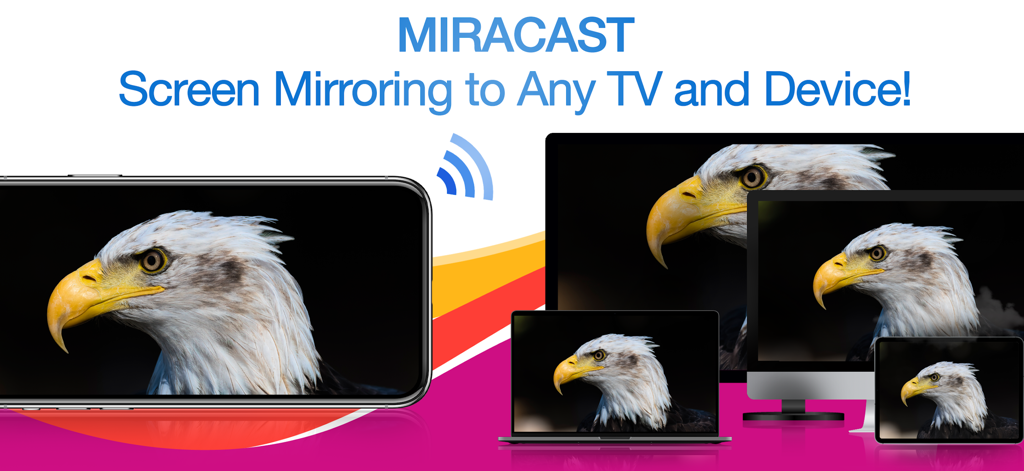
Un iPhone che esegue il mirroring wireless di un'immagine di un'aquila su un laptop, un monitor desktop e un tablet contemporaneamente

Un iPhone che esegue il mirroring wireless di un'immagine di un'aquila su un laptop, un monitor desktop e un tablet contemporaneamente

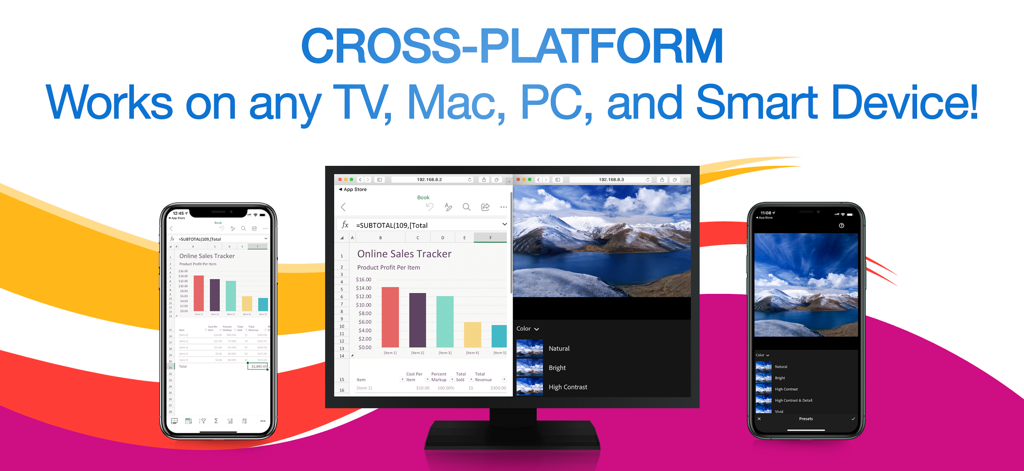
App Miracast che mostra più iPhone che eseguono il mirroring di un foglio di calcolo e una foto contemporaneamente su un monitor di computer

App Miracast che mostra più iPhone che eseguono il mirroring di un foglio di calcolo e una foto contemporaneamente su un monitor di computer

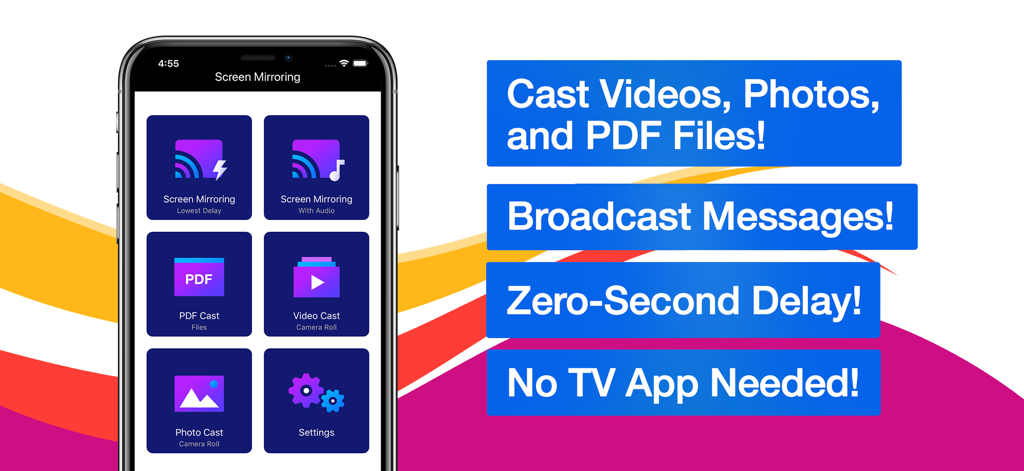
Interfaccia dell'app Miracast e di mirroring dello schermo con opzioni per trasmettere video, foto e file PDF

Interfaccia dell'app Miracast e di mirroring dello schermo con opzioni per trasmettere video, foto e file PDF

Mirroring Senza Interruzioni per il Tuo Mondo Misto

Gli strumenti che rendono questa app unica, scelti da 116K+ utenti.

💻

Supporto Universale Multipiattaforma

Basta mal di testa da compatibilità. Esegui il mirroring del tuo iPhone direttamente su PC Windows, Mac e TV non Apple usando solo un browser web: senza cavi o hardware aggiuntivo.

📡

Trasmissione Simultanea su Dispositivi Multipli

Perfetto per presentazioni o aule. Trasmetti il tuo schermo a più ricevitori contemporaneamente, assicurandoti che tutti nella stanza siano sulla stessa pagina.

Prestazioni a Latenza Ultra-Bassa

Sperimenta la velocità in tempo reale. Che tu stia presentando un'app o condividendo un video, goditi un mirroring quasi istantaneo che tiene il passo con ogni tua mossa senza ritardi scomodi.

Analisi recensioni

Approfondimenti dalle recensioni degli utenti.

Punteggio sentimento

5%
Negativo

Riepilogo

Users express strong dissatisfaction with the app, primarily due to its aggressive and often misleading subscription model, where many features are locked behind paywalls even after supposed "free trials." Many reviewers report that the app simply "doesn't work" or fails to perform basic screen mirroring functions as advertised, with common issues including lack of video or audio. Furthermore, users frequently highlight problems with device compatibility, such as non-functionality with Samsung devices, iPads, or specific dongles like Anycast, and difficulty obtaining refunds for non-working purchases.

Temi comuni

Subscription Model(35)
App Functionality(20)
Screen Mirroring Issues(10)
Misleading Practices(9)
Refund Process(3)
General Satisfaction(1)

Info sull'app

Tutto quello che devi sapere su Miracast + Screen Mirror.

Descrizione

** Instantly mirror your iPhone or iPad's screen and media to multiple devices simultaneously – quickly, easily & nearly no delays! Mirror your iPhone/iPad screen to multiple computers or devices in near real time. Your iPhone/iPad screen can be viewed on a web browser on any computer or device with zero interruptions or uncomfortable delays. Everything you do on your iPhone/iPad is wirelessly mirrored without cables or adapters. Stay connected on the go, wherever you are. You can wirelessly mirror your iPhone/iPad's screen or stream files to receivers such as Smart TVs, PCs, Macs, Smartphones, Tablets, Laptops, Game Consoles, etc. Exclusive Features: • Multi-Screen Mirroring - Mirror your iPhone/iPad's screen and audio to a number of computers and devices, even simultaneously. • Cross-Platform - Never worry about compatibility issues again – any computer or device with a web browser is supported. • Virtually No Delays - Enjoy quick and easy screen mirroring and media casting with almost no delays at all. • Multi-Media Support - Beside your iPhone or iPad's screen, you can also cast videos, photos, or PDFs to multiple digital devices simultaneously. • Broadcast Messages - While mirroring your screen, you can broadcast text messages or images to your viewers at the same time. • Mirror Multiple Screens - You can view multiple mirrored screens on the same device simultaneously. • Simple and Intuitive UI - Beautiful, modern icons and other interface design elements make this app a brand new experience on iOS and iPadOS. NOTES: • Please make sure all of your computers and devices are connected to the same network. This app is unavailable on complex network environments, such as Firewall on Private Network, VLANs, Subnets, VPN, or Proxy. It only work on simple network environment, such as ordinary home networks (home use wireless router or switch). • Mirroring performance and quality depends on your network health and hardware devices. *** Upgrade to Premium to unlock all the great features *** Information about the auto-renewable subscription: • Payment will be charged to iTunes Account at confirmation of purchase. • Subscription automatically renews unless auto-renew is turned off at least 24-hours before the end of the current period. • Account will be charged for renewal within 24-hours prior to the end of the current period. The cost depends on the selected plan. • Subscriptions may be managed by the user and auto-renewal may be turned off by going to the user's Account Settings after purchase. • Any unused portion of the free trial will be forfeited when the user purchases a subscription. Privacy Policy: https://appsupport11.blogspot.com/2020/07/privacy-policy.html Terms of Use: https://appsupport11.blogspot.com/2020/10/terms.html

Ultima versione

4.5

Dimensione

13.8 MB

Data di lancio

4 set 2020

Pronto a Trasmettere il Tuo iPhone su Qualsiasi Schermo?

Esci dall'ecosistema Apple. Inizia a trasmettere il tuo schermo, video e PDF su Windows, Smart TV o browser multipli contemporaneamente con zero ritardo e senza cavi.

Scarica su App Store

App information, icons, screenshots, and descriptions displayed on this page are sourced from the Apple App Store and are the property of their respective developers. Download estimates and rankings are based on MWM's proprietary models and may not reflect actual figures. This page is provided for informational and analytical purposes only.

Believe this page infringes your intellectual property? File a dispute